
For most first-time buyers, a simple filament machine with automatic calibration is a better starting point than paying extra for features they may not use. The Bambu Lab A1 Mini is my pick for beginners who want an easy start and a small footprint. Larger parts, color prints, enclosed printing, and fine resin details call for different machines.
In the 2026 U.S. market, the lowest price does not always make the best buy. Your projects, available space, materials, and comfort with setup all matter. This roundup compares those needs so you can focus on a printer that fits your plans instead of paying for features that will sit idle.
Key Takeaways
- The Bambu Lab A1 Mini is a compact, straightforward starter for many beginners.
- A larger build volume helps when your planned parts will not fit on a small printer.
- Color systems add options, but they can add cost and steps to printing.
- An enclosure can help with some materials, but nozzle temperature alone does not prove a printer can handle them.
- Resin printers suit small, detailed parts, but require extra handling and cleanup.
The right shortlist starts with your project size, material plans, and willingness to manage setup.
What should a 2026 budget cover?
A sensible 2026 budget starts with the machine you need, not with a sale price copied from an older buying guide. Plan for the full setup, since a low printer price can leave out useful tools and supplies.
A printer listed under $500 can still push your total past $500 after add-ons. Material extrusion is a 3D-printing process that forms an object by depositing material through a nozzle, layer by layer. ISO/ASTM 52900:2021 uses “material extrusion” for this process; consumer guides also use FDM and FFF. The ISO/ASTM 52900:2021 standard sets out the terms.
How to judge the 2025 picks against 2026 options
A 2025 recommendation can still help you understand a printer’s role. It does not promise that the same configuration or price remains available in 2026.
Compare the current printer, included parts, and bundle before you decide. A bundle may include extras you will not use, so it is not automatically the better starter buy.
What the purchase budget needs to include
Filament, basic tools, and replacement wear parts can all add to the cost. Color equipment and an enclosure are optional, but they can change the total by a lot.
- Printer configuration: check what the listed price includes.
- Filament and tools: allow room for a first spool and basic upkeep.
- Workspace: consider whether the printer and its moving parts will fit.
- Intended material: choose a machine that suits the filaments you plan to use.
Set a total-spend ceiling before choosing between a standalone printer and a bundle.
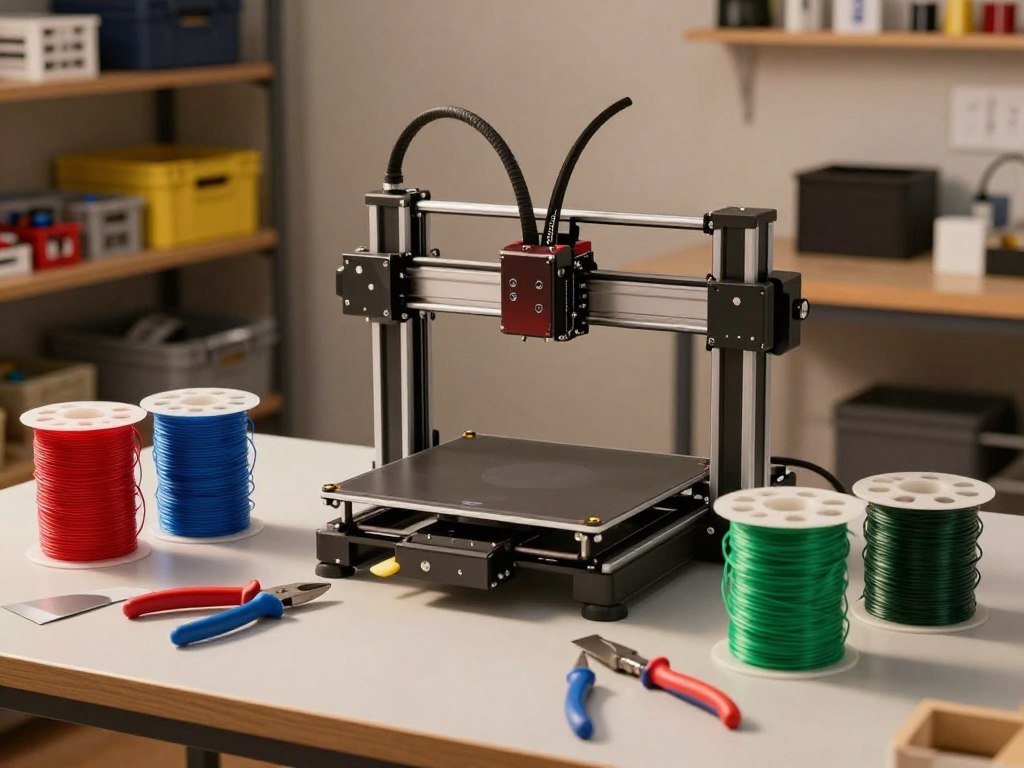
Which affordable printers make the strongest shortlist?
A short list is more useful when each machine represents a different buyer need, rather than a different headline speed. The best fit depends on price, build volume, automation, and the materials you plan to print.
“Under $500” describes the printer price, not necessarily your complete setup. The table compares three distinct options and their listed configurations.
What separates a good shortlist from a spec-sheet race
A maximum speed number does not tell you how well a printer fits your projects. A small, automated machine can be a better buy than a faster model if it fits your space and parts.
Build volume is the space available for one print. Consider the largest object you expect to make, not only the size of the sample prints shown with a machine.
Best Budget 3D Printer Under $500
| Model | Listed configuration and price | Distinguishing feature | Best fit |
|---|---|---|---|
| Bambu Lab A1 Mini | Standalone, $199 | Compact beginner option | Small desk and simple start |
| Creality Ender 3 V3 SE | MSRP, $219 | Direct drive and automatic leveling | Larger work area on a budget |
| Anycubic Kobra 3 V2 | Standalone, $279 | Camera monitoring | Print checks from the camera |
The Bambu Lab A1 Mini keeps its footprint small, while the Ender offers a larger work area. The Kobra adds a camera to its standalone setup.
Choose by the features you will use, not by a single number on the box. Compare the configuration you would actually buy, since a standalone machine and a color bundle are different purchases.

Which Best Budget 3D Printer Is Easiest for Beginners?
For a new user who values a quick route to a first print over a large workspace, the Bambu Lab A1 Mini is the clearest fit. Its 180 x 180 x 180 mm build volume suits many hobby parts, though it limits larger models.
The A1 Mini favors a guided workflow over a large print area. Its official maximum print speed is 500 mm/s, but that does not mean every print finishes at that pace.
The Bambu Lab A1 Mini was easy to assemble, fast, and quiet in testing. Setup through the first print took less than 10 minutes, which may matter more than extra room for a beginner’s first projects.
If you want more help weighing those tradeoffs, this beginner 3D printer comparison also considers size, setup, and project needs. The compact volume works well for small models, desk items, and many basic repairs.
- Follow the assembly instructions for your exact model.
- Run the printer’s automatic setup steps.
- Start with a familiar PLA print profile.
PLA is a common first filament because many beginner profiles support it. A larger part may need a different machine, or a design split into smaller pieces.
Check the model’s dimensions against your desk before choosing convenience over a larger build area.

Is the Ender 3 V3 SE the better low-cost starter?
The Ender 3 V3 SE is a sensible low-cost choice when a larger work area matters more than a highly automated workflow. Its 220 x 220 x 250 mm build volume gives you more room for common hobby parts.
The Ender combines a larger bed with direct drive and automatic bed leveling. Creality lists a $219 MSRP, a Sprite direct-drive extruder, and a maximum speed of 250 mm/s.
The larger build volume can suit organizers, props, and household parts that exceed a compact printer’s space. Direct drive places the drive mechanism near the nozzle, which helps feed filament through a shorter path.
Automatic bed leveling can reduce one common setup task. It does not remove the need to use the printer’s setup steps and check that a print starts well.
The listed speed is a ceiling, not a promise for every job. Print shape, filament, and chosen settings all affect the pace you get in practice.
For a buyer comparing ease and working area, this beginner printer guide covers the Ender alongside compact alternatives. Someone who wants a more guided, close-to-plug-and-play workflow may prefer the A1 Mini, even with its smaller bed.
Match the printer to the largest part you expect to make, not just the models you can print on day one.

Which fast printer gives you more room to print?
The Sovol SV06 ACE is a speed-oriented choice that keeps the familiar 220 x 220 mm bed footprint. Its 600 mm/s listed top speed comes with a practical-sized build area.
Choose the SV06 ACE for its mix of speed headroom and useful features, not its top-speed claim alone. It includes automatic bed leveling, a built-in camera, and vanilla Klipper firmware.
Sovol SV06 ACE: speed and included features
The 220 x 220 x 250 mm build volume matches a common size for hobby printers. That gives you room for many parts without moving to a much larger machine.
Vanilla Klipper is a printer-control firmware, and the included camera lets you monitor a print. Those features may appeal if you want more control than a basic machine offers.
How to read a maximum-speed claim
A listed maximum speed describes a top setting, not the pace of every finished object. Small details, curves, and changes in direction can affect how fast a print runs.
The filament and the printer’s ability to melt and feed it also matter. A simple test shape may run faster than a detailed model made with the same machine.
Choose it for the combination of Klipper, monitoring, and speed headroom, not for the top-speed figure alone.
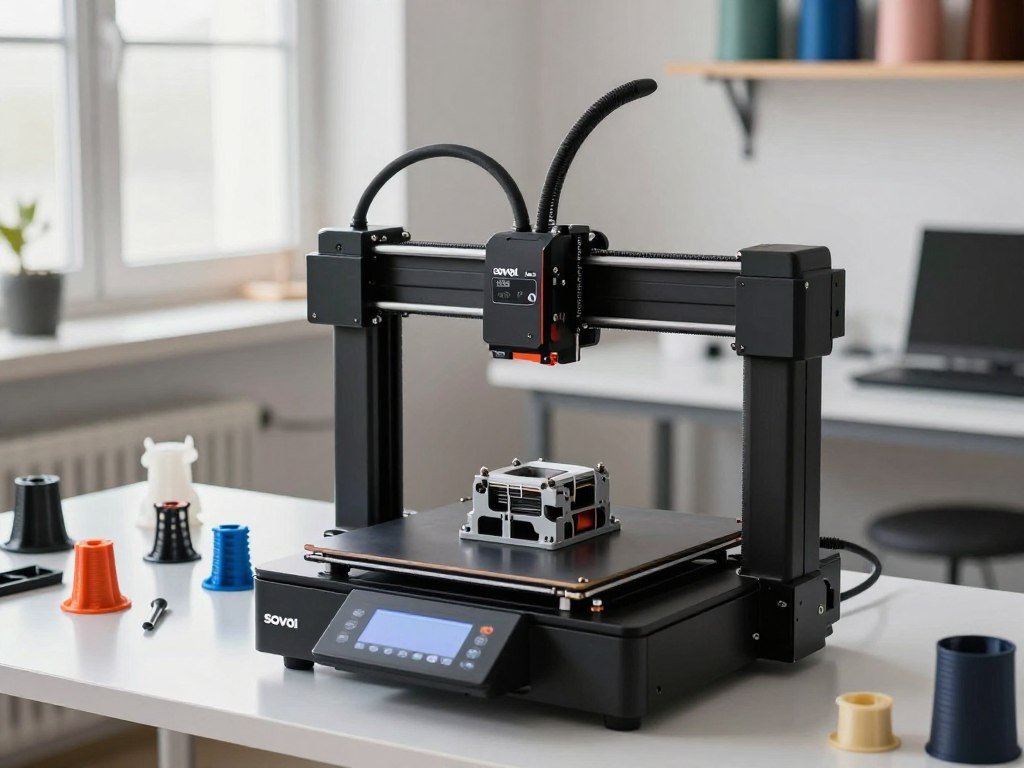
Is the Elegoo Centauri Carbon worth choosing?
The Elegoo Centauri Carbon is a compelling option if an enclosed frame matters more to you than staying strictly below $300. CNET lists it at $309, just above that budget line.
Its enclosure and automatic calibration make it a useful pick for buyers who want a more contained setup. The printer also has a built-in camera, a listed maximum speed of 500 mm/s, and reported quick printing with high-quality finished prints.
An enclosure surrounds the print area and can help keep conditions steadier for some jobs. Automatic calibration can reduce manual setup work, though it does not guarantee every print will succeed.
The price makes the Centauri Carbon a near-budget option, not a strict sub-$300 pick. A buyer setting a hard ceiling may need to choose a different configuration.
An enclosed frame alone does not make every material right for every room or project. Follow the machine’s material guidance and consider the way you plan to use it.
Check the exact configuration and final listed price before treating it as a budget pick.
How much does four-color printing add?
A color system is worth its added cost when multicolor objects are part of the plan, not just an occasional curiosity. The Bambu Lab A1 Mini can print in up to four colors with the AMS Lite.
A four-color configuration costs more than a single-color setup, and the added system changes the workflow. Compare the listed prices and color capacity before choosing a bundle.
What the AMS Lite adds to the A1 Mini
The AMS Lite feeds different colors during a print, which can add labels, accents, and color changes to a model. The A1 Mini AMS Lite combo is listed at $349.
The Anycubic Kobra 3 V2 four-color combo is listed at about $299. A lower bundle price may matter, but the right choice still depends on the printer and features you want.
| Printer or configuration | Listed price | Color capacity | What the buyer gets |
|---|---|---|---|
| A1 Mini standalone | $199 | Single-color configuration | Printer without color system |
| A1 Mini with AMS Lite | $349 | Up to four colors | Printer and color system |
| Anycubic Kobra 3 V2 four-color combo | About $299 | Four-color setup | Printer and color system |
When a four-color workflow is worth paying for
Color can make a finished part easier to read or more appealing, especially for signs and display models. A plain single-color print may be enough for brackets and other practical parts.
Multicolor printing can add material changes and extra workflow steps. The best value depends on whether you expect to use color often, rather than simply liking the idea of it.
Choose the bundle only after deciding whether the extra colors will change what you actually print.
What does the Anycubic Kobra 3 V2 offer?
The standalone Kobra 3 V2 is a reasonable choice for buyers who want monitoring and upgraded hardware before adding a color workflow. Its upgraded hotend and frame set it apart from a basic single-color setup.
The Kobra 3 V2 standalone printer is listed at $279 and includes a monitoring camera. That makes it an option for buyers who want to check a print without starting with a color combo.
The upgraded frame and hotend are hardware changes intended to improve the printer’s build and print setup. The built-in camera adds a way to view print progress.
The Kobra 3 V2 Combo has a maximum nozzle temperature of 300°C. That number describes a hardware limit, not a guarantee that every high-temperature filament is suitable.
Material fit also depends on the frame, bed, nozzle type, and other parts that guide the filament. A machine’s highest temperature is only one part of that decision.
Match the machine’s temperature capability to the material and enclosure requirements, rather than selecting filament by nozzle temperature alone.
Is the Creality SPARKX i7 Nano right for a small desk?
A smaller desk setup makes the SPARKX i7 Nano more appealing than a printer that needs a separate spool station. The Nano Combo uses an integrated spool holder to keep its footprint compact.
The full SPARKX i7 is listed at $279, while the i7 Nano Combo is listed at $299. The i7 took about five minutes to set up and produced excellent print quality at that price.
Testing found fine details, smooth surfaces, and sharp edges on the prints. That result may suit buyers who want a quick start and a clean finish without much assembly.
The Nano’s integrated spool holder reduces the space needed around the machine. A compact base does not mean the printer can sit tight against a wall, though.
Moving parts need room to travel, and filament needs a clear path from the spool. Check the setup on your desk, not only the printer’s base size.
Measure the printer’s working clearance, not only the space its base occupies.
Can the Flashforge AD5X print flexible filament in color?
The AD5X stands out for buyers who specifically want a four-color system that can handle TPU 95A. Its TPU support out of the box suits some flexible, colored parts.
The AD5X’s four-color IFS system produced consistent prints and strong layer adhesion with TPU 95A in testing. Its listed price ranges from $339 to $549.
TPU is a flexible filament, and layer adhesion helps its printed parts hold together as they bend. Testing with TPU 95A does not mean every flexible filament will behave the same way.
The AD5X has a 280°C maximum nozzle temperature and suits PLA and PETG. Its open frame limits higher-temperature filament use without an enclosure.
Filaments can differ in hardness and printing needs, even when both are called flexible. Check the material’s requirements before loading a spool into a multicolor system.
Confirm the filament’s hardness and material requirements before assuming a flexible spool will work in a multicolor setup.
Which enclosed printers can handle more demanding materials?
For a buyer who expects to move beyond basic PLA, an enclosed frame and compatible hotend matter more than a speed headline. The Elegoo Centauri Carbon 2 Combo and Anycubic Kobra S1 offer different enclosed setups.
An enclosure can broaden material options, but it does not make every filament suitable. Nozzle type, bed limits, and the machine’s material guidance also shape what you can print.
Elegoo Centauri Carbon 2 Combo: enclosed color printing
The Centauri Carbon 2 Combo is listed at about $449. Its enclosed frame, four-color Canvas system, and heated bed support a broader setup than a basic open machine.
Its maximum nozzle temperature is 305°C, and the bed heats to 100°C. The hardened-steel nozzle is rated to 350°C, and the Canvas system supports flexible filament down to 95A TPU.
Anycubic Kobra S1: enclosed CoreXY printing
The Anycubic Kobra S1 is listed at about $429. Its enclosed CoreXY design has a 300°C maximum nozzle temperature and charcoal air filtration.
Compare the full material path before buying filament for a demanding job. Use this four-part check:
- Filament temperature: confirm the material’s needed range.
- Nozzle type: check whether the nozzle suits the filament.
- Bed capability: match the bed to the material’s needs.
- Enclosure: confirm the printer’s frame fits the material guidance.
An enclosed printer does not remove the need to follow material and room-use guidance. A heated-chamber test found different results for ABS and PCBlend at different chamber conditions; those results apply to its tested setup.
Check the full material path and bed limits before buying filament for a high-temperature print.
What can you get by spending up to $800?
Spending more than an entry-level budget pays off when the added build area, chamber, or multicolor capacity solves a real project need. Near $800, printers can offer very different sizes and chamber controls.
Do not pay for a heated chamber or large build volume unless your projects need them. These three models show how much the features can vary.
Best budget 3D printer under $1,000
| Model | Listed price | Build volume | Enclosure or chamber feature |
|---|---|---|---|
| QIDI Plus 4 | $799.99 | 305 x 305 x 280 mm | Active 65°C heated chamber |
| Creality K2 Plus | About $799-$899 | 350 x 350 x 350 mm | Active 60°C heated chamber |
| Bambu Lab P1S | $599 | 256 x 256 x 256 mm | Passive enclosure |
The QIDI Plus 4 has Klipper firmware, a 370°C maximum hotend temperature, and a listed maximum speed of 600 mm/s. The K2 Plus supports up to 16 colors with CFS.
The P1S has a 300°C maximum nozzle temperature and a listed maximum speed of 500 mm/s. Its passive enclosure differs from the active chambers in the larger machines.
When a larger machine or heated chamber earns its place
The Bambu Lab A1 is listed at $399, and the A1 AMS Combo at $489. CNET reported excellent print quality from the Bambu Lab A1 Combo in testing.
The Bambu Lab P2S Combo is listed at $749 and scored 9.2. Its Adaptive Airflow allows closed-door printing while maintaining chamber temperature.
The Creality Hi with CFS has a 259 x 259 x 259 mm build volume and a bedslinger design. These options show that price alone does not tell you which machine fits your work.
A desk-bound PLA hobbyist may not need a large heated chamber. Choose the upgrade that removes your actual limitation, rather than treating the highest listed price as the best value.
Which printer gives you the control and monitoring you need?
Choose the control setup that fits how you want to send files and check prints, not the one with the most features on its box. Local file transfer, firmware, and live monitoring are separate features.
Wi-Fi, camera access, and printer firmware do not promise the same kind of control. The table shows what each setup offers in practice.
| Model | Control or file-transfer detail | What that means for a buyer |
|---|---|---|
| Ender 3 V3 SE | SD-card transfer, no Wi-Fi | Simple local file handoff |
| Sovol SV06 ACE | Vanilla Klipper, built-in camera | Firmware control and print monitoring |
| QIDI Plus 4 | Klipper, listed 600 mm/s maximum | Advanced control and a speed claim to interpret |
The Ender uses an SD card to transfer files and does not have Wi-Fi. That can suit a simple routine where you save a file and carry it to the printer.
The SV06 ACE pairs Klipper firmware with a built-in camera. The QIDI Plus 4 also uses Klipper, but its speed rating remains a maximum rather than a promise of print time.
Camera monitoring can show a print in progress, but it does not automatically fix a failed print. Research in Nature Communications on camera-based error detection studied a system that detected and corrected print errors in real time.
Decide whether local file transfer or remote monitoring is essential before you narrow the shortlist.
Should you choose a resin printer instead?
A resin printer is a better fit when small, detailed parts matter more than a simple filament-to-finished-part workflow. The Anycubic Photon Mono 2 and Elegoo Mars 5 Ultra serve different resin users.
Resin printing requires liquid resin handling, washing, and curing after a print. Those extra steps make it different from loading filament and removing a finished part.
Anycubic Photon Mono 2 for small detailed models
The Anycubic Photon Mono 2 has a 4K screen and a smaller-sized resin vat. That combination suits buyers focused on smaller, detailed models.
A smaller vat can be a practical match when your prints do not need a large resin supply. It also means the printer is not the right tool for every large object.
Elegoo Mars 5 Ultra for automated resin handling
The Elegoo Mars 5 Ultra is listed at $269, a $70 saving from its MSRP. It includes automatic leveling, failure detection, and tilt release.
Those features add automation to the resin workflow, but they do not remove washing and curing. Compare your needs before picking a resin machine.
- Desired surface detail: decide how much fine detail your parts need.
- Object size: check whether the largest model fits the printer.
- Cleanup tolerance: consider washing and curing after each print.
- Workspace for resin handling: allow room for the extra steps.
Choose resin only if the extra handling and cleanup match the kind of projects you plan to make.
What should beginners check before the first print?
Before loading filament, follow the setup steps and choose a ventilated location with enough room around the machine. A careful first session can help you catch setup problems before a long print.
Use a small PLA test print and check its first layer before starting a long job. Keep these five checks close at hand:
- Follow the maker’s assembly and leveling steps.
- Inspect the first layer as the printer begins.
- Use a familiar PLA profile for the first test.
- Keep the printer in a ventilated area.
- Check the room’s noise and the printer’s clearance.
NIST defines additive manufacturing as making three-dimensional products from digital designs, layer by layer. In an office-like study, operating printers measured generally 30,000-60,000 particles per cubic centimeter above background.
At 9.45 air changes per hour, particle concentration fell by half in about 12-13 minutes and neared background in about 18-20 minutes. Those figures describe that specific setting, not every room or printer.
Three operating printers averaged sound pressure 12 dB above background in the same study. A CDC-hosted NIOSH test found that a printer cover cut total particle emissions by a factor of two in its test setup.
A cover is not a substitute for suitable ventilation. Noise and emissions depend on the room and setup, so place the machine where its operation fits your home.
Best DIY 3D printer is a useful phrase for someone who wants to build and tune a machine; a preassembled option suits a buyer who values a faster start. Choose based on whether assembly is part of the hobby you want.
Run a small PLA test and confirm first-layer adhesion before committing to a long print.
Conclusion
For a first filament printer, choose the Bambu Lab A1 Mini if ease and compact size matter most, and choose a different class only when a specific project demands it. The Ender 3 V3 SE suits buyers who need more room, while enclosed models suit other material needs.
Resin printers make sense when small details outweigh the extra handling. Your best budget choice is the machine that solves a real limit without adding features you will rarely use.
Write down your largest planned print, main material, and total spending limit, then compare the matching configuration before you buy.
FAQ
What nozzle size should a beginner use for detailed miniatures?
A 0.4 mm nozzle is the standard choice on most consumer filament printers, while a 0.2 mm nozzle can show finer detail. The smaller nozzle usually takes longer because it lays down narrower lines. Check that your printer supports the nozzle size, then use a profile made for it. A small nozzle can also clog more easily.
Can an open-frame printer handle ABS or ASA?
Some open-frame printers may handle ABS or ASA, but a high nozzle-temperature rating alone is not enough. These materials can need an enclosure and specific print conditions. Check the printer maker’s material guidance, along with the filament maker’s instructions. A compatible nozzle and hotend do not by themselves make an open machine suitable for every ABS or ASA job.
Is a 180 x 180 x 180 mm build volume enough for a first printer?
Yes, a 180 x 180 x 180 mm build volume suits many small hobby parts, figures, and desk items. It will not fit every large model as one piece. Measure the largest object you expect to print and compare each dimension with the printer’s build volume. You can sometimes split a larger design into smaller sections, though that adds assembly work.
Does a 600 mm/s maximum speed mean prints finish three times faster than at 200 mm/s?
No, a 600 mm/s maximum does not mean a print finishes three times faster than one made at 200 mm/s. The maximum is not the speed used for every move. Material, shape, detail, and the hotend’s ability to melt filament all affect the actual pace. A simple test may run quickly, while a detailed model takes much longer.
What does Klipper firmware do on a 3D printer?
Klipper is printer-control firmware that manages how a 3D printer runs its movements and print tasks. Its presence does not guarantee a specific print time or finished quality. Results still depend on the machine, material, settings, and the model being printed. Check which controls and features the printer actually provides, rather than treating the firmware name as a performance promise.
Is resin printing better than filament printing for a beginner?
Resin printing can be better for small parts with fine surface detail, but it adds liquid resin handling and post-print washing and curing. Filament printing is often a simpler fit when you want to load material and remove a solid part. Choose based on your project size and comfort with cleanup. A resin machine is not a direct replacement for every filament printer task.



