Startups sign a surprising amount of paper for companies that pride themselves on moving fast. Founder agreements, advisor shares, contractor contracts, onboarding forms, NDAs before every partnership call — each one needs a signature before the real work begins. The best e-signature software for startups in 2027 keeps that paperwork from slowing the business down, without enterprise prices.
The right tool for a startup differs from the right tool for a large company. You need a free tier or low starting price, setup that takes minutes, and room to grow when the team doubles — no procurement department required.
This guide compares eight tools that fit that profile, from the market leader to free options that cover a startup’s first year. Prices are approximate starting prices — check current pricing before buying.
Key takeaways
- DocuSign is the best overall pick for startups — investors, clients, and partners already trust it.
- Dropbox Sign is the best free start, with a simple free plan and no account needed for signers.
- SignNow is the best value as the team grows, with low per-user pricing and unlimited templates.
- PandaDoc is best when fundraising paperwork and client proposals need signing in one place.
- Start on a free plan, but check envelope limits and renewal prices before committing to a paid tier.
At a glance: the shortlist
| Product | Best for | Starting price | Standout limit |
|---|---|---|---|
| DocuSign | Overall startup use | From around $15 per user, per month | Envelope limits on lower plans |
| Dropbox Sign | Free start | Free plan; paid from around $15 per user, per month | Free plan caps monthly sends |
| PandaDoc | Fundraising and proposals | Free plan; paid from around $19 per user, per month | Paid plans needed for full features |
| SignNow | Value as the team grows | From around $8 per user, per month | Interface feels dated in places |
| Zoho Sign | Budget pick | Free tier; paid from around $10 per user, per month | Smaller template library |
| Signeasy | Small mobile teams | From around $10 per user, per month | Advanced features need higher plans |
| Jotform Sign | Form-based signing | Free tier; paid from around $34 per month | Best for form workflows |
| Adobe Acrobat Sign | Compliance-heavy startups | From around $13 per user, per month | Best value inside Adobe plans |
DocuSign — Best overall
DocuSign is the safest pick for a startup because everyone on the other side of the signature already knows it. Investors signing a SAFE, a client signing a services agreement, a hire signing an offer letter — none of them will pause to ask whether the tool is legitimate.
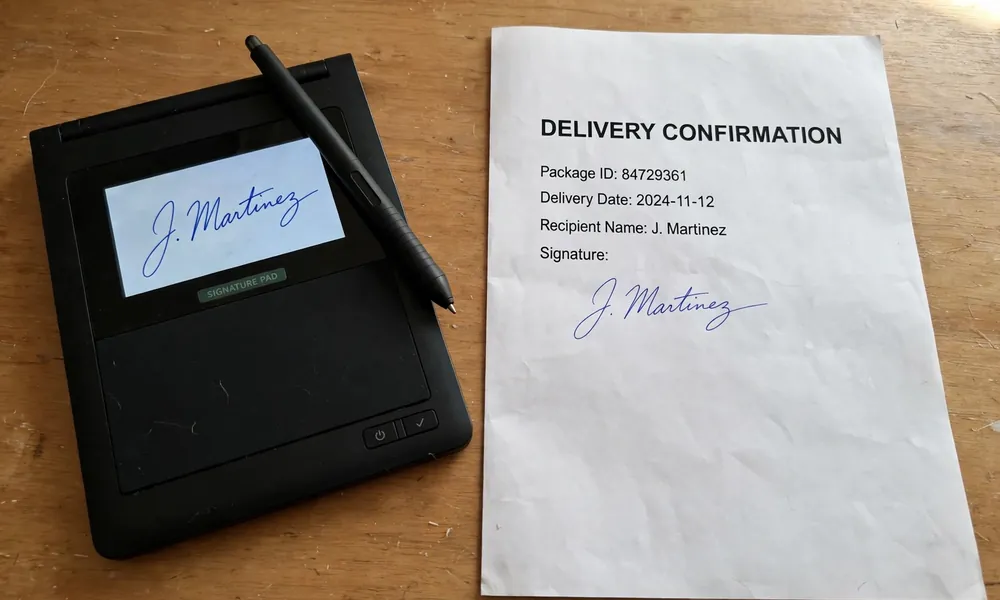
Behind the familiar name, the feature set covers what a growing startup needs: reusable templates, automatic reminders for slow signers, and a detailed audit trail that stands up if a signature is ever questioned. Integrations with Google Workspace, Slack, HubSpot, and Salesforce keep signed files flowing into the tools the team already uses. Founders who also need to organise everything around the signature should look at document management software for small business as a companion.
Pros: Widest recognition among investors and clients; strong audit trail; deep integrations; reliable mobile apps.
Cons: Envelope limits on cheaper plans; costs add up as seats grow; some features need higher tiers.
Dropbox Sign — Best free start
Dropbox Sign is the easiest way for a startup to start signing documents for free. The free plan covers a small number of sends each month, enough for a pre-seed team closing its first hires and clients. Setup takes minutes, and signers never need an account, so nothing stands between a sent document and a signature.
Paid plans add templates, team management, and more sends as the company grows. Teams already using Dropbox get signed files landing in the right folder automatically.
Pros: Genuine free plan; very easy setup; no account needed for signers; good Dropbox and Google integrations.
Cons: Free plan caps monthly sends; fewer advanced workflow features; reporting is basic.
PandaDoc — Best for fundraising and proposals
PandaDoc earns its place when the document is doing sales work, not just collecting a signature. A startup can send an investor update, a pricing proposal, or a partnership agreement as one polished document, then watch when the reader opens it and how long they spend on each section — which tells a founder exactly when to follow up.
Its free e-signing plan covers basic signatures; paid plans add the proposal builder, pricing tables, content library, and approval workflows. For a startup raising a round or pitching clients weekly, combining proposal and signature in one tool removes a step where deals commonly stall.
Pros: Proposals and signing in one tool; useful open and read analytics; strong templates; good approval workflows.
Cons: Costs more than pure signing tools; free plan covers e-signing only; setup takes longer than simpler tools.
SignNow — Best value as the team grows
SignNow is the best value pick for a startup adding people fast. At around $8 per user per month on its entry business plan, it undercuts most rivals while including unlimited templates, bulk sending, and in-person signing. A team going from three people to fifteen will feel the difference.
The feature set is broader than the price suggests, with conditional fields, signer groups, and integrations with Salesforce, HubSpot, and Google Workspace. The interface looks a little dated next to DocuSign or PandaDoc, but the money saved can go to things that grow the business faster.
Pros: Lowest per-user pricing here; unlimited templates on paid plans; good integrations; in-person signing supported.
Cons: Interface looks dated; support can be slow on lower plans; some branding features need higher tiers.
Zoho Sign — Best budget pick
Zoho Sign is the cheapest serious option for a startup, with a free tier for light use and paid plans from around $10 per user per month. It covers the fundamentals — templates, reminders, audit trails, signer authentication — without charging for features a small team will not use.
It shines brightest for startups already using Zoho CRM or Zoho Workplace, since a signed agreement can update a deal or contact record automatically.
Pros: Very low pricing with a free tier; strong Zoho CRM integration; simple setup; solid audit trail.
Cons: Fewer third-party integrations; smaller template library; advanced features are limited.
Signeasy — Best for small mobile teams
Signeasy fits startups whose team works from phones as much as laptops. Its mobile apps are among the best here: a founder can prepare, send, and track a document from a coffee shop, and sign in person on a tablet at a meeting without a laptop. For remote-first teams, that mobility is a daily advantage.
On desktop it covers templates, reminders, audit trails, and integrations with Google Workspace, HubSpot, and Microsoft 365.
Pros: Excellent mobile apps; fast in-person signing; clean simple interface; low starting price.
Cons: Advanced features need higher plans; fewer enterprise compliance options; reporting is basic.
Jotform Sign — Best for form-based signing
Jotform Sign is the pick when signatures come attached to forms: job applications, onboarding paperwork, event registrations, or client intake forms. It turns a form submission into a signed document automatically, removing the manual step of chasing a signature after someone has already filled everything in.
The free tier covers light use, and paid plans bundle the full Jotform form builder — surveys, payment forms, and approvals in the same subscription. For standalone contract signing, a dedicated tool is simpler.
Pros: Forms and signatures in one flow; generous free tier; strong automation options; good for onboarding and intake.
Cons: Less focused on pure contract signing; paid plans start higher than rivals; interface can feel busy.
Adobe Acrobat Sign — Best for compliance-heavy startups
Adobe Acrobat Sign is the right choice for startups in regulated spaces — fintech, health tech, or any company whose customers ask about compliance before they sign. It carries strong compliance coverage and fits the Adobe and Microsoft ecosystems enterprise customers already run.
The practical benefit for a startup is PDF handling: contracts that start as PDFs stay as PDFs, with formatting and fields intact. It costs more than the budget picks, yet removes compliance questions that can stall an enterprise deal.
Pros: Strong compliance and enterprise trust; excellent PDF tools; good Microsoft and Adobe integrations; sequential signing workflows.
Cons: Higher cost than budget tools; interface can feel heavy; best value comes bundled with Adobe plans.
How to choose
Start with how many documents you send. A pre-seed startup might send five a month; one with a sales team might send fifty. Match that number to each plan’s envelope limit before looking at price — a cheap plan with a low cap becomes expensive the moment volume grows.
Next, check who signs. If investors and enterprise clients sign your documents, pick a name they already trust — DocuSign or Adobe Acrobat Sign. If most signers are candidates, contractors, and small clients, ease and price matter more, and Dropbox Sign, SignNow, or Zoho Sign get signatures back faster. Startups that onboard many clients should also pair their signing tool with AI tools for client intake to automate the steps before the signature.
Finally, test the signer experience on a phone. Most people sign on mobile now, and a clumsy mobile flow is the most common reason a signature stalls — send a test document to your own phone and count the taps.
Checklist: before you pay
- Trial with a real offer letter or client agreement, not a blank template.
- Confirm the envelope limit fits your monthly volume, with room to grow.
- Check the renewal price, not just the intro price.
- Test data export so signed documents are never locked inside one vendor.
- Verify the audit trail is detailed enough for investors or customers.
- Check support hours — a blocked signature can block a hire or a deal.
Frequently asked questions
What is the best e-signature software for startups overall?
DocuSign is the best overall pick for most startups: investors, clients, and partners already trust it, the audit trail is strong, and it scales as the team grows. Dropbox Sign is the best free starting point if the budget is zero.
Is there a good free e-signature tool for startups?
Yes. Dropbox Sign, PandaDoc, and Zoho Sign all offer free plans covering a small number of documents each month — enough for a very young startup.
Are e-signatures legally binding for startup contracts?
In most countries, including the United States under the ESIGN Act and the European Union under eIDAS, electronic signatures are legally binding for most business agreements. A few documents, such as certain wills, may still need wet ink.
How much should a startup pay for e-signature software?
Many startups pay nothing at first on a free plan. Once volume grows, expect around $8 to $15 per user per month, so a team of five typically spends $40 to $75 a month. Watch envelope limits.
Can clients and candidates sign without creating an account?
Yes. All eight tools here let recipients sign from an email link without creating an account — a key reason e-signature tools convert better than emailed PDFs.
Do I need contract management software too?
Not at first. E-signature software captures the signature and proves it happened, which is enough for most early-stage startups. As volume grows, dedicated software adds renewal reminders and version tracking — our guide to contract management software for small business explains when that upgrade makes sense.
The bottom line
For most startups, DocuSign is the safest all-round choice: everyone trusts it, the audit trail is solid, and it grows with the company. If the budget is zero, start free with Dropbox Sign and upgrade when volume forces it. If the team is growing fast, SignNow delivers the most signing power per dollar.
Whichever tool you pick, the goal is the same: paperwork should never delay a hire, a client, or an investor. Start with a free plan or trial, send a real document through it, and choose the tool your signers complete fastest.