
Roughly 80% of adults will experience lower back pain at some point in their lives, and sitting for long stretches is one of the most common triggers. When the home office replaced the commute, millions of workers discovered that a kitchen chair and a stack of cushions is not a seating strategy. It is a slow-motion invitation to a sore spine.
The good news is that the market has caught up. There are now genuinely excellent ergonomic chairs at almost every price point, and the differences between a great one and a mediocre one come down to a handful of measurable features. This guide covers the chairs worth buying, the specifications that matter, and the mistakes that turn a $900 purchase into an expensive coat rack.
Why the Chair Matters More Than the Desk
People obsess over standing desks, monitor arms, and keyboard trays, then sit on a dining chair for eight hours. The chair is the single point of contact between your body and your workday, and it absorbs the most sustained load.
A well-designed chair does three jobs at once. It supports the natural inward curve of the lower spine, it keeps hips and knees at roughly a right angle so the pelvis stays neutral, and it distributes pressure across the seat pan rather than concentrating it on the tailbone. When any of those jobs fails, the body compensates. Shoulders round, the neck juts forward, and by mid-afternoon the ache arrives.
There is a real cost to ignoring this. Musculoskeletal disorders are among the most frequently reported causes of lost work time, according to the U.S. Bureau of Labor Statistics, and office workers are not immune simply because they work from home. (Best espresso machine for home)
The Features That Separate Good Chairs From Bad
Before comparing models, it helps to know what to look for. Sales copy is deliberately vague, so here are the concrete specifications that actually correlate with comfort.
Adjustability Is the Whole Game
A chair that fits one person perfectly will fit another badly. That is why adjustability beats padding, styling, and brand name every time. Look for:
- Seat height range that puts your feet flat on the floor with thighs roughly parallel to the ground.
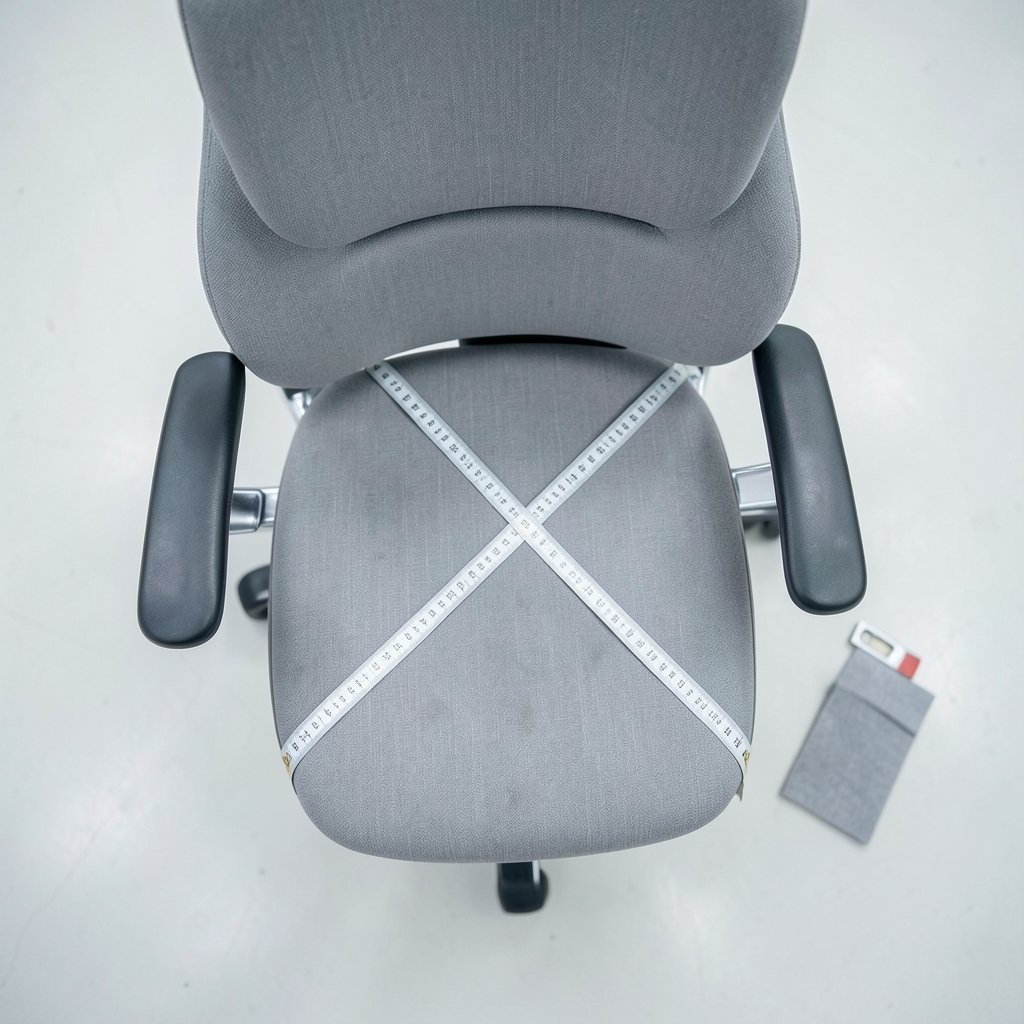
- Seat depth of about two to four inches between the back of your knee and the front edge of the seat.
- Lumbar support that adjusts vertically, and ideally in depth, so it lands in the small of your back rather than your mid-back.
- Armrests that adjust in height and width, so shoulders stay relaxed rather than hiked up.
- Recline with tension control, because the best posture is a moving one.
The Standards Behind the Label
In the United States, office chairs are typically tested against ANSI/BIFMA X5.1, a durability standard published by the Business and Institutional Furniture Manufacturers Association. In Europe, the equivalent is EN 1335, which also specifies three size classes based on user height. These standards cover safety and durability rather than comfort, but a chair that passes them will not fall apart in eighteen months.
Worth knowing: “ergonomic” is not a regulated term in most markets. A chair can carry the label with no testing at all. Certifications such as BIFMA LEVEL or GREENGUARD cover sustainability and emissions, not posture support, and are frequently conflated with ergonomic approval in marketing.
Materials and Breathability
Mesh backs run cooler and conform better to the spine’s curve. Foam seats last longer than mesh seats under heavy daily use but compress over time. A hybrid, mesh back with a foam seat, is the most common compromise at mid and upper price points, and for good reason.
The Best Ergonomic Chairs for Home Office Use
The following picks reflect the categories that matter most: a flagship for all-day sitters, a value option that does not punish the wallet, a mesh chair for hot rooms, a big-and-tall option, and a budget entry point.
| Chair | Best For | Approx. Price | Standout Feature | Watch Out For |
|---|---|---|---|---|
| Herman Miller Aeron | All-day sitters who run warm | $1,200+ | Pellicle mesh, 3 sizes | Price; firm seat edge |
| Steelcase Gesture | Multi-device workers | $1,000+ | Armrests that move in every direction | Heavy; assembly effort |
| Branch Ergonomic Chair | Best overall value | $350–$400 | Full adjustability at mid price | Limited color options |
| HON Ignition 2.0 | Budget buyers | $250–$300 | Reliable lumbar and tilt lock | Basic armrest padding |
| Herman Miller Sayl | Small spaces, style-conscious | $600–$700 | Compact footprint, suspended back | Less adjustability than Aeron |
| Secretlab Titan Evo | Tall and heavy users | $550+ | High weight capacity, firm support | Gaming aesthetic |
Herman Miller Aeron: The Benchmark
The Aeron is the chair everyone else gets compared to, and it has earned that. Three frame sizes mean most bodies get a genuine fit, the Pellicle suspension mesh breathes exceptionally well, and the PostureFit SL lumbar pad supports the sacrum as well as the lower back. It is expensive, and the firm front edge of the seat pan bothers some shorter users. But for a full workday, few chairs match it. (Ergonomics)
Steelcase Gesture: Built for Screen Workers
The Gesture’s party trick is its armrests, which pivot, slide, and rotate to follow the hand rather than forcing the hand to follow them. If you spend hours on a laptop, tablet, or phone, that flexibility reduces shoulder tension in a way that fixed armrests cannot. The seat is generously padded and the recline is smooth, though the chair is heavy and arrives in pieces.
Branch Ergonomic Chair: The Value Sweet Spot
For most home office workers, this is the sensible answer. It offers height, depth, armrest, and lumbar adjustment, a breathable mesh back, and a five-year warranty at roughly a third of flagship pricing. It will not feel as refined as an Aeron after eight hours, but it delivers the features that prevent pain without the sticker shock.
HON Ignition 2.0: The Budget Workhorse
Under $300, the Ignition 2.0 still provides adjustable lumbar support, a tilt lock, and a seat that holds up to daily use. The armrests are basic and the materials are unremarkable, but the fundamentals are sound. If you are furnishing a first apartment office or a secondary workspace, it is hard to beat.
Herman Miller Sayl: Small Rooms, Real Support
The Sayl uses a suspension back that is firmer at the spine and more forgiving at the edges, and its compact frame suits tight corners. It is less adjustable than the Aeron and the seat is narrower, but it looks good in a living room and supports long sessions well.
Secretlab Titan Evo: For Taller and Heavier Users
Gaming chairs have a reputation problem, but the Titan Evo is a genuinely supportive chair with a high weight capacity, a firm cold-cure foam seat, and strong lumbar. Taller users who find mainstream office chairs too small often fit better here.
Set It Up Correctly or Waste Your Money
Buying the right chair is half the job. The other half is the twenty minutes of setup most people skip.
- Set seat height first. Feet flat, thighs level, knees at about 90 degrees. If your desk is now too low, raise the desk, not the chair.
- Set seat depth. Two to four inches of clearance behind the knee. If the seat pan presses into your calves, slide it back or add a footrest.
- Position lumbar support in the small of your back, roughly at belt height, not higher.
- Adjust armrests so elbows rest at 90 degrees and shoulders stay down.
- Set recline tension so you can lean back slightly without fighting the chair, and release the tilt lock if you sit for long stretches.
- Check the monitor afterward. Chair adjustments change your eye height, so the screen may need to move.
A common mistake: cranking lumbar support to its most aggressive setting because “more support is better.” It is not. Excessive lumbar pressure pushes the pelvis forward and flattens the spine’s natural curve. Start mild and increase only if it feels comfortable.
Common Buying Mistakes to Avoid
Buying without sitting. If you can, test a chair for at least fifteen minutes. Online retailers with generous return policies are the next best thing, but check whether return shipping is covered. A $60 return fee on a $400 chair changes the math.
Assuming bigger is better. An oversized seat pan forces shorter users to perch forward, which defeats the backrest entirely. Seat depth matters more than seat width for most people.
Ignoring the room. A mesh chair in a cold room feels drafty; a foam chair in a warm one traps heat. If your office runs hot, look at mesh. If you have a snoring problem that keeps you tired and slumped at your desk, the home remedies for nighttime snoring are worth addressing separately, since fatigue worsens posture more than most people realize.
Skipping the footrest. If your legs dangle after setting the correct seat height, a $30 footrest solves the problem faster than a new chair.
Forgetting the rest of the setup. A great chair paired with a bad monitor height still produces neck strain. If you are building out the workspace, the same logic that guides choosing smart speakers for home automation applies here: buy for the ecosystem you actually use, not the spec sheet.
Maintenance and Longevity
Ergonomic chairs are repairable, and that matters for both cost and waste. Gas cylinders, casters, armrest pads, and seat foam are all replaceable on most flagship models, often for under $100. A $1,200 chair that lasts fifteen years costs less per year than a $200 chair replaced every three.
Practical habits that extend life: vacuum mesh backs monthly, tighten bolts every six months, and avoid exceeding the stated weight capacity. If the cylinder starts sinking, replace it rather than stacking a cushion on the seat, which throws off every other adjustment.
Conclusion
The best ergonomic chair for a home office is not the most expensive one. It is the one that adjusts to your body, fits your desk and room, and gets set up correctly on day one. For most people, a mid-priced chair with genuine seat-depth and lumbar adjustment, like the Branch Ergonomic Chair, delivers nearly all the benefit of a flagship at a fraction of the cost. If you sit eight hours a day and can stretch the budget, the Aeron and Gesture remain the standard for a reason.
Buy for adjustability, set it up carefully, and treat the chair as a long-term tool rather than furniture. Your lower back will notice the difference within a week.
Frequently Asked Questions
How much should I spend on an ergonomic chair for a home office?
Most home office workers get excellent results in the $300 to $500 range, where full adjustability becomes standard. Below $200, expect compromises on lumbar support and durability. Above $800, you are paying for refinement, materials, and warranty length rather than basic function. A mid-priced chair replaced less often usually beats a cheap chair replaced frequently.
Is a mesh or foam seat better for long sitting sessions?
It depends on your priorities. Mesh breathes better and conforms to the body, which suits warm rooms and long sessions. Foam distributes pressure more evenly at first but compresses over years of use. A mesh back with a foam seat is the most popular hybrid because it captures the cooling benefit without sacrificing seat comfort.
How long should I sit in an ergonomic chair before deciding to return it?
Give it at least a week of full workdays, and use the return window fully. Chairs feel different on day one than on day ten, and muscle memory from your old chair takes time to fade. Adjust the settings several times during that period rather than accepting the factory setup.
Do I need a footrest with an ergonomic chair?
Only if your feet do not rest flat on the floor after setting the correct seat height. Shorter users often need one; taller users rarely do. A footrest is a cheap fix and far preferable to lowering the chair until your knees sit above your hips, which tilts the pelvis backward and strains the lower back.
Can an ergonomic chair fix existing back pain?
It can help, but it is not a treatment. A well-adjusted chair reduces sustained strain and supports better posture, which many people find relieves discomfort. Persistent or severe pain warrants medical advice rather than a furniture purchase. Movement breaks every thirty to forty-five minutes matter as much as the chair itself.
What is the difference between an ergonomic chair and a gaming chair?
Gaming chairs typically emphasize a bucket-seat shape, firm foam, and high weight capacity, while ergonomic office chairs prioritize adjustability, breathable materials, and lumbar support tuned for desk work. The categories have converged, and several gaming chairs now offer genuine ergonomic features. The right choice depends on your body size and how many hours you sit.



