A good pad is the better tool for racing games, platformers, action adventures and anything played from the sofa — and the best gaming controllers for PC 2027 cover every budget, from the Xbox default to drift-resistant pro pads.
So which controller should you buy? For most PC players, the standard Xbox Wireless Controller is still the right default, thanks to near-universal game support and zero setup. The 8BitDo Ultimate 2 is the best value upgrade, with drift-resistant sticks and pro features at a mid-range price. The Xbox Elite Series 2 is the premium pick for deep customisation. The right answer depends on what you play, how much you want to customise, and whether stick drift has burned you before.
Key takeaways
- The Xbox Wireless Controller is the default pick for PC: it works with almost every game on Windows and Steam.
- Hall effect and TMR sticks use magnets instead of wearing contacts, so they resist stick drift.
- Back buttons and paddles matter most in shooters and competitive games; casual players rarely need them.
- Battery life varies widely, from around 40 hours on the Elite Series 2 to a modest few hours on the DualSense Edge.
- Wireless works best with a 2.4 GHz dongle or the Xbox wireless adapter; Bluetooth can add latency.
- Check compatibility first: some controllers work on PC only, and features such as adaptive triggers only work in supported games.
What makes a controller good for PC?
A PC controller must work with Steam, the Xbox app, launchers such as Epic and GOG, and older games. That is why the Xbox layout has become the unofficial standard on PC: most games are built around it, and Windows recognises an Xbox controller the moment you connect it. Comfort comes next, and it is personal: hand size, grip style and session length all change which shape feels right. The Xbox layout puts the left stick high and the PlayStation layout keeps both sticks low. Neither is objectively better, but players who grew up on one usually prefer it.
Connection quality is the third factor. A wired connection is still the lowest-latency option and the simplest for competitive play. For wireless, a dedicated 2.4 GHz dongle usually beats Bluetooth for responsiveness, while Bluetooth is convenient for switching between devices. Then there is stick drift, the fault that ends more controllers than any other. Standard analogue sticks use potentiometers, physical contacts that wear down with use and eventually report movement when the stick is still. Hall effect and TMR sticks replace those contacts with magnets and sensors, which do not wear the same way. They are designed to resist drift, and they have become common in mid-priced pads from 8BitDo and others.

The best gaming controllers for PC in 2027
1. Xbox Wireless Controller
Best for: most PC players who want a controller that just works.
The standard Xbox Wireless Controller is the default PC pad for a reason. Connect it by Bluetooth, USB-C or the Xbox wireless adapter and Windows recognises it. Almost every PC game with controller support is designed around this layout, so you rarely need to remap anything. It runs on AA batteries or an optional rechargeable pack. There are no back buttons, and the standard sticks use potentiometers, so drift is possible after heavy use. Check the current price before you buy.
2. 8BitDo Ultimate 2
Best for: PC players who want pro features without the premium price.
The 8BitDo Ultimate 2 is the best value upgrade on this list. It uses TMR sticks, a drift-resistant magnetic sensor design, and Hall effect triggers that switch between a smooth linear pull and a tactile click. It connects over a 2.4 GHz dongle or Bluetooth, polls at up to 1,000 Hz on PC, and ships with a charging dock and two back paddles. It works on Windows, Android and Switch, but not on Xbox or PlayStation consoles. Check the current price before you buy.
3. Xbox Elite Series 2
Best for: players who want the deepest customisation on PC and Xbox.
The Elite Series 2 is Microsoft’s premium controller. Four removable paddles sit on the back, the sticks have three tension settings, the triggers have hair-trigger locks, and three profiles can be switched from a button on the controller. Battery life runs to around 40 hours per charge, the longest here by a wide margin. The sticks are standard potentiometers rather than Hall effect, so drift remains a long-term risk. It is the most expensive Xbox-layout pad here, with a cheaper Core edition. Check the current price before you buy.
4. Sony DualSense Edge
Best for: PlayStation players who also game on PC.
The DualSense Edge brings everything the standard DualSense does to PC: haptics, adaptive triggers and a built-in microphone, in the games that support them. It adds two back buttons, adjustable trigger travel, and stick modules you can replace yourself. The weak point is battery life, which is modest and noticeably shorter than the Elite Series 2. It is also expensive, and on PC some games do not support its adaptive triggers or haptics. But if you already own a PS5, the Edge is the only premium controller that keeps every PlayStation feature. Check the current price before you buy.
5. Razer Wolverine V3 Pro
Best for: competitive PC and Xbox players who want speed and extra buttons.
Razer built the Wolverine V3 Pro for competitive play. It uses Hall effect sticks that resist drift, Hall effect triggers with trigger-stop switches, and six remappable buttons: four back paddles and two extra bumpers. It connects through a 2.4 GHz dongle or a cable, and on PC a wired tournament mode raises polling to 1,000 Hz. It works on Xbox Series X and S and Windows 11 PCs only. The design is aggressive, with RGB lighting and a competitive grip shape. For players who play fast shooters for hours each week, the extra buttons and drift-resistant sticks justify the cost. Check the current price before you buy.
Comparison table
| Controller | Sticks | Back buttons | Battery | Best for |
|---|---|---|---|---|
| Xbox Wireless Controller | Standard | None | AA batteries or pack | Most PC players |
| 8BitDo Ultimate 2 | TMR | 2 paddles, 2 bumpers | Rechargeable, dock included | Value upgrade |
| Xbox Elite Series 2 | Standard, adjustable tension | 4 paddles | Around 40 hours | Deep customisation |
| Sony DualSense Edge | Standard, replaceable modules | 2 buttons | Modest | PlayStation and PC |
| Razer Wolverine V3 Pro | Hall effect | 4 paddles, 2 bumpers | Rechargeable | Competitive play |
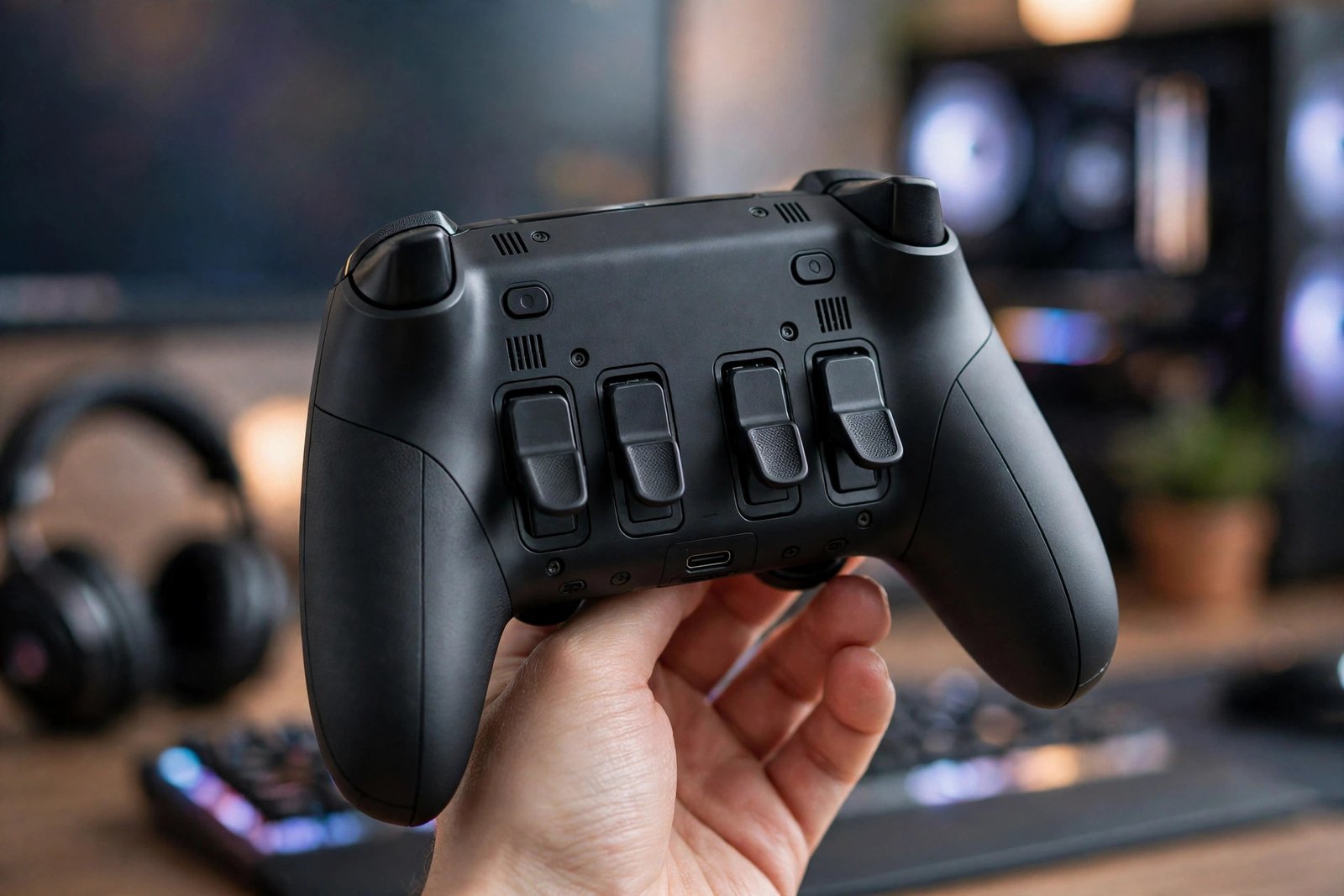
Caption: The five best gaming controllers for PC compared on stick technology, back buttons and battery life. Battery figures are manufacturer estimates.
The stick column is the one to study first. If you have lost a controller to drift before, a Hall effect or TMR pad is worth the switch.
How to choose: a five-minute decision framework
Work through these questions before you spend anything.
- What do you play? Racing, platformers and action games suit any good pad. Shooters reward back buttons, hair triggers and 1,000 Hz polling.
- Have you had stick drift before? If yes, buy a Hall effect or TMR controller such as the 8BitDo Ultimate 2. If no, a standard stick is fine.
- Do you play on other machines? Xbox and PC players should stick with Xbox-layout pads. PlayStation owners should consider the DualSense Edge.
- Do you want back buttons? Try mapping jump or reload to a paddle before you pay for four of them.
- Wired or wireless? Competitive players should use a cable or a 2.4 GHz dongle. Casual players will be happy with Bluetooth.
- What is your budget? Set it before you browse. The standard Xbox pad covers most needs, the 8BitDo Ultimate 2 adds pro features, and the Elite Series 2 is for players who know what they want to customise.
If you play mostly on the sofa, the rest of the setup matters too. A good screen makes a bigger difference than a premium pad, so our guide to the best gaming monitors for PS5 is worth reading, and our guide to the best gaming headsets for PS5 covers audio. Pair the controller with the best gaming keyboards if you switch between pad and keyboard.
Setting up a controller on PC
On Steam, open Settings, then Controller, and check your pad is recognised and Steam Input is set correctly. Steam Input can remap almost any controller, but it can also conflict with a game’s own controller support, so if buttons behave oddly, try toggling it off for that game.
For wireless play, use the controller’s dongle or the Xbox wireless adapter where one is available, rather than Bluetooth, if you notice input lag or dropped connections. Keep the dongle in a front USB port with a clear line of sight, and update the controller’s firmware through the manufacturer’s app: the Xbox Accessories app for Xbox pads, PlayStation Accessories for DualSense, and the maker’s own software for 8BitDo and Razer.
If a game does not recognise your controller at all, check whether it expects XInput, the Xbox-style protocol most PC games use. Xbox-layout pads speak XInput natively. DualSense and third-party pads usually work through Steam Input, but games launched outside Steam may need a restart after connecting.
Frequently asked questions
What is the best controller for PC in 2027?
For most players, the standard Xbox Wireless Controller, because it works with almost every PC game with no setup.
Do Hall effect sticks really prevent stick drift?
They are designed to resist it. Hall effect and TMR sticks use magnets and sensors instead of physical contacts that wear down.
Can I use a PS5 DualSense controller on PC?
Yes. The DualSense connects to a PC over Bluetooth or USB-C and works in Steam and most modern games. Adaptive triggers and haptic feedback only work in games that support them.
Is the Xbox Elite Series 2 worth it for PC?
It is worth it if you will use the paddles, adjustable stick tension and profiles. If you play casually and never remap controls, the standard Xbox pad gives you the same game support for much less money.
Should I use Bluetooth or a dongle for wireless PC gaming?
A 2.4 GHz dongle usually gives lower latency and a more stable connection than Bluetooth, which matters in competitive games. Bluetooth is fine for casual play.
How long do gaming controllers last?
With regular use, a good controller should last two to four years. Hall effect and TMR sticks can extend that life, and controllers with replaceable stick modules, such as the DualSense Edge, let you fix drift without a new pad.
The bottom line
The best gaming controllers for PC in 2027 match how you play, not the longest spec sheet. Every pad here plays PC games well, and the differences come down to drift resistance, customisation and comfort.
For most players, that means the standard Xbox Wireless Controller: simple, widely supported and fairly priced. If drift has burned you before, buy the 8BitDo Ultimate 2 and its TMR sticks. If you compete or want a controller tuned to your hands, the Elite Series 2 or the Wolverine V3 Pro are the premium answers, and PlayStation owners should look at the DualSense Edge.
Your next step is simple: pick the controller that matches your main games, check it works with the launchers you use, and test it for a full week before the return window closes. If your hands feel fresh after a long session, you have found your pad.