
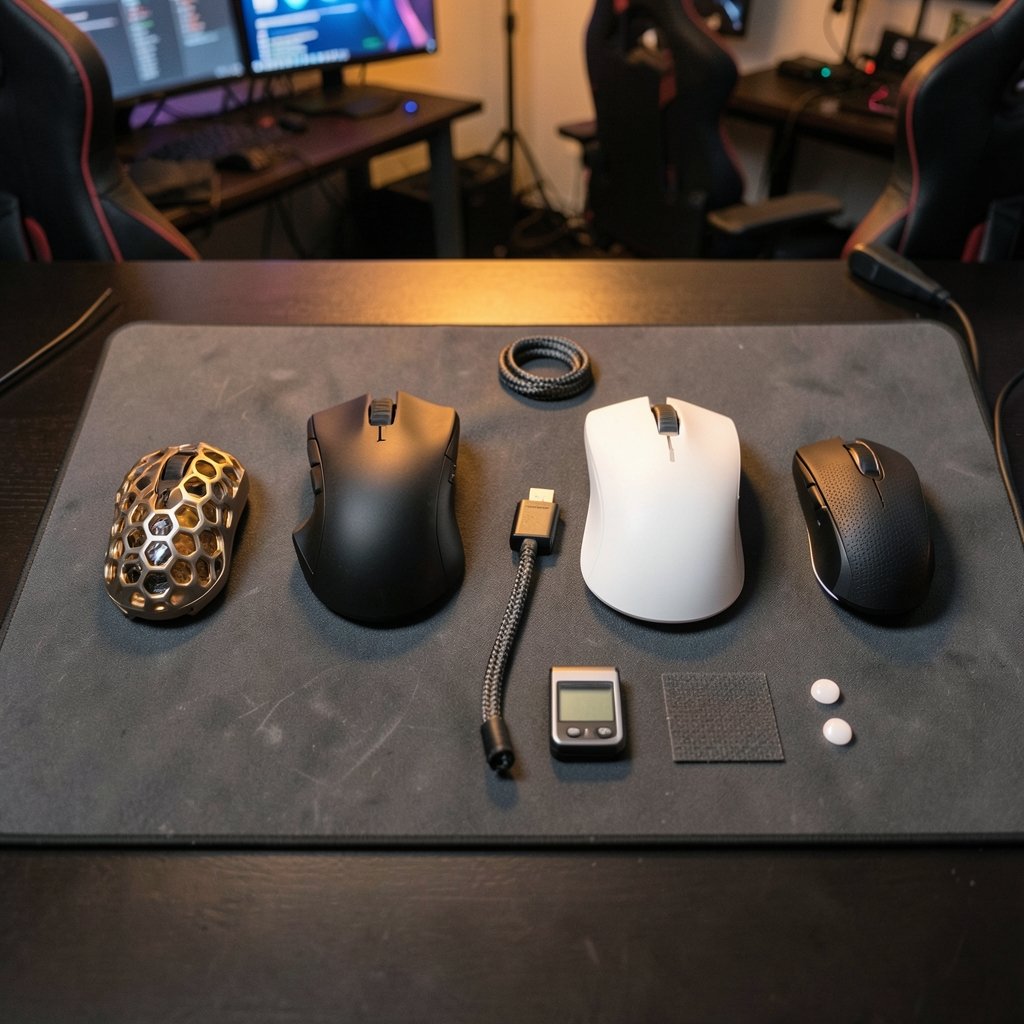
A gaming mouse can log more than 10 million clicks over its lifetime, yet most buyers spend less than four minutes choosing one. That gap between usage and research is where regret lives. The 2026 market has made the decision harder, not easier: wireless polling rates have climbed to 8,000 Hz, shells have shrunk to featherweight magnesium, and prices now stretch from $30 to $180 for mice that look nearly identical on a spec sheet. (Mouse Reviews)
This guide cuts through the noise. It focuses on what changes how a mouse feels in your hand and performs under pressure, along with the mistakes that send people back to the store.
Why 2026 Is a Genuinely Different Year for Gaming Mice
Three shifts define this year’s market.
Weight has bottomed out. Flagship wireless mice now routinely ship between 35 and 55 grams. Below roughly 40 grams, further reductions stop helping most players and start hurting stability, especially for anyone with a heavier grip style.
Polling rates have gone wireless. High-end models pair 8,000 Hz wireless polling with dedicated dongles. The honest caveat: independent testing has repeatedly shown that the jump from 1,000 Hz to 4,000 or 8,000 Hz produces gains measured in fractions of a millisecond. Most players will never feel the difference — but the mice that offer it also tend to carry the best sensors and switches anyway.
Optical switches went mainstream. Mechanical switches still exist, but optical and hybrid designs now dominate the premium tier because they eliminate double-click failures, the single most common way a gaming mouse dies.
One practical note: peripheral prices swing hard during sale events, and the same discount logic applies here as in our breakdown of Black Friday car deals — the headline offer is rarely the best value once you compare what’s actually included.
The Specs That Change Your Aim (and the Ones That Don’t)

Marketing pages bury you in numbers. Here is the honest ranking.
| Spec | Matters? | What to actually look for |
|---|---|---|
| Sensor model | Yes | A current flagship optical sensor; nearly all are flawless at real-world speeds |
| Weight | Yes | 45–65 g suits most players; below 40 g is a specialist choice |
| Shape and size | Yes, most of all | Must match your grip style and hand length |
| Switch type | Yes | Optical or hybrid to avoid double-click failure |
| Polling rate | Marginally | 1,000 Hz is fine; 4,000–8,000 Hz is a nice-to-have |
| Max DPI | No | Anything above 3,200 is marketing; most players use 400–1,600 |
| RGB lighting | No | Costs weight and battery life |
| Cable (wired) | Sometimes | A flexible paracord-style cable matters more than the connector |
The uncomfortable truth: shape beats every other spec combined. A $40 mouse with the right shape will outperform a $160 mouse that fights your hand. (Computer mouse)
Match the Mouse to Your Grip Style
Grip style is the single most predictive factor in whether you’ll love a mouse. There are three main types.
Claw grip. Fingers arched, palm lightly touching the back. This is the most common grip among competitive players. It rewards a medium-length shell with a defined hump and a slightly narrower waist.
Palm grip. The whole hand rests on the mouse. You want a longer, taller shell with generous width — usually 120 mm or more in length.
Fingertip grip. Only the fingertips contact the mouse. This grip suits short, low-profile shells and ultralight builds, since you’re steering with fingers rather than the palm.
A quick measurement trick: lay your hand flat and measure from the base of your palm to the tip of your middle finger. Under 17 cm, favor small shells. 17–19 cm, medium. Over 19 cm, large. Ignoring this is the number one reason people buy a hyped mouse and hate it within a week.
Wired or Wireless in 2026?
Wireless latency is no longer a real argument. Modern 2.4 GHz implementations from established brands are indistinguishable from wired in blind testing. The genuine trade-offs are different.
Wireless advantages: no cable drag, cleaner desk, freedom of movement. Disadvantages: charging routines, added cost, and a small amount of extra weight.
Wired advantages: no battery anxiety, lower price, lighter builds. Disadvantages: cable drag unless the cord is genuinely flexible.
The pragmatic answer for most people: go wireless if your budget clears about $80, and buy a mouse that supports USB-C fast charging or a charging dock. Wired still wins for budget builds and for anyone who refuses to think about battery percentage mid-match.
A Realistic Buying Guide by Budget
Prices vary by region and sale timing, but the tiers hold steady.
| Budget | What you get | What to expect |
|---|---|---|
| Under $50 | Wired, 60–80 g, solid sensor | Excellent value; skip RGB and extra buttons |
| $50–$90 | Entry wireless, 55–70 g | Good sensors; watch for older switch designs |
| $90–$140 | Flagship-tier wireless, 45–60 g | Best balance of shape options and build quality |
| $140+ | Ultralight or premium materials | Diminishing returns unless weight is your priority |
The $90–$140 band is where most buyers should shop. It’s the point where sensor, switch, and shell quality converge without paying for exotic materials.
If you’re building out a full setup, the same value-first logic applies across categories — the comparison approach in our Humble Bundle vs Fanatical vs Green Man Gaming breakdown is a useful mental model for weighing bundles against single purchases.
Common Mistakes That Cost Real Money
These come up again and again in buyer complaints and return data.
Buying on DPI numbers. A 26,000 DPI sensor and a 30,000 DPI sensor feel identical in practice. Nobody plays above 3,200 DPI.
Skipping the return window test. Order from a retailer with a real return policy, then play for a week. Comfort problems show up on day three, not in the store.
Chasing the lightest mouse. Ultralight mice demand more control from your hand. If you have a heavier grip or play tac shooters with slow sensitivity, a 60 g mouse is often more accurate for you than a 38 g one.
Ignoring the mousepad. A premium mouse on a worn cloth pad underperforms a budget mouse on a clean, quality surface. Budget for a decent pad; it’s the cheapest upgrade in the whole setup.
Forgetting the feet. Replacement PTFE skates cost a few dollars and transform glide on an older mouse. Many people replace a perfectly good mouse when a $6 set of skates would have fixed it.
Overlooking ergonomics for long sessions. If you play four hours a night, an ergonomic right-handed shape will save your wrist. Symmetrical shapes suit ambidextrous players and claw grips better.
Sensor and Switch Technology, Explained Simply
Optical sensors track movement by photographing the surface thousands of times per second. Modern flagship sensors handle fast swipes without spinouts and track accurately on most surfaces — including glass, on models with that specific feature. For practical purposes, sensor quality stopped being a differentiator years ago. The differentiator now is implementation: how the sensor is tuned, how the lens is positioned, and how the firmware handles motion smoothing.
Switches are where reliability lives. Mechanical switches use physical metal contacts that wear and oxidize, which causes the dreaded double-click. Optical switches use a light beam to register clicks, removing contact wear entirely. Hybrid designs split the difference. If longevity matters more than click feel, optical is the safer bet — and in 2026 it’s available well below $100.
Battery life deserves a mention too. Expect 60–100 hours on a charge for most wireless models, dropping sharply if you run high polling rates or bright RGB. Turning off lighting often doubles real-world battery life.
Software, Firmware, and the Setup Nobody Talks About
A great mouse with bad settings feels broken. Three things to fix on day one.
- Set your DPI and leave it. Pick a sensitivity, then adjust in-game sensitivity to match. Constantly changing DPI resets your muscle memory.
- Update firmware once, then forget it. Firmware updates have fixed real latency and connection bugs, but running vendor software in the background costs resources. Configure, then close it.
- Set a polling rate your system handles. Extremely high polling rates can raise CPU load on older systems. If you notice stutter after enabling 8,000 Hz, drop to 2,000 or 1,000 Hz. The difference is imperceptible anyway.
Also worth knowing: many vendors now offer web-based configuration tools so you can set up a mouse without installing anything. That’s a genuine quality-of-life improvement, and it’s spreading.
What the Competitive Scene Actually Uses
Watch a professional tournament and you’ll see a pattern that contradicts the marketing. Pros overwhelmingly favor:
- Medium-sized symmetrical shells in the 55–65 g range
- 1,000–2,000 Hz polling on most setups
- Wired or wireless in roughly equal measure
- Simple shapes with no extra buttons beyond two side buttons
The lesson isn’t that flagship features are useless. It’s that consistency and comfort beat specs. A pro who has used the same shape for three years will outperform a pro chasing the newest release every quarter — and the same logic applies to you.
The broader hardware world follows this pattern too. Companies that bet on a few well-executed products rather than a sprawling lineup tend to earn loyalty, which is the theme running through our analysis of Tesla’s three hardware bets. Focus beats breadth.
How to Test a Mouse Before You Commit
You can’t fully evaluate a mouse in a store. Here’s a one-week protocol that works.
Day 1: Unbox, set DPI, and play your main game for 30 minutes. Note any wrist or finger strain.
Day 2–3: Play a longer session. This is when grip fatigue appears. If your hand aches, the shape is wrong — return it.
Day 4: Test tracking on your actual pad. Do fast flicks and slow tracking. Listen for sensor rattle or creaking.
Day 5: Check the scroll wheel and side buttons under pressure. Cheap encoders skip within months.
Day 6–7: Evaluate battery behavior and whether the software stays out of your way.
If a mouse passes all seven days, it’s a keeper. If it fails on day two, no firmware update will save it.
Frequently Asked Questions
Is 8,000 Hz polling worth paying extra for?
For almost everyone, no. The latency improvement over 1,000 Hz is measurable in lab conditions but not perceptible in normal play. Buy high polling rate only if it comes attached to a mouse you already want for its shape and weight.
How much should I spend on a gaming mouse?
The sweet spot sits between $90 and $140 for wireless, or $40 to $60 for wired. Spending more buys lighter materials and premium finishes, not better aim. Spending less is fine if you accept a heavier build and a wired connection.
Are ultralight mice actually better?
They’re better for some players, not all. Ultralight shells (under 40 g) reward fingertip and claw grips with fast, low-sensitivity play. Players with palm grips or shaky tracking often perform better with a 55–65 g mouse that offers more stability.
How long should a gaming mouse last?
Three to five years is realistic for a well-built model with optical switches. The most common failure points are the scroll wheel encoder and mechanical switch double-clicking. Replacing mouse feet and cleaning the sensor lens extends life noticeably.
Do I need a special mousepad?
Yes, and it’s the cheapest performance upgrade available. A clean, quality cloth pad provides consistent tracking and better stopping power than a bare desk. Replace worn pads — a glazed or dirty surface degrades sensor accuracy more than most people realize.
Is wireless really as fast as wired now?
For reputable brands, yes. Modern 2.4 GHz wireless is effectively indistinguishable from wired in blind tests. The real differences are cost, weight, and the need to manage charging. Budget wireless is where latency and connection drops still appear.
Conclusion
The best gaming mouse in 2026 isn’t the lightest, the most expensive, or the one with the biggest DPI number. It’s the one whose shape fits your hand, whose switches survive years of clicking, and whose weight matches how you actually play.
Start with grip style and hand size. Narrow to two or three candidates. Buy from a retailer with a real return window. Test for a week. Then stop shopping and start practicing — because after a certain point, the mouse stops being the variable that decides your results. The players who improve fastest are the ones who pick a solid tool, learn it completely, and spend their money on time at the desk instead of upgrades.



