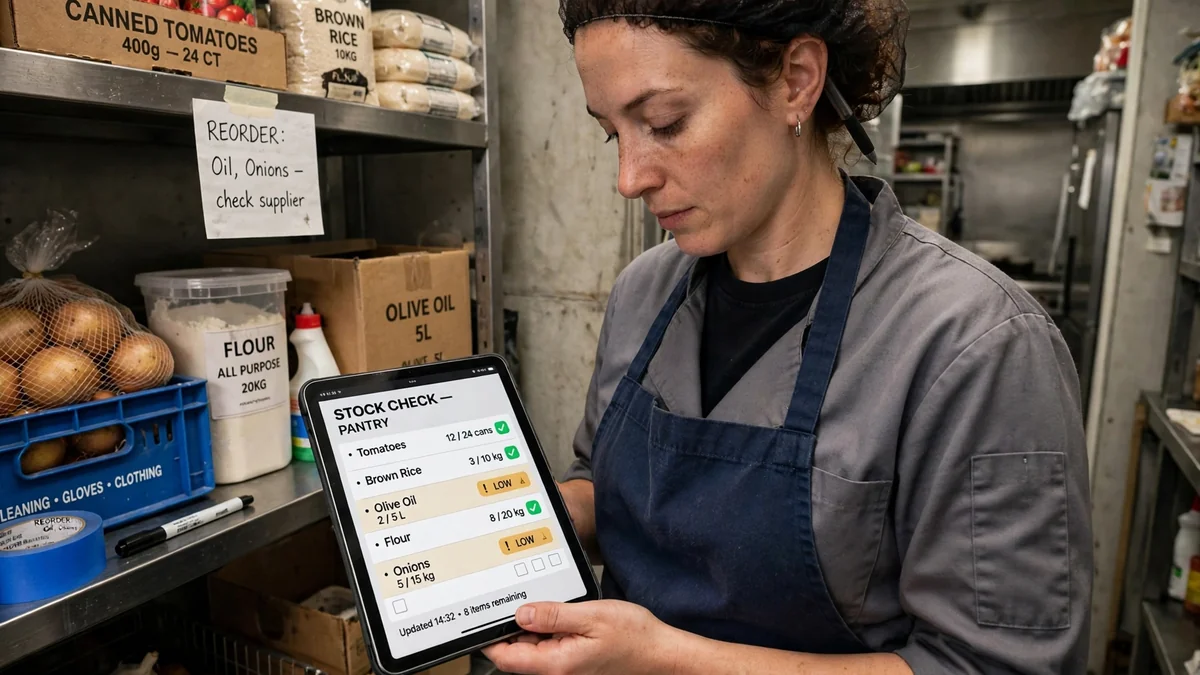
The best inventory management software for restaurants in 2027 is the system that stops food waste before it eats your margin. A restaurant does not lose money only on empty tables. It loses money on the walk-in fridge full of ingredients that expire before they are used, on the dish that sells out on a Friday night, and on the supplier order that arrives twice because nobody checked what was already on the shelf.
Restaurant stock is different from retail stock. Ingredients spoil, recipes use the same item in several dishes, and a single busy service can change your counts completely. A good system tracks ingredients rather than just finished products, links stock to recipes, and warns you before a key item runs low.
This guide compares eight tools built for restaurants, cafes, and bars, from point-of-sale systems with stock built in to specialist platforms that track every gram. Prices below are approximate starting prices, so check current pricing before you buy.
Key takeaways
- MarketMan is the best overall pick for most restaurants, with recipe-level tracking and supplier ordering in one place.
- Toast is the best choice if you already run Toast point of sale, because stock and sales stay in sync automatically.
- Restaurant365 suits larger groups that need inventory, accounting, and scheduling together.
- Expect to pay from about $69 a month for a basic point-of-sale plan to about $299 a month for specialist inventory software.
- Pick the tool that connects to your point of sale and your suppliers, or your counts will drift within a week.
At a glance: the shortlist
| Product | Best for | Starting price | Standout limit |
|---|---|---|---|
| MarketMan | Most restaurants | From about $249 a month | Recipe costing and ordering |
| Toast | Toast point-of-sale users | From about $69 a month | Sales and stock in one system |
| Lightspeed Restaurant | Multi-location restaurants | From about $189 a month | Menus across locations |
| Square for Restaurants | Small cafes and budgets | Free plan available | Basic stock tracking only |
| Restaurant365 | Groups and accounting | From about $399 a month | Inventory plus accounting |
| xtraCHEF | Invoice automation | From about $199 a month | Invoice and price tracking |
| BlueCart | Supplier ordering | From about $99 a month | Orders across suppliers |
| WISK | Bars and drinks | From about $99 a month | Drink costing and pouring |
MarketMan — Best overall
MarketMan is built specifically for restaurant inventory, and that focus shows in the way it works. It tracks ingredients by recipe, so when a dish sells, the system deducts the exact amount of each ingredient used. That gives you a true food cost for every plate, not a rough guess at the end of the month. It also handles supplier catalogues, price changes, and purchase orders, so you can see which supplier is cheapest for each item.

Setup takes some effort, because you need to enter recipes and supplier price lists first. Once that work is done, daily stock checks become fast. If you already compare inventory software for small businesses, MarketMan is the restaurant-specific version of that idea, with recipes at its centre.
Pros: Recipe-level costing, supplier price tracking, clear waste reports.
Cons: Setup takes time, priced above simple point-of-sale add-ons.
Toast — Best for Toast point-of-sale users
Toast is first a point-of-sale system, and its inventory tools work best when sales and stock live in the same place. Every order taken on a Toast terminal updates stock automatically, so your counts reflect what was actually sold. That removes the double entry that causes so many errors in restaurants that run separate systems for sales and stock.
The inventory features cover low-stock alerts, menu item costing, and reports by item and category. They are less deep than a specialist platform, so a restaurant with complex prep may find the limits quickly. For a single restaurant already on Toast, though, the convenience is hard to beat.
Pros: Sales and stock in one system, low-stock alerts, easy for staff to learn.
Cons: Less depth than specialist tools, best value only within Toast.
Lightspeed Restaurant — Best for multi-location restaurants
Lightspeed Restaurant suits restaurants that run more than one site or plan to grow. It keeps menus, prices, and stock rules consistent across locations while letting each site track its own counts. A central kitchen can supply several branches, and transfers between sites are recorded instead of disappearing into a spreadsheet.
The system also covers table management, payments, and reporting. Pricing sits above the cheapest options, but for a growing group the shared menu and stock view saves hours of manual work every week.
Pros: Consistent menus across sites, inter-location transfers, strong reporting.
Cons: Higher starting price, more than a single cafe needs.
Square for Restaurants — Best for small cafes and budgets
Square for Restaurants is the simplest way for a small cafe or food stall to start tracking stock. The free plan covers basic item tracking, and the paid plan adds stock alerts and more detailed reports. Because Square also handles payments, sales update stock without extra work, and the hardware is cheap and easy to set up.
Square tracks finished items well but does not offer deep recipe costing or supplier ordering, so a restaurant with a large menu will outgrow it. It is best for cafes and small takeaways where the menu is short and the team is small.
Pros: Free plan available, fast setup, payments and stock together.
Cons: No deep recipe costing, limited supplier tools.
Restaurant365 — Best for groups and accounting
Restaurant365 combines inventory, accounting, and workforce scheduling in one platform, which makes it a strong choice for restaurant groups. Stock counts feed directly into accounting, so food cost, labour cost, and profit are visible in the same reports. Managers can compare locations side by side and see which site is wasting the most or ordering the most.
The trade-off is complexity and price, and setup needs time and training. For a group with several sites, though, the joined-up view replaces three separate systems.
Pros: Inventory plus accounting, location comparisons, scheduling included.
Cons: Expensive, complex setup, too much for one site.
xtraCHEF — Best for invoice automation
xtraCHEF focuses on the paperwork side of restaurant stock: invoices, supplier prices, and recipe costs. It scans supplier invoices and pulls the prices into your system automatically, so you can see when a supplier raises a price and which items are affected. That alone saves hours of manual data entry every week.
The tool also tracks recipe costs and flags dishes whose margins have slipped. It works alongside your point-of-sale system, and integration with Toast is straightforward.
Pros: Automatic invoice capture, price-change alerts, recipe cost tracking.
Cons: Works alongside a point-of-sale system, not a full replacement.
BlueCart — Best for supplier ordering
BlueCart is built around ordering. It brings your suppliers into one place, so you can compare prices, place orders, and track deliveries without phone calls and paper lists. Orders are recorded automatically, which means stock counts and spending stay accurate without extra admin.
The system also covers basic inventory tracking, but its strength is the ordering workflow rather than recipe costing. It suits restaurants that order from several suppliers every week and want one clear view of what is coming, what it costs, and when it arrives. Smaller restaurants with one supplier may find a simpler tool enough.
Pros: One place for supplier orders, price comparison, delivery tracking.
Cons: Recipe costing is lighter than specialist tools.
WISK — Best for bars and drinks
WISK is designed for bars, where the stock problem is different: bottles, kegs, and pours, not plates. It tracks drinks by weight and by pour, so you can see exactly how much of each bottle has been used and whether the sales match. That makes it easy to spot over-pouring, spillage, and theft, which are the main sources of loss in a bar.
The tool also handles drink costing and supplier ordering, and it works with most point-of-sale systems. A full restaurant with a small bar may not need it, but a cocktail bar, pub, or drinks-led venue will find the pour-level detail worth the price. It is the most focused tool on this list, and it does that one job very well.
Pros: Pour-level drink tracking, loss detection, drink costing.
Cons: Focused on drinks, not full kitchen inventory.
How to choose
Start with your point of sale. If your sales system already tracks stock, use it first and only add a specialist tool when you hit its limits. The biggest cause of bad stock data is running two systems that do not talk to each other, so integration matters more than any single feature. Check that the tool connects to your point of sale and your main suppliers before you commit.
Then match the tool to your menu. A cafe with twenty items needs simple item tracking. A restaurant with recipes, prep, and daily specials needs recipe costing and waste reports. A bar needs pour tracking. Use the free trial to enter a few real recipes and test a full week of service. If you also need to manage staff hours alongside stock, our guide to time tracking software for restaurants covers tools that pair well with inventory systems.
Checklist: before you pay
- Enter five real recipes and check that the food cost looks right.
- Confirm the tool connects to your point-of-sale system.
- Check the renewal price, not just the first-month offer.
- Test a supplier order from start to delivery.
- Confirm you can export your recipes and stock data.
- Ask how support works during a busy service.
Frequently asked questions
What is the best inventory software for a small restaurant?
MarketMan is the best overall pick for most small restaurants, because it tracks recipes and supplier prices in one place. If you already use Toast, the built-in Toast inventory is the simplest choice, and Square suits the smallest cafes on a tight budget.
Do I need specialist software, or is my point of sale enough?
Your point of sale is enough if your menu is short and you mainly track finished items. Once you need recipe costing, waste reports, or supplier price tracking, a specialist tool pays for itself in reduced waste and better ordering.
How much should a restaurant pay for inventory software?
Expect to pay from free for a basic point-of-sale plan to about $99 a month for a focused tool, and about $249 to $399 a month for specialist or group platforms. Check current pricing before you buy, and compare the renewal price as well as the starting price.
Can inventory software reduce food waste?
Yes, if you use it every day. Recipe costing shows which dishes lose money, low-stock alerts stop over-ordering, and waste reports show where food is thrown away. The software only helps if staff record waste and count stock regularly.
Does restaurant inventory software track suppliers?
Most specialist tools do. MarketMan, BlueCart, and xtraCHEF all track supplier prices and orders, and they flag price rises so you can renegotiate or switch supplier before margins slip.
What pairs well with inventory software?
Time tracking and cost tracking pair well, because labour and food are your two biggest costs. Our guide to expense tracking software for restaurants covers tools that help you see the full cost picture alongside your stock.
The bottom line
For most restaurants, MarketMan is the safest choice, because it is built around recipes, suppliers, and waste, which are the three things that decide your food cost. If you already run Toast, start with Toast inventory and move to a specialist tool only when you need deeper costing. Small cafes should start with Square and upgrade when the menu grows.
Whichever tool you choose, the system only works if the team uses it daily. Count stock on a set day, record waste honestly, and review food cost every week. Do that, and the software will pay for itself in stock you no longer throw away.