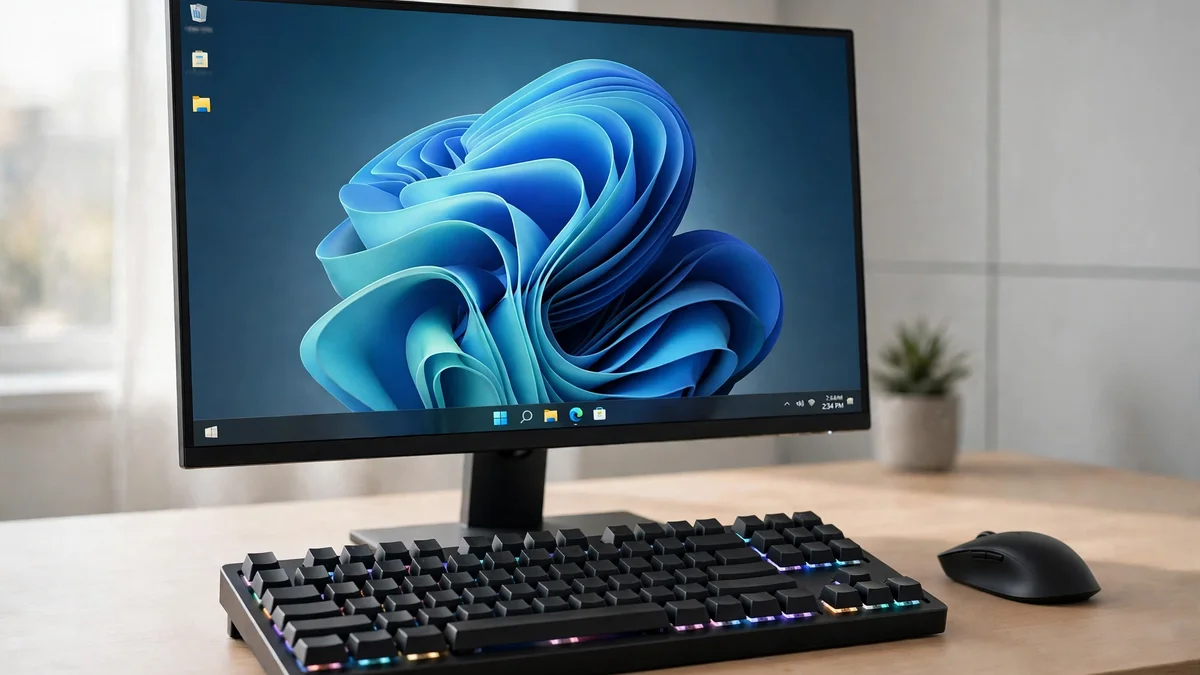
The best keyboards for office in 2027 are quiet, durable, and comfortable enough for eight hours of typing without distracting the people around you. Office keyboards live in shared spaces, so noise matters as much as feel, and they need to survive daily use for years rather than months. A good office keyboard is one you stop noticing, because it simply works.
What matters most in an office is a full, familiar layout, quiet keys, and a build that handles spills, dust, and constant use. A numpad helps finance and admin teams, a wrist rest helps long typing days, and wireless connectivity keeps shared desks tidy.
This shortlist covers eight keyboards for different office setups, from a budget workhorse to a premium ergonomic board. The Logitech MX Keys S leads overall, the Logitech Signature K650 is the best budget office keyboard, and the Logitech Ergo K860 is the pick for comfort. Prices below are approximate starting prices, so check current pricing before you buy.
Key takeaways
- The Logitech MX Keys S is the best overall office keyboard for quiet keys, a full layout, and reliable wireless range.
- The Logitech Signature K650 is the best budget office keyboard, with a full layout and long battery life for under $40.
- The Logitech Ergo K860 is the best ergonomic office keyboard for long typing days and wrist comfort.
- Quiet switches matter more in an office than at home, because open-plan colleagues hear every keystroke.
- Check numpad needs, wireless range, and spill resistance before you buy for a whole team.
At a glance: the shortlist
| Product | Best for | Starting price | Standout limit |
|---|---|---|---|
| Logitech MX Keys S | Best overall | From $109 | No mechanical switch option |
| Logitech Signature K650 | Best budget office | From $39 | No backlight |
| Logitech Ergo K860 | Best ergonomic | From $129 | Large desk footprint |
| Keychron K10 Max | Best full-size mechanical | From $99 | Heavier than slim boards |
| HP 455 Programmable Wireless | Best for hot-desking | From $49 | Basic key feel |
| Kensington Pro Fit Ergo | Best budget ergonomic | From $59 | Basic build quality |
| Apple Magic Keyboard with Touch ID | Best for Mac offices | From $149 | No backlight, Mac-only layout |
| Logitech K780 Multi-Device | Best shared desk | From $79 | Round keys divide opinion |
Logitech MX Keys S — Best overall
The MX Keys S is the best all-round office keyboard because it balances quiet keys, a full layout, and smart features without a learning curve. The low-profile scissor keys are quiet enough for open-plan offices, the spherically dished keycaps guide your fingers, and the backlight adjusts to room light and hand proximity. It connects over Bluetooth or the Bolt receiver and switches between three devices, which suits people who move between a desktop and a laptop.

The full-size layout includes a numpad, which finance and admin teams need, and the aluminium top plate gives it a solid, office-ready feel. Pair it with one of the best OLED monitors for work for a complete desk upgrade.
Pros: Quiet, comfortable keys; full layout with numpad; smart backlighting; three-device switching.
Cons: No mechanical switches; premium price for a membrane-style board.
Logitech Signature K650 — Best budget office
The Signature K650 is the best keyboard to buy in bulk for an office, because it covers the essentials at a low price. It is a full-size board with a numpad, quiet keys, and a comfortable typing angle, and it runs for up to three years on two AA batteries. It connects over Bluetooth or the included Logi Bolt receiver, so it works with almost any office machine.
Neither matters much in a standard office, where reliability and low cost matter more than looks. If you are equipping a team or replacing ageing office keyboards, this is the sensible default.
Pros: Very affordable; full layout; up to three years of battery life; quiet keys.
Cons: No backlight; plain plastic build; no multi-device switching.
Logitech Ergo K860 — Best ergonomic
The Ergo K860 is the office keyboard to choose when comfort is the priority. Its split, curved layout and cushioned wrist rest keep hands and forearms in a more natural position, which helps staff who type all day. The keys are quiet scissor switches, so it works in shared offices, and it supports three devices over Bluetooth or the Bolt receiver.
It is also a poor fit for hot-desking, because its shape is personal and not everyone likes it. For assigned desks and long typing days, it is the most comfortable keyboard on this list.
Pros: Genuinely comfortable split layout; quiet keys; built-in wrist rest; long battery life.
Cons: Large footprint; adjustment period; not suited to shared desks.
Keychron K10 Max — Best full-size mechanical
The K10 Max is a full-size mechanical keyboard for offices that want mechanical typing without giving up the numpad. It connects over Bluetooth to three devices or over USB-C, and the hot-swappable sockets let you fit quieter switches if the stock ones are too loud for colleagues. The aluminium frame and double-shot PBT keycaps are built to last through years of daily use.
Battery life is strong for a mechanical board, and the board works with Windows and Mac layouts. It is the best mechanical option for office staff who type hard and want feedback from every key.
Pros: Full-size mechanical layout; hot-swappable switches; solid aluminium frame; three-device Bluetooth.
Cons: Heavier than slim boards; stock switches may be loud for open offices.
HP 455 Programmable Wireless — Best for hot-desking
The HP 455 is a practical choice for hot-desking and shared offices. It is a full-size wireless board with programmable keys, so shared-desk users can set shortcuts for common tasks, and it connects over Bluetooth or a 2.4 GHz dongle. The low-profile keys are quiet, the board is light enough to move between desks, and the price is low enough to buy several.
For a shared desk, those are acceptable trade-offs, because the board is simple, replaceable, and works instantly on any machine. It is a workhorse, not a showpiece, and offices need workhorses.
Pros: Affordable; programmable keys; light and easy to move; quiet low-profile keys.
Cons: Basic key feel; no backlight; no multi-device switching.
Kensington Pro Fit Ergo — Best budget ergonomic
The Kensington Pro Fit Ergo offers a split layout and a cushioned wrist rest at about half the price of premium ergonomic boards. The gentle wave layout angles hands inward without the steep learning curve of a full split, and it connects over Bluetooth or 2.4 GHz wireless. It is a good first ergonomic keyboard for an office that wants to offer comfort options without a large budget.
The ergonomic benefit is also gentler than the Ergo K860, so staff with serious wrist issues should still consider the premium option. As a low-cost way to test ergonomic layouts across a team, it is hard to beat.
Pros: Affordable ergonomic layout; cushioned wrist rest; easy to learn; dual wireless modes.
Cons: Basic build quality; louder keys; milder ergonomic benefit than premium boards.
Apple Magic Keyboard with Touch ID — Best for Mac offices
The Magic Keyboard with Touch ID is the best office keyboard for Mac-based workplaces. It is slim, quiet, and pairs instantly with Apple silicon Macs, and Touch ID adds fast, secure sign-in and Apple Pay approval without a password. It charges over USB-C and its aluminium body matches Apple hardware exactly, which matters in design-led offices.
The Touch ID version costs more than the standard Magic Keyboard, but the time saved on sign-ins across a team adds up. If your office runs on Macs, this is the cleanest choice.
Pros: Slim and quiet; Touch ID sign-in; instant Apple pairing; premium aluminium build.
Cons: No backlight; Mac-only layout; premium price.
Logitech K780 Multi-Device — Best shared desk
The K780 is built for shared desks and multi-device offices. It pairs with three devices over Bluetooth or the Unifying receiver, and a built-in cradle holds a phone or tablet upright, which is handy for staff who check messages or take calls at their desk. The full-size layout includes a numpad, and the keys are quiet enough for shared spaces.
There is no backlight, and the board is heavier than a travel keyboard, though that is fine for a desk that stays put. For a shared desk used by different people through the week, its flexibility is its strength.
Pros: Three-device switching; built-in device cradle; full layout; quiet keys.
Cons: Round keys take adjustment; no backlight; heavier than slim boards.
How to choose
Start with the office itself. Open-plan spaces need quiet keys above all, while private offices can handle mechanical boards. Then check the layout: finance and admin teams need a numpad, while design and writing teams may prefer a compact board that leaves room for a mouse. Durability matters too, because office keyboards are used for years, so a solid frame and spill resistance are worth paying for.
Connectivity is the next decision. Wireless boards keep desks tidy and suit hot-desking, while wired boards never need charging and work on locked-down machines. If your team moves between desks, a light wireless board with a dongle is the easiest option. A secure office network matters as well, and the best VPN services for office networks are worth reviewing alongside any hardware refresh.
Checklist: before you buy
- Check noise levels for open-plan use, and choose quiet switches for shared spaces.
- Confirm the layout includes a numpad if your team works with numbers daily.
- Check wireless range and whether the board needs a dongle or works over Bluetooth alone.
- Measure desk space, especially for ergonomic and full-size boards.
- Check battery life or cable length, and whether spares are easy to order.
- Confirm the layout matches your operating system mix, Mac, Windows, or both.
Frequently asked questions
What is the best keyboard for office work overall?
The Logitech MX Keys S is the best overall office keyboard. It is quiet, comfortable, full-size, and reliable, which covers the needs of most office workers without a steep learning curve.
Are mechanical keyboards too loud for an office?
Clicky mechanical switches are usually too loud for open-plan offices, but quiet linear or silent switches work fine. Choose a board with hot-swappable switches, such as the Keychron K10 Max, so you can fit quieter switches if needed.
Should office keyboards be wired or wireless?
Wireless is best for most offices because it keeps desks tidy and suits hot-desking. Wired boards are better for locked-down machines, shared terminals, and anyone who never wants to think about batteries.
How much should an office spend on a keyboard?
Most offices should spend $40 to $130 per keyboard. Budget boards cover the basics well, while the extra spend buys quieter keys, better ergonomics, and longer life, which pays off over years of daily use.
Do ergonomic keyboards really help in an office?
Yes, for staff who type for most of the day. A split layout and wrist rest reduce strain over time, though you should allow a week for adjustment and offer a standard board as an alternative for anyone who dislikes the shape.
What else should an office upgrade with new keyboards?
A good monitor and a reliable video-call setup make the biggest difference alongside a keyboard. The best VPN services for video calls are also worth checking if your team meets clients over video from the office.
The bottom line
Buy the Logitech MX Keys S if you want one office keyboard that works for almost everyone. Choose the Signature K650 for budget team rollouts, the Ergo K860 for comfort, and the K10 Max if your office prefers mechanical typing.
Whatever you pick, prioritise quiet keys, a full familiar layout, and a build that lasts. Those three choices decide whether a keyboard serves an office well for years or becomes a daily annoyance, and prices change often, so check current pricing before you buy.