

The best laptop stands for MacBook fix the one ergonomic flaw every MacBook shares: a screen that sits too low on a desk. Raise the screen to eye level and neck strain drops, posture improves, and long work sessions feel noticeably easier. A good stand also lets air flow under the aluminium chassis, which keeps a MacBook cooler and quieter during heavy work.
MacBooks are light, thin and beautifully made, which makes choosing a stand trickier than it looks. A stand must grip the smooth aluminium base without scratching it, hold the weight of a 16-inch MacBook Pro without wobbling, and leave the side ports free for charging and accessories.
This shortlist covers eight stands, from a $25 folding riser to a $129 solid wood design piece. Every one fits MacBook Air and MacBook Pro models, every one was judged on stability, height, ventilation and desk fit, and the winner depends on whether your MacBook mostly stays on one desk or travels with you.
Key takeaways
- Best overall: Rain Design mStand, a rock-solid aluminium riser that matches Apple hardware and suits almost every desk.
- Best budget pick: Nulaxy C3, a folding stand with six height settings for around $25.
- Best portable: Roost V3, under 200 grams and lifts a MacBook up to 11 inches for true eye-level viewing.
- Match the stand to the MacBook: 16-inch Pro owners need a wider, heavier base than 13-inch Air owners.
- Adjustable stands suit shared desks and standing desks; fixed stands suit one permanent setup.
At a glance: the shortlist
Prices below are approximate starting prices. Check current pricing before buying, as stands go on sale often and prices vary by retailer and colour.
| Product | Best for | Starting price | Standout limit |
|---|---|---|---|
| Rain Design mStand | Everyday desk use | From $49 | Fixed height, no fold |
| Twelve South Curve | Design-led desks | From $59 | One height only |
| Nulaxy C3 | First stand on a budget | From $25 | Plastic hinges wear over time |
| Roost V3 | Working from anywhere | From $89 | Open frame suits typing less |
| Satechi Aluminum Laptop Stand | Cutting cable clutter | From $44 | Hub model costs more |
| Lamicall Adjustable Laptop Stand | 16-inch MacBook Pro | From $35 | Bulky when folded |
| Grovemade Wood Laptop Stand | A desk you want to show off | From $129 | High price, fixed angle |
| Boyata N19 | Standing desks and tall users | From $42 | Arms can block side ports |
Rain Design mStand — Best overall
The Rain Design mStand is the stand most MacBook owners end up keeping for years. It is a single piece of sand-blasted aluminium that lifts a MacBook by just under 6 inches, putting the screen close to eye level on a normal desk. The finish and the curve of the base match Apple hardware so closely that the stand looks like part of the laptop rather than an add-on.
A hole in the back routes a charging cable neatly, and the solid base stays put when you type on the keyboard. It holds every MacBook Air and MacBook Pro size, including the 16-inch Pro, without flexing. USB-C hubs for students
Pros: Rock-solid aluminium build; perfect height for most desks; cable routing built in.
Cons: Fixed height cannot be adjusted; not portable; no ventilation slots underneath.
Twelve South Curve — Best premium aluminium
The Twelve South Curve is the prettiest stand on this list, and it is also one of the most practical. Its arc raises a MacBook about 6.5 inches and leaves the space underneath open, so heat escapes and you can slide a keyboard or a notebook under the laptop when you are done working.
The aluminium is anodised to match Apple finishes, and rubber pads on the arms and base stop scratches and sliding.
Pros: Beautiful curved design; excellent airflow underneath; fits all MacBook sizes.
Cons: Premium price for a fixed stand; height is not adjustable; arms can mark soft cases.
Nulaxy C3 — Best budget adjustable
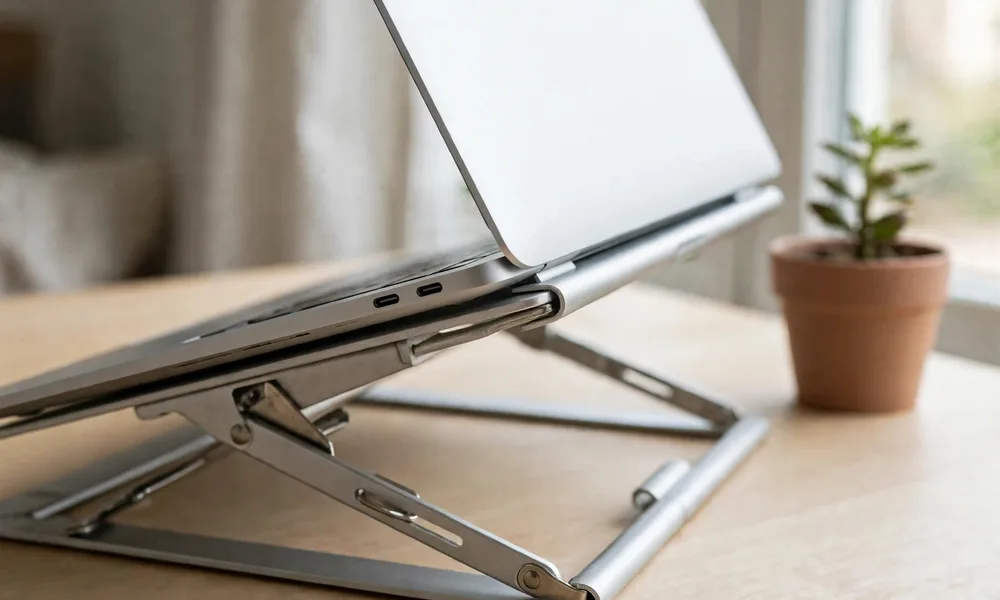
The Nulaxy C3 proves you do not need to spend much to fix your posture. It is a folding aluminium stand with six height settings, so you can raise a MacBook from a slight tilt for typing to a full lift for video calls. It folds flat to the size of a small book, which makes it easy to carry in a laptop bag.
Rubber pads on the arms and feet keep the laptop steady, and the open frame lets air flow under the chassis.
Pros: Six height settings at a low price; folds flat for travel; good ventilation.
Cons: Feels lighter and less planted than premium stands; hinge loosens with heavy daily use.
Roost V3 — Best portable
The Roost V3 is the stand for people who work from cafes, co-working spaces and hotel rooms. It weighs under 200 grams, folds to the size of a ruler, and opens into a stand that lifts a MacBook up to 11 inches, which is higher than almost anything else here.
That height is the point: your screen reaches true eye level even on a low table. The trade-off is that the open frame is designed for use with an external keyboard, since typing hard on the laptop keyboard can wobble the stand. portable monitors for programmers
Pros: Extremely light and packable; tallest lift on this list; strong and durable build.
Cons: Best with an external keyboard; premium price; learning curve to set up quickly.
Satechi Aluminum Laptop Stand — Best with a USB-C hub
Satechi makes a clean aluminium stand that pairs naturally with a MacBook, and the version with a built-in USB-C hub is the clever buy. The hub adds extra USB-A ports, an SD card reader and a pass-through charging port, so one cable from the stand connects your peripherals.
The stand itself is a fixed-height riser with a ventilated base and a neat cable channel.
Pros: Built-in hub reduces dongles; solid aluminium; ventilated base keeps the MacBook cool.
Cons: Hub version costs noticeably more; fixed height; hub ports are USB 3.0 speed only.
Lamicall Adjustable Laptop Stand — Best for large MacBooks
The Lamicall adjustable stand is a wide, sturdy riser that handles the 16-inch MacBook Pro without complaint. Its base is wider than most folding stands, so a heavy laptop sits securely, and the height adjusts through several angles for typing, reading and video calls.
Rubber strips along the arms and the front lip stop the laptop sliding forward, and the aluminium frame stays cool to the touch.
Pros: Wide stable base for big laptops; multiple height settings; strong rubber grip.
Cons: Heavier than travel stands; folding mechanism is stiff at first; no cable routing.
Grovemade Wood Laptop Stand — Best design
The Grovemade stand is furniture as much as accessory. It is cut from solid walnut or maple, with a felt-lined rest and a shape that lifts a MacBook to a comfortable viewing angle while leaving room underneath for a keyboard or notebook.
It is a fixed-angle stand, so you are paying for materials and craftsmanship rather than adjustability.
Pros: Beautiful solid wood; felt lining protects the MacBook; stable and silent.
Cons: Expensive for a fixed stand; heavy; no height adjustment or folding.
Boyata N19 — Best height range
The Boyata N19 is an adjustable stand with one of the widest height ranges you can buy, lifting a MacBook from a low typing tilt to a high riser position that works on a standing desk. The hinge is stiff enough to hold a 16-inch MacBook Pro steady at full height.
Ventilation holes across the tray keep the base cool during long video renders and calls, and the front hooks hold the laptop firmly. It folds flat for storage, though at this size it is more of a desk stand than a travel one. laptop cooling pads
Pros: Huge height range; strong hinge holds heavy laptops; good airflow.
Cons: Side arms can cover ports on some models; heavier than folding rivals; hinge needs two hands to adjust.
How to choose
Start with your MacBook size. A 13-inch Air works with almost any stand, but a 16-inch Pro needs a wide base, a strong hinge and a weight rating that covers it.
Decide between fixed and adjustable. A fixed stand like the mStand is simpler, sturdier and tidier on a permanent desk.
Think about how you type. If you type on the MacBook keyboard, the stand must be stable enough not to wobble with every keystroke.
Check port access. Some stands cover the ports on one side of a MacBook, which is annoying when you plug in a charger or a drive every day.
Ventilation matters for sustained work. Stands with open frames or vent holes keep the MacBook base cooler during video editing, calls and compiles.
Checklist: before you pay
- Confirm the stand fits your MacBook size and weight, especially the 16-inch Pro.
- Check the raised height against your eye level at your normal chair and desk.
- Make sure the charging port and the ports you use daily stay reachable.
- Test stability: the stand should not wobble when you type on the MacBook keyboard.
- Look for rubber pads on every contact point, so the aluminium base does not scratch.
- Check the folded size and weight if the stand will travel in your bag.
Frequently asked questions
What height should a MacBook stand lift the screen to?
The top of the screen should sit roughly at eye level when you sit upright. For most desks and chairs that means lifting the MacBook base by 5 to 7 inches.
Are laptop stands bad for a MacBook?
No, a good stand helps a MacBook. It improves airflow under the chassis, which keeps temperatures lower, and it improves your posture.
Can I use a MacBook stand with an external monitor?
Yes, and it is one of the best setups. Put the MacBook on the stand beside the monitor and use it as a second screen, or close the lid and run it in clamshell mode on the stand.
Do I need an external keyboard with a laptop stand?
It depends on the height. At a low tilt you can keep typing on the MacBook keyboard. Once the screen is raised to eye level, typing on the built-in keyboard becomes uncomfortable, so an external keyboard and mouse make the setup far more comfortable.
Will a stand fit both MacBook Air and MacBook Pro?
Almost every stand on this list fits both, but check the size range. The 16-inch MacBook Pro is heavier and wider than the 13-inch Air, so it needs a stand with a wide base and a strong hinge.
Is an aluminium stand better than a plastic one?
Aluminium stands are generally sturdier, cooler and longer-lasting, and they match a MacBook visually. Good plastic stands are lighter and cheaper and can be fine for travel, but they flex more and wear faster at the hinges.
The bottom line
For most MacBook owners, the Rain Design mStand is the right buy: it is stable, beautiful, and it simply disappears into a desk setup. If you want adjustability on a budget, the Nulaxy C3 does the same job for about half the price. Travellers should pick the Roost V3, and anyone building a permanent desk should look at the Satechi hub stand to cut cable clutter.
Whichever stand you choose, pair it with an external keyboard once the screen is at eye level, and keep an eye on new aluminium and wood designs arriving in 2027. Prices change often, so compare the current price of your top two picks before you buy, and choose the stand that fits your desk rather than the one with the longest feature list.


