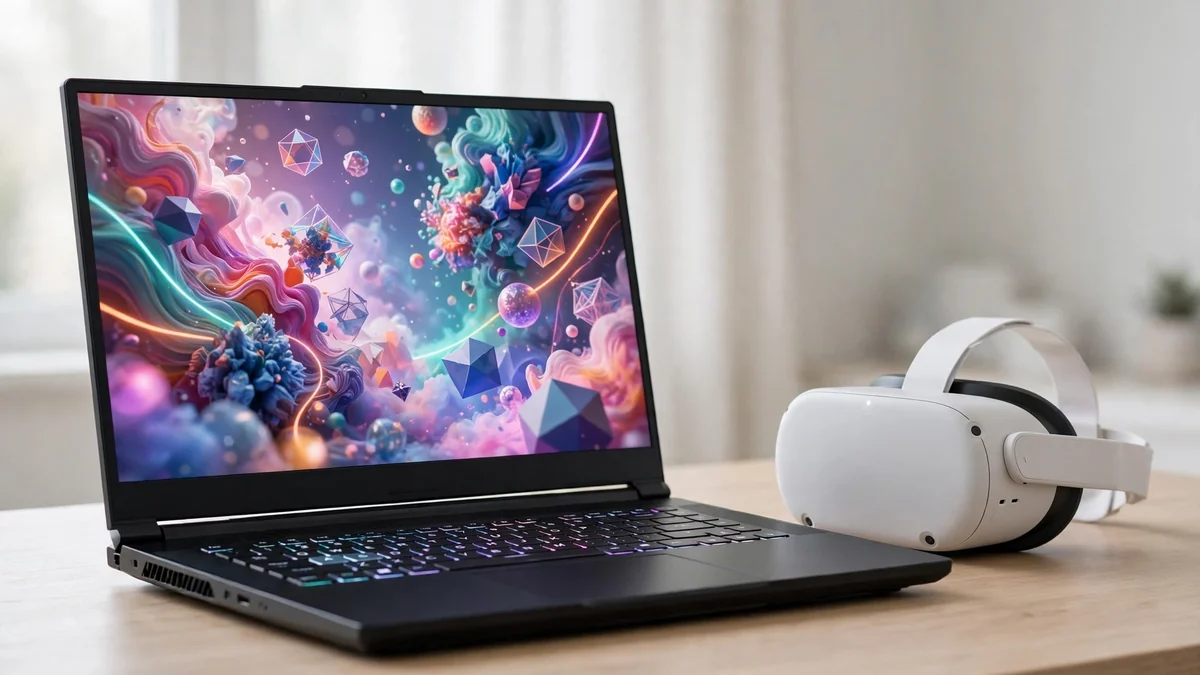
Virtual reality development is the most demanding job you can give a laptop. The best laptops for VR development in 2027 need a powerful dedicated graphics card, a fast multi-core processor, at least 32GB of memory, and the ports to drive a headset at high refresh rates. A machine that stutters in a VR build breaks immersion and wastes testing time.
What matters most is the graphics card. VR headsets render two high-resolution views at 90 frames per second or more, so a mid-range GPU is not enough for serious development. The CPU and memory matter too, because game engines, 3D tools, and headset runtimes all run at once, and a slow compile cycle slows the whole team down.
This shortlist covers seven laptops that handle real VR development, from Unreal Engine scenes to standalone headset builds. Prices are approximate starting prices, so check current pricing before you buy, as configurations and discounts change often.
Key takeaways
- The ASUS ROG Strix Scar 16 is the best overall laptop for VR development for its RTX 5080 graphics and fast display.
- Choose a laptop with at least an RTX 5070 graphics card and 32GB of memory for serious VR work.
- Check headset compatibility first, as some headsets need DisplayPort or a specific USB-C connection.
- The Lenovo Legion Pro 7i is the best choice for Unreal Engine developers who need sustained performance.
- Do not buy a thin ultrabook for VR development, as it cannot cool a powerful GPU for long sessions.
At a glance: the shortlist
| Product | Best for | Starting price | Standout limit |
|---|---|---|---|
| ASUS ROG Strix Scar 16 | Best overall | From $2,999 | Heavy and expensive |
| Lenovo Legion Pro 7i | Unreal Engine | From $2,499 | Short battery life |
| Razer Blade 16 | Premium portable | From $2,999 | Premium price |
| MSI Vector 16 HX | Best value GPU power | From $1,899 | Plain design |
| HP Omen Max 16 | Best cooling | From $2,199 | Heavier chassis |
| Alienware 16 Area-51 | Desktop replacement | From $2,799 | Very heavy |
| Apple MacBook Pro 16 (M4 Max) | macOS and Vision Pro | From $3,499 | Limited native VR support |
ASUS ROG Strix Scar 16 — Best overall
The ASUS ROG Strix Scar 16 is the strongest all-round laptop for VR development. Its RTX 5080 graphics card, Intel Core Ultra 9 processor, and 32GB of memory handle Unreal Engine scenes, high-resolution headset output, and long compile jobs without slowing down. The 16-inch 240Hz display is sharp and fast, which helps when reviewing scenes and animations frame by frame.

Cooling is excellent for a laptop this powerful, with a vapor chamber and liquid metal keeping temperatures in check during long sessions. If your work also includes gaming, the same hardware makes it one of the best laptops for gaming in 2027, so it covers both roles in one machine.
Pros: Powerful RTX 5080 graphics, fast 240Hz display, excellent cooling, strong port selection.
Cons: Heavy at 2.7kg, expensive, short battery life away from power.
Lenovo Legion Pro 7i — Best for Unreal Engine
The Lenovo Legion Pro 7i is built for developers who live in Unreal Engine. Its RTX 5080 graphics, Intel Core Ultra 9 processor, and up to 64GB of memory keep large scenes, light builds, and shader compiles moving, and the vapor chamber cooling sustains full performance for hours rather than minutes. That consistency matters when a build takes an hour and a throttled laptop doubles it.
The 16-inch display is available in bright high-refresh options, the keyboard is excellent for long sessions, and the chassis is understated enough for an office. For teams that compile and test all day, it is the most dependable workstation-class laptop on this list.
Pros: Sustained performance, up to 64GB of memory, excellent keyboard, strong cooling.
Cons: Short battery life, heavy, premium price when fully configured.
Razer Blade 16 — Best premium portable
The Razer Blade 16 is the most portable serious VR development laptop. At 2.1kg with a slim aluminum chassis, it is far easier to carry than other RTX 5080 machines, yet it still delivers strong headset performance and a superb 16-inch OLED display. The screen is the best here for reviewing 3D scenes, with deep blacks and accurate colors.
The keyboard is comfortable, the trackpad is large and precise, and the build quality is the best in this class. For developers who travel between studios and client sites, the portability is worth the premium.
Pros: Slim and portable, superb OLED display, premium build, strong performance.
Cons: Expensive, runs warm under load, limited upgrade options.
MSI Vector 16 HX — Best value GPU power
The MSI Vector 16 HX delivers the most graphics power per dollar on this list. It starts near $1,899 with an RTX 5070 Ti graphics card, an Intel Core Ultra processor, and 32GB of memory, which is enough for most VR development work, including Unity and Unreal projects at headset resolution. The 16-inch display is bright and fast, with a 240Hz refresh rate.
Cooling is good, the keyboard is comfortable, and the port selection covers headset and external display needs. For independent developers and small studios on a budget, it is the best value route into serious VR work.
Pros: Excellent value, strong GPU for the price, fast display, good cooling.
Cons: Plain plastic build, average speakers, heavier than premium models.
HP Omen Max 16 — Best cooling
The HP Omen Max 16 is the cooling champion of this shortlist. Its vapor chamber, dual fans, and liquid metal thermal interface keep the RTX 5080 graphics card running at full speed for long sessions, which is exactly what VR testing demands. The Intel Core Ultra 9 processor and 32GB of memory complete a strong specification for engine work and compiles.
The 16-inch display is bright and fast, the keyboard is comfortable with per-key lighting, and the chassis is sturdy. It is heavier than the Razer Blade 16, but the thermal headroom is the point: this laptop does not throttle when a build runs for an hour.
Pros: Outstanding cooling, sustained full performance, good display, strong value.
Cons: Heavy chassis, short battery life, fan noise under full load.
Alienware 16 Area-51 — Best desktop replacement
The Alienware 16 Area-51 is the desktop replacement for developers who want maximum power in a laptop form. Its RTX 5080 graphics, Intel Core Ultra 9 processor, and up to 64GB of memory handle the largest VR scenes, and the 16-inch display is available in bright high-refresh options. The distinctive design and excellent keyboard make it a pleasure to use at a desk.
This is the heaviest laptop here at around 3.3kg, and battery life is minimal, so it is a machine that lives on a desk and travels rarely. In return, it offers the best sustained performance and the most upgradeable design, with user-replaceable memory and storage. For a studio machine that occasionally moves, it is the strongest choice.
Pros: Maximum performance, up to 64GB of memory, upgradeable, excellent keyboard.
Cons: Very heavy, minimal battery life, expensive.
Apple MacBook Pro 16 (M4 Max) — Best for macOS and Vision Pro
The MacBook Pro 16 with the M4 Max chip is the best choice for developers working on Apple Vision Pro and macOS VR content. Its unified memory architecture, with up to 128GB available, handles large 3D scenes and video work smoothly, and the 16.2-inch Liquid Retina XDR display is the best screen on any laptop for reviewing visual content.
Battery life is outstanding for a machine this powerful, reaching 18 hours of mixed use, and the laptop stays quiet under most loads. The limitation is native VR support: most PC VR headsets and Windows-only tools do not run on macOS, so this laptop suits Vision Pro development, AR work, and 3D content creation rather than PC VR testing. For that workflow, it is unmatched.
Pros: Outstanding display, up to 128GB of memory, excellent battery life, quiet operation.
Cons: Limited native VR headset support, very expensive, some tools need Windows.
How to choose
Start with the graphics card, because it sets the ceiling for everything else. An RTX 5070 is the minimum for comfortable VR development, an RTX 5070 Ti or 5080 is the sweet spot for most teams, and 32GB of memory is the floor, with 64GB worth it for large Unreal projects. A fast SSD matters too, since VR projects are large and slow storage stalls compiles.
Next, check headset compatibility and ports. Some headsets need DisplayPort over USB-C, others need HDMI, and standalone headsets need a fast USB link for development, so confirm your headset works with the laptop before you buy. A good external display also helps for scene review, and the best USB-C monitors for laptops pair well with these machines for desk-based development.
Finally, weigh portability against cooling. Slim laptops look good on the move but throttle under sustained load, while heavier machines sustain full performance for hours. If you test in a headset for long sessions, cooling matters more than weight.
Checklist: before you pay
- Confirm at least an RTX 5070 graphics card and 32GB of memory.
- Check that your headset works with the laptop ports, including DisplayPort over USB-C.
- Verify your engine and 3D tools run on the chosen operating system.
- Choose a fast 1TB SSD as the minimum for large VR projects.
- Check cooling reviews for sustained performance, not just peak benchmarks.
- Confirm warranty, accidental damage cover, and return terms before ordering.
Frequently asked questions
How much RAM do I need for VR development?
32GB is the practical minimum, because game engines, 3D tools, and headset runtimes all consume memory at once. Choose 64GB if you work on large Unreal Engine projects or run multiple tools simultaneously, and check whether memory can be upgraded later.
Can I develop VR games on a MacBook?
Yes, for Apple Vision Pro and AR work, where the MacBook Pro 16 is excellent. For PC VR headsets, a Windows laptop with a dedicated Nvidia graphics card is a better fit, since most PC VR tools and headsets are Windows-only.
Do I need a DisplayPort connection for VR?
Many PC VR headsets need DisplayPort, either directly or over USB-C, to reach full refresh rates. Check your headset requirements before buying, as some slim laptops lack a DisplayPort-capable port, and an adapter cannot always fix that.
Is an RTX 5070 enough for VR development?
Yes, for most projects. An RTX 5070 handles Unity and Unreal development at headset resolution comfortably. An RTX 5080 is worth it for large scenes, high refresh rates, and faster light builds, but it costs significantly more.
How important is cooling for VR laptops?
Very important. VR development sustains full GPU load for hours, and a laptop that throttles slows builds and drops headset frame rates. Check reviews for sustained performance rather than short benchmarks, and prefer vapor chamber cooling.
What peripherals do VR developers need?
A good mouse, keyboard, and external monitor cover most desk work, and a headset stand keeps your hardware safe between tests. For precise control in 3D tools, the best wireless mice for gaming laptops are a good starting point, as they offer the accuracy and comfort that long sessions demand.
The bottom line
For most VR developers, the ASUS ROG Strix Scar 16 is the best buy: its RTX 5080 graphics, strong cooling, and fast display cover the full workflow. Unreal Engine teams should choose the Lenovo Legion Pro 7i for sustained performance, while budget-conscious developers will get the best value from the MSI Vector 16 HX.
Whatever you choose, prioritize the graphics card and cooling over thinness, and check current pricing before you buy, as discounts on high-end laptops are frequent and generous.