
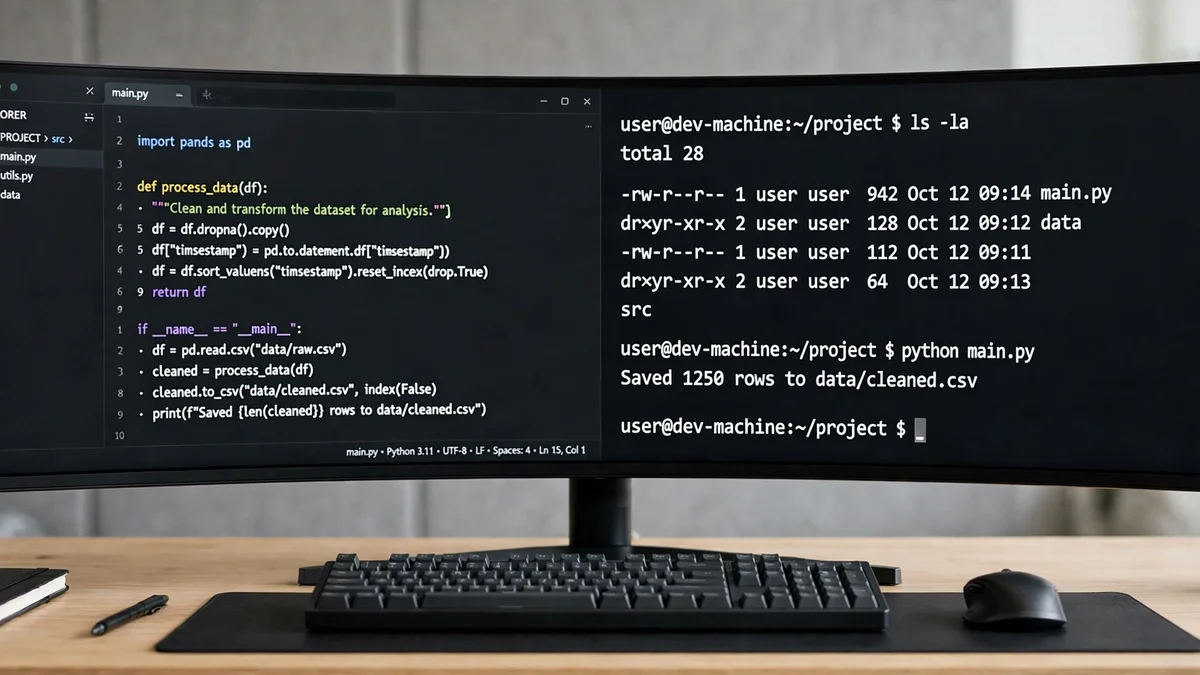
A good coding monitor is not a luxury. It is the surface where code is read, reviewed, and debugged for eight hours a day, and a panel that is too small, too dim, or too harsh turns that work into a grind. The right monitor shows more lines of code at once and keeps text sharp at small font sizes.
For 2027, the sweet spot is a 27-inch 4K IPS panel with USB-C power delivery, which pairs cleanly with a laptop and delivers crisp text. Ultrawide 34-inch models suit developers who live in split-screen layouts, while 32-inch 4K panels suit those who want the largest workspace on one screen.
This guide compares eight monitors developers actually buy for coding, from affordable 27-inch 4K workhorses to ultrawide flagships, judged on text clarity, screen space, eye comfort, connectivity, and value.
Key takeaways
- 27-inch 4K IPS is the best all-round choice for coding.
- Ultrawide 34-inch monitors are best for developers who keep an editor, terminal, and browser open side by side.
- USB-C with at least 65W power delivery makes a monitor a single-cable laptop dock.
- Look for low blue light certification, flicker-free backlighting, and an adjustable stand.
- Budget picks start around $250, while premium 4K and 5K panels run from $600 to $1,600.
At a glance: the shortlist
| Monitor | Best for | Starting price | Standout limit |
|---|---|---|---|
| Dell UltraSharp U2723QE | Best overall | $649 | No high refresh rate |
| LG UltraFine 27US500-W | Best value 4K | $299 | Basic stand, no USB-C hub |
| BenQ PD2705U | Best for colour-accurate work | $499 | 60Hz only |
| ASUS ProArt PA279CRV | Best affordable pro panel | $469 | USB-C power limited to 96W |
| Samsung ViewFinity S9 | Best 5K for Mac developers | $899 | Premium price |
| Dell UltraSharp U3425WE | Best ultrawide | $719 | Lower pixel density than 4K |
| LG UltraWide 34WP65C-B | Best budget ultrawide | $349 | 1080p vertical resolution |
| Gigabyte M27U | Best for coding and gaming | $399 | Average factory calibration |
Dell UltraSharp U2723QE — Best overall
The Dell UltraSharp U2723QE is the monitor most developers should buy first. Its 27-inch 4K IPS Black panel delivers roughly twice the contrast of a standard IPS display, so code on a dark theme looks genuinely dark instead of washed-out grey. The 4K resolution at 27 inches gives a sharp 163 pixels per inch, so text looks printed.

Connectivity is the other reason this monitor leads the list. A USB-C port with 90W power delivery charges a laptop while carrying video and data, and a built-in hub keeps a keyboard, mouse, and headset wired to the monitor rather than the laptop. It pairs naturally with the best laptops for programmers, which benefit most from a single-cable desk setup.
Pros: Excellent IPS Black contrast, sharp 4K text, 90W USB-C hub, fully adjustable stand with pivot.
Cons: 60Hz refresh rate, no built-in speakers worth using, premium price.
LG UltraFine 27US500-W — Best value 4K
The LG UltraFine 27US500-W proves that a coding monitor does not need to cost $600. It is a straightforward 27-inch 4K IPS display with good colour coverage and a slim profile. Text is sharp at 4K, viewing angles are wide, and the panel handles light and dark editor themes without obvious banding.
What you give up at this price is the hub: no USB-C video input and no built-in KVM, so pair it with a laptop dock or a desktop.
Pros: Genuine 4K sharpness at a budget price, good colour, slim bezels, reliable LG panel quality.
Cons: No USB-C input, basic tilt-only stand, no built-in speakers.
BenQ PD2705U — Best for colour-accurate work
Developers who also ship design work or build front-end interfaces need a monitor that shows colour honestly, and the BenQ PD2705U is built for exactly that. It covers 99 percent of sRGB and Rec. 709, ships factory calibrated with a report in the box, and includes dedicated modes for CAD and animation work.
The stand adjusts for height, tilt, swivel, and pivot, and the KVM switch lets one keyboard and mouse drive two computers. BenQ’s low blue light and flicker-free backlighting help during ten-hour days.
Pros: Factory-calibrated colour, excellent eye-care features, KVM switch, versatile stand.
Cons: 60Hz refresh rate, menu system takes getting used to, no USB-C power delivery above 65W.
ASUS ProArt PA279CRV — Best affordable pro panel
The ASUS ProArt PA279CRV packs professional colour accuracy into a monitor that costs less than most flagship office displays. Its 27-inch 4K IPS panel covers 99 percent of DCI-P3 and sRGB, calibrated at the factory to a Delta E of less than 2, so colours on screen match what users see. For front-end developers, that accuracy is worth more than a higher refresh rate.
It also includes 96W USB-C power delivery, a compact stand for small desks, and calibration software to keep the panel accurate.
Pros: Pro-level colour at a mid-range price, 96W USB-C charging, factory calibration, compact footprint.
Cons: Stand height range is limited, speakers are weak, no KVM switch.
Samsung ViewFinity S9 — Best 5K for Mac developers
Mac developers who want the sharpest text available should look at the Samsung ViewFinity S9, a 27-inch 5K display with 218 pixels per inch. At that density, code renders with the clarity of print and macOS scaling is pixel-perfect. The matte coating cuts reflections in bright rooms without dulling the image.
Its 96W USB-C port charges a MacBook Pro while driving the display, and the built-in 4K webcam is a practical bonus for developers who spend their days in video calls.
Pros: Exceptional 5K text sharpness, matte anti-glare coating, 96W USB-C, built-in 4K webcam.
Cons: Expensive, smart TV features are unnecessary for most developers, 60Hz only.
Dell UltraSharp U3425WE — Best ultrawide
The Dell UltraSharp U3425WE replaces a two-monitor setup with one 34-inch curved ultrawide panel. Its 3440 by 1440 resolution fits a code editor, a terminal, and a browser window side by side, the layout most developers actually work in, and the gentle 1900R curve keeps the edges at a comfortable viewing distance.
Like the U2723QE, it includes a USB-C hub with 90W power delivery, a KVM switch, and a fully adjustable stand. The IPS Black panel keeps dark themes deep, and the 120Hz refresh rate makes scrolling smooth.
Pros: Huge usable workspace, 120Hz refresh rate, 90W USB-C hub with KVM, IPS Black contrast.
Cons: Lower pixel density than 4K, takes up a wide desk, curved panel is not for everyone.
LG UltraWide 34WP65C-B — Best budget ultrawide
The LG UltraWide 34WP65C-B brings ultrawide screen space to a budget that used to buy only a basic 27-inch monitor. Its 34-inch curved VA panel runs at 3440 by 1440 with a 160Hz refresh rate, so scrolling feels fluid, and the extra space suits split-screen coding, side-by-side diffs, and documentation next to the editor.
Colour and contrast are strong for the price, though viewing angles are narrower than IPS and text is less sharp than on a 4K panel. For developers on a tight budget, it is hard to beat.
Pros: Very affordable ultrawide, 160Hz refresh rate, good contrast, HDR10 support.
Cons: VA panel viewing angles, lower text sharpness, limited USB-C support.
Gigabyte M27U — Best for coding and gaming
Developers who code by day and game by night need one monitor that does both, and the Gigabyte M27U is that monitor. Its 27-inch 4K IPS panel runs at 160Hz, so code scrolls smoothly and games run at high frame rates, with FreeSync Premium Pro and G-Sync support. The KVM switch lets a work laptop and a gaming PC share one keyboard and mouse.
Text clarity is good at 4K, colour covers 95 percent of DCI-P3, and USB-C charging is limited to 18W. Factory calibration is average, so colour-critical work needs a calibration, but for general coding and gaming it is ready out of the box.
Pros: 4K at 160Hz, KVM switch, good colour coverage, strong value for a dual-purpose display.
Cons: USB-C charging is only 18W, average factory calibration, stand is basic.
How to choose
Start with size and resolution. A 27-inch 4K panel is the default for coding because it shows the most code at readable sharpness, while a 34-inch ultrawide suits developers who work in three panes at once. Avoid 1080p panels at 27 inches or larger, because text becomes visibly soft at the font sizes developers use.
Next, check connectivity. USB-C with at least 65W power delivery is worth paying for with a laptop, because it replaces a separate dock and charger with one cable. A KVM switch matters if you switch between a work laptop and a personal machine, and height adjustment is not optional: the top of the screen should sit at or slightly below eye level.
Finally, weigh eye comfort against refresh rate. Low blue light modes, flicker-free backlighting, and a matte coating reduce fatigue more than any other feature, while a 120Hz or higher refresh rate is a pleasant upgrade for scrolling but secondary to sharpness and comfort. Developers who work from cafés, co-working spaces, or client offices should also check the best VPN services for developers, since a good monitor setup is only half of a safe remote workflow. If you already own a good keyboard and a comfortable chair, the monitor is the next upgrade that pays for itself in focus.
Checklist: before you buy
- Confirm the resolution and size match your desk: 27-inch 4K for most developers, 34-inch ultrawide for split-screen work.
- Check USB-C power delivery wattage against your laptop’s charger, aiming for 65W or more.
- Verify the stand adjusts for height and pivot, or budget for an arm.
- Look for low blue light certification and flicker-free backlighting if you code for long hours.
- Measure your desk depth: ultrawide and 32-inch panels need at least 60 centimetres of depth.
- Check the return policy and dead-pixel policy before ordering, and check current pricing, since prices shift often.
Frequently asked questions
Is 4K worth it for coding?
Yes, at 27 inches and above. 4K makes small text sharp and lets you use a smaller font without eye strain, so more lines of code fit on screen. At 24 inches, 1440p is usually enough.
Is an ultrawide monitor better than two monitors?
For most developers, yes. An ultrawide removes the bezel in the middle, makes window management simpler, and takes up less desk space than two stands. Two monitors still win if you need one screen in portrait. If you are leaning toward a single wide panel, compare the options in our guide to the best ultrawide monitors for work before deciding.
How much USB-C power delivery do I need?
At least 65W for most ultrabooks, and 90W or more for 14-inch and 16-inch performance laptops. If the monitor delivers less than your laptop needs, the battery drains slowly under heavy load.
Does refresh rate matter for coding?
It helps, but it is not essential. A 120Hz or 144Hz panel makes scrolling smoother, which is pleasant during long sessions, but sharpness, contrast, and comfort matter more.
Should I choose IPS or VA for coding?
IPS is the safer choice for coding because of its wide viewing angles and consistent text rendering. VA panels offer better contrast and cost less in ultrawide sizes, but text can look less crisp at the edges.
Can I use a TV as a coding monitor?
You can, but it is rarely a good idea. TVs have higher input lag, aggressive image processing, and poor text rendering at close range, and most lack adjustable stands and USB-C.
The bottom line
For most developers, the Dell UltraSharp U2723QE is the monitor to buy: sharp 4K text, strong contrast, a proper USB-C hub, and a fully adjustable stand. If budget is the priority, the LG UltraFine 27US500-W delivers the same 4K sharpness for far less, and the Dell UltraSharp U3425WE ultrawide replaces two monitors with one.
Whatever you choose, prioritise resolution and eye comfort over refresh rate and smart features. A monitor that shows more code clearly and stays comfortable is the one that will still be on your desk in five years.



