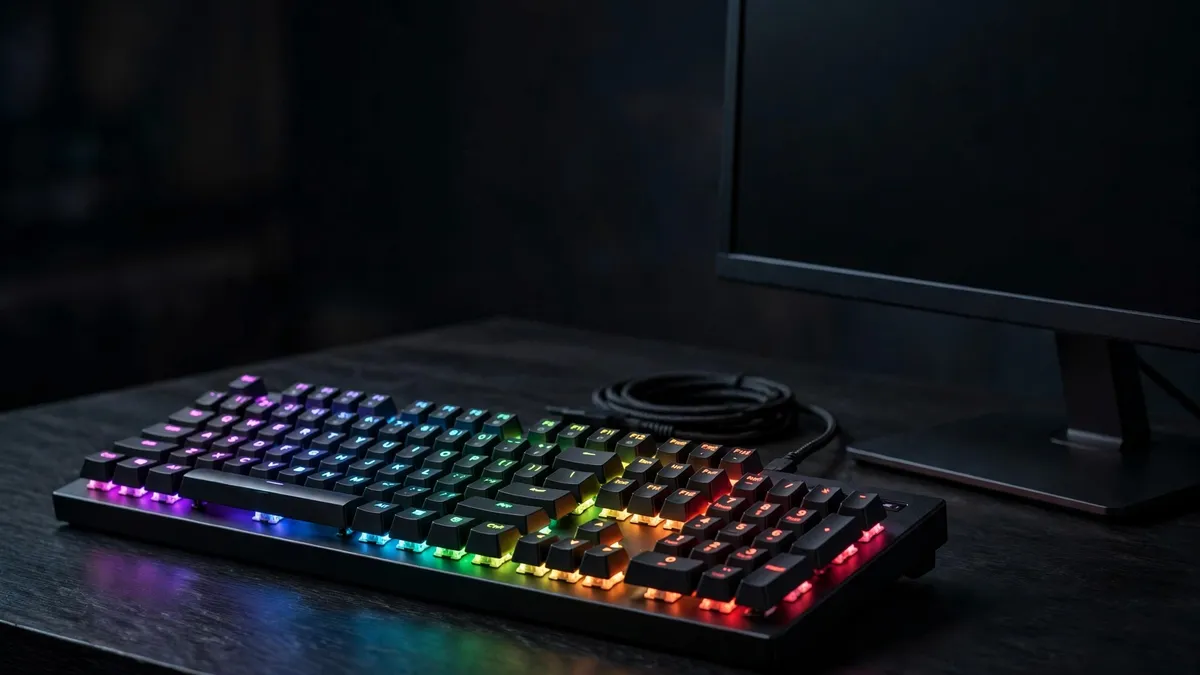
The best RGB mechanical keyboards in 2027 do more than glow. Per-key lighting has become a practical tool: it marks game controls, highlights shortcuts, and makes a keyboard usable in a dark room without a desk lamp. The brightest boards now pair dense, even lighting with the same build quality and switch options as the best non-RGB keyboards, so you no longer trade feel for colour.
What separates a good RGB keyboard from a gimmick is control. Per-key RGB with a clear software suite lets you set exact colours, reactive effects and game-linked profiles, while a board with only a few preset zones looks flat by comparison. Brightness matters too: south-facing LEDs shine through keycaps more evenly than north-facing ones, and translucent or shine-through legends make the light visible instead of trapping it under the caps.
We tested the leading RGB mechanical keyboards on lighting quality, software, switch choice, build and battery life, and the shortlist below covers every use case. The Razer BlackWidow V4 Pro leads overall, the Corsair K70 RGB Pro is the gaming pick, and the Royal Kludge RK84 RGB proves strong lighting does not need a big budget. Prices below are approximate starting prices — check current pricing before you buy.
Key takeaways
- The Razer BlackWidow V4 Pro is the best RGB mechanical keyboard overall, with the brightest and most even per-key lighting in this roundup.
- The Corsair K70 RGB Pro pairs strong lighting with durable PBT keycaps and a solid aluminium frame.
- Hall effect RGB boards, led by the SteelSeries Apex Pro TKL, combine adjustable actuation with vivid backlighting.
- South-facing LEDs and shine-through keycaps make RGB look far better than north-facing LEDs with solid caps.
- Budget buyers should start with the Royal Kludge RK84 RGB, which offers full per-key lighting for around $70.
At a glance: the shortlist
| Keyboard | Best for | Starting price | Standout limit |
|---|---|---|---|
| Razer BlackWidow V4 Pro | Best overall | From $229 | Synapse software needs an account |
| Corsair K70 RGB Pro | Gaming | From $159 | Heavy full-size frame |
| Logitech G915 X Lightspeed | Wireless RGB | From $229 | Low-profile switches feel different |
| SteelSeries Apex Pro TKL | Hall effect RGB | From $189 | ABS keycaps wear over time |
| Keychron Q1 Max | Premium RGB | From $209 | Lighting software is basic |
| HyperX Alloy Rise 75 | Customisable RGB | From $169 | Plastic case at a premium price |
| Royal Kludge RK84 RGB | Budget RGB | From $69 | Software is rough around the edges |
Razer BlackWidow V4 Pro — Best overall
The Razer BlackWidow V4 Pro has the most impressive RGB lighting of any keyboard we tested. Per-key lighting is bright and even across the whole board, the underglow strip adds a soft halo on the desk, and Chroma syncs with hundreds of games so lighting reacts to health, cooldowns and events.

Under the lights it is serious too: Razer’s Green or Yellow switches, a magnetic wrist rest, dedicated media keys and a command dial, plus 8,000 Hz polling over wired USB. Its main drawback is Synapse, which requires an account and runs in the background, but the lighting control it unlocks is the best in the business. It also tops our roundup of the best gaming keyboards for players who want maximum atmosphere.
Pros: brightest, most even RGB, game-synced Chroma effects, 8,000 Hz polling, magnetic wrist rest.
Cons: Synapse needs an account, expensive, full-size only.
Corsair K70 RGB Pro — Best for gaming
The Corsair K70 RGB Pro is the workhorse of this roundup. Its per-key RGB is bright and consistent, the double-shot PBT keycaps resist shine, and the brushed aluminium frame feels solid. Corsair’s OPX optical switches register at 1.0 mm with a 45 g actuation force, making them fast without being twitchy.
iCUE software controls lighting, macros and profiles, and syncs with other Corsair gear if you own it. It also includes a detachable palm rest, dedicated media keys and a volume roller, plus 8,000 Hz hyper-polling. It is a heavy full-size board, so it suits a fixed desk rather than a bag — but on that desk it is hard to beat.
Pros: durable PBT keycaps, aluminium frame, fast optical switches, strong iCUE lighting control.
Cons: heavy full-size layout, iCUE can be resource-hungry.
Logitech G915 X Lightspeed — Best wireless RGB
The Logitech G915 X Lightspeed solves the hardest RGB problem: keeping bright per-key lighting alive on a wireless keyboard. Its low-profile GL switches and efficient Lightspeed wireless deliver up to 36 hours of use with the lighting on, and around 800 hours with it off.
At 23 mm thick the G915 X is strikingly slim, with an aluminium top plate and a clean, minimal look that fits an office as well as a gaming setup. G Hub handles lighting, macros and profiles, and settings are stored on-device. The low-profile switches feel closer to a laptop keyboard than a standard mechanical board, which takes a few days to get used to.
Pros: excellent wireless battery with RGB on, slim aluminium design, on-board profiles, quiet low-profile switches.
Cons: low-profile feel is not for everyone, expensive, keycaps are ABS.
SteelSeries Apex Pro TKL — Best Hall effect RGB
The SteelSeries Apex Pro TKL pairs vivid per-key RGB with OmniPoint 2.0 Hall effect switches, and the combination is unique. Each key’s actuation can be set from 0.1 mm to 3.4 mm, so the same board feels hair-trigger in a shooter and deliberate in a document. Rapid trigger and 2-in-1 action keys add options no standard switch board offers.
The RGB is bright and even, with a clean white legend that shows colours clearly, and SteelSeries GG software is among the easiest to use here. An OLED display in the corner shows profiles, volume and game info. The main weakness is the ABS keycaps, which will shine with heavy use.
Pros: adjustable actuation and rapid trigger, bright even RGB, OLED display, easy software.
Cons: ABS keycaps, premium price, TKL layout only.
Keychron Q1 Max — Best premium RGB
The Keychron Q1 Max brings RGB to a premium gasket-mounted aluminium keyboard, and the result is a board that looks understated with the lights off and striking with them on. South-facing RGB LEDs shine cleanly through the double-shot PBT keycaps, and the deep, muted typing sound is the best here.
It connects over 2.4 GHz, Bluetooth or USB-C, runs QMK firmware for full remapping, and ships hot-swappable for any MX switches you like. The lighting controls are simpler than Razer or Corsair, with no game integrations — but for a desk centrepiece that types beautifully and glows tastefully, the Q1 Max is the pick. If you want quieter lighting for shared spaces, our guide to silent mechanical keyboards covers boards that keep both noise and glow down.
Pros: superb aluminium gasket build, deep typing sound, south-facing RGB, QMK and hot-swappable.
Cons: basic lighting software, heavy, no game sync.
HyperX Alloy Rise 75 — Best customisable RGB
The HyperX Alloy Rise 75 is built for people who like to change their keyboard’s look. The magnetic top plate, badge and keycaps are all swappable, and HyperX sells alternatives in different colours and finishes. Combined with per-key RGB and bright underglow, it is the most visually flexible board here.
Underneath, it is a solid 75% board: hot-swappable HyperX linear switches, gasket mounting, PBT keycaps and tri-mode connectivity with up to 80 hours of battery. The case is plastic, which keeps weight down but feels less premium than aluminium boards at this price.
Pros: swappable top plate and badge, bright per-key RGB, hot-swappable, good battery life.
Cons: plastic case, NGENUITY software is basic, premium price.
Royal Kludge RK84 RGB — Best budget RGB
The Royal Kludge RK84 RGB delivers full per-key lighting for around $70, and the lighting itself is genuinely good: bright, even and customisable through the RK software or on-board shortcuts. South-facing LEDs and translucent legends keep colours vivid, and the board offers tri-mode wireless with PBT keycaps.
The compromises are in the details: the stabilisers rattle out of the box, the software is clunky, and the plastic case sounds hollow until you add foam. None of that affects the lighting, and a quick stabiliser tune fixes the worst of it. If your budget is tight and RGB matters most, this is the board to buy, and it pairs well with a slim desk setup like the best low-profile mechanical keyboards for a clean, compact workspace.
Pros: full per-key RGB at a budget price, tri-mode wireless, PBT keycaps, hot-swappable.
Cons: rattly stabilisers, rough software, hollow stock sound.
How to choose
Start with the lighting itself: per-key RGB rather than zone lighting, south-facing LEDs, and shine-through keycap legends decide whether a board glows evenly or looks patchy. Then check the software: Razer Chroma and Corsair iCUE offer game sync and deep effects, while Keychron and Royal Kludge keep things simpler.
Next, match switches and layout to your use: gamers should prioritise Hall effect or optical switches; typists should look for tactile switches and PBT keycaps. Finally, check battery life with the backlight on, not off: bright lighting drains batteries fast.
Checklist: before you buy
- Confirm the board has per-key RGB, not just zone lighting, and that the LEDs are south-facing for even glow.
- Check that the keycaps have shine-through legends, or the lighting will be hidden under solid caps.
- Test the software: make sure it runs on your operating system and does not require an account you do not want.
- Look at battery life with the backlight on, since wireless RGB ratings with the lights off are misleading.
- Make sure the switches are hot-swappable if you want to change the feel later without soldering.
- Measure your desk: full-size RGB boards are wide, and underglow needs a dark surface to show properly.
Frequently asked questions
Does RGB lighting slow a keyboard down?
No. RGB lighting runs on a separate circuit from the switch matrix, so it has no effect on latency or polling rate. A board’s speed depends on its switches and connection, not its lights.
Can I turn the RGB off completely?
Yes. Every board here has a shortcut or software toggle to switch the lighting off entirely, and most offer a static white or single-colour mode for office use.
Does RGB drain the battery on wireless keyboards?
Yes, significantly. Bright per-key lighting can cut wireless battery life from hundreds of hours to 30 or 40, so keep brightness at 50% or below, or plug in while gaming.
What is the difference between per-key RGB and zone lighting?
Per-key RGB lets you set each key’s colour individually, which enables effects like ripples and game-synced highlights. Zone lighting splits the board into a few large regions, which looks flatter and offers far less control.
Are RGB keyboards good for office work?
They can be. Set the lighting to a low, static white or a single muted colour and the board looks professional while staying readable in dim rooms.
Do I need software to use RGB lighting?
No. All of these boards have on-board shortcuts for brightness, effects and colour. Software adds finer control, custom profiles and game sync, but the lighting works without it.
The bottom line
For most people, the Razer BlackWidow V4 Pro is the RGB mechanical keyboard to buy: it has the brightest, most even lighting and the deepest software here. If you want the best gaming board without the Razer price, the Corsair K70 RGB Pro is the pick, and the SteelSeries Apex Pro TKL suits players who want adjustable Hall effect switches.
Wireless buyers should choose the Logitech G915 X Lightspeed, premium typists the Keychron Q1 Max, and anyone on a budget the Royal Kludge RK84 RGB. Whichever you choose, buy per-key RGB with shine-through legends — that combination is what makes the lighting worth having.