
An order tracking page answers one question after payment: where is the parcel, and when will it arrive. Building the page is only the first job. Keeping it accurate is the daily job, and it is the job that decides whether buyers trust the page or write to support instead. Carrier scans change through the day, delivery dates slip, and parcels get delayed at a depot. A tracking page that shows stale information is worse than no page at all, because it tells the buyer a story that the carrier cannot confirm.
Managing the page means keeping the tracking data fresh, the status wording plain, and the failed deliveries visible before the buyer has to ask. The tools in this roundup were judged on that routine, not on page design. Eight tools made the final list, led by AfterShip for tracking across many carriers, and ParcelPanel for shops that run on Shopify. If the page does not exist yet, the guide on how to set up a business website order tracking page in 2027 covers the first build.
Key takeaways
- AfterShip is the best overall pick for keeping tracking fresh across many carriers.
- ParcelPanel is the best pick for Shopify shops that want a branded tracking page without extra setup.
- TrackingMore and 17TRACK are the strongest choices for many carriers at low cost.
- Wonderment and Malomo are the best picks for turning tracking into repeat orders.
- No tool fixes stale carrier data, so the page must pull live scans, not a status typed in by hand.
At a glance: the shortlist
| Tool | Best for | Starting price | Standout limit |
|---|---|---|---|
| AfterShip | Best overall | Free start, paid plans | Free start is small |
| ParcelPanel | Shopify shops | Paid monthly plan | Shopify only |
| TrackingMore | Low cost carriers | Free start, paid plans | Branding needs setup |
| Wonderment | Notices that sell | Paid monthly plan | For growing shops |
| Malomo | Branded pages | Paid monthly plan | Shopify only |
| Narvar | Large shops | Quote based | Too large for tiny shops |
| Route | Lost parcels | Free start, paid plans | Protection costs extra |
| 17TRACK | Simple checks | Free start, paid plans | Light on branding |
1. AfterShip — Best overall
AfterShip connects a shop to more than a thousand carriers and pulls live scans into one dashboard, so the status on the tracking page matches the status with the carrier. It builds a branded tracking page under the shop name, pushes delivery updates to buyers, and flags delayed parcels before the buyer writes in.
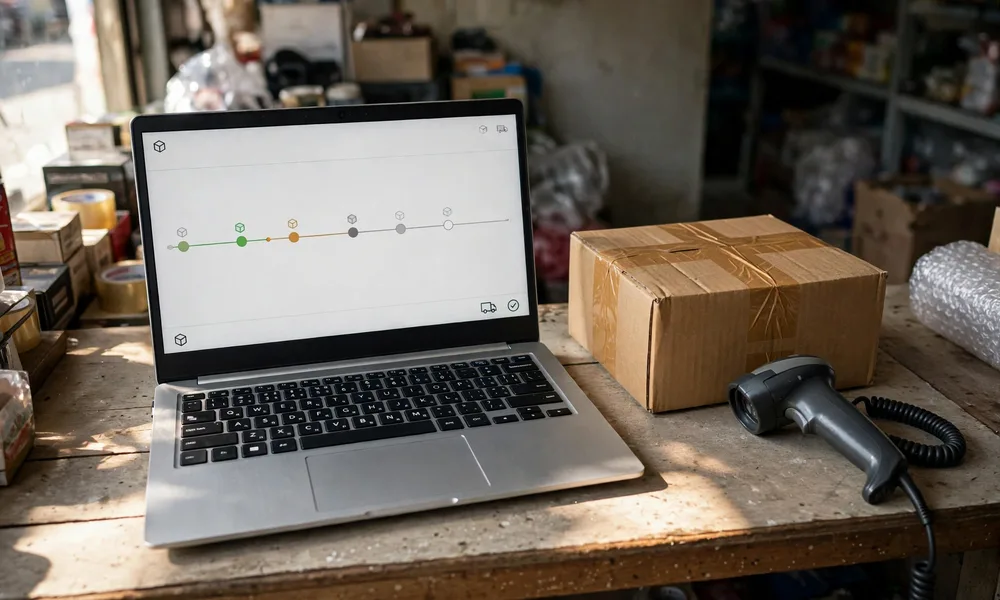
The free start covers a small number of shipments, and paid plans rise with volume. The tracking page needs branding setup before it looks like part of the shop. For most small shops, AfterShip is the safest first pick, because it covers the most carriers with the least manual work.
Pros: many carriers, branded pages, delay alerts.
Cons: small free start, and branding setup takes time.
2. ParcelPanel — Best for Shopify shops
ParcelPanel is built for Shopify, and that focus shows in the setup. It installs from the Shopify app store, reads orders and tracking numbers from the shop at once, and builds a tracking page that matches the shop theme without extra code. Buyers see the same status on the page that the carrier shows, with plain wording and a delivery estimate. The tool also sends delivery notices and lets the shop add product suggestions to the tracking page.
The limit is the platform. ParcelPanel works best inside Shopify, so a shop on another platform will get less from it. The monthly plan is paid from the start. For a Shopify shop that wants the tracking page managed with the least setup, ParcelPanel is the most direct pick.
Pros: fast Shopify setup, themed page, delivery notices.
Cons: Shopify only, and the plan is paid.
3. TrackingMore — Best for many carriers at low cost
TrackingMore covers more than a thousand carriers through one connection, which suits a shop that posts with several carriers or ships across borders. The dashboard shows every parcel in one list, with the latest scan, the carrier name, and the delivery estimate beside each order.
The free start covers a small batch of shipments, and paid plans stay cheap for a small shop. Branding the tracking page needs setup. For a shop that values carrier coverage and low cost over a polished page design, TrackingMore is the strongest value pick.
Pros: wide coverage, low cost, one list for every parcel.
Cons: branding needs setup, and design is simple.
4. Wonderment — Best for delivery notices that sell
Wonderment treats the tracking page and the delivery notices as part of the shop, not as an afterthought. It builds branded tracking pages and delivery emails that carry the shop look, and it uses the delivery moment to suggest products and invite buyers back. Behind that, it tracks every parcel, flags delays and failed deliveries, and gives the team a clear list of orders that need attention.
The plan is paid monthly and priced for a growing shop. For a shop with steady order volume that wants tracking to earn repeat orders, Wonderment is the best pick.
Pros: branded pages, delay flagging, repeat orders.
Cons: priced for growing shops.
5. Malomo — Best for branded tracking pages
Malomo builds tracking pages that look like part of the shop, with the shop logo, colours, and layout, so the buyer never feels sent away. The page shows live status in plain words, with the latest scan, the delivery estimate, and a next step when a parcel is late. The tool also powers delivery notices, and it lets the shop add product suggestions to the tracking page.
Malomo works best with Shopify, and the plan is paid monthly. For a Shopify shop that cares most about how the tracking page looks and feels, Malomo is the best pick.
Pros: branded pages, delivery notices, product suggestions.
Cons: Shopify only, and the plan is paid.
6. Narvar — Best for larger shops and returns
Narvar serves larger shops that need tracking, delivery notices, and returns handled in one system. It builds branded tracking pages, sends delivery updates, and adds a returns portal so buyers can start a return from the same place they check a delivery. The dashboard flags delayed parcels and failed deliveries, and gives the team the order details needed to act fast.
The price is quote based, and the setup is built for a larger operation, so a tiny shop will find Narvar too large and too dear. For a growing shop that handles many orders and many returns, Narvar is the most complete pick.
Pros: tracking plus returns, strong exception flagging.
Cons: quote based pricing, and too large for tiny shops.
7. Route — Best for lost and damaged parcels
Route starts from a different problem: what happens when a parcel goes missing or arrives damaged. It adds order protection at checkout, tracks the parcel, and handles claims for lost, stolen, or damaged orders. The tracking page shows live status, and the buyer can see the protection and the claim path from the same page.
The free start covers tracking, while the protection features cost extra, either to the shop or to the buyer at checkout. For a shop that ships valuable goods and wants the worst cases handled well, Route is the best pick.
Pros: protection and claims, live tracking.
Cons: protection costs extra, and the page is simple.
8. 17TRACK — Best for simple multi carrier checks
17TRACK is the simplest tool on this list. It checks parcels across many carriers from one place, with no heavy setup. A small shop can paste tracking numbers, watch the status change, and share a tracking link with the buyer. Paid plans add tracking pages, notices, and a dashboard for the whole order list.
The limit is depth. The tracking pages are light on branding, and the notices are basic. For a small shop that needs simple, cheap, multi carrier tracking that works from day one, 17TRACK is the best pick.
Pros: simple setup, wide coverage, low cost.
Cons: light branding, and basic notices.
How to choose
Start with the platform. A Shopify shop should shortlist ParcelPanel and Malomo first, because both install fast and match the shop theme. A shop on another platform, or a shop that posts with many carriers, should shortlist AfterShip and TrackingMore first, because carrier coverage matters more than theme matching. A shop that ships across borders should check the carrier list before anything else: a tool that misses the main carrier for a region will leave those parcels untracked.
Next, count the parcels. A shop posting fewer than a hundred parcels a month can start on a free tier and move up when volume grows. A shop posting more should price the paid plan at real volume, not at the starter tier. Then decide what the tracking page must do beyond showing status. If the page must cut support messages, pick a tool with strong delay alerts. If the page must bring buyers back, pick a tool with product suggestions. The explainer on what a business website order tracking page is for small businesses sets out the page itself, while this roundup covers the tools that keep it accurate.
Checklist: before you pay
- Check that the tool covers every carrier the shop uses.
- Test the tracking page with a real order, including a delayed parcel and a failed delivery.
- Confirm the status wording is plain, with a date and a next step.
- Price the plan at real monthly volume, not at the starter tier.
- Confirm the delivery notices go out on time, and that buyers can reply to them.
- Check what happens when the shop switches tools.
Frequently asked questions
What does an order tracking page management tool actually do?
It pulls live carrier scans into one place, keeps the tracking page status fresh, sends delivery notices, and flags delays and failed deliveries.
Do these tools replace the shipping page?
No. A shipping page explains cost and time before payment, while a tracking page reports on a parcel after payment. Our roundup of the best tools for managing a small business website shipping page in 2027 covers the page that makes the promise.
Which tool is best for a small Shopify shop?
ParcelPanel is the most direct pick for a Shopify shop. Malomo is the best pick when the branded look of the page matters most.
Can a small shop start for free?
Yes. AfterShip, TrackingMore, Route, and 17TRACK all offer a free start with a small shipment limit.
How often should the tracking page update?
The page should update whenever the carrier scans the parcel, which can mean several times a day. A page that updates only once a day will show stale status.
What happens when a parcel is delayed?
The tool should flag the delay, update the delivery estimate on the page, and send a notice to the buyer with a next step.
The bottom line
Keeping an order tracking page accurate is a routine, not a one time setup. Carrier scans change through the day, delivery dates slip, and parcels fail. The tools on this list turn that routine into a short daily check: one dashboard, one exception list, and one page that tells the buyer the truth. AfterShip is the best overall pick for most small shops, ParcelPanel is the best pick for Shopify, and TrackingMore is the best value pick.
Pick the tool that covers the carriers the shop actually uses, test it with a real order before paying, and price it at real volume. A tracking page that stays fresh will cut support messages and bring buyers back. A page that goes stale will do the opposite.
Note: Prices and plans change. Check the current plan details before buying. All links in this article go to other occcy.com guides, by design.