A power cut in the middle of a workday does more than turn the lights off. It kills an unsaved document, drops a video call mid-sentence, and can corrupt files or damage a hard drive if a desktop shuts down without warning. For a home office, where there is no IT department down the hall, that risk sits entirely on your desk. A UPS battery backup is the simplest fix: a box that sits between the wall socket and your equipment, keeps everything running for a few minutes when the power fails, and gives you time to save work and shut down cleanly.
Choosing the right one is mostly a matter of matching capacity to your load. A laptop and a monitor need far less backup power than a gaming desktop with two screens, a router, and an external drive. The other things that matter are the type of output waveform, how many battery-backed outlets you get, whether the unit talks to your computer over USB so it can shut it down automatically, and how loud and how large it is under a desk. Price matters too, but a UPS is one of those purchases where buying too small costs more in the long run than buying the right size first.
This guide rounds up eight UPS units that suit a home office in 2027, from compact models for a laptop-and-monitor setup to 1500VA towers that can carry a full desktop workstation. Each one is judged on capacity, runtime, outlets, waveform, software, and noise, and the shortlist table below lets you compare them at a glance before reading the detail.
Key takeaways
- APC Back-UPS Pro 1500VA is the best overall pick for most home offices, with pure sine wave output and enough capacity for a desktop, two monitors, and a router.
- CyberPower CP1500PFCLCD is the best value at the top end, offering similar capacity and a clear LCD display for less money than the equivalent APC.
- APC Back-UPS 850VA is the best budget choice for a laptop, one monitor, and a router, where a big tower would be wasted space and money.
- Size your UPS by watts, not VA alone: add up the wattage of everything you will plug into the battery outlets and leave at least 20 percent headroom.
- Pure sine wave output matters for modern computers with active power factor correction power supplies; simulated sine wave units can cause some desktops to shut down or buzz under load.
At a glance: the shortlist
| Product | Best for | Starting price | Standout limit |
|---|---|---|---|
| APC Back-UPS Pro 1500VA | Best overall | Check current pricing | 1500VA / 900W, pure sine wave |
| CyberPower CP1500PFCLCD | Best value 1500VA | Check current pricing | 1500VA / 1000W, pure sine wave |
| APC Back-UPS 850VA | Best budget | Check current pricing | 850VA / 510W, compact tower |
| CyberPower CP1000PFCLCD | Best mid-size | Check current pricing | 1000VA / 600W, pure sine wave |
| Eaton 5S1500LCD | Best build quality | Check current pricing | 1500VA / 900W, LCD display |
| Tripp Lite SMART1500LCDT | Best for AVR | Check current pricing | 1500VA / 900W, line-interactive AVR |
| APC Back-UPS Pro 1000VA | Best for single desktop | Check current pricing | 1000VA / 600W, pure sine wave |
| Vertiv Liebert PSA5 1500VA | Best for small business desks | Check current pricing | 1500VA / 900W, 10 outlets |
APC Back-UPS Pro 1500VA — Best overall
The APC Back-UPS Pro 1500VA, model BR1500MS2, is the unit most home offices should buy first. It delivers 1500VA and 900 watts of pure sine wave power, which is enough for a typical desktop computer, two monitors, a router, and a small external drive, with runtime of roughly ten to twenty minutes at a moderate load depending on exactly what is connected. That is plenty of time to save a document, finish a call, or ride out the short outages that make up most power cuts.
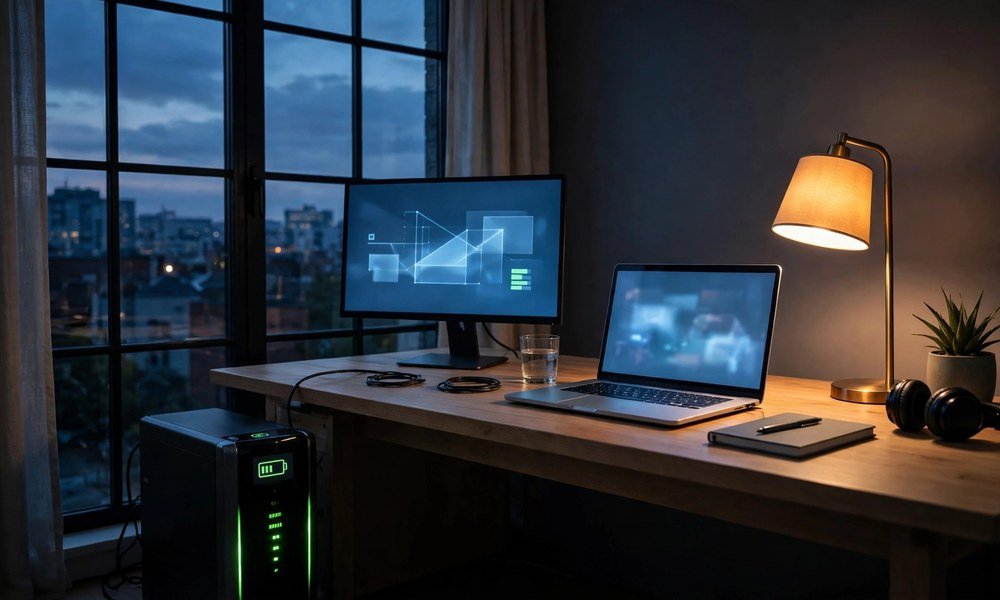
It has ten outlets, six of them battery-backed, plus USB charging ports and a USB data port that connects to APC PowerChute software for automatic shutdown. The LCD display shows load, runtime, and battery status at a glance, and the unit runs quietly enough that you will forget it is there until the lights flicker. If you want a larger backup option for longer outages, our guide to the best portable power stations for home office covers units that can run a desk for hours rather than minutes.
Pros: Pure sine wave output; strong 900W capacity; clear LCD; six battery outlets; reliable PowerChute software.
Cons: Heavier than smaller models at around 11 kilograms; battery replacement costs add up over three to five years.
CyberPower CP1500PFCLCD — Best value 1500VA
The CyberPower CP1500PFCLCD matches the APC on headline capacity and beats it on value. It is rated at 1500VA and 1000 watts, also with pure sine wave output, and it is frequently available for less than the equivalent APC. For a home office running a powerful desktop or a workstation with a large monitor, that extra 100 watts of headroom is genuinely useful, and the colour LCD panel is one of the clearest in this price range, showing input voltage, load percentage, and estimated runtime without needing software.
There are twelve outlets, six battery-backed, and the unit includes USB and serial data ports for CyberPower PowerPanel software, which handles automatic shutdown and can send email alerts. Build quality is solid, and the tower form factor fits neatly beside a desk leg. The main trade-off against APC is brand familiarity and the size of the service network, but in day-to-day use the CyberPower is every bit as capable, and its fan stays quiet at typical home-office loads.
Pros: 1000W capacity at a competitive price; pure sine wave; excellent LCD; twelve outlets.
Cons: Slightly larger footprint than the APC; software is less polished than PowerChute.
APC Back-UPS 850VA — Best budget
Not every home office needs 1500VA. If your desk is a laptop, a single monitor, a router, and a phone charger, the APC Back-UPS 850VA, model BE850G2, covers it for far less money and with a much smaller footprint. It provides 850VA and 510 watts, which is enough for that load with runtime in the region of ten to fifteen minutes, and it has nine outlets, six of them battery-backed, plus USB charging ports on the front.
The output here is a stepped approximation to a sine wave rather than pure sine wave, which is fine for laptops, monitors, and networking gear, since those devices run through their own power adapters. It would be a weaker choice for a desktop with an active power factor correction power supply, where pure sine wave is the safer bet. For a laptop-first desk, though, this is the sensible, quiet, affordable pick, and its compact tower tucks under a desk without eating floor space.
Pros: Affordable; compact and light; enough capacity for a laptop desk; front USB charging ports.
Cons: Simulated sine wave, not pure; too small for a powerful desktop with two monitors.
CyberPower CP1000PFCLCD — Best mid-size
The CyberPower CP1000PFCLCD sits in the sweet spot between the budget 850VA units and the big 1500VA towers. Rated at 1000VA and 600 watts with pure sine wave output, it can carry a modest desktop, one or two monitors, and a router, and it does so at a price that undercuts most 1500VA models by a useful margin. If you are not sure whether you need the biggest unit, this is the one to measure your load against first.
It has ten outlets, five battery-backed, a colour LCD that reports load and runtime, and USB connectivity for PowerPanel software. The tower is compact for its class, and the fan only becomes noticeable under heavy load or during a long outage. For a single-desktop home office, it is arguably the best-balanced choice in this whole list: enough capacity to be useful, small enough to live under a desk, and priced for a home rather than a server room.
Pros: Pure sine wave at a mid-range price; clear LCD; good capacity for a single desktop.
Cons: Only five battery-backed outlets; runtime shrinks fast if you load it close to 600W.
Eaton 5S1500LCD — Best build quality
Eaton is a name more often seen in server rooms than in home offices, and the 5S1500LCD brings some of that engineering to a desk. It is a 1500VA, 900-watt line-interactive unit with an LCD display, eight outlets, and a reputation for long battery life and stable voltage regulation. Eaton’s automatic voltage regulation corrects brownouts and over-voltage without switching to battery, which extends battery life in areas where the mains supply is unreliable rather than simply absent.
The 5S1500LCD is a little more expensive than the CyberPower equivalent and a little plainer to look at, but it feels built to last, and Eaton’s software and warranty support are strong. It is a good pick if your area suffers frequent voltage sags, or if you simply prefer buying from a vendor whose core business is power protection rather than consumer electronics.
Pros: Excellent voltage regulation; durable build; good battery longevity; clear LCD.
Cons: Pricier than the CyberPower 1500VA; fewer battery outlets than some rivals.
Tripp Lite SMART1500LCDT — Best for AVR
The Tripp Lite SMART1500LCDT, now sold under the Eaton Tripp Lite name, is a 1500VA, 900-watt line-interactive UPS with a strong emphasis on automatic voltage regulation. It corrects under-voltage and over-voltage conditions without draining the battery, which matters in homes where the lights dim when a large appliance starts, or where the supply voltage wanders. The LCD panel shows voltage, load, and runtime, and the unit has ten outlets, five of them battery-backed.
It also includes USB and serial ports for PowerAlert software, plus network-grade surge protection on its data lines. The tower is tall and a touch heavier than the APC equivalent, and its fan is audible under load, but for a home office in an area with flaky mains power, its voltage regulation is the feature that justifies the purchase. It is a workhorse rather than a showpiece, and it does its job quietly most of the time.
Pros: Strong automatic voltage regulation; ten outlets; good surge protection; reliable line-interactive design.
Cons: Fan noise under heavy load; only five battery-backed outlets.
APC Back-UPS Pro 1000VA — Best for single desktop
The APC Back-UPS Pro 1000VA, model BR1000MS, is the smaller sibling of our top pick, and it is the right size for a single desktop with one large monitor and a router. It delivers 1000VA and 600 watts of pure sine wave power, with six battery-backed outlets out of ten, USB charging ports, and the same LCD display and PowerChute software as the 1500VA model. Runtime at a typical single-desktop load is in the region of ten to fifteen minutes.
Choosing this over the 1500VA version saves money and floor space, and there is no meaningful difference in features or software. The only reason to step up is if you run two monitors, a powerful graphics card, or additional gear such as a NAS or an external drive enclosure. If your load is genuinely a single desktop and a screen, the 1000VA model is the more economical way to get pure sine wave protection from APC.
Pros: Pure sine wave; same software and display as the bigger model; good value for a single desktop.
Cons: 600W ceiling is easy to exceed with a high-end desktop and two monitors; heavier than budget units.
Vertiv Liebert PSA5 1500VA — Best for small business desks
The Vertiv Liebert PSA5 1500VA rounds out the list as a solid choice for a home office that doubles as a small business desk, where reliability and outlet count matter more than brand familiarity. It provides 1500VA and 900 watts, ten outlets with battery backup on the key ones, and a clear LCD. Vertiv, formerly Emerson Network Power, has a long history in data-centre power, and the PSA5 carries that pedigree into a tower that fits under a desk.
Its output is a simulated sine wave, so it is best paired with laptops, monitors, and networking equipment rather than a high-end desktop with an active power factor correction supply, unless that supply is known to tolerate simulated sine wave input. For a desk full of laptops, screens, a printer, and a router, though, it offers generous capacity and outlet count at a competitive price, with straightforward software for automatic shutdown.
Pros: 900W capacity; ten outlets; clear LCD; strong small-business pedigree.
Cons: Simulated sine wave, not pure; less widely stocked than APC or CyberPower.
How to choose
Start by adding up watts. Check the label on each device you plan to plug into the battery outlets: a laptop charger might draw 65 watts, a monitor 30 to 50 watts, a desktop 200 to 500 watts depending on its hardware, and a router under 15 watts. Add them together, then add 20 percent headroom, and buy a UPS whose watt rating covers that total. A unit rated at 900 watts is comfortable for a 700-watt load; the same load on a 510-watt unit would overload it.
Next, decide on waveform. Pure sine wave is the safe choice for any desktop computer, especially one with a modern power supply. Simulated sine wave is acceptable for laptops, monitors, routers, and printers, which have their own adapters, but it can cause some desktops to buzz, reboot, or refuse to run on battery. If you are unsure what your computer’s power supply expects, pure sine wave removes the question entirely.
Finally, think about outlets, runtime, and software. Count how many devices need battery backup versus surge-only protection, and make sure the UPS has enough battery outlets for the first group. Runtime of ten minutes is enough to save and shut down; thirty minutes or more is for riding out short outages, and that needs a much larger unit or a portable power station. USB software that shuts your computer down automatically is worth having if you ever leave the desk unattended. Pairing a UPS with the rest of a well-planned desk helps too, and our roundup of the best home office tech of 2027 covers the gear that sits around it.
Checklist: before you pay
Use these checks before buying a UPS for your home office.
- Add up the watts of everything that will use the battery outlets, and leave at least 20 percent headroom above that total.
- Choose pure sine wave if any desktop computer will run on battery; simulated sine wave is fine for laptops, monitors, and routers.
- Count battery-backed outlets separately from surge-only outlets, and make sure the battery group covers your computer, monitor, and router.
- Check the battery replacement cost and expected battery life, usually three to five years, before comparing headline prices.
- Confirm the UPS software supports your operating system and can shut the computer down automatically over USB.
- Measure the space under or beside your desk, and check the unit’s weight, fan noise, and ventilation clearance before ordering.
Frequently asked questions
How long will a UPS keep my home office running?
Most 1500VA home-office units provide ten to twenty minutes at a typical desktop load, and longer at a light laptop load. Runtime depends on the wattage you draw, so a smaller load lasts longer. A UPS is designed to give you time to save work and shut down, not to work through a long outage.
Do I need pure sine wave output?
You need it for a desktop computer with an active power factor correction power supply, which is most modern desktops. Laptops, monitors, routers, and printers work fine on simulated sine wave output because their own adapters handle the conversion.
What size UPS do I need for a home office?
Add up the watts of your computer, monitors, router, and any other battery-backed gear, add 20 percent headroom, and choose a UPS rated above that total. A laptop desk usually needs 500 to 600 watts, while a desktop with two monitors usually needs 900 to 1000 watts.
Can a UPS power my Wi-Fi router during an outage?
Yes, and it should. A router draws very little power, so it can run for a long time on even a small UPS, which keeps your internet and video calls alive while you save work. Plug the router and modem into battery-backed outlets, not surge-only ones.
How often should I replace a UPS battery?
Most sealed lead-acid UPS batteries last three to five years, depending on use and temperature. Replace the battery when runtime drops noticeably or the unit reports a battery fault, and check the replacement cost before buying, since it is a real part of the total cost.
Is a UPS the same as a surge protector?
No. A surge protector only guards against voltage spikes, while a UPS also provides battery backup during an outage and, in line-interactive models, corrects voltage sags and surges. If you want to keep working through a power cut, you need a UPS, and a comfortable chair helps you sit through the wait, as our guide to the best ergonomic office chairs in 2027 explains.
The bottom line
For most home offices, the APC Back-UPS Pro 1500VA is the pick to buy: pure sine wave, 900 watts, enough outlets, and software that shuts your computer down safely. If you want the same capacity for less money, the CyberPower CP1500PFCLCD is the value alternative, and if your desk is a laptop and a monitor, the APC Back-UPS 850VA saves money and space without giving up anything you need.
Whatever you choose, size it by watts with headroom, favour pure sine wave for a desktop, and plug your router into a battery outlet. Prices and battery availability change over time, so check the current price and the replacement battery cost before you buy, and test the unit once it arrives by pulling the plug and confirming your computer stays up.
Note: Prices and plans change. Check the product’s current plan details before buying — no link is provided here by design, all links in this article go to other occcy.com guides.