Podcasts have become the daily soundtrack for millions of listeners, from morning commutes and workouts to cooking, chores, and long drives. The best VPN services for podcast streaming in 2027 keep that soundtrack playing without interruptions, no matter where you are. A good VPN protects your listening on public Wi-Fi, keeps your listening habits private from your internet provider, and keeps your connection stable enough that episodes download fast and play without stuttering.
Audio streaming is lighter than video, but it still depends on a steady connection. A slow VPN can pause a download halfway, drain your battery with reconnects, or block background playback. The services in this guide were chosen for fast, reliable speeds, strong privacy, and phone apps built for podcast listeners.
The shortlist below covers seven services, led by NordVPN for all-round performance, Surfshark for value, and Proton VPN for listeners who want a useful free plan. Every price shown is an approximate starting price on the longest plan, so check current pricing before you buy.
Key takeaways
- NordVPN is the best overall pick for podcast streaming, with fast speeds, a huge server network, and reliable apps for phones, tablets, and desktops.
- Surfshark offers the best value, with unlimited simultaneous connections from about $1.99 a month, so one plan covers every device in the household.
- Proton VPN has the most useful free plan, with no data cap, making it a solid starting point for casual listeners.
- Split tunneling matters, because it lets the VPN protect your podcast app while other apps use your normal connection.
- Free VPNs with strict data caps or slow servers will frustrate podcast listeners, so avoid them for daily listening and downloads.
At a glance: the shortlist
| Service | Best for | Starting price | Standout limit |
|---|---|---|---|
| NordVPN | Best overall | About $3.09 a month | 10 simultaneous connections |
| ExpressVPN | Speed and simplicity | About $4.99 a month | 8 simultaneous connections |
| Surfshark | Best value | About $1.99 a month | Unlimited connections |
| Proton VPN | Best free tier | Free, paid from about $4.49 a month | Free plan: 1 device |
| CyberGhost | Beginners | About $2.03 a month | 7 simultaneous connections |
| Private Internet Access | Customization | About $2.03 a month | Unlimited connections |
| IPVanish | Large households | About $2.19 a month | Unlimited connections |
NordVPN — Best overall
NordVPN leads this list because it does everything a podcast listener needs without fuss. Its NordLynx protocol, built on WireGuard, delivers consistently fast speeds, so episodes download in seconds and streams rarely buffer. With more than 7,000 servers in over 100 countries, it is easy to find a nearby server for speed and privacy.
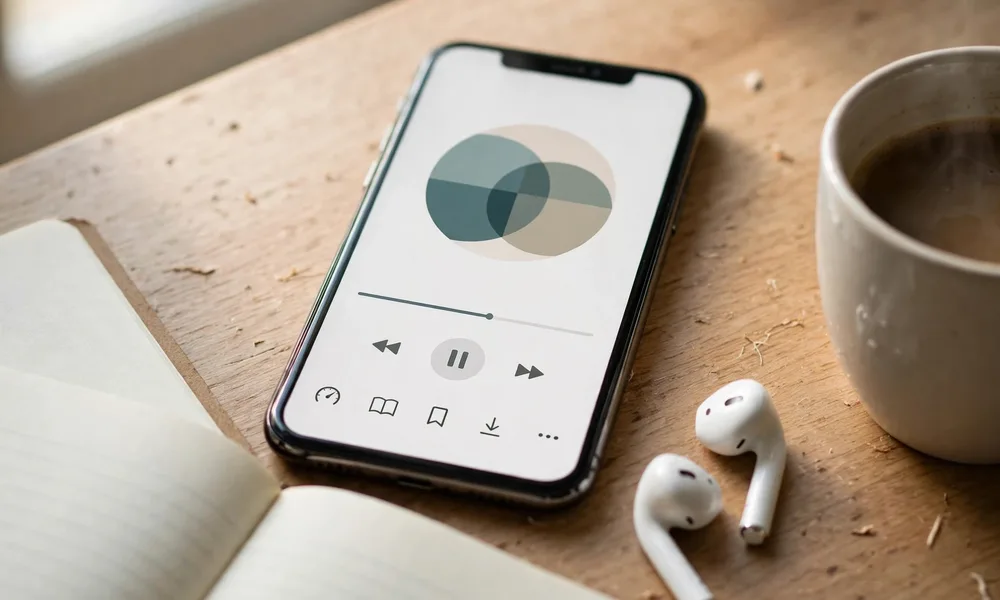
The apps are polished on Android and iOS, with one-tap connect, a kill switch, and split tunneling that routes only your podcast app through the VPN. For listeners who also watch video, our guide to the best VPN services for streaming covers the video side in more detail.
Pros: Very fast speeds; huge server network; audited no-logs policy; split tunneling and kill switch on mobile.
Cons: Higher renewal price than the cheapest rivals; desktop app can feel busy for new users.
ExpressVPN — Best for speed and simplicity
ExpressVPN is the easiest VPN in this list to live with. Its apps are clean and consistent across phones, tablets, laptops, and routers, and connecting takes a single tap. Speeds are excellent thanks to its Lightway protocol, which reconnects instantly when you move between Wi-Fi and mobile data, a common pattern for podcast listeners on the move. That matters, because a dropped connection can force an episode download to start over.
The service runs servers in 105 countries and has a strict no-logs policy backed by independent audits. It costs more than most rivals, starting at about $4.99 a month on its longest plan, but the price buys polish and reliability. A 30-day money-back guarantee lets you test it with your own podcast routine first.
Pros: Excellent speeds and instant reconnection; simple apps on every platform; strong privacy record.
Cons: Pricier than most competitors; fewer advanced settings for power users.
Surfshark — Best value
Surfshark is the best value pick because it allows unlimited simultaneous connections on a single subscription, starting at about $1.99 a month on a two-year plan. That means your phone, tablet, laptop, and every device in the family can run the VPN at the same time without counting seats. Your phone can download episodes while a tablet streams another show.
Speeds are strong on WireGuard, and the app includes a kill switch, split tunneling, and a clean interface. It covers 100 countries and has passed no-logs audits. The cheapest price requires a long commitment, and renewal rates are higher.
Pros: Unlimited devices; very low starting price; fast WireGuard speeds; useful extras included.
Cons: Cheapest price needs a two-year plan; renewal price jumps noticeably.
Proton VPN — Best free tier
Proton VPN is the standout choice if you want to try a VPN for podcast listening without paying. Its free plan has no data cap, which is rare, and it includes servers in several countries with decent speeds. That is enough for daily listening, although the free plan is limited to one device and slower servers. The paid plan, from about $4.49 a month on a two-year deal, unlocks the full network of more than 100 countries and up to 10 devices.
Privacy is Proton VPN’s strongest suit. It is based in Switzerland, has open-source apps, and a no-logs policy confirmed by independent audits. A VPN accelerator improves speeds on distant servers.
Pros: Free plan with no data cap; open-source apps; strong Swiss privacy protections; fast paid speeds.
Cons: Free plan is slower and limited to one device; paid plan costs more than budget rivals.
CyberGhost — Best for beginners
CyberGhost is built for people who want a VPN that works without learning any jargon. Its apps sort servers by purpose, so you can pick a server optimized for streaming and be connected in seconds. With more than 11,000 servers in 100 countries, it has one of the largest networks available, so finding a fast server for downloads is easy.
Starting at about $2.03 a month on a two-year plan, CyberGhost is also one of the cheapest paid options, and it comes with a generous 45-day money-back guarantee on longer plans. The apps include a kill switch and split tunneling, and the no-logs policy has been audited.
Pros: Very easy to use; huge server network; low starting price; long money-back guarantee.
Cons: Fewer advanced controls; speeds can vary on smaller server locations.
Private Internet Access — Best for customization
Private Internet Access, often called PIA, is the pick for listeners who like to tune their connection. It offers unlimited simultaneous connections, a kill switch, split tunneling, and detailed settings for encryption and protocols, all from about $2.03 a month on its longest plan. That flexibility is useful for podcast fans who want the best speed from a slow hotel or airport connection.
PIA runs a large network across more than 90 countries and has a no-logs policy that has been tested in court and confirmed by audits. Once configured, it is fast, reliable, and excellent value for households with many devices.
Pros: Unlimited connections; deep customization; proven no-logs policy; low price.
Cons: Apps look dated; based in the United States, which some privacy purists dislike.
IPVanish — Best for large households
IPVanish is a solid all-rounder for households where many people stream at once. It allows unlimited simultaneous connections and starts at about $2.19 a month on a two-year plan. Speeds are good on WireGuard, and the apps include a kill switch, split tunneling, and an on-demand connection feature that starts the VPN automatically on untrusted networks, which is handy for podcast downloads on public Wi-Fi.
The service owns much of its server infrastructure, which helps keep connections stable, and it covers more than 100 locations worldwide. The no-logs policy has been independently audited.
Pros: Unlimited connections; good speeds; automatic protection on untrusted networks; 24/7 support.
Cons: Fewer servers than the biggest rivals; no free tier.
How to choose
Start with speed and stability, because a podcast VPN that drops connections will waste your time and battery. Look for a service using WireGuard or a modern equivalent, with servers close to your location for everyday listening. A kill switch is essential on a phone, since it stops your podcast app from sending traffic unprotected if the VPN drops mid-download.
Next, check the app experience on your phone. You will use it every day, so it should connect quickly, stay connected in the background, and let you choose which apps use the VPN. Split tunneling is the feature that makes this practical: route your podcast app through the VPN and leave banking or local apps on your normal connection. If you also stream live video, the same speed and reliability rules apply, and our guide to the best VPN services for live sports explains what matters when a stream cannot buffer ahead.
Checklist: before you pay
- Test the free trial or money-back guarantee with your own podcast app.
- Check the renewal price, not just the first-term price.
- Confirm the VPN has fast servers close to where you listen most.
- Make sure the phone app supports a kill switch and split tunneling.
- Count your devices and check the simultaneous connection limit.
- Read the logging policy and confirm it has been independently audited.
Frequently asked questions
Do I need a VPN to listen to podcasts?
No, most podcasts play fine without one. A VPN is useful to protect your listening on public Wi-Fi, keep your listening habits private from your internet provider, and keep downloads secure on shared networks.
Will a VPN slow down podcast downloads?
A good VPN slows downloads only slightly on a nearby server, so episodes still download in seconds. A slow or overloaded free VPN can be much worse, which is why the paid options here are worth it for daily listeners.
Can I use a VPN with Spotify, Apple Podcasts, or Pocket Casts?
Yes, all the services here work with the major podcast apps. Install the VPN app, connect to a server, then open your podcast app as normal. Split tunneling lets you route only the podcast app through the VPN.
Is it legal to use a VPN for podcast streaming?
Using a VPN is legal in most countries, and listening to podcasts through one is a normal, legitimate use. A few countries restrict VPN use, so check local rules before you travel.
What is the best free VPN for podcasts?
Proton VPN has the best free plan for podcast listeners because it has no data cap. It is limited to one device and fewer servers, but it is enough for everyday listening. Avoid free VPNs that cap data at a few hundred megabytes.
Does a VPN work for podcasts when I travel?
Yes, and travel is one of the best reasons to have one. A VPN protects you on hotel and airport Wi-Fi and keeps your listening private while you travel. If you travel often, our guide to the best VPN services for long-term travel covers the features that matter most on the road.
The bottom line
For most podcast listeners, NordVPN is the best all-round choice, with fast speeds, a huge server network, and apps that work well in the background. If you want the lowest price and unlimited devices, Surfshark is the better buy, and if you want to pay nothing, Proton VPN’s free plan is the only free option worth using every day.
Whatever you choose, test it with your own shows during the money-back window. A VPN that feels fast and invisible on your phone is the right one.