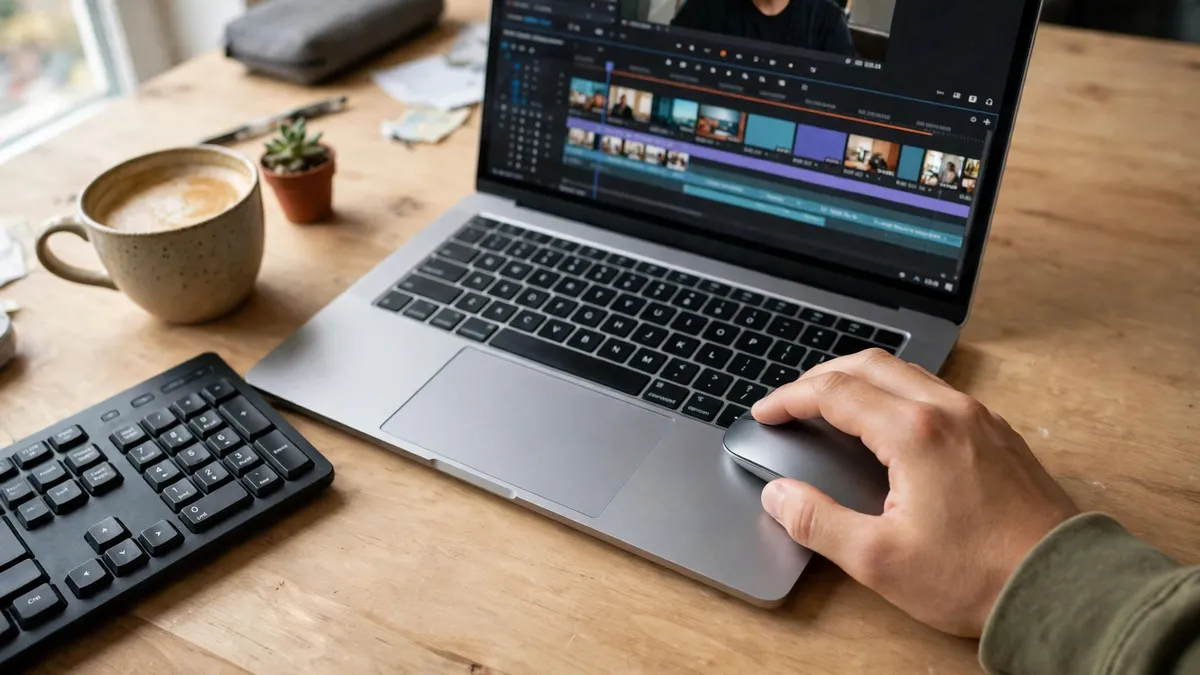
The best wireless mice for MMO games in 2027 are built around one idea: your thumb should do the work your keyboard used to do.
Wireless is no longer a compromise for this kind of play. Modern 2.4 GHz connections and high-polling sensors match wired responsiveness, while batteries now last weeks of regular play instead of days.
We tested the shortlist below for button feel, software reliability, sensor accuracy, and long-session comfort. The Razer Naga V2 Pro leads for its swappable side plates, the Logitech G502 X Lightspeed is the best hybrid for players who also play shooters, and the Redragon M913 proves a good MMO mouse does not need a triple-digit price.
Key takeaways
- Best overall: Razer Naga V2 Pro, for its swappable 12-button, 6-button, and 2-button side plates.
- Best hybrid: Logitech G502 X Lightspeed, for players who split time between MMOs and shooters.
- Best battery life: Logitech G604 Lightspeed, rated for months of play on a single AA battery.
- Best budget pick: Redragon M913 Impact Elite, with a 12-button grid for around $59.
- What to avoid: a mouse with more buttons than your thumb can reliably reach, since missed presses cost raids.
At a glance: the shortlist
| Product | Best for | Starting price | Standout feature |
|---|---|---|---|
| Razer Naga V2 Pro | Best overall | From $179 | Swappable side plates |
| Logitech G502 X Lightspeed | Best hybrid | From $139 | 11 buttons, 90 g |
| Corsair Scimitar Elite Wireless | Big button grids | From $129 | 12-button Key Slider panel |
| Logitech G604 Lightspeed | Battery life | From $99 | Months per AA battery |
| SteelSeries Aerox 9 Wireless | Lightweight MMO | From $149 | 89 g, 12 side buttons |
| Redragon M913 Impact Elite | Budget | From $59 | 12 side buttons, 16,000 DPI |
| ASUS ROG Spatha X | Premium feel | From $149 | 12 thumb buttons, hot-swap switches |
| Razer Naga V2 HyperSpeed | Value Razer | From $99 | 12-button grid, 400-hour battery |
Razer Naga V2 Pro — Best overall
The Naga V2 Pro is the most flexible MMO mouse you can buy, because its side panel is not fixed. It ships with three magnetic plates: a 12-button grid for full rotations, a 6-button panel for simpler setups, and a 2-button panel for games where you want a clean grip.
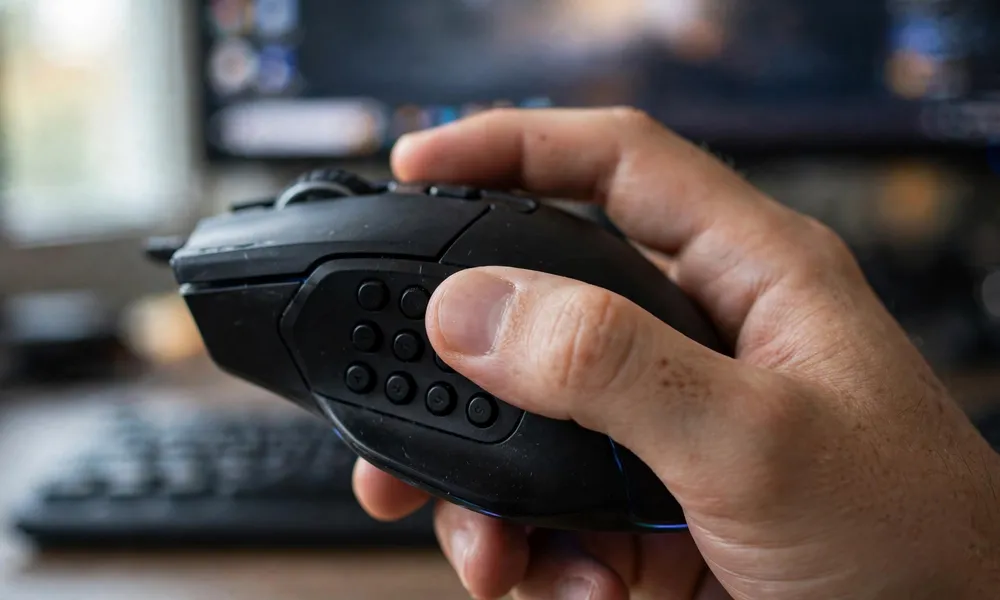
Under the shell sits Razer’s Focus Pro 30K optical sensor and third-generation optical switches rated for 90 million clicks. The wireless connection runs at up to 4,000 Hz with the optional HyperPolling dongle, and the battery lasts around 150 hours at 1,000 Hz.
For players who want a thumb grid without giving up other genres, the best wireless mice for left-handers show how much shape matters when a mouse has to fit your hand for hours, and the Naga’s wide, stable shell is a good example of that thinking.
Pros: Swappable side plates cover MMO, MOBA, and shooter layouts; excellent sensor and switches; long battery life.
Cons: Heavy at 134 g; HyperPolling dongle sold separately; premium price.
Logitech G502 X Lightspeed — Best hybrid
The G502 X Lightspeed is the pick for MMO players who refuse to own two mice. Its 13 programmable controls include a dual-mode scroll wheel, two DPI-shift buttons, and a set of thumb buttons that are easy to find by feel, even if they are not a full 12-button grid.
At 102 grams it is noticeably lighter than dedicated MMO mice, and the shape is the familiar G502 silhouette that has sold for years: a thumb rest, a flared right side, and a grip that suits palm and claw styles. Battery life is rated at around 140 hours, and the mouse charges over USB-C.
Pros: Proven shape and sensor; light for its class; strong battery life; great for mixed-genre players.
Cons: No 12-button grid, so fewer thumb-bound abilities; G Hub can be fiddly on first setup.
Corsair Scimitar Elite Wireless — Best for big button grids
Corsair’s Scimitar Elite Wireless takes the 12-button grid seriously. Its Key Slider panel slides the whole thumb cluster forward or back by 8 mm, so the buttons sit exactly under your thumb instead of forcing your thumb to stretch.
The Marksman 26,000 DPI sensor and 2,000 Hz wireless polling keep tracking sharp, and the battery runs for up to 150 hours over Bluetooth or around 120 hours on the 2.4 GHz Slipstream link.
Pros: Adjustable thumb panel fits more hand sizes; crisp, well-spaced buttons; on-board profile storage.
Cons: iCUE is heavy software; the wide body may feel bulky for small hands.
Logitech G604 Lightspeed — Best battery life
The G604 is the marathon runner of this list. It runs for up to 240 hours on its 2.4 GHz Lightspeed link, and up to five and a half months on Bluetooth, from a single AA battery.
It carries 15 programmable controls, including a six-button thumb cluster arranged in two rows, a dual-mode scroll wheel, and a DPI-shift button. The Hero 16K sensor is a step behind the newest flagship sensors on paper, but in MMO play the difference is invisible.
Pros: Outstanding battery life; dual wireless modes; comfortable large shell; good value.
Cons: Heavy; older sensor; no USB-C charging, since it uses a disposable battery.
SteelSeries Aerox 9 Wireless — Best lightweight MMO
Most MMO mice are heavy, because a 12-button panel adds bulk. The Aerox 9 Wireless is the exception: it weighs 89 grams thanks to its honeycomb shell, yet still carries a full 12-button side grid and a total of 18 programmable buttons.
The TrueMove Air sensor reaches 18,000 DPI and the 2.4 GHz Quantum 2.0 wireless link is stable in crowded Wi-Fi environments. Battery life is rated at around 180 hours, and the mouse is IP54 rated against dust and splashes.
Pros: Remarkably light for an MMO mouse; full 12-button grid; long battery life; water-resistant shell.
Cons: Honeycomb holes divide opinion; side buttons are smaller than on the Naga.
Redragon M913 Impact Elite — Best budget
The M913 Impact Elite is proof that a capable MMO mouse does not need to cost $150. It offers a 12-button thumb grid, a 16,000 DPI optical sensor, and both 2.4 GHz and Bluetooth connections for around $59.
Battery life is rated at around 80 hours on 2.4 GHz, which is shorter than the premium picks but still covers a week of evening play. The software is basic compared with Razer Synapse or Logitech G Hub, yet it covers the essentials: remapping, macros, DPI stages, and lighting.
Pros: Full MMO feature set for around $59; dual wireless modes; solid sensor for the price.
Cons: Shorter battery life; basic software; heavier at 120 g.
ASUS ROG Spatha X — Best premium feel
The ROG Spatha X is built like a flagship should be: a magnesium-alloy frame, hot-swappable mechanical switches, and a 12-button thumb panel with a layout that mirrors the Naga’s grid. It feels dense and deliberate in the hand at 168 grams, and the aluminium buttons have a crisp, mechanical click that cheaper mice cannot match.
The 19,000 DPI sensor and 2.4 GHz wireless link deliver up to 150 hours of battery life, and the mouse can charge through its magnetic dock. Armoury Crate software handles profiles, macros, and DPI, and the mouse stores profiles on board.
Pros: Superb build quality; hot-swap switches; magnetic charging dock; premium click feel.
Cons: Very heavy at 168 g; expensive; Armoury Crate can be slow to load.
Razer Naga V2 HyperSpeed — Best value Razer
The Naga V2 HyperSpeed keeps the core of the Naga experience and cuts the price to around $99. You get the same 12-button side grid, the Focus Pro 30K sensor, and Razer’s HyperSpeed wireless, in a slightly lighter 95-gram body that runs for up to 400 hours on a single AA battery.
The trade-offs are modest: no swappable side plates, no HyperPolling support, and a simpler scroll wheel. None of those matter much in MMO play, where the grid and the sensor do the heavy lifting.
Pros: Excellent value; huge battery life; light for an MMO mouse; flagship sensor.
Cons: Fixed 12-button panel only; AA battery instead of rechargeable; no 4,000 Hz polling.
How to choose
Start with the button layout, because it decides everything else. A 12-button grid suits full rotations in World of Warcraft or Final Fantasy XIV, while a 6-button panel is enough for action MMOs and for players who bind only cooldowns to the mouse.
Next, weigh weight against stability. Lighter mice reduce wrist fatigue in long sessions, but a very light MMO mouse can feel twitchy when its side buttons are pressed. Most players settle between 90 and 135 grams.
Finally, check the software and the battery. Your bindings should live in profiles you can switch per game, and the battery should last at least a week of your normal play. If you travel between PCs, on-board memory is worth having. Players comparing shapes should also look at the best lightweight wireless mice, since a lighter shell can change how a long raid feels on your wrist.
Checklist: before you buy
- Count the abilities you actually bind to the mouse, and match the button grid to that number.
- Hold the shape in mind: palm, claw, or fingertip grip all change which mouse fits.
- Check battery life against your weekly play hours, and whether it charges over USB-C.
- Confirm the software runs on your operating system and stores profiles on the mouse.
- Test the side buttons by feel: each one should be findable without looking down.
- Verify the return policy, so a mouse that does not fit your hand can go back.
Frequently asked questions
How many buttons does an MMO mouse really need?
Twelve thumb buttons cover a full rotation in most MMOs, but many players are happy with six. The right number is the one you can hit reliably without looking, so a smaller grid you can use beats a larger one you keep missing.
Is wireless fast enough for competitive MMO play?
Yes. Modern 2.4 GHz wireless links from the major brands have latency comparable to wired connections, and polling rates of 1,000 Hz or higher are standard. Battery life and shape matter far more than the last fraction of a millisecond.
Do MMO mice work for other games?
They do, and the thumb grid is useful in shooters, strategy games, and even productivity apps once you map the buttons. The Naga V2 Pro’s swappable plates make it the best choice if you switch genres often.
What DPI should I use for MMO games?
Most MMO players settle between 800 and 1,600 DPI for camera control and targeting, with a DPI-shift button for fine aiming. Higher DPI settings are available, but they rarely help in games where precision matters less than in shooters.
Are heavier MMO mice bad for your wrist?
Weight alone is not the problem; a shape that forces your hand into an awkward angle is. A well-shaped 130-gram mouse can be kinder than a poorly shaped 90-gram one, though lighter mice do reduce fatigue over very long sessions. Pairing your mouse with a good audio setup helps too, and the best gaming headsets for PC cover the other half of a comfortable raid setup.
Can I use an MMO mouse on a laptop?
Yes. All the mice here connect over 2.4 GHz with a small USB receiver or over Bluetooth, so they work with laptops as well as desktops. Bluetooth is convenient for travel, but the 2.4 GHz link is the better choice for gaming.
The bottom line
For most MMO players, the Razer Naga V2 Pro is the right buy: its swappable plates adapt to any game, and its sensor and switches are flagship grade. If you also play shooters, the Logitech G502 X Lightspeed is the better all-rounder, and if your budget is tight, the Redragon M913 delivers the full 12-button experience for around $59.
Whichever mouse you choose, spend a week learning the button layout before judging it.