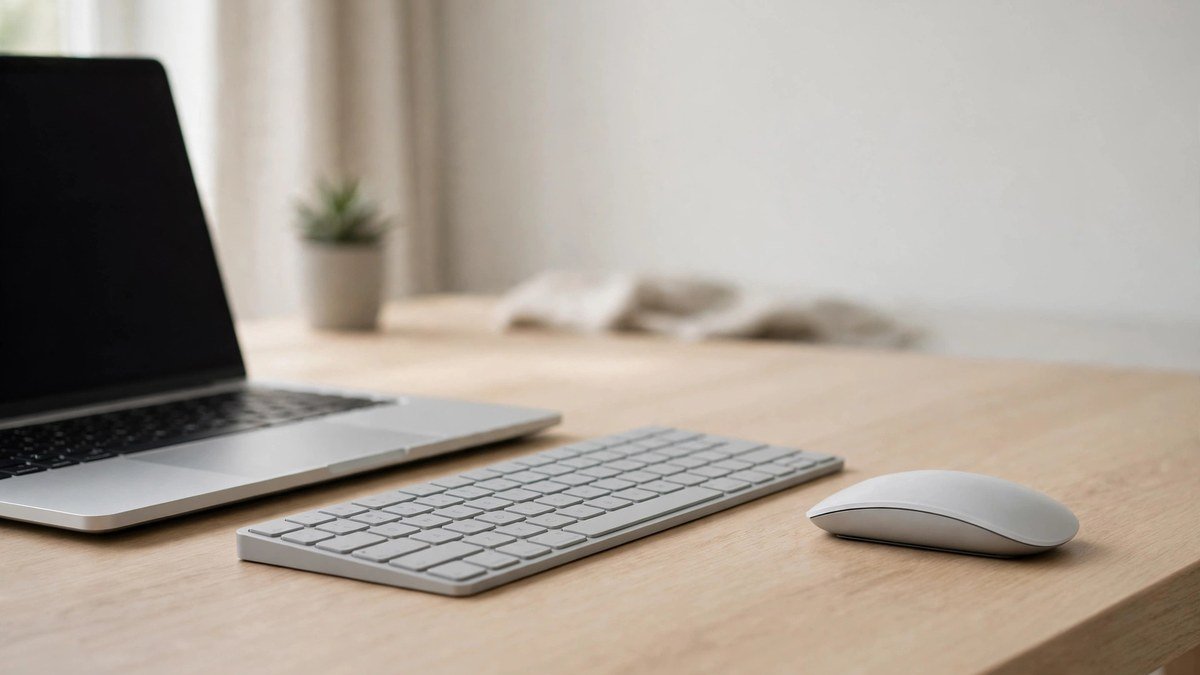
A good wireless mouse is the cheapest way to make a desk feel better. It removes the cable, it moves smoothly, and it fits the hand, so the wrist does not ache after a day of work. The best wireless mice in 2027 are quiet, precise, and last for months on a charge, and they cost from about $25 for a good one.
This guide compares the wireless mice that are worth buying for work and everyday use in 2027, on the same things: comfort, precision, battery life, buttons and price. It focuses on office and everyday mice, not gaming mice. Prices change, so treat the prices here as approximate starting prices and check the current price before buying. No mouse in this list is linked to its own website. All links in this article go to other occcy.com guides.
The short answer is simple. For most people, the Logitech MX Master 3S is the best place to start. For a smaller mouse, the Logitech MX Anywhere 3S is the best pick. For a tight budget, the Logitech M720 Triathlon is hard to beat. The rest of this guide explains why, and when to choose something else.
Key takeaways
- Best overall wireless mouse: Logitech MX Master 3S, from about $100, with the best scroll wheel and ergonomics in this list.
- Best small wireless mouse: Logitech MX Anywhere 3S, from about $80, portable, quiet and precise.
- Best for tight budgets: Logitech M720 Triathlon, from about $40, with a long battery and three-device switching.
- Best ergonomic mouse: Logitech Lift, from about $70, vertical design that keeps the wrist in a natural position.
- Try the size first if you can — a mouse that is too big or too small will hurt after a day, however good it is.
At a glance: the shortlist
| Mouse | Best for | Starting price | Standout limit |
|---|---|---|---|
| Logitech MX Master 3S | Most people | From about $100 | Large, not for small hands |
| Logitech MX Anywhere 3S | Portable use | From about $80 | Small, not for large hands |
| Logitech M720 Triathlon | Tight budgets | From about $40 | Heavier, basic sensor |
| Logitech Lift | Ergonomics | From about $70 | Vertical shape takes getting used to |
| Razer Pro Click | Work and design | From about $80 | Price is high for the features |
| Microsoft Surface Precision | Windows users | From about $80 | Older design, fewer features |
| HP 930 Creator | Value, creators | From about $60 | Software is basic |
Logitech MX Master 3S — Best overall
The Logitech MX Master 3S is the best wireless mouse for most people because it is comfortable, precise, and quiet. It has a sculpted shape that fits a medium to large hand, a scroll wheel that switches between smooth and clicky scrolling, and a side wheel for horizontal scrolling. It connects by Bluetooth or USB receiver, works on almost any surface including glass, and lasts around 70 days on a charge. It costs from about $100.

The clicks are quiet, which matters in an office or at home, and the mouse can switch between three devices with a button. It is large, so it is not for small hands, and it is heavier than a travel mouse, but for a desk, it is the best pick in this list. For a home worker, a designer, or anyone who uses a mouse all day, it is worth the price.
Pros: Best ergonomics, quiet clicks, excellent scroll wheel, long battery life.
Cons: Large, not for small hands, price is high, heavy for travel.
Logitech MX Anywhere 3S — Best small wireless mouse
The Logitech MX Anywhere 3S is the best small wireless mouse, from about $80, with the same quiet clicks, precise sensor and scroll wheel as the MX Master, in a smaller body that fits a bag. It works on almost any surface, including glass, lasts around 70 days on a charge, and switches between three devices. For a traveller, a student, or anyone with small hands, it is the best pick.
It is small, so it is not for large hands, and it has fewer buttons than the MX Master, but for everyday work, browsing and documents, it is all most people need. The shape is comfortable for a small mouse, and it is light enough to carry everywhere. For a portable mouse that still feels premium, it is hard to beat.
Pros: Portable and light, quiet clicks, works on glass, long battery life.
Cons: Small, not for large hands, fewer buttons, price is high for its size.
For a full desk setup, our guide to best mechanical keyboards covers the keyboards that pair well with a good wireless mouse.
Logitech M720 Triathlon — Best for tight budgets
The Logitech M720 Triathlon is the cheapest good wireless mouse in this list, from about $40, with a comfortable shape, a long battery life of up to 24 months, and switching between three devices. It is a good fit for a home worker, a student, or a business that needs a reliable mouse without spending $100. It connects by Bluetooth or USB receiver, and it works on most surfaces.
It is heavier than the MX mice, and the sensor is basic, so it is not as precise on glass or on very smooth surfaces, but for everyday work, it is more than enough. The scroll wheel is good, the buttons are quiet, and the battery lasts for years. For a budget mouse that lasts, it is the best pick.
Pros: Lowest price, very long battery, three-device switching, comfortable shape.
Cons: Heavier, basic sensor, not as precise on glass.
Logitech Lift — Best ergonomic mouse
The Logitech Lift is the best ergonomic wireless mouse, from about $70, with a vertical design that keeps the wrist in a natural, handshake position. It is a good fit for someone with wrist pain, or who wants to prevent it, and it has quiet clicks, a precise sensor, and a battery that lasts up to 24 months. It comes in left and right-handed versions, and in two sizes.
The vertical shape takes a few days to get used to, and it is not for everyone, but for someone with wrist pain, it can make a real difference. The mouse is comfortable, the buttons are easy to reach, and it switches between three devices. For an ergonomic mouse that is easy to use, it is the best pick.
Pros: Vertical ergonomic design, quiet clicks, long battery, left-handed version available.
Cons: Takes getting used to, not for everyone, larger than a normal mouse.
For wrist comfort at a desk, our guide to best vertical mice for wrist pain covers the ergonomic options in more detail.
Razer Pro Click — Best for work and design
The Razer Pro Click is a good fit for work and design, from about $80, with a comfortable shape, a precise sensor, and a long battery life of up to 400 hours. It was designed with input from a human factors expert, and it has a clean, professional design, without the lights and colours of gaming mice. For a designer, a video editor, or anyone who needs a precise mouse for creative work, it is a strong choice.
The price is high for the features, and the software is basic, but the mouse itself is excellent: comfortable, precise, and quiet. It connects by Bluetooth or USB receiver, and it switches between four devices. For a work mouse with a premium feel, it is worth considering.
Pros: Comfortable shape, precise sensor, long battery, clean design.
Cons: Price is high, software is basic, heavier than travel mice.
Microsoft Surface Precision — Best for Windows users
The Microsoft Surface Precision mouse is a good fit for Windows users, from about $80, with a comfortable shape, three customisable buttons, and a smooth scroll wheel. It connects by Bluetooth or USB receiver, and it works well with Windows, with a thumb wheel for horizontal scrolling. For a Windows user who wants a simple, reliable mouse, it is a good choice.
The design is older, and it has fewer features than the MX Master, with no quiet clicks and a shorter battery life of around 3 months. For a Windows user who wants a mouse that just works, without extra software, it is still worth buying. For a Mac user, the MX Master is better.
Pros: Comfortable, good for Windows, thumb wheel, simple to use.
Cons: Older design, shorter battery, no quiet clicks.
HP 930 Creator — Best value for creators
The HP 930 Creator is the best value mouse for creators, from about $60, with a comfortable shape, a precise sensor, and a long battery life of up to 12 weeks. It has a scroll wheel that switches between smooth and clicky, and it connects by Bluetooth or USB receiver, with switching between three devices. For a creator on a budget, it is a good fit.
The software is basic, with fewer customisation options than Logitech’s software, and the mouse is heavier than the MX Anywhere, but for everyday work and creative use, it is more than enough. The shape is comfortable, the buttons are quiet, and the price is fair. For a value mouse that does the job well, it is a strong choice.
Pros: Good value, comfortable, precise sensor, long battery.
Cons: Software is basic, heavier than travel mice, average scroll wheel.
How to choose
Start with the size. Hold the mouse if you can, or check the dimensions, because a mouse that is too big or too small will hurt after a day. A large mouse suits a large hand and a desk. A small mouse suits a small hand and travel. Then check the connection: Bluetooth is convenient, but a USB receiver is more reliable for some computers.
Check battery life, the number of buttons, and whether the mouse works on your desk surface, before buying. Our guide to best wireless mice for gaming covers the gaming mice, which are faster and lighter, for readers who also play games.
Checklist: before you buy
Use these checks before buying any wireless mouse.
- Check the size: hold it if you can, or check the dimensions against your hand.
- Check the price, and whether a sale or an older model saves money without losing much.
- Check battery life in real reviews, not only the manufacturer’s claim.
- Check the connection: Bluetooth, USB receiver, or both, and whether it works with your computer.
- Check the return policy, and test the mouse for a week before deciding to keep it.
- Check whether it works on your desk surface, especially glass or a glossy desk.
Frequently asked questions
What is the best wireless mouse in 2027?
For most people, the Logitech MX Master 3S, because it is comfortable, precise, quiet, and lasts 70 days on a charge, from about $100. For a smaller mouse, the MX Anywhere 3S is better, from about $80.
How much should I spend on a wireless mouse?
Between $40 and $100 will buy a good mouse. The Logitech M720, at about $40, is excellent for the price. Above $100, you are paying for ergonomics, a better sensor, and quiet clicks.
Is Bluetooth or USB receiver better?
Both work well. Bluetooth is convenient, with no dongle to lose, but it can be less reliable on some computers. A USB receiver is more reliable, and it is better for a desktop. Most mice in this list offer both.
How long does a wireless mouse battery last?
It depends on the mouse. The MX Master 3S lasts around 70 days, the M720 lasts up to 24 months on a single AA battery, and the Lift lasts up to 24 months. Rechargeable mice need charging every few weeks, while battery mice last for months.
Are wireless mice good for work?
Yes. A good wireless mouse is precise, comfortable, and reliable, and it removes the cable from the desk. For work, an ergonomic mouse, such as the MX Master or the Lift, is better than a small travel mouse, because it is more comfortable for long sessions.
What is the best ergonomic wireless mouse?
The Logitech Lift, from about $70, with a vertical design that keeps the wrist in a natural position. It comes in left and right-handed versions, and it is the best pick for someone with wrist pain.
The bottom line
For most people, buy the Logitech MX Master 3S. For a smaller mouse, buy the MX Anywhere 3S. For a tight budget, buy the Logitech M720 Triathlon. For wrist pain, buy the Logitech Lift. Do not buy a mouse that is too big or too small for your hand, however good the reviews are.
Try the size first if you can, check the battery life, and buy from a seller with a good return policy. A mouse that fits, is quiet, and lasts for months will make every day at the desk easier, and it will cost less in the long run than a cheap mouse that needs replacing.
Note: Prices and plans change. Check the product’s current price before buying — no link is provided here by design, all links in this article go to other occcy.com guides.