

What if the weakest point in your security stack is the thing every employee types dozens of times a day? That is the uncomfortable reality for most organizations: the password itself remains the single most attacked asset in the enterprise. Verizon’s annual Data Breach Investigations Report has repeatedly found that the majority of breaches involve stolen or weak credentials, and attackers know it. That is why passwordless authentication has moved from a futuristic talking point to a board-level decision.
But “passwordless” is not one product. It is a family of technologies with very different security properties, costs, and user experiences. Choosing badly can leave you with a system that feels modern but quietly reintroduces the same risks you were trying to eliminate. This guide walks through the decisions that actually matter, in the order you should make them.
Start With the Threat You Are Actually Defending Against
Before comparing vendors, get honest about what you are trying to stop. Most organizations face three credential threats, and each demands a different technical answer.
Phishing and real-time relay attacks are the big one. A user types a password into a fake login page, and the attacker replays it instantly. No amount of password complexity helps here. The U.S. Cybersecurity and Infrastructure Security Agency (CISA) has published guidance specifically on phishing-resistant MFA, and its core message is simple: only cryptographic, origin-bound authenticators stop modern phishing kits. For a deeper primer on the building blocks, see this explanation of what multi factor authentication really means beyond the checkbox.
Credential stuffing and reuse happens when a breach at one service exposes passwords that people reused elsewhere. Passwordless methods that rely on device-bound keys eliminate this entirely, because there is no shared secret to steal.
Insider and endpoint compromise is subtler. If malware runs on the device, even a fingerprint login can be abused. This is why device health checks matter as much as the authentication method itself.
Write these three threats down and rate your exposure to each. A consumer app with low-value accounts has a very different profile from a hospital or a bank. Your rating should drive everything that follows.
Map the Authenticator Types Before You Shop
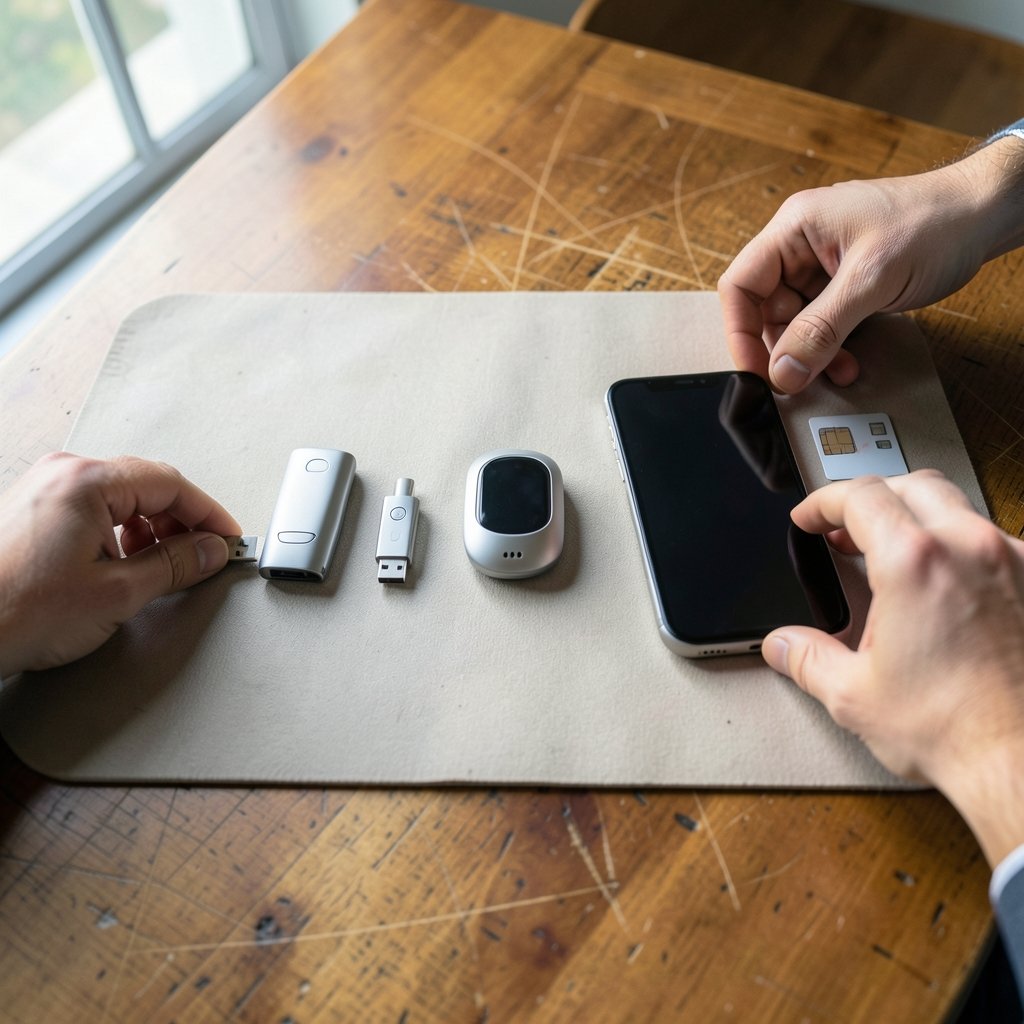
The passwordless label covers several distinct mechanisms. Understanding them prevents you from being sold the wrong one.
| Method | Phishing-resistant? | Works offline? | Typical best fit |
|---|---|---|---|
| Passkeys (synced FIDO credentials) | Yes | Usually yes | Consumer apps, broad workforce |
| Hardware security keys (FIDO2) | Yes | Yes | High-risk and admin accounts |
| Platform biometrics (device-bound) | Yes, if bound correctly | Yes | Mobile-first products |
| Magic links sent by email | No | No | Low-risk, low-friction signups |
| One-time codes via SMS or app | Weak | No | Legacy fallback only |
The pattern is clear. Passkeys and hardware keys sit at the top of the security hierarchy because they use public-key cryptography: the private key never leaves the device, and the login is tied to the specific website’s origin, so a phishing site cannot use it. Magic links and SMS codes are convenient but vulnerable to interception and relay.
A common mistake is treating all of these as interchangeable “passwordless options.” They are not. Magic links are really just a password delivered by email, with the same interception risks plus a dependency on email security. If email is compromised, so is the login.
For a closer look at the hardware side, this overview of what is biometric authentication explains where fingerprints and face recognition genuinely add assurance versus where they simply replace a PIN. (Back to Basics: Multi-Factor Authentication)
Decide How Much Recovery Risk You Can Tolerate
Here is the part vendors gloss over: passwordless systems move the attack surface from login to account recovery. If a user loses their phone, how do they get back in? Every recovery path is a potential bypass.
The practical options fall into a few buckets:
- Backup hardware key stored securely by the user or held by IT for high-value accounts.
- Recovery codes generated at enrollment and stored offline.
- Identity proofing through a help desk, which is where social engineering attacks concentrate.
- Synced passkeys that restore automatically when the user signs into their platform account (Apple, Google, or Microsoft).
That last option is the most convenient, and also the most consequential. Syncing passkeys means the security of the user’s cloud account becomes the security of every account tied to it. If an attacker takes over the Google or Apple account, they may inherit the passkeys inside it. The W3C’s WebAuthn specification, which underpins passkeys, was designed with this tradeoff in mind but does not resolve it for you. That is a policy decision your organization has to make.
A workable rule of thumb: the higher the account’s blast radius, the less you should rely on sync and the more you should require a separate, physically held key. Executives, IT administrators, and anyone with access to financial systems should almost never be on a purely synced setup.
Match Friction to User Context, Not to Fashion
Passwordless done badly feels worse than passwords. Users who are forced to re-enroll on every new device, or who lose access when they switch phones, will find workarounds. And workarounds are where security dies.
Think about context:
- Desk workers with managed laptops can handle hardware keys or platform biometrics with device certificates. Friction is low and control is high.
- Frontline and shift workers often share devices or have no corporate email. Here, badge-based or PIN-plus-device approaches work better than anything tied to a personal phone.
- Customers on personal devices need passkeys that sync across their ecosystem, plus a clear fallback path.
- Contractors and partners need time-bound credentials that expire cleanly.
The single most common implementation error is assuming everyone looks like the IT team. Run a short pilot with one group from each category before committing. You will discover edge cases (shared kiosks, old Android devices, users with accessibility needs) that no vendor demo reveals.
If your organization is still standardizing basics, it is worth reading up on how to enable two factor authentication as a stepping stone. Passwordless is a destination, but strong MFA is the road that gets you there without a cliff edge. (Passwordless authentication)
Evaluate Standards Compliance and Interoperability
Passwordless is a standards game, and the standards are mature enough to demand compliance. The relevant ones are:
- FIDO2 and WebAuthn, the W3C standard that defines how browsers and authenticators talk to each other. Any serious vendor should support it natively.
- NIST SP 800-63B, the U.S. digital identity guidelines that define authenticator assurance levels. If you operate in regulated sectors, aligning to these levels gives you a defensible position with auditors.
- SCIM and SAML/OIDC for provisioning and federation, so passwordless does not become a silo.
Ask vendors directly: does your solution support WebAuthn Level 2 or later? Can users register multiple authenticators? Does it expose an API for lifecycle management? A vendor that cannot answer these questions in writing is a vendor that will cost you a migration later.
Interoperability also matters across your own stack. A passkey enrolled for your identity provider should work for single sign-on into downstream apps without re-enrollment. Test this in the pilot. Broken SSO flows are the number one source of help desk tickets after a passwordless rollout.
Weigh Total Cost, Including the Hidden Ones
License fees are the visible cost. The hidden costs decide whether the project succeeds.
| Cost category | What to budget for |
|---|---|
| Hardware keys | Per-user devices, spares, shipping, replacement cycle |
| Help desk load | Recovery calls, re-enrollment, device swaps |
| Integration work | Identity provider changes, legacy app compatibility |
| Training and change management | Communications, guides, floor support during rollout |
| Ongoing administration | Policy tuning, audit reporting, vendor management |
Hardware keys are cheap per unit but add logistics. Synced passkeys are nearly free to distribute but shift risk and may increase recovery costs if users lose access to their platform accounts. Legacy applications that cannot speak modern protocols often require a bridge or a proxy, and that bridge becomes a permanent line item.
A realistic budget includes a contingency for the 5 to 10 percent of users who will need hand-holding. Plan for it rather than discovering it in month two.
Build a Rollout Plan That Survives Contact With Reality
Technology selection is half the job. The other half is sequencing. A phased approach that works in practice looks like this:
- Inventory every authentication path in your environment, including forgotten service accounts and legacy apps. You cannot migrate what you have not found.
- Pilot with volunteers from each user category, and measure enrollment time, failure rate, and support tickets.
- Enroll high-risk accounts first with hardware keys, then expand to the general workforce.
- Keep a fallback for a defined period, but monitor it. Fallbacks that stay open forever become the new weakest link.
- Review recovery events monthly. Every recovery is a signal about either user behavior or a gap in your design.
One practical tip from organizations that have done this: enroll authenticators before disabling passwords, and give users a way to test the new flow in a sandbox. Confidence comes from repetition, not from a memo.
Also, resist the urge to go passwordless everywhere at once. Start with the accounts that matter most and the users who are most exposed. Momentum builds from visible wins.
Conclusion
Choosing passwordless authentication is less about picking a product and more about matching authenticator types to your real threat model, deciding how much recovery risk you can absorb, and planning a rollout that respects how people actually work. Passkeys and hardware keys are the strongest options available today, but their value depends entirely on the policies wrapped around them. Get the threat model right, pilot with real users, demand standards compliance, and budget for the hidden costs. Do that, and passwordless stops being a buzzword and becomes a genuine reduction in risk.
Frequently Asked Questions
Are passkeys more secure than passwords?
Yes, in almost every scenario. Passkeys use public-key cryptography, so there is no shared secret to steal, phish, or reuse. The private key stays on the user’s device and is bound to the website’s origin, which defeats phishing sites. The main caveat is that synced passkeys depend on the security of the user’s cloud account, so high-value accounts should still use a separate hardware key.
Can passwordless authentication work without a smartphone?
Yes. Hardware security keys, smart cards, and platform biometrics on managed laptops all work without a phone. Frontline workers who share devices can use badge-based or PIN-plus-device methods. The key is to design for every user category rather than assuming everyone carries a personal smartphone.
What happens if a user loses their device?
That depends on the recovery policy you design. Options include backup hardware keys, pre-generated recovery codes, help desk identity proofing, or automatic restoration through synced passkeys. Each has different risk. High-value accounts should require a physically held backup key rather than relying on a help desk call, which is a favorite target for social engineering.
Is passwordless authentication compliant with regulations?
It can be, but compliance depends on the method and the jurisdiction. NIST SP 800-63B defines authenticator assurance levels that map to regulatory expectations in many sectors, and FIDO2/WebAuthn credentials generally satisfy strong authentication requirements. Regulated industries should confirm their specific obligations with auditors before rollout, since rules vary by country and sector.
How long does a passwordless rollout take?
For a mid-sized organization, a realistic timeline is three to six months from pilot to full workforce coverage, depending on legacy application count and user diversity. High-risk accounts can usually migrate in weeks. The long pole is almost always legacy apps that cannot speak modern protocols and require a bridge or proxy.
Do I need to replace my identity provider to go passwordless?
Not necessarily. Most major identity providers now support FIDO2 and WebAuthn natively, so passwordless can often be layered onto existing infrastructure. Check that your provider supports multiple authenticators per user, exposes lifecycle APIs, and federates cleanly to downstream apps. If it does not, that gap is the real reason to consider a change.



