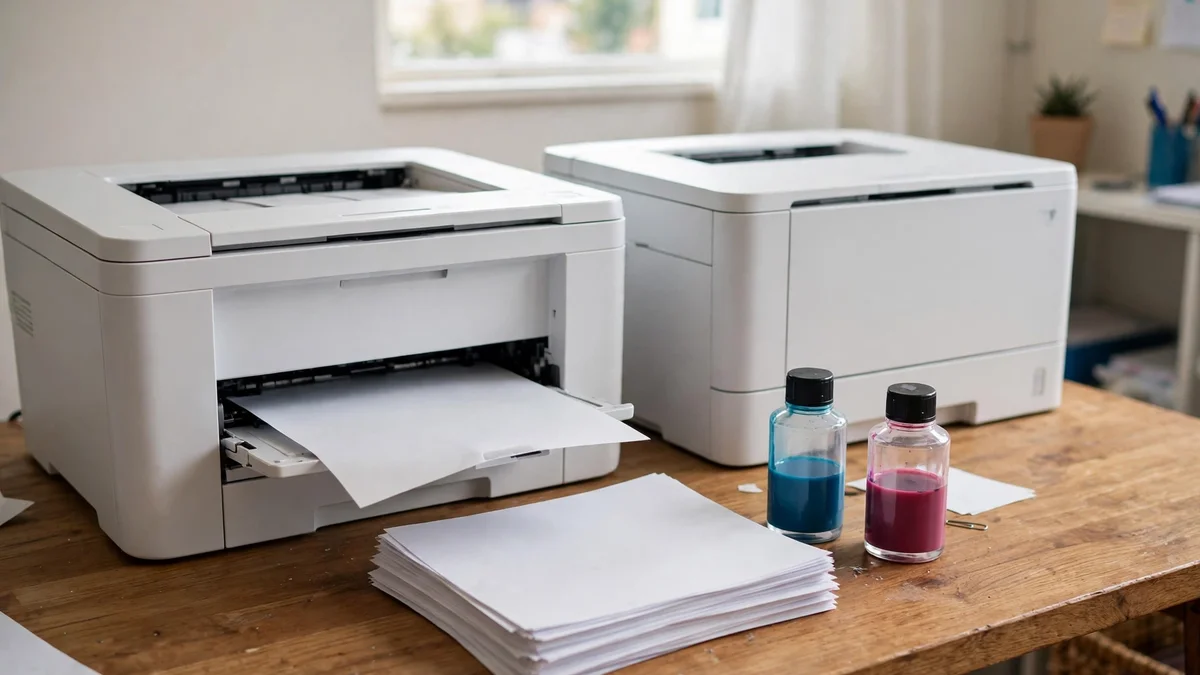
For a small office, the printer is one of those purchases that seems simple until the bills arrive. The machine itself might cost a few hundred dollars, but the ink or toner, the paper jams, the slow scanning, and the fiddly network setup can cost far more in time and frustration over the next few years. Choosing the wrong brand can mean years of expensive cartridges or a machine that nobody in the office wants to use.
Epson and Brother are the two brands most small offices end up choosing between. Epson built its name on inkjet printers and its EcoTank range, which replaces cartridges with refillable ink tanks. Brother built its name on reliable laser printers and all-in-one machines that handle heavy document work without fuss. Both make good printers, but they suit different offices.
This comparison looks at Epson and Brother printers for small offices in 2027, judged on ink and toner cost, reliability, scanning, and network features. We compare what each brand does best, where each falls short, and which one fits your office, so you can buy once and stop thinking about printers for years.
Key takeaways
- Epson EcoTank printers usually win on running costs, with ink bottles that print thousands of pages for a few dollars.
- Brother laser printers usually win on reliability and speed, especially for offices that print mostly black-and-white documents.
- Both brands offer good scanning and network features, but Brother’s all-in-one machines are simpler to set up for shared office use.
- Work out your monthly page count first: low-volume offices save with Brother, high-volume colour offices save with Epson.
- Check current pricing before you buy, as printer prices and ink costs change with sales and new models.
Epson vs Brother at a glance
| Feature | Epson | Brother |
|---|---|---|
| Best for | High-volume colour printing | Fast black-and-white documents |
| Running cost | Very low with EcoTank ink bottles | Low with high-yield toner cartridges |
| Typical starting price | Around $300 for an EcoTank all-in-one | Around $250 for a laser all-in-one |
| Print speed | Slower, around 15 pages per minute | Faster, around 30 pages per minute |
| Scanning | Good flatbed and feeder scanning | Fast duplex scanning on most models |
| Network features | Wi-Fi, mobile printing, cloud apps | Wi-Fi, Ethernet, mobile printing |
Prices are approximate starting prices and change often, so check current pricing before you buy.
Epson printers for small offices

Epson’s strongest card for small offices is the EcoTank range. Instead of small cartridges that run out every few hundred pages, EcoTank printers have large refillable tanks that you top up with bottles of ink. One set of bottles can print around 7,500 black-and-white pages or 6,000 colour pages, and a replacement bottle costs roughly what a coffee costs. For an office that prints colour reports, flyers, or photos, the savings over two or three years can run into hundreds of dollars.
The trade-off is speed and price up front. EcoTank printers cost more to buy than a basic Brother laser, and inkjets print more slowly, typically around 15 pages per minute against 30 or more for a laser. Epson inkjets also need regular use: leave one idle for a month and the print head can clog, needing a cleaning cycle that wastes ink. An office that prints every day will not notice this, but a printer that sits unused for weeks at a time will.
On scanning and copying, Epson all-in-one models are solid. Most EcoTank office models include a flatbed scanner and an automatic document feeder, and the Epson Smart Panel app makes scanning to a phone or cloud folder simple. Network setup is straightforward over Wi-Fi, with support for AirPrint and Mopria so staff can print from phones without installing drivers. Build quality is good, though the plastic bodies feel lighter than Brother’s workhorse lasers.
Epson pros
- Very low cost per page with EcoTank ink bottles
- Excellent colour quality for reports, flyers, and photos
- Simple mobile printing and scanning apps
Epson cons
- Higher purchase price than a basic laser printer
- Slower print speeds, especially for long documents
- Print heads can clog if the printer sits unused for weeks
Brother printers for small offices
Brother is the brand small offices buy when they want a printer that simply works. Its laser all-in-one machines, such as the MFC range, are built around fast black-and-white printing, with speeds around 30 pages per minute and first pages out in under ten seconds. Toner cartridges last for thousands of pages, and because toner is a dry powder, it never dries out or clogs, even if the printer sits idle for a month.
Running costs are higher per page than an EcoTank, but lower than a cartridge inkjet. Brother’s high-yield toner cartridges keep the cost per black-and-white page down to a few cents, and third-party compatible toner is widely available, which pushes costs lower still. Colour laser models cost more per page than Epson EcoTank, so an office that prints a lot of colour should do the sums before choosing Brother.
Where Brother really shines is scanning and networking. Most Brother office models include fast two-sided scanning through the document feeder, which turns a stack of double-sided contracts into a PDF in minutes. Ethernet comes as standard on many models, which matters in offices where Wi-Fi is unreliable, and the setup software is plain and practical. If your office already runs other shared equipment, our guide to the best software for print shops in 2027 covers the tools that sit around the printer itself.
Brother pros
- Fast, reliable black-and-white printing with no clogging
- Toner lasts for thousands of pages and never dries out
- Excellent duplex scanning and wired network options
Brother cons
- Colour printing costs more per page than Epson EcoTank
- Colour quality is good for documents, weaker for photos
- Laser printers are heavier and take up more desk space
Epson vs Brother head to head
On ink and toner cost, Epson wins for colour and Brother wins for black-and-white. An office printing 500 colour pages a month will spend far less with an EcoTank than with a colour laser, while an office printing 500 black-and-white pages a month will find Brother’s toner costs hard to beat. The honest way to decide is to count your pages for a month and price both options.
On reliability, Brother has the edge. Laser printers have fewer parts that wear out, toner never clogs, and Brother machines are known for running for years with little more than a toner change. Epson EcoTank printers are reliable too when used regularly, but they need a weekly print to keep the heads clear, which is one more thing to remember.
On scanning, the two brands are close, with Brother slightly ahead on speed. Both offer flatbed scanning and document feeders, but Brother’s two-sided scanning is faster and its feeder handles thicker stacks. On network features, both offer Wi-Fi, mobile printing, and cloud scanning, and neither brand will leave a small office short. The difference is in setup: Brother’s wired Ethernet option gives offices with weak Wi-Fi a simple fallback.
The verdict
Choose Epson if your office prints a lot of colour. The EcoTank range is the cheapest way to print colour reports, flyers, and presentations, and the savings grow with every page. It suits design-led offices, estate agents, schools, and any small business that lives in colour.
Choose Brother if your office prints mostly black-and-white documents and values speed and reliability above all. A Brother laser all-in-one will print contracts, invoices, and letters fast, scan both sides of a document in seconds, and keep working with almost no attention. It suits solicitors, accountants, clinics, and any office where the printer is a tool, not a talking point.
If your office prints very little, under 100 pages a month, either brand works and the cheapest reliable model wins. Spend the money you save on a good monitor or chair instead: our roundup of the best office chairs in 2027 is a better use of the budget than a premium printer nobody uses. And when the printer shares a desk with a laptop, the best ultrabooks in 2027 pair well with either brand’s mobile printing apps.
Small office printer checklist
- Count your monthly pages, split into black-and-white and colour, before you shop.
- Work out the cost per page for ink or toner, not just the price of the printer.
- Check the scanner: a two-sided document feeder saves hours on contracts.
- Make sure the printer has Ethernet if your office Wi-Fi is unreliable.
- Test mobile printing from the phones your staff actually use.
- Measure the desk space: laser printers are bigger and heavier than inkjets.
Frequently asked questions
Which is cheaper to run, Epson or Brother?
For colour printing, Epson EcoTank is usually far cheaper, with ink bottles costing a few dollars for thousands of pages. For black-and-white printing, Brother laser printers are usually cheaper per page than cartridge inkjets, though EcoTank black ink is also very cheap. Count your colour and black-and-white pages separately to get a true answer.
Do Epson EcoTank printers clog?
They can, if left unused for several weeks. The print head nozzles dry out and need a cleaning cycle, which uses ink. Printing at least once a week, even a single test page, keeps the heads clear. Offices that print daily rarely have this problem at all.
Are Brother printers good for colour?
Brother colour lasers are good for documents, charts, and presentations, with sharp text and clean colours. They are less suited to photos, where Epson inkjets produce smoother tones and finer detail. If your office prints photos, Epson is the better pick.
Can I use third-party ink or toner?
Yes, for both brands, though quality varies. Third-party toner for Brother printers is widely available and usually reliable. Third-party ink for Epson EcoTank printers is also sold, but poor-quality ink can clog heads, so buy from a known supplier and keep the original bottles for warranty claims.
Which brand is better for scanning?
Both are good, and Brother has a small edge on speed. Brother office models usually scan both sides of a page in one pass and handle thicker stacks in the feeder. Epson scanners are accurate and the mobile app is simpler, so the gap is small for most offices.
How long do small office printers last?
Most small office printers last five to seven years with normal use. Laser printers often last longer because they have fewer parts that wear out, while inkjets last as long as they are used regularly and kept clean. Either way, a printer bought in 2027 should still be working well into the next decade.
The bottom line
There is no single winner between Epson and Brother, only a better fit for your office. Epson wins on colour running costs and photo quality, Brother wins on speed, reliability, and black-and-white value. The right choice comes from your own numbers: how many pages you print, how much of that is colour, and how much patience your office has for maintenance.
Start by counting a month of printing, then price an EcoTank against a Brother laser using your real page counts. Buy the one that costs less over three years, not the one that costs less on the day. Whichever you choose, set it up on the network properly, teach everyone to print from their phones, and you will not need to think about printers again for years.