
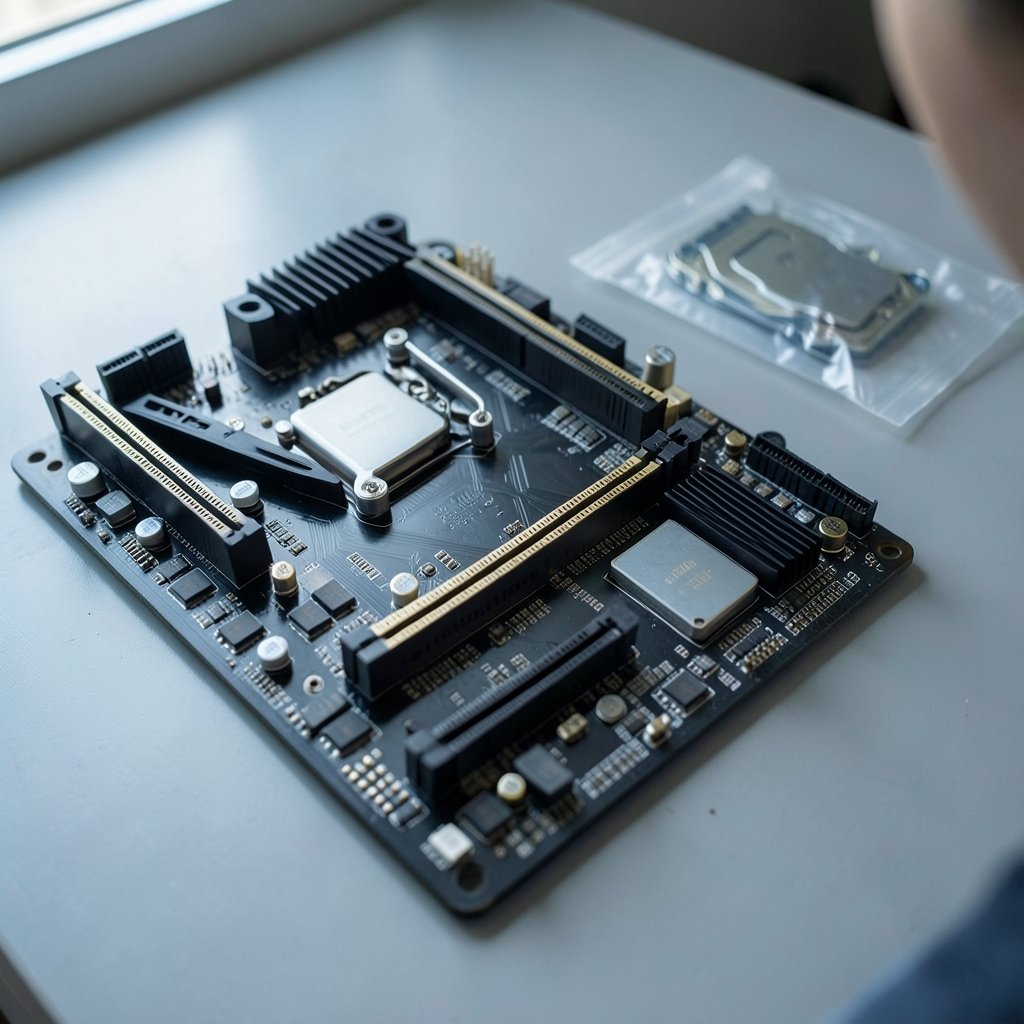
Quick Answer: What should I check before paying for gaming motherboards?
Before paying for a gaming motherboard, confirm that the socket matches the CPU exactly, then verify the chipset tier, RAM type and speed support, and the PCIe version feeding the graphics card slot. These four checks catch most expensive mistakes.
Beyond the basics, look at M.2 slot count and lane sharing, the VRM and power delivery for your CPU tier, and whether the board’s form factor fits your case. BIOS support for newer CPUs matters too, especially on boards that sat on a shelf for months.
Key factors to compare: socket, chipset, RAM generation and QVL support, PCIe generation and lane allocation, M.2 slots, VRM quality, form factor, BIOS update method, warranty terms, and seller authorization.
Why the Box Says “Gaming” and Your Wallet Should Care

Ever noticed how a motherboard with the word “gaming” stamped on the box costs $80 more than a near-identical board from the same brand? That premium rarely buys frames. It buys styling, RGB headers, and a shroud. The actual performance difference between two boards with the same chipset is close to zero.
That is the uncomfortable truth about motherboard shopping. The board does not render graphics or crunch game logic. It moves power and data between parts that do. So the question is not which board looks best, but which one supports your parts without choking them.
This guide walks through the checks that actually matter, in the order a careful buyer should run them. It also covers the traps that catch people who buy on impulse during a sale.
Check One: Socket Compatibility, Every Single Time
The CPU socket is the physical connector where the processor sits. It must match exactly. Recent AMD Ryzen chips use AM5, while Intel’s 12th through 14th generation chips use LGA1700. Sockets change between generations, so a board built for one CPU family will not accept the next.
This is where beginners lose the most money. A discounted board from last generation looks like a bargain until the buyer realizes their new CPU will not drop into it. There is no adapter, no workaround, and no firmware trick that fixes a socket mismatch.
The practical habit: pick the CPU first, then filter motherboards by socket. Never do it the other way around. If a deal seems too good, check the socket before anything else.
Check Two: Chipset Tier Decides What You Can Actually Do
Within a single socket, boards split into chipsets, and the chipset sets the feature ceiling. It controls overclocking support, PCIe lane counts, and how many USB and SATA ports the board offers.
On Intel, only “Z” chipsets and some “B” chipsets allow CPU overclocking. On AMD, “B” and “X” chipsets do. A buyer with a locked CPU gains nothing from a premium overclocking chipset, and a buyer with an overclockable chip loses headroom on a budget chipset.
| Chipset Tier | Typical Buyer | What It Provides |
|---|---|---|
| Entry (e.g., A-series) | Office and light gaming builds | Basic connectivity, no CPU overclocking |
| Mid (e.g., B-series) | Most gamers | Overclocking on many boards, solid port counts |
| Enthusiast (e.g., Z or X-series) | Overclockers and heavy multitaskers | Full lane allocation, top-tier ports, tuning tools |
The trap here is paying for enthusiast features you will never touch. Most gamers never overclock beyond enabling a memory profile, so a mid-tier board often delivers everything they need. If you are already weighing component choices, the same logic applies to the processor decision in this breakdown of AMD vs Intel CPU compatibility before an upgrade.
Check Three: RAM Generation, Speed, and the QVL
DDR4 and DDR5 are not interchangeable, and each board supports only one. Buying the wrong kit means a return, a delay, or a dead build on day one.
Speed is the second layer. Boards list supported memory speeds, but anything above the standard default usually requires enabling EXPO on AMD boards or XMP on Intel boards in the BIOS. If the buyer never opens the BIOS, the expensive fast kit runs at a slower default speed.
The Qualified Vendor List (QVL) is the manufacturer’s tested memory list. Checking it takes two minutes and prevents most boot failures. One caution: a kit missing from the QVL may still work fine. Absence is not proof of incompatibility, just an absence of testing.
Check Four: PCIe Version and Lane Allocation for the GPU
The main x16 slot is where the graphics card lives, and its PCIe generation matters for high-end cards. A board may run that slot at PCIe 4.0 or 5.0. Secondary slots are often x4 or share lanes with other components.
Most gamers will not notice a difference between PCIe 4.0 and 5.0 with today’s cards, but buyers spending big on a flagship GPU should confirm the primary slot is not crippled. The bigger practical issue is lane sharing. Populate certain slots or M.2 sockets, and other ports slow down or switch off entirely.
Check Five: M.2 Slots, Length, and Hidden Lane Sharing
M.2 slots hold NVMe drives, and the details matter more than the marketing. Count the slots, check supported drive lengths, and read the manual’s lane-sharing table before buying multiple drives.
Common surprises include an M.2 slot that disables two SATA ports when populated, or a second slot that runs at half speed. None of this appears on the retail box. It lives in the manual, which is usually downloadable before purchase.
A practical tip: decide how many NVMe drives you will realistically add over the next three years, then buy a board with one spare slot. Storage needs grow faster than most builders expect.
Check Six: VRM Quality and Power Delivery
The voltage regulator module (VRM) converts power into what the CPU needs. High-core-count chips draw serious current, and weak VRMs throttle or run hot under sustained load.
Marketing copy exaggerates VRM capability, so independent reviews with thermal imaging are far more trustworthy than spec sheets. Look for reviews that load the board with a comparable CPU and measure temperatures at the VRM heatsinks.
This check scales with the CPU. A mid-range chip paired with a modest board is fine. A flagship chip on a budget board is a recipe for throttling and short component life. If you are building around a premium GPU as well, the same “match the tier” thinking appears in this guide to gaming headsets in 2026 and what actually matters before buying.
Check Seven: Form Factor and Case Fit
ATX, micro-ATX, and mini-ITX boards have different dimensions and mounting holes. A mini-ITX board fits most ATX cases, but an ATX board will never fit a mini-ITX case.
Buyers also forget clearance. Large CPU coolers can collide with tall VRM heatsinks or memory sticks. Long graphics cards can block drive bays. Measure the case, check the cooler’s height spec, and confirm the board’s layout leaves room.
Check Eight: BIOS Support for Newer CPUs
Some boards ship with firmware that predates a newly released CPU. The board is physically compatible but will not boot until the BIOS is flashed. That is a miserable first-build experience.
Look for USB BIOS Flashback or a similar feature that updates firmware without a CPU installed. Otherwise, confirm the board’s shipping BIOS version supports your chip, or budget for a loaner CPU or a technician visit.
Check Nine: Warranty, Seller, and Regional Support
Warranty length and the RMA process vary by brand and region, and terms change over time, so check the manufacturer’s current policy rather than trusting forum posts. The seller matters just as much. Gray-market boards may carry no warranty at all.
Buy from authorized retailers and keep the invoice. A $30 saving from an unknown marketplace seller can cost a full replacement if the board arrives dead or dies in month four.
Check Ten: Hidden Costs and Bundle Traps
“Gaming” branding often adds RGB and styling at a premium with no performance benefit. Compare the same chipset across tiers and the price gap becomes obvious. Put that money toward a better power supply or cooler instead.
Bundles deserve scrutiny too. A board-plus-CPU bundle can be genuinely good value, but only if the board meets every check above. The same discipline applies to any big purchase, whether it is hardware or a financing offer, which is why it helps to read BMG Money reviews borrowers should check before signing before committing to payment terms.
Common Mistakes That Cost Real Money
The most frequent error is buying the board before the CPU and then discovering a socket mismatch. The second is assuming fast RAM runs fast out of the box without enabling EXPO or XMP.
Third on the list: ignoring lane sharing and losing SATA ports after adding a second NVMe drive. Fourth: trusting VRM marketing instead of independent thermal testing. Fifth: skipping the QVL and gambling on memory compatibility.
Each of these takes minutes to check and hours to fix. A buyer who runs the checks in order avoids all five.
A Practical Buying Sequence
- Choose the CPU and note its exact socket.
- Pick a chipset tier that matches your overclocking plans.
- Confirm RAM generation, rated speed, and QVL entries.
- Verify the primary PCIe slot generation and lane allocation.
- Count M.2 slots and read the lane-sharing table.
- Check VRM reviews for your CPU tier.
- Confirm form factor and cooler clearance.
- Verify BIOS support or Flashback capability.
- Buy from an authorized seller and confirm warranty terms.
- Compare the same chipset across brands before paying.
Conclusion
A gaming motherboard is a support part, not a performance part. The best board is the one that fits your CPU, feeds it clean power, connects your drives and card without lane conflicts, and comes from a seller who will honor the warranty.
Run the socket check first, then the chipset, then memory, then everything else. None of these steps requires special tools, and all of them are cheaper than a return. The buyers who slow down for ten minutes before paying are the ones who build once and game for years.
FAQ
Do I need a Z-series chipset if I never overclock?
No. If you never plan to overclock the CPU, a mid-tier chipset usually delivers the same real-world gaming performance for less money. Spend the difference on a better GPU or power supply instead.
Can I use DDR4 memory in a DDR5 motherboard?
No. The two memory types are physically different and not interchangeable, and each board supports only one generation. Check the board’s spec page before buying any memory kit.
Is PCIe 5.0 worth paying extra for on a gaming board?
For most gamers, not yet. Current graphics cards rarely saturate PCIe 4.0, so the premium for 5.0 buys future headroom rather than present performance. Buyers planning multi-year upgrades may still find it worthwhile.
Why does my new board not detect my fast RAM at full speed?
Fast kits typically run at a slower default until you enable EXPO on AMD boards or XMP on Intel boards in the BIOS. Enable the profile, save, and reboot. If it still fails, check the QVL and try a lower profile.
What happens if I install an M.2 drive in the second slot?
It depends on the board. Many boards disable SATA ports or split PCIe lanes when a second M.2 slot is populated. Read the manual’s lane-sharing table before buying additional drives.
Should I buy a motherboard bundle to save money?
Only if the bundled board passes every compatibility check on its own merits. Bundles can be good value, but a discount on the wrong board is still money wasted. Compare the bundle board’s chipset and features against standalone options first.



