

Quick Answer: What should I check before paying for gaming phones?
Before paying for a gaming phone, verify sustained performance over long sessions instead of relying only on peak benchmark numbers, and confirm the touch sampling rate rather than only the refresh rate. Buyers can check these details through independent reviews, spec sheets, and hands-on testing at a store or from a seller with a fair return window. Mainstream flagships often match gaming phones on raw chip speed, but they usually differ on cooling hardware, shoulder triggers, and display tuning.
The differences matter most for people who play demanding titles for hours. Check frame stability, cooling design, battery capacity and charging wattage, software update commitments, warranty coverage in your region, accessory availability, repairability, and the seller’s return policy before money changes hands.
A gaming phone can look unbeatable on a spec sheet and still disappoint you
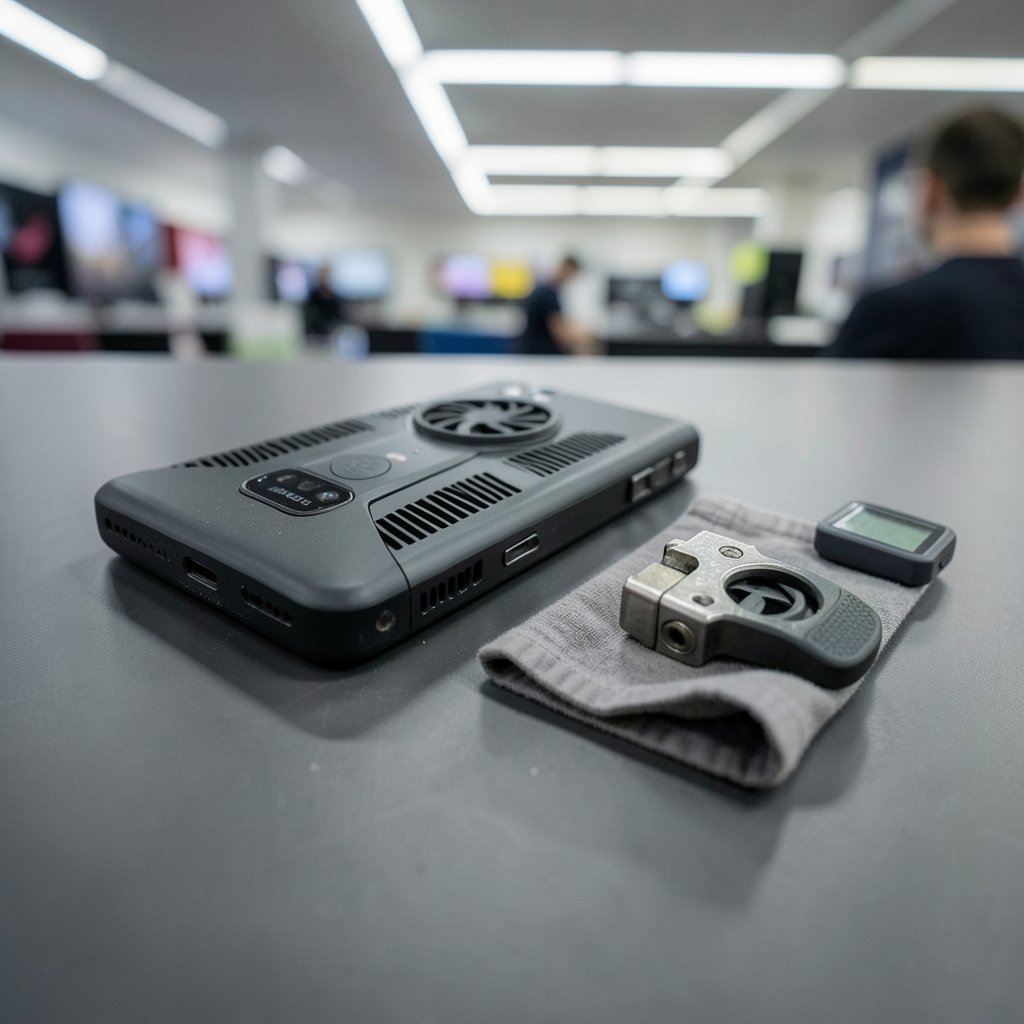
Ever noticed how every gaming phone launch promises “console-level performance” and “zero lag”? Then you read the fine print and realize the impressive frame rate lasted four minutes before the phone got hot enough to fry an egg. That gap between marketing and reality is exactly why a checklist beats impulse buying.
Gaming phones are a strange, wonderful niche. They pack aggressive cooling, shoulder triggers, and displays tuned for fast input. They also often skip features mainstream buyers take for granted, like wireless charging or top-tier water resistance. Paying full price without checking the details is how people end up with an expensive device that frustrates them six months later.
This guide walks through what actually matters, in the order a careful buyer should think about it. No hype, no brand cheerleading, just the checks that separate a good purchase from a regret.
Check sustained performance instead of only the peak benchmark score
Benchmarks are the easiest thing to fake and the easiest thing to misread. A phone that scores brilliantly in a two-minute test may throttle hard once the vapor chamber saturates with heat. What you want is frame stability data over 20 to 30 minutes of continuous play.
When reading reviews, look for:
- Frame rate graphs that show the whole session, not a single average
- Temperature readings taken during play, not at idle
- Notes on whether the reviewer tested in a case or with a cooler attached
- Whether performance drops were measured in the same game you actually play
Common mistake: trusting a single YouTube video with a dramatic fps counter. Methodology varies wildly between reviewers, so cross-check at least two or three sources. If nobody has measured sustained performance for a model you are considering, that is itself a warning sign.
Understand the difference between refresh rate and touch sampling rate
These two numbers get blended together in marketing, but they describe different things. Refresh rate is how often the screen redraws an image. Touch sampling rate is how often the display registers your finger’s input. A 165 Hz screen sounds thrilling, but if the touch sampling rate is low, your taps and swipes still feel sluggish in competitive games.
High refresh panels in the 120 to 165 Hz range are now standard on gaming phones. Touch sampling rates commonly range from 240 Hz up to 720 Hz on dedicated gaming models. For fast-paced shooters and rhythm games, the sampling rate often affects perceived responsiveness more than the refresh rate does.
Practical tip: check whether the high touch sampling rate applies all the time or only in specific “game mode” conditions. Some phones quietly drop to a lower rate outside certain apps.
Look hard at the cooling system and what it costs extra
Cooling is the backbone of sustained gaming. Many gaming phones use vapor chambers, which spread heat across a larger area than traditional heat pipes. Some models add internal fans or support clip-on external coolers.
Two checks matter here. First, is the cooling built in or sold separately? A phone that only performs well with a $60 clip-on cooler is really a $60-more-expensive phone. Second, does the cooling design interfere with normal use? Aggressive designs can make a phone thicker, heavier, or louder than you expect.
If you also game on other hardware, it helps to think about compatibility before committing. The same discipline applies to checking whether a steam frame vs meta vr glasses compatibility check makes sense for your setup, and the same logic applies to gaming phone accessories.
Battery capacity and charging speed involve real trade-offs
Big batteries and fast charging both sound great, and both have costs. Gaming phones often ship with 5,000 to 6,000+ mAh cells and charging speeds from 65 W to 150 W. The catch is heat. Fast charging generates warmth, and if you charge while playing, that heat stacks on top of the heat from the chip.
Things to verify before paying:
- Whether the fast charger is included in the box, since some regions and sellers exclude it
- The actual charging wattage supported, instead of only the maximum the charger can deliver
- Whether the phone limits charging speed while gaming to protect thermals
- Real-world battery life reports from reviewers who played for hours, rather than standby tests
A phone that charges in 20 minutes but drains in three hours of play is not a good gaming device. Balance matters more than any single number.
Confirm software support length and what the “gaming mode” actually does
Software support is the quiet spec that decides how long your purchase stays secure and resellable. Update commitments vary by brand, model year, and region, so check the specific model’s stated policy rather than the brand’s general reputation. Three to five years of security patches is a reasonable benchmark for a premium device; anything shorter deserves scrutiny.
Then there is the gaming software layer. Game modes can be genuinely useful, offering performance tuning, notification blocking, and input remapping. They can also be bloatware that collects data or cannot be disabled. Before paying, confirm that game modes are optional, that you can turn them off, and that the phone does not force account sign-ins to use basic features.
Weigh the price against mainstream flagships feature by feature
Gaming phones often cost as much as or more than mainstream flagships with the same chip inside. The question is what you give up. Cameras, wireless charging, and high IP ratings for water and dust resistance are frequently weaker on gaming models.
| Feature | Typical gaming phone | Typical mainstream flagship |
|---|---|---|
| Chip performance | Top-tier | Top-tier |
| Cooling hardware | Vapor chamber, sometimes fans | Basic heat dissipation |
| Shoulder triggers | Often included | Rare |
| Camera system | Mid-range | Premium |
| Wireless charging | Sometimes omitted | Usually included |
| Water and dust rating | Often lower or absent | Usually high |
| Price | Equal or higher | Varies |
Make a two-column list: what you gain and what you lose. If you rarely play mobile games but love photography, a gaming phone is probably the wrong buy. If you play competitively for hours daily, the trade-offs may be worth it.
The same “check before you pay” mindset shows up in plenty of other buying decisions. Readers weighing subscription-style purchases might find the AI chatbot lifetime deals buyers should check useful, while hardware shoppers can apply similar scrutiny to the Nvidia AI box pitch buyers should actually check.
Verify warranty, regional support, and carrier status
Gaming phones are sometimes sold in limited regions, which creates three risks. First, the warranty may not be honored where you live. Second, service centers may be scarce or nonexistent. Third, the model may be carrier-locked or missing bands your network uses.
Before paying, confirm in writing:
- The warranty terms for your country, including what counts as accidental damage
- Where authorized service centers are located
- Whether the phone is carrier-locked or supports your carrier’s bands
- Whether the seller is an authorized retailer or a grey-market importer
Grey-market imports can look like bargains until a repair requires shipping the device overseas. A local warranty is often worth a modest price premium.
Check the accessory range and how repairable the phone is
A phone you cannot protect or repair is a phone with a countdown timer. Gaming phones sometimes have thin third-party support, meaning fewer case options, limited screen protector choices, and scarce replacement parts.
Quick checks worth doing:
- Search for cases and screen protectors from at least two reputable brands
- Look for teardown reports or repairability scores for the model
- Confirm the battery is serviceable and what a replacement costs
- Check whether the charging port and triggers are common failure points
If you are also refreshing your audio setup, the same practical lens applies to the best gaming headsets in 2026 that actually matter before you buy, where fit and durability beat marketing claims.
Read the return policy and restocking fees before checkout
This is the step people skip, and it is the one that saves them. A gaming phone’s flaws often only appear after a few days of real use: the triggers feel wrong, the cooling fan is too loud, the screen’s tuning gives you headaches.
Before paying, check the return window length, whether opened devices qualify, who pays return shipping, and whether a restocking fee applies. Online sellers vary enormously. A 14-day window with a 15% restocking fee is a very different proposition from a 30-day no-questions return.
Similar caution applies to financing. If you plan to pay in installments, review the terms carefully, much like borrowers who check BMG Money reviews before signing any loan agreement.
Conclusion
A gaming phone is a specialized tool, and specialized tools reward careful buyers. The winning approach is unglamorous: verify sustained performance instead of peak scores, understand touch sampling versus refresh rate, confirm cooling is included rather than sold separately, and weigh battery and charging trade-offs honestly. Then check software support, warranty coverage in your region, accessory availability, repairability, and the seller’s return policy.
None of these checks takes more than an evening of reading. Together they protect you from the most common regret in this category: paying flagship money for a device that excels at benchmarks and stumbles at everything else. Do the homework first, and the phone you unbox will be the one you actually wanted.
FAQ
How long should a gaming phone last before it needs replacing?
Most premium phones remain capable for three to five years if they receive regular security updates and the battery stays healthy. The limiting factors are usually software support ending and battery degradation, not raw performance. Check the model’s stated update commitment and battery replacement cost before buying.
Is a higher refresh rate always better for gaming?
Not automatically. A 165 Hz panel only helps if games support that frame rate and the chip can sustain it without throttling. A well-cooled phone at 120 Hz often delivers a smoother experience than a hot phone chasing 165 Hz. Balance refresh rate against sustained performance data.
Do gaming phones work well as everyday phones?
They can, but expect compromises. Cameras are often mid-range, water resistance may be weaker, and the design tends to be thicker and heavier. If you want one device for everything, compare camera samples and check the IP rating before committing.
Should I buy an external cooler with the phone?
Only if reviews show the phone throttles without one. A built-in vapor chamber or internal fan may be sufficient. If you do buy a clip-on cooler, factor its price and bulk into the total cost, and check that it fits with your case installed.
Why do gaming phone benchmarks differ so much between reviewers?
Reviewers use different games, ambient temperatures, session lengths, and measurement tools. Some test with coolers attached or in air-conditioned rooms. Look for methodology details and prefer reviewers who publish full session graphs rather than single average scores.
What is the biggest mistake buyers make with gaming phones?
Paying based on launch-day hype without checking sustained performance, regional warranty, or the return policy. A five-minute benchmark video is not evidence of a good purchase. Cross-check multiple independent reviews and confirm the seller’s return terms before checkout.



