A multilingual page lets one business website speak to customers in more than one language. The visitor picks a language from a small switcher, and the same page appears in that language, with the same prices and contact details. For a small business that serves tourists, new residents, or buyers in another country, that single page can be the difference between a sale and a visitor who leaves after five seconds.
Setting up a multilingual page is a practical project, not a rebuild. Most modern website builders already include the tools for it, and the work breaks down into four clear jobs: pick the languages, translate the content properly, add a language switcher that visitors can find, and tell search engines which version belongs to which audience. Each job takes a few hours, and the whole page can be live within a week.
This guide walks through that sequence step by step for 2027: how to choose languages with real demand, how to structure the pages so search engines index them, how to handle hreflang tags without a developer, and how to test the finished page. The focus stays on one page at a time, because a single well built multilingual page beats a whole site translated badly.
Key takeaways
- Start with one page and two languages, and expand only after the first page works well.
- Machine translation alone is not enough for prices and legal text; a fluent human must review every important line.
- Give each language its own URL, and use hreflang tags so search engines show the right version.
- Put the language switcher in the header, with language names written in their own language.
- Test every translated page like a customer would, clicking every button before launch.
What a multilingual page actually is
A multilingual page is one page of a website published in two or more languages, where each language version has its own web address. The English version might live at the normal address, while the Spanish version lives at the same address with a language folder added. The visitor chooses a language, the site loads the matching version, and everything else stays the same: the design, the images, and the prices.
The key point is that each language version is a real page, not a live translation layered on top of the original. A browser translation button can help a visitor in a hurry, but it does not create a page that search engines can find, and it often mangles product names, prices, and calls to action. A proper multilingual page gives each audience a version built for them, and it gives search engines a version they can index and rank.
There are three common ways to structure the addresses. The simplest for a small business is a folder for each language, so the Spanish page sits in a folder under the main address. A second option is a subdomain for each language, which keeps the versions clearly separate but spreads authority across more addresses. A third option is a separate domain for each language, which suits larger companies with local teams, but it is usually more work than a small business needs.
The language switcher is the small menu that lets visitors move between versions. It usually sits in the header, near the top right, and it lists each language in its own language: English, Español, Français, Deutsch. That detail matters, because a Spanish speaker looking for a switcher will recognise Español at a glance, while the word Spanish in English is less obvious. The switcher should appear on every translated page.
Before building anything, check which pages deserve translation first. The home page and the main service page usually come first, followed by the contact page and the pricing page. Starting with the pages that already bring in visitors keeps the project small.
How to set it up, step by step
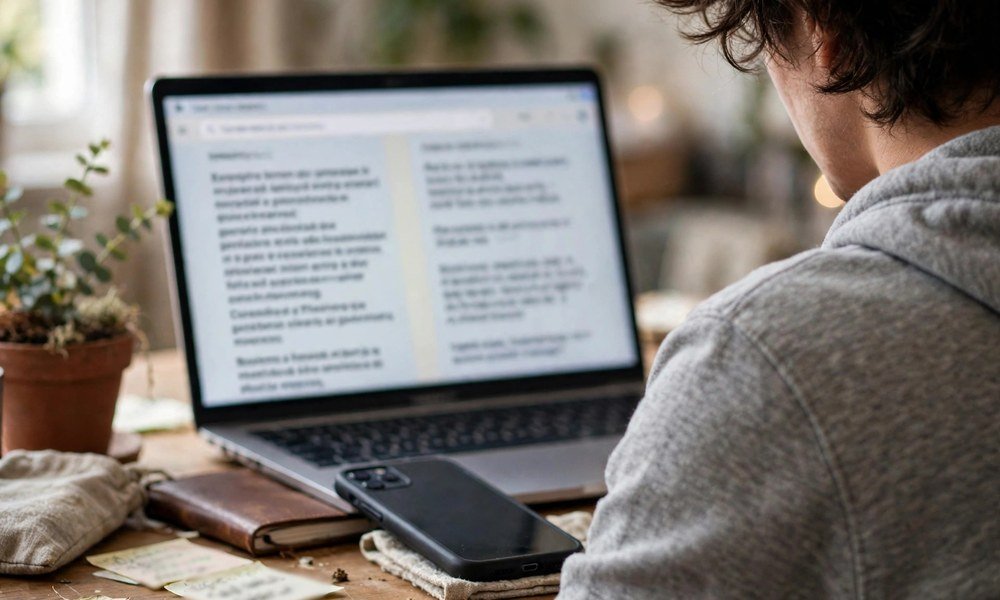
Step one is to pick the languages. Look at real evidence, not guesses: website analytics show where visitors already come from, and enquiry emails show which languages customers write in. One or two languages with clear demand beat five languages chosen on a hunch.
Step two is to prepare the content for translation. Freeze the original page first, so the text stops changing while it is being translated. Then export the text for the translator, including headings, button labels, form fields, error messages, and the small print near the footer. Button labels and form messages are easy to forget.
Step three is the translation itself. Machine translation can produce a fast first draft, and for a small business it is a reasonable starting point, but a fluent human must review the result. The reviewer checks that product names stay consistent and that prices and units make sense in the local market. A literal translation of a slogan often sounds strange, so slogans and headlines usually need rewriting rather than direct translation. The AI tools for language translation roundup on this site can help with the first draft, but the human review is what makes the page trustworthy.
Step four is to build the translated page in the website system. Most builders and content systems have a multilingual plugin or a built-in feature for this. The usual flow is to duplicate the original page, assign the new language to the copy, paste in the reviewed translation, and link the two versions together. Keep the layout identical, and check that longer translated text still fits the design.
Step five is the technical setup that search engines need. Each language version gets its own URL, and each page carries hreflang tags that list every version and the language each one serves. Hreflang is a small piece of code in the page header that tells a search engine that the Spanish page and the English page are the same content in different languages. Most multilingual plugins add these tags automatically, but it is worth checking that they are present and correct.
Step six is testing. Open each translated page on a phone and on a desktop, click every link and button, and submit the contact form. Ask a fluent speaker to read the page as a customer and mark anything that sounds wrong. Only when the page passes that test should it be linked from the language switcher.
Why the details matter: translation quality, design, and trust
A translated page is a promise to the visitor. When a customer reads a page in their own language, they assume the business can serve them in that language. A page full of errors breaks that trust fast, and it can create real problems: a wrongly translated price or a warranty term that reads differently in each language. That is why the review step matters more than the translation tool.
Design needs attention too. Text expands and contracts between languages, so headings can wrap badly, buttons can overflow, and menus can break. Images with text baked into them need a translated version or a plain image with a caption. Dates, currencies, and units also change, and a price in dollars means little to a customer who pays in euros.
Search engines reward the effort when it is done properly. A translated page with its own URL and correct hreflang tags can rank in searches made in that language, bringing in visitors who would never have found the English page. The best web hosting for multilingual websites guide on this site explains how hosting choices affect loading speed in different regions, which matters because a slow page loses visitors in every language.
The caveats that matter
A multilingual page is not a quick win, and several traps catch first-time builders. The table below lists the ones that matter most, with what is known about each.
| Detail | What is known |
|---|---|
| Machine-only translation | Fast and cheap, but errors appear in prices and promises; human review is needed. |
| One URL for all languages | Search engines cannot index each version separately, so the page will not rank in that language. |
| Missing hreflang tags | Search engines may treat versions as duplicates and show the wrong language. |
| Hidden language switcher | Visitors who cannot find the switcher leave; it belongs in the header on every page. |
| Untranslated buttons and forms | English labels on a translated page break the checkout flow and look unfinished. |
| Text overflow in design | Some languages need a third more space; test layouts in every language before launch. |
| No plan for replies | Enquiries in a new language need a reply plan, or the page creates expectations the team cannot meet. |
| Translating everything at once | Large projects stall; one page at a time keeps quality high. |
Checklist: setting up a multilingual page honestly
- Pick one page and one or two languages with real visitor demand behind them.
- Freeze the original text, then export every heading, button, and form field for translation.
- Get a fluent human review of the translation, especially for prices and legal text.
- Give each language its own URL, link the versions together, and confirm the hreflang tags.
- Place the language switcher in the header, with each language named in its own language.
- Test the finished page on phone and desktop, and have a fluent speaker read it before launch.
Frequently asked questions
How many languages should a small business start with?
Start with one extra language, or two at most, chosen from real visitor data. One well translated page brings more value than five rushed translations. Add more only after the first ones bring enquiries.
Do I need a developer to add hreflang tags?
Usually not. Most multilingual plugins and modern website builders add hreflang tags automatically when versions are linked as translations of each other. Check the tags with a free hreflang checker.
Is machine translation good enough for a business page?
Machine translation is good enough for a first draft and for low-risk text such as a blog post. It is not good enough on its own for prices, contracts, or safety information. A fluent human should review anything that affects money or safety.
Should each language have its own domain?
For most small businesses, no. Language folders under the main domain are easier to manage and cheaper to run. Separate domains suit larger companies with local teams in each country.
How do I know if the translated page is working?
Watch analytics for the translated URL: visits from the target country and enquiries that mention the language. A page that brings no visits after a few months may need better internal links or a more visible switcher.
What does a multilingual page cost to maintain?
The main cost is keeping translations in step when the original page changes. Budget a short review each time the original changes. The best website builder for small business guide on this site compares builders with built-in multilingual features.
The bottom line
A multilingual page is a small project with a clear payoff: one page, translated well, opens the business to customers who would otherwise leave in seconds. The work is straightforward when it is done in order: pick languages with real demand, translate with human review, give each version its own URL with hreflang tags, and test everything before launch.
The businesses that get the most from it treat the translated page as a living page, not a one-time task. They update it when the original changes and answer enquiries in the language the customer used. Done that way, a multilingual page is a working part of the website that brings in customers the English page alone could never reach.
Note: Translation quality, search ranking, and visitor behaviour vary by language, market, and website setup, so treat the steps in this guide as a practical starting point and check the finished page with a fluent speaker before relying on it for sales.