How to Use AI for Museum Visitor Engagement
Most museum visits still follow the same shape they did fifty years ago: a visitor walks in, reads a wall label, looks at an object for a few seconds, and moves on. The collection has not changed, but the visitor has. Visitors now expect the visit to respond to them.
AI gives museums a practical way to meet that expectation without hiring an army of guides. It is not one product but a set of tools: guides that answer questions in the visitor’s own language, tours that adapt to how long someone stays in each room, and analysis that shows which galleries hold attention and which ones people walk straight through. Used well, these tools make a visit feel personal. Used badly, they become another screen competing with the objects on display.
This guide walks through the process step by step, from choosing the first problem to solve through to measuring whether visitors actually enjoyed the result. It is written for small and mid-sized museums, and every step uses tools already on the market in 2027.
Key takeaways
- Start with one visitor problem — guiding, personalised tours, or feedback — and prove it works before adding a second tool.
- AI guides work best when they answer questions in the visitor’s language and point back to the real objects in the room.
- Personalised tours should adapt to time, interest, and group size, not just recommend more of the same objects.
- Visitor feedback analysed by AI reveals patterns no single comment card can show, but it needs clean, honest data to work.
- Keep a human in the loop: AI should support front-of-house staff, not replace the welcome at the door.
| Detail | What to know |
|---|---|
| What it is | AI guides, personalised tours, and feedback analysis that adapt a museum visit to each visitor |
| Best first step | An AI audio guide for one gallery or one popular exhibition |
| Typical cost | Free visitor apps exist; paid museum platforms often start from around $100 to $300 per month |
| Time to launch | A single-gallery pilot can go live in two to four weeks |
| What it needs | Accurate object information, reliable Wi-Fi, and staff who can answer when the AI cannot |
| Main risk | Visitors staring at phones instead of objects, or AI giving confident but wrong answers |
| Measure success by | Longer dwell time, more questions asked, and repeat visits, not just app downloads |
Step 1: Pick the one visitor problem to solve first
Every museum has a list of things it wishes visitors did differently: stayed longer, asked more questions, came back sooner. Trying to fix all of them at once is how AI projects fail. Pick the single problem that costs you the most and make it the pilot. For most museums that problem is guiding — visitors walk past objects they would love if someone explained them — or feedback, where the team only hears from the happiest and angriest visitors.
Talk to your front-of-house staff before you talk to any vendor. They hear the same questions every day, and those questions are your specification. If visitors keep asking what the big painting in room three actually shows, an AI guide that answers that question will pay for itself quickly. Keep the pilot small: one gallery or one exhibition, running for six weeks. Prices change often, so check current pricing before you commit to any platform.
Step 2: Set up an AI guide visitors can actually use
An AI guide is the most visible part of the system, so it has to work on the first try. Visitors will not forgive an app that takes ten minutes to download or needs an account. Choose a guide that runs in a browser or a lightweight app, works on the visitor’s own phone, and starts with a single tap or a QR code at the entrance. Test it on an old phone, on your museum’s Wi-Fi, at the busiest time of day.
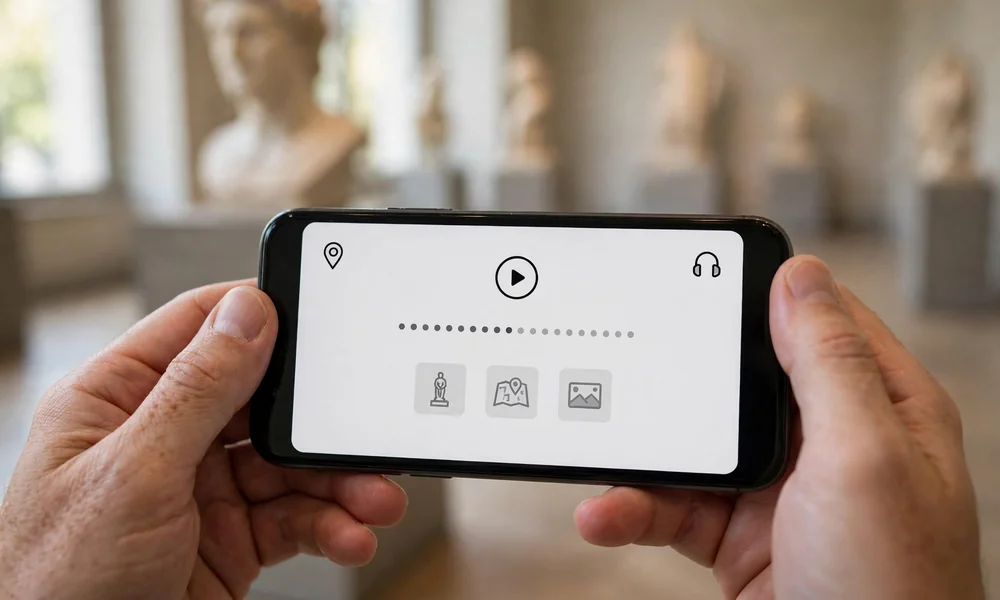
The guide’s answers must come from your own collection records, not from the open internet. Feed it your object descriptions and curator notes, and tell it to say “I don’t know, please ask a member of staff” when it is unsure. Language matters more than features: if your visitors include tourists or school groups who speak other languages, multilingual audio answers are the single most valuable thing the guide can do. Our guide to AI tools for podcasting covers audio tools for recording clear guide narration without a studio.
Step 3: Build personalised tours around time and interest
A personalised tour is not a longer list of objects. It is a route shaped by what the visitor cares about and how much time they have. Offer three simple choices at the entrance: how long the visit will last, who it is for, and what kind of experience they want. A family with an hour needs a different route from a researcher with a whole afternoon.
Let the tour adapt as the visit goes on. If a visitor lingers ten minutes in front of a textile, the guide should offer more textiles or a story about the maker, rather than pushing on to the next room. If someone skips three stops in a row, the tour should shorten itself and offer a highlight route instead. Keep the human option visible: some visitors want a person, not a phone, and staff should be able to take over in person when asked.
Step 4: Connect the visit to what happens after
Engagement does not end at the exit door. The hours after a visit are when a museum turns a one-time visitor into a member or a returning regular, and AI can make that follow-up feel personal instead of generic. A short message the same evening — the story behind the object a visitor spent longest with — is far more effective than a monthly newsletter they never open.
This is also where good visitor data pays off. If you know which exhibitions a visitor enjoyed, you can invite them to the next one in that theme instead of sending everyone the same announcement. A simple customer system that records visits, memberships, and interests makes this possible without a large team. Our roundup of the best CRM software for small businesses covers affordable tools for keeping visitor records organised.
Step 5: Analyse visitor feedback with AI
Most museums collect feedback in too many places to use: comment cards, online reviews, social media mentions, emails, and remarks staff overhear. AI analysis pulls these together and finds the patterns a person reading one card at a time would miss. It can show, for example, that visitors love a new exhibition but keep getting lost between two galleries, or that the café gets praised while the signage gets blamed.
Start with the feedback you already have. Export the last six months of reviews and comments, remove names and contact details, and run them through a sentiment and theme analysis tool. Feedback analysis reflects the people who bother to write, not the silent majority who simply never come back, and it struggles with sarcasm and local slang. Use AI to spot themes, then read the actual comments behind each theme before you act.
Step 6: Measure, fix, and repeat
A pilot that nobody measures is a pilot that nobody learns from. Before launch, write down three numbers you will track: average dwell time in the pilot gallery, the share of visitors who use the AI guide, and the number of questions visitors ask staff or the guide. Measure them for two weeks before the pilot and six weeks after, using the same method both times.
Watch for the quiet failures. A guide that crashes on older phones, a tour that sends visitors into a dead end, or a feedback form nobody can find will not show up in a vendor’s dashboard. Walk the route yourself every week, as a visitor, with your own phone. Expand one gallery at a time when it works; change one thing and try again when it does not. Museums that succeed with AI treat each gallery as a small experiment and keep the ones visitors enjoy.
Troubleshooting common problems
If visitors ignore the guide, the problem is usually the first thirty seconds. Check the QR code placement, the Wi-Fi signal at the entrance, and whether staff mention the guide at the ticket desk. If the AI gives wrong answers, narrow what it is allowed to say: restrict it to your verified collection records, remove any general web access, and add a short list of questions it must hand to staff. If tours feel repetitive, add two or three different stories for your most popular objects.
Checklist: before you launch
Run through these checks before any visitor sees your AI tools.
- The visitor problem is written in one sentence, and the pilot is built to solve it.
- The guide runs on a visitor’s own phone with no account and no long download.
- Every AI answer is drawn from your own verified collection records.
- Staff have tried the guide themselves and know how to take over when it fails.
- Feedback is collected after the visit, not only at the exit door.
- Three success measures are agreed, with a before-and-after comparison planned.
Frequently asked questions
How much does AI for museum visitor engagement cost?
It ranges from free visitor apps to paid museum platforms that often start from around $100 to $300 per month. Prices change often, so check current pricing before you commit.
Do small museums benefit from AI guides?
Yes, often more than large ones. A small museum with one or two staff cannot offer guided tours all day, so an AI guide fills the gap.
Will AI guides replace human guides?
No. AI handles routine questions and personalised routes, which frees human guides to tell stories and answer unusual questions.
What about visitors who do not use smartphones?
Keep non-digital options available. Printed guides, wall labels, and staff-led tours must remain for visitors without phones and anyone who prefers them. AI should add a choice, not remove one.
How do you stop AI from giving wrong information about objects?
Feed it only your verified collection records, block general web access, and tell it to hand uncertain questions to staff. Review its answers weekly at first and correct errors in the source records.
How long does a pilot take to set up?
A single-gallery pilot usually takes two to four weeks, including checking the content, testing on real phones, and training front-of-house staff.
Our guide to the best AI tools for email marketing covers affordable options for personalised, well-timed follow-up messages.
The bottom line
AI for museum visitor engagement works when it starts from a real visitor problem and stays close to the objects in the room. An AI guide that answers questions in a visitor’s language, a tour that adapts to their time and interests, and feedback analysis that shows what actually needs fixing will make visits longer, richer, and more likely to be repeated. None of it needs a large budget, but all of it needs honest content, working Wi-Fi, and staff involved from the start.
The best first move is small: pick one gallery, build one guide, and measure what happens for six weeks.