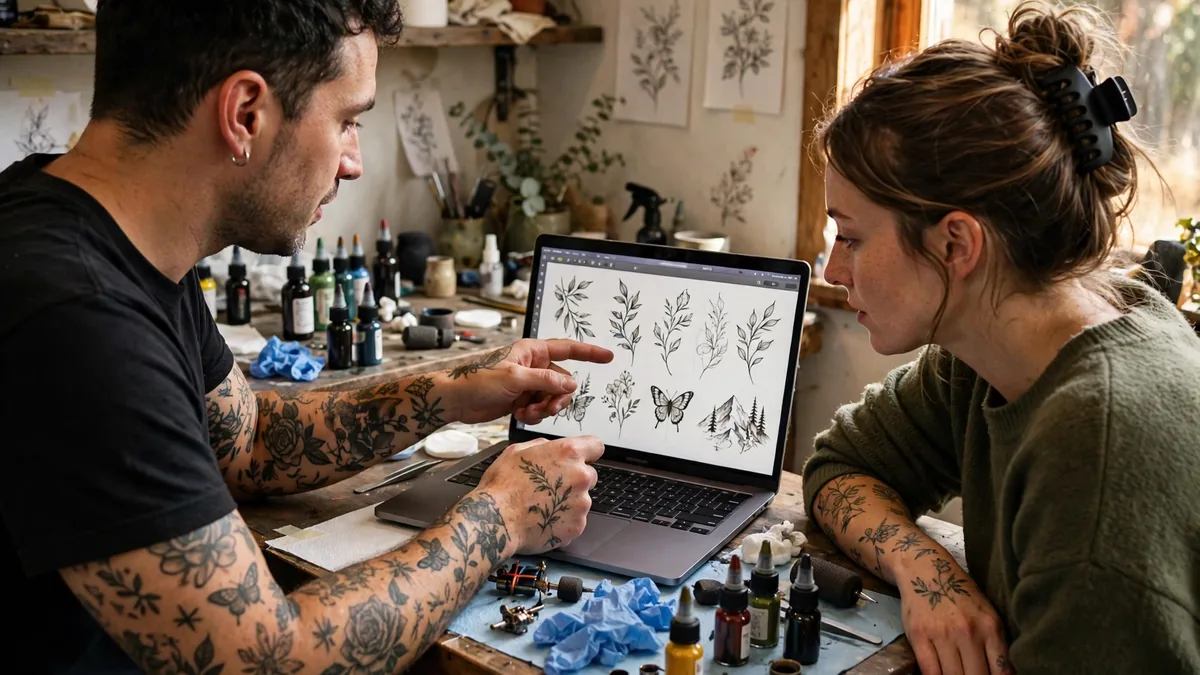
Learning how to use AI for tattoo studio marketing starts with a simple truth: most studios already have the hardest part of marketing covered, which is a visual product people love to look at. A tattoo studio does not need to invent content.
The opportunity is bigger than it first looks. People choose a tattoo artist the way they choose a restaurant in a new city: they search, they scroll through photos, they read reviews, and they look for a style that matches what they have in mind.
This guide walks through the process step by step, from setting up your tools and your photo habits to publishing, following up with enquiries, and measuring what actually brings in bookings. It is written for owners and artists who have never used an AI marketing tool, and it keeps the focus on practical, low-cost moves. You do not need a big budget or a marketing degree. You need clear photos, a consistent voice, and a routine you can keep up between appointments.
Key takeaways
- AI works best for tattoo marketing when it organises and distributes work the studio already produces, rather than inventing designs or fake reviews.
- Consistent, real photos of healed work and the studio itself build more trust than polished AI-generated artwork ever will.
- A simple setup — one AI writing tool, one scheduling tool, and one shared photo folder — is enough to start.
- Fast, personal replies to enquiries matter more than any single post, and AI drafting can cut reply time without sounding robotic.
- Measure bookings and enquiries, not likes, and keep a human in charge of every image and message before it goes live.
Step 1: Decide what you want AI to do for your studio
Before opening any tool, write down the three marketing jobs that eat the most time in your studio. For most small studios the list is the same: posting on social media, answering the same enquiry questions again and again, and keeping the studio visible in local search.
Next, set one measurable goal for the next month. It could be twelve posts published, every enquiry answered within two hours during opening times, or ten new consultation bookings from search.
Finally, agree on who is in charge and how the studio should sound. In a one-person studio that is easy. In a studio with several artists, one person should own the marketing routine, even if everyone contributes photos, and the studio should write down a few tone rules: how it talks about prices, how it describes styles, and what it never promises. One owner, one shared photo folder, and one weekly check-in keep the whole thing under control.
Step 2: Build a photo library AI tools can actually use
AI writing tools are only as good as the material you feed them, and for a tattoo studio that material is photographs. Start a shared folder with three sections: healed work, fresh work, and studio life.

Set a simple standard for every photo that goes into the folder: clean background, natural light, the tattoo in focus, and no filters that change the colours of the ink. AI tools can crop, resize, and suggest captions, but they cannot fix a blurry photo or a misleading filter.
Do not use AI to generate tattoo designs and present them as your own work. Clients book an artist because of their real portfolio, and a generated image that no artist in the studio can reproduce will damage trust fast.
Step 3: Choose one AI writing tool and one scheduling tool
With the photo library started, pick your tools. You need two, and only two, to begin. The first is an AI writing assistant that can draft captions, replies, and short descriptions from a brief you give it. The second is a scheduling tool that lets you queue posts across your social accounts and publish them at the times your audience is online. Many scheduling tools now include AI writing features, so one subscription may cover both jobs. Compare a short list of the best AI tools for small businesses before you pay for anything, and start with a free trial rather than a yearly plan.
When you test a writing tool, feed it real details: the artist, the style, the placement, the healing time, and the booking link. A vague prompt gets a vague caption full of clichés.
Step 4: Turn one photo session into a week of posts
This is the step that saves the most time. Instead of scrambling for something to post every day, block out thirty minutes once a week and batch the work.
Vary the format across the week so the feed does not feel repetitive. Monday could be a healed piece with a short story about the design. Wednesday could be a flash sheet or an available design with a booking link. Friday could be a behind-the-scenes photo of the studio or a short aftercare tip. Our guide on how to use AI for content repurposing shows how one piece of material can be reshaped for different platforms without starting from scratch each time, which is exactly the habit a busy studio needs.
Step 5: Use AI to answer enquiries faster without sounding robotic
Most lost bookings in a tattoo studio are not lost because the work is bad. They are lost because an enquiry sat unanswered for a day, and the client booked somewhere else.
The rule is simple: AI drafts, a human sends. Never let a tool reply to a client on its own, especially about price or a design that needs an artist’s judgement.
Also use the tool to spot patterns in the enquiries. If ten people a week ask about the same style, that is a sign to post more of that style or to create a page about it. If people keep asking whether the studio takes walk-ins, the answer belongs on the website, the booking page, and the social profiles, not just in a private reply.
Step 6: Help local clients find the studio in search
Social media brings attention, but search brings bookings from people who have already decided they want a tattoo. Make sure the studio’s website and profiles all agree on the basics: the studio name, the address, the opening hours, the phone number, and the booking link.
Ask happy clients to leave a review, and reply to every review, good or bad, in a calm and professional tone. AI can draft those replies, but a real thank-you or a real apology should come from the studio.
Finally, keep the website updated with real work. A short post about a guest artist, a flash day, or a new style the studio offers gives search engines fresh pages to show and gives clients a reason to return to the site. AI can draft the text from your notes in minutes; the photos and the facts come from the studio itself, and that combination is what keeps the site feeling alive rather than abandoned.
Step 7: Follow up, remind, and rebook with AI-written messages
Marketing does not stop when a client leaves the chair. The cheapest booking a studio can win is the next booking from a client who already trusts it.
Email works well for this kind of follow-up, because it does not get buried the way social messages do. A short monthly email with new flash designs, open slots, and guest artist dates can fill quiet weeks, and the best AI tools for email writing can help draft it from a few bullet points in minutes.
Troubleshooting common problems
If the captions sound generic, the problem is usually the prompt, not the tool. Add specifics: the artist’s name, the style, the story behind the design, and one detail only someone in the room would know.
If posts are going out but enquiries are not rising, check the booking path. Click the link in the profile yourself, on a phone, and try to book.
If the team resists using the tools, make the routine smaller, not bigger. One person posts three times a week, using photos that already exist, and the rest of the studio only has to take good photos after appointments.
If an AI tool produces something wrong, such as a made-up price, a wrong artist name, or a design claim the studio cannot support, stop and correct it in public if it was already posted. Trust is the studio’s main asset, and a quick, honest correction builds more of it than quietly deleting the post. Then fix the prompt or the source material so the same mistake does not happen again.
Checklist: launching AI marketing in your tattoo studio
Use these checks before you spend money on tools or publish your first AI-assisted post.
- Write down the three marketing jobs AI should help with and one measurable goal for the month.
- Start a shared photo folder with healed work, fresh work, and studio life, using natural light and no colour-changing filters.
- Choose one AI writing tool and one scheduling tool, and test both on a free trial first.
- Set a weekly thirty-minute batching session and a twice-daily time for checking enquiries.
- Check that the website, profiles, and booking link all show the same name, address, hours, and prices.
- Agree that a human reviews every caption, reply, and image before anything goes live.
Frequently asked questions
Can AI design tattoos for clients?
AI image tools can create layout ideas and inspiration, but the tattoo itself should be designed or adapted by the artist who will do the work. Clients book a studio for its real portfolio, and presenting a generated image as a finished design risks disappointment and lost trust.
How much does AI marketing cost a small tattoo studio?
Most studios can start with one modest subscription, often with a free trial, plus the time spent on a weekly batching session. The biggest cost is not money but the habit of taking good photos and replying to messages on time.
Will AI captions sound robotic?
They will if they are posted without editing. Give the tool specific details about the piece, the artist, and the client story, then edit the draft in your own voice before scheduling it. A short human edit makes the difference.
How often should a tattoo studio post?
Three to five real posts a week is a realistic target for most studios. Consistency matters more than volume: a steady flow of genuine work beats a burst of ten posts followed by a silent month.
Should a studio let AI reply to clients automatically?
No. AI should draft replies to common questions, and a human should check, edit, and send them. Automatic replies risk wrong prices, wrong advice, and a tone that does not match the studio.
What should a studio measure to know if AI marketing is working?
Count consultation bookings, enquiry reply times, and completed bookings that came from search or social media. Likes and follower counts are useful signals, but bookings are the result that pays the rent.
The bottom line
AI marketing works for a tattoo studio when it is treated as a helper for work the studio already does well: great tattoos, honest photos, and quick, personal replies. The tools save time on captions, scheduling, and drafts, but they cannot replace the artist’s eye, the studio’s personality, or the trust that comes from showing real healed work.
In 2027 the studios that stand out will not be the ones with the most tools, but the ones that post their real work consistently, answer quickly, and make booking easy. Set up the photo library, pick two tools, batch the posts, and measure bookings for a month.