

What actually decides whether a handheld feels good to own six months in? Not the launch-day spec sheet. It is the small stuff: how fast a game resumes, whether a patch ruins your evening, how often you reach for the charger. That is the lens for this comparison of the Nintendo Switch 2 and the Steam Deck. (Handheld game console)
Both machines play games on the go. Beyond that, they are built on different ideas. One is a sealed console with a curated store. The other is a small Linux PC with a compatibility layer. This guide gives a practical framework for judging the everyday experience, plus the traps people fall into when they compare them badly. (FTC Advertising FAQs: A Guide for Small Business)
Why “Everyday Experience” Beats Spec Sheets
A spec sheet answers one question: what is the ceiling? Everyday use asks something else: what is the floor? How bad is a bad day?
Two devices can benchmark identically and feel completely different in daily life. One boots in seconds, suspends for a week, and resumes mid-level. The other needs a shader cache to warm up, an update to install, and a tweak to run a game that launched last month.
So instead of asking which device is more powerful, ask which failure modes you can live with. That reframing alone will settle most of the decision.
The Four Evaluation Axes
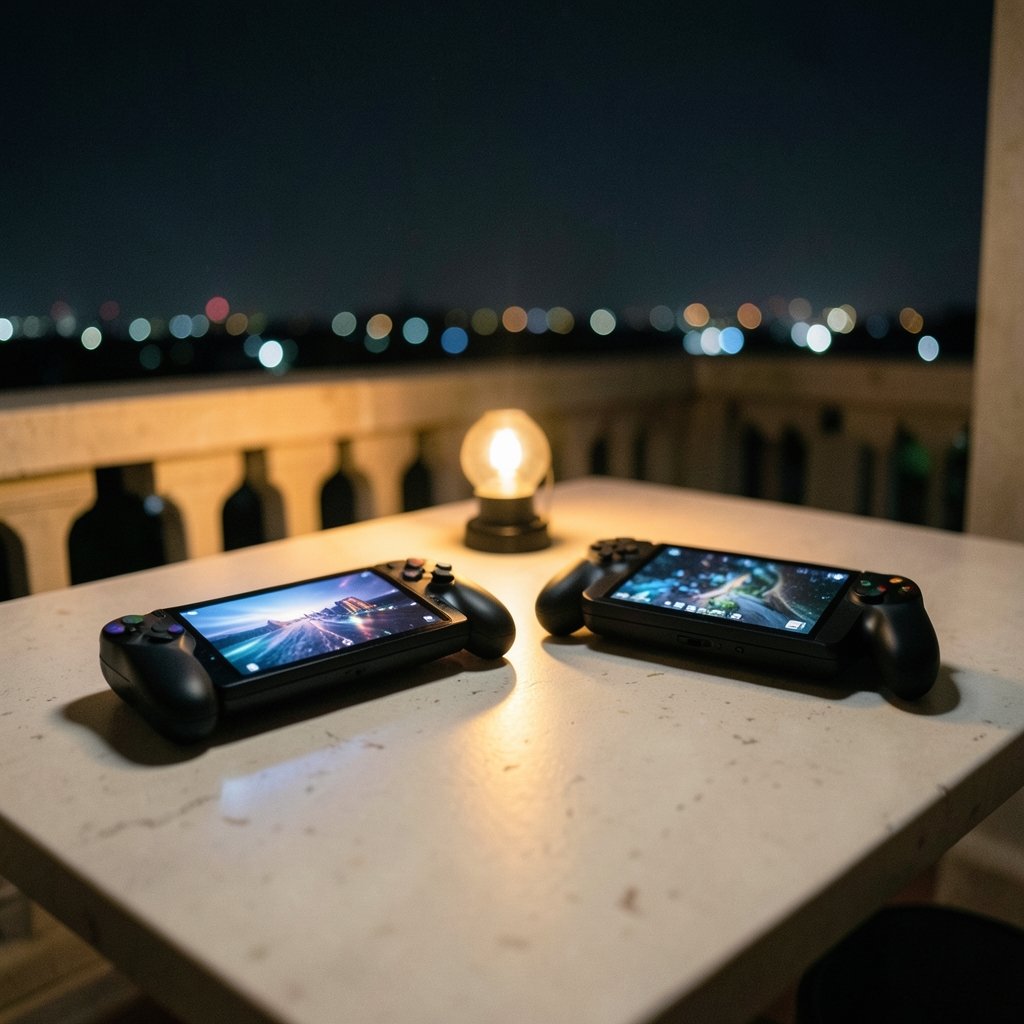
Every meaningful difference between these two handhelds falls into one of four buckets. Score each one honestly against how you actually play.
| Axis | What it measures | Why it matters daily |
|---|---|---|
| Friction | Boot time, suspend/resume, updates, sign-ins | Decides whether you play for ten minutes or skip it |
| Library fit | Which games run, and how well | A big library you cannot play is worthless |
| Physicality | Screen, weight, ergonomics, battery, storage | Determines comfort over a two-hour session |
| Longevity | Repairability, warranty, price of ownership | Predicts how you feel in year three |
The rest of this article walks through each axis, with the mistakes that skew most comparisons.
Friction: The Hidden Cost of Every Session
Start with the moment you pick the device up. How many steps between “I have fifteen minutes” and “I am playing”?
The Switch 2 inherits Nintendo’s console philosophy: wake from sleep, tap a game, play. Updates can be deferred. The system is designed so that a child, a commuter, or a tired adult can operate it without thinking. That seamlessness is a feature, and it is easy to undervalue until you lose it.
The Steam Deck runs SteamOS, an Arch Linux-based operating system layered with Proton, Valve’s compatibility tool that translates Windows games for Linux. That stack is remarkably mature, but it introduces steps the console does not have. A first launch may compile shaders. A Proton version may need switching. A launcher inside a game may demand a mouse.
None of this is fatal. It is simply a different relationship with the hardware. Some players enjoy the tinkering. Others find it exhausting after a long day. Neither reaction is wrong, but be honest about which one you are.
A useful test: count the taps and waits for a typical session on each device, not the best-case one. The gap shows up in the boring middle of real life.
Library Fit: Two Very Different Kinds of “Big”
The library question is not “how many games exist?” It is “how many games will I actually play, and how many of those run well?”
Nintendo’s catalog is narrower but extremely consistent. First-party titles are built for the hardware. They target a stable frame rate and a clear handheld experience. The trade-off is that you cannot play most PC games, and older Nintendo libraries arrive through official channels at Nintendo’s pace and pricing.
The Steam Deck inverts this. Its storefront is enormous, and Valve publishes a compatibility rating for each title, from Verified down to Unsupported. That rating system is genuinely useful, but it is a guide, not a guarantee. A game marked Playable may run beautifully or may need a control tweak every session.
Here is where most buyers go wrong: they compare the size of the two libraries instead of the overlap. Make a list of ten games you genuinely want to play in the next year. Then check each one against the platform. That list will tell you more than any aggregate chart.
For a deeper breakdown of how the stores and performance profiles differ, this comparison of the Nintendo Switch 2 vs Steam Deck library, power, and portability is worth a read before you commit.
The Backward Compatibility Question
Backward compatibility is a longevity issue disguised as a library issue. If your old digital purchases carry forward, the new device starts with a library on day one. If they do not, you are buying games twice.
Check the official policy for each platform rather than assuming. This is the single most common source of buyer regret in console transitions, and it is entirely avoidable with ten minutes of research.
Physicality: Screen, Hands, and Battery
You hold a handheld. Ergonomics are not a detail.
The Switch 2 is a hybrid. It docks to a television, which changes how a household shares it. That flexibility is a real advantage for families and for anyone who wants one device for two contexts. The Steam Deck is a handheld first; connecting to a display is possible but secondary.
Weight and grip matter more than reviewers admit. A device that feels fine for twenty minutes can ache after ninety. If you can, hold both before buying. If you cannot, read long-session impressions rather than unboxing takes.
Battery life is the axis most distorted by reviews, because reviewers test demanding games. Your actual mix of indie titles and blockbusters will produce a different number. Think in terms of your typical session length and your access to power, not in terms of a headline figure.
On storage, both devices accept expansion, but the economics differ. Proprietary formats cost more and simplify; open formats cost less and require a little know-how. Neither is wrong, but factor the cost of a larger card or drive into your total.
The Price Trap: Compare Total Cost, Not Sticker Price
Sticker price is the least interesting number in this comparison. Total cost of ownership is the one that matters.
Add up the device, a storage upgrade, a case, a screen protector, and a year of any online service you would actually use. Then add the games you would rebuy. That total is the real comparison, and it often reorders the two options.
Prices shift, and regional pricing shifts more. Rather than quoting figures that may already be stale, treat any specific number as something to verify at the moment of purchase. This breakdown of the Switch 2 price increase versus the Steam Deck OLED and Legion Go S in 2026 shows how quickly the value math moves when one side changes its pricing.
One practical tip: buy the smaller storage model only if you are certain you will expand it later. Buying the larger model upfront is usually cheaper than upgrading after the fact, and it avoids the annoyance of managing installs.
Longevity: Repairability, Warranty, and Software Support
A handheld is a three-to-five-year purchase for most people. Judge it that way.
Repairability is the clearest divider. The Steam Deck was designed with user access in mind, and independent teardown guides document how to replace common parts. Nintendo’s hardware is traditionally less open, with repairs routed through official service. Neither approach is unreasonable, but they produce very different outcomes when a battery degrades or a stick drifts.
Warranty terms and regional consumer law also matter. Check what your country requires the seller to provide, because it may exceed the manufacturer’s stated warranty. That is free protection most buyers never look up.
Software support is the other half. A console that receives updates for years protects your library. A PC-based device benefits from community development, which can extend life well past the official support window, but only if you are comfortable with the occasional rough edge.
If you are weighing a first purchase and want a beginner-focused view, this guide to whether the Nintendo Switch 2 is worth buying for beginners and everyday use covers the practical side of ownership. There is a matching take on whether the Steam Deck is worth buying for beginners and everyday use if you lean toward the PC side.
Common Mistakes in Switch 2 vs Steam Deck Comparisons
Most bad comparisons fail in predictable ways. Watch for these.
- Comparing the best case for one device to the average case for the other. A flawless Verified title on the Deck versus a demanding port on the Switch 2 tells you nothing useful.
- Ignoring the setup tax. The first week with a PC-based handheld involves configuration. That cost is real, and it is front-loaded.
- Assuming a bigger library means more games you will play. It does not. Overlap with your taste is what counts.
- Treating review battery numbers as universal. They reflect one test, not your habits.
- Forgetting the second user. In a household, the dockable console often wins on sharing alone.
- Buying on launch hype. A device’s everyday feel is best judged after the first major software update, not before.
A Practical Decision Framework
Work through these steps in order. Stop when one option clearly wins.
- Write down your ten most-wanted games and check each against both platforms.
- Estimate your realistic session length and how often you have access to power.
- Decide whether you value tinkering or want zero setup. This is the biggest fork in the road.
- Total the cost of ownership for three years, including storage and services.
- Check repairability and warranty in your region.
- Hold both if you can, or read long-session ergonomics coverage if you cannot.
If steps one through three point the same way, you are done. If they conflict, weight step three most heavily, because friction is the factor people underestimate and then resent.
For a direct head-to-head on the fundamentals, this Switch 2 vs Steam Deck comparison and its companion piece on the Steam Deck vs Switch 2 cover the core trade-offs from both directions.
What Actually Works in Practice
A few habits separate satisfied owners from frustrated ones.
Buy for the games you play now, not the games you might play someday. Keep a small rotating library rather than hoarding during sales. Set up cloud saves before you need them. Learn the suspend behavior of your device early, because it changes how you use short breaks. And give yourself a one-week adjustment period; first impressions on a new handheld are unreliable.
If you are still undecided between the two philosophies, the broader question of whether the Switch 2 is worth it for everyday use is often the real decision hiding underneath the comparison.
Conclusion
The Switch 2 and the Steam Deck are not competing for the same buyer. They are competing for the same fifteen minutes. One is built to remove every obstacle between you and a game. The other is built to give you a library and the freedom to shape it.
Judge them on friction, library fit, physicality, and longevity, in that order. Then check the total cost and the repairability picture. Do that honestly, and the answer will be obvious, because it will be about your habits rather than a benchmark.
Frequently Asked Questions
Which is better for short play sessions?
The Switch 2 has the edge for most people, because its suspend-and-resume behavior is designed to be frictionless. The Steam Deck can also suspend well, but occasional updates and compatibility tweaks add steps that matter more when your session is short.
Can the Steam Deck play every game in my library?
No. Valve publishes a compatibility rating for each title, and some games remain unsupported. Check your specific list rather than assuming broad compatibility, especially for titles with anti-cheat systems or complex launchers.
Is the Switch 2 a good choice if I also want to play on a TV?
Yes. The hybrid design is one of its clearest advantages. Docking lets a household share one device across handheld and television use, which the Steam Deck does not prioritize in the same way.
How important is repairability really?
It matters most in year two and beyond, when batteries degrade and analog sticks wear. A device with documented, accessible repairs tends to stay in service longer and cost less to keep running.
Should I wait for a newer model?
Only if you are not buying now. A device you will use for the next year is worth more than a slightly better device you might buy later. Verify current pricing and software support at the moment you decide.
What is the single biggest mistake buyers make?
Comparing library size instead of library overlap. A storefront with thousands of titles means little if only a handful match your taste and run well on the hardware.



