Samsung Galaxy Tab S11 vs iPad Air for Field Work in 2027
Samsung Galaxy Tab S11 vs iPad Air for field work in 2027 is a contest decided outdoors, not on a desk. Both tablets are fast, light, and well built. The difference appears on a building site at noon, in rain, or at the end of a ten-hour day away from a charger, where screen brightness, pen input, battery life, and the case matter more than benchmark scores.
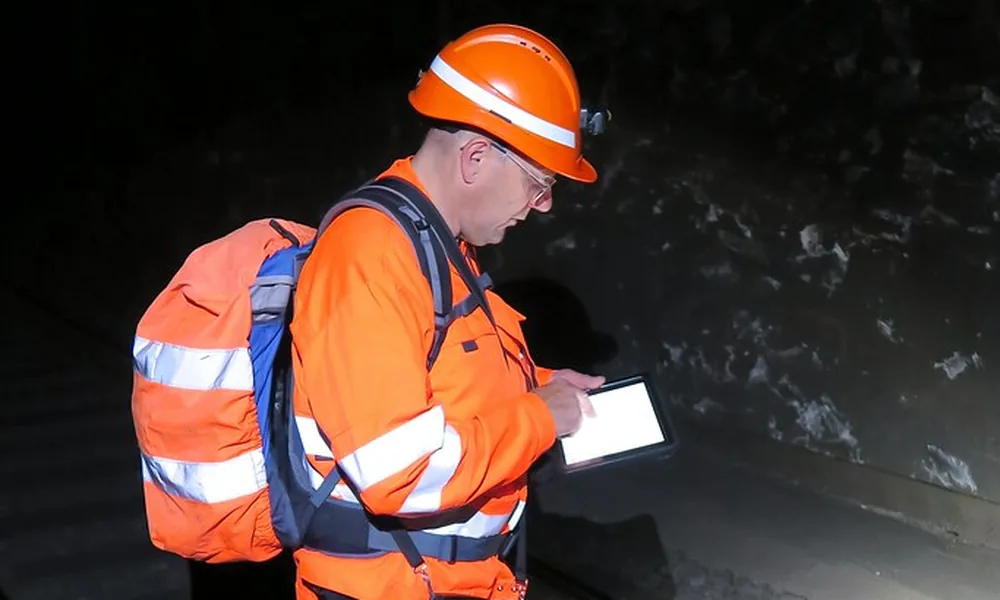
Field teams use tablets differently from office workers. They hold the device in one hand while walking, tap forms with gloves nearby, photograph defects, sketch on plans, and sync notes when signal returns. A tablet that survives a drop onto gravel and stays readable in direct sun is worth more than a slightly faster chip.
This comparison tests the Galaxy Tab S11 and the iPad Air only as field tools. It covers outdoor visibility, ruggedness, battery, accessories, field apps, and price, and it skips the general spec shootout covered in our guide to iPad Pro vs Surface Pro for business work. Prices are approximate and change often, so check current pricing before you buy.
Key takeaways
- The Galaxy Tab S11 wins for field work overall, thanks to the included S Pen, brighter outdoor options, and DeX desktop mode.
- The iPad Air wins on app quality, with the best field apps for surveys, inspections, and PDF markup.
- Neither tablet is rugged on its own: budget for a tough case and a screen protector either way.
- Battery life is close, but the Tab S11 charges faster and works better with power banks in the field.
- Buy the Tab S11 for outdoor site work and the iPad Air when your team already lives in Apple apps.
| Detail | Galaxy Tab S11 | iPad Air |
|---|---|---|
| Screen | 11-inch AMOLED, bright and vivid outdoors | 11-inch LCD, accurate colour, less punch in sun |
| Pen | S Pen included, stored on the back | Apple Pencil sold separately |
| Ruggedness | Aluminium body, no official IP rating | Aluminium body, no official IP rating |
| Battery | About 12 to 14 hours of mixed field use | About 10 to 12 hours of mixed field use |
| Field apps | Strong Android apps, DeX desktop mode | Best-in-class survey and PDF apps |
| Weight | About 470 grams | About 460 grams |
| Price (approx) | From about $750 with S Pen included | From about $600 plus $130 for the Pencil |
Samsung Galaxy Tab S11 in the field
The Tab S11 is the more field-ready tablet out of the box. The AMOLED screen stays readable in bright sunlight, and the S Pen comes in the box, magnetically attached to the back. The pen works with the screen off for quick notes.
DeX mode is the other field advantage: the tablet behaves more like a laptop, with windows, a taskbar, and proper file management. The Tab S11 also charges quickly and pairs well with standard USB-C power banks, which are already in most field kits.
Android is the weaker side of the package. Some specialist field apps arrive on iPad first, and a few are iPad only, so check your exact apps before switching a whole team. The Tab S11 is also slightly heavier in a rugged case, though the difference is small once a case is fitted to either tablet.
Pros
- S Pen included and always attached
- Bright AMOLED screen for outdoor use
- DeX mode for report writing on site
- Fast charging over USB-C
Cons
- Some specialist field apps are iPad first or iPad only
- Shorter software support window than the iPad Air
iPad Air in the field
The iPad Air wins on software. The App Store has the deepest bench of field apps: survey tools, inspection checklists, PDF markup, GIS viewers, and construction drawing apps. If your team already uses Apple apps for forms and reports, the iPad Air slots in with no retraining and no workflow change.
The hardware is excellent but less field-first. The LCD screen is accurate and bright enough for most outdoor work, but it washes out sooner than the Tab S11 AMOLED panel in direct sun. The Apple Pencil is superb for sketching and annotation, but it costs extra and attaches magnetically to the edge, where it can be knocked off in a bag. Battery life is strong, and the iPad Air sips power on standby.
The iPad Air also benefits from long software support, which matters for fleets bought in bulk. A team that buys twenty tablets wants them to run the same apps for four or five years, and Apple track record there is the best in the business. Add the Pencil and a rugged case and the price gap with the Tab S11 mostly closes.
Pros
- Best field apps for surveys, inspections, and PDF markup
- Long software support for fleet buyers
- Excellent standby battery life
- Light and easy to carry all day
Cons
- Apple Pencil costs extra and can be knocked off
- LCD screen is harder to read in direct sun
Outdoor visibility
Outdoor visibility is where the Tab S11 pulls ahead. Its AMOLED panel keeps maps, plans, and forms legible when the sun is overhead. The iPad Air LCD is bright and colour-accurate, and it is fine in shade or on cloudy days, but in harsh midday sun the screen washes out and users end up shading it with a hand.
Both tablets benefit from a matte screen protector in the field, which cuts glare at the cost of a little sharpness. Neither tablet matches a dedicated sunlight-readable rugged tablet, but for general site work the Tab S11 is the more comfortable screen to read outside.
Ruggedness and repairs
Neither tablet is rugged. Both have aluminium bodies, glass screens, and no official water or dust rating. The honest answer is to budget for a tough case with corner protection, a tempered glass screen protector, and a hand strap, which adds about $60 to $100 per tablet. With that kit, either tablet handles the usual knocks of site work.
Repairs favour the iPad Air slightly because Apple repair and replacement services are widely available and fast, which matters when a fleet tablet breaks mid-project. Whichever you buy, keep one spare tablet per team so a broken screen never stops a survey day.
Battery and charging in the field
Battery life is close, with the Tab S11 lasting a little longer in mixed field use: about 12 to 14 hours against about 10 to 12 hours for the iPad Air. The real difference is charging: the Tab S11 charges faster over USB-C and works with almost any power bank. On a long day with no mains power, a power bank tops up the Tab S11 during a lunch break.
Both tablets last a full working day for most teams if brightness is managed and background apps are closed. For teams choosing a laptop instead of a tablet for field reports, our roundup of the best ultrabooks in 2027 covers the portable laptop options.
Field apps and offline work
Field apps decide the winner for many teams, and here the iPad Air leads. Inspection, survey, and drawing apps tend to launch on iPad first, and the quality gap is real: forms are smoother, PDF markup is richer, and offline sync is more reliable. If your workflow runs on a specific iPad app, the decision is already made.
The Tab S11 counters with flexibility. Android file management is simpler, USB-C accessories plug in without adapters, and DeX mode turns the tablet into a report-writing machine. Offline maps and forms work well on both, but test your exact apps on both platforms before buying a fleet. Browser-based field tools are also worth checking, and our explainer on what AI browser automation is covers how repetitive web tasks can be automated for field teams.
Price and the verdict
On price the two tablets are closer than the headline numbers suggest. The iPad Air starts lower, from about $600, but the Apple Pencil adds about $130 and a rugged case about $60, taking a field-ready kit to about $790. The Tab S11 starts from about $750 with the S Pen included, and a case takes it to about $810. Sales and education discounts move both numbers often.
The verdict for field work goes to the Galaxy Tab S11: included pen, brighter outdoor screen, faster charging, and DeX mode. The iPad Air is the better buy when your apps, your team, or your existing Apple fleet point that way, and its app quality and long support are genuine advantages. Either tablet works in the field with a good case.
How to choose a field tablet
Start with your apps, not the hardware. List the five apps your team uses daily and confirm each runs well on the platform you are considering. If your apps are cross-platform or web-based, the hardware differences take over and the Tab S11 outdoor screen and included pen win.
Next, test outdoors. Take both tablets to a real site at midday, open the same plan, and read it in direct sun. The tablet your team can read and hold comfortably after that test is the right one. Finally, price the full kit: tablet, pen, rugged case, screen protector, and a power bank, not the tablet alone.
Checklist: before you buy field tablets
Use these checks before you order a fleet of tablets for field work.
- Confirm your five daily field apps run well on the platform.
- Test the screen in direct sun at midday, not indoors.
- Budget for a rugged case, screen protector, and hand strap.
- Check pen storage: included and attached beats extra and loose.
- Test charging from a standard USB-C power bank.
- Keep one spare tablet per team for breakages.
Frequently asked questions
Is the Galaxy Tab S11 better than the iPad Air for outdoor work?
Yes, for outdoor use the Tab S11 has the edge: its AMOLED screen stays readable in bright sun, and the S Pen is included. The iPad Air is still usable outdoors, but its LCD washes out sooner in direct sunlight.
Do I need a rugged case for field work?
Yes. Neither tablet has an official water or dust rating, so a tough case with corner protection and a tempered glass screen protector is essential. Budget for case and protector.
Which tablet has better field apps?
The iPad Air has the better field app library, with the best survey, inspection, and PDF markup apps. Check your exact apps before choosing, because one iPad-only app settles the decision.
Can either tablet replace a laptop for field reports?
Partly. The Tab S11 with DeX mode comes closest, with windows and file management for writing reports on site. A keyboard and a laptop are still better for long documents.
How long does the battery last on a site day?
Expect about 12 to 14 hours from the Tab S11 and about 10 to 12 hours from the iPad Air in mixed field use; a power bank covers longer days.
Is the Apple Pencil worth the extra cost?
Yes, if you choose the iPad Air, because pen input is central to field work: signing forms, sketching defects, and marking up plans. Buy a case that holds the Pencil, since it can be knocked off the magnetic edge.
The bottom line
For field work in 2027, the Galaxy Tab S11 is the better pick for most teams: the pen is included, the screen reads well in sun, it charges fast from a power bank, and DeX mode handles reports on site. It asks the least of its owner once the job moves outdoors.
The iPad Air remains the right choice for teams built around Apple apps and workflows, with the best field software and the longest support. Buy the tablet your apps demand, put it in a tough case, and test it on a real site before ordering the fleet.