

Learning how to use AI for translation quality checks can turn a slow, uneven review process into a fast, repeatable one. A machine translation or a first human draft is only half the job: someone still has to confirm that the meaning survived, the terms match your glossary, and the text reads naturally in the target language.
The trick is treating AI as a checker, not a judge. It is excellent at spotting a missing number, a term used two different ways, or a sentence that drifted away from the source. It is weaker at judging tone, humour, and whether a phrase sounds natural to a native speaker in a specific market. A good workflow pairs the speed of the machine with the judgement of a person.
This guide walks through a practical seven-step quality-check workflow for agency work, support content, or any translated material. It covers the error types worth checking, how to score quality without drowning in spreadsheets, and how to build a human review loop that catches what the machine misses.
Key takeaways
- AI quality checks are a first pass: they flag likely errors fast, but a human reviewer still makes the final call on meaning and tone.
- Check meaning first, then terminology, numbers, and formatting — a fluent sentence with the wrong figure is worse than a clumsy one with the right figure.
- Score quality with a simple error-point system so you can compare translators, tools, and projects over time.
- Terminology consistency matters most in regulated and branded content, where one term used two ways can confuse or mislead readers.
- Log every fix and feed it back into your glossary and style guide, or the same errors will keep appearing in the next batch.
At a glance: AI translation quality checks
| Check type | What it catches | Who fixes it |
|---|---|---|
| Accuracy | Mistranslated meaning, omissions, additions | Human reviewer |
| Terminology | Glossary terms used inconsistently | Reviewer or glossary owner |
| Numbers and names | Wrong figures, dates, units, spellings | Reviewer |
| Fluency and style | Awkward phrasing, wrong register, tone drift | Human editor |
| Formatting | Broken tags, links, placeholders, layout | Reviewer or engineer |
What AI quality checks actually catch
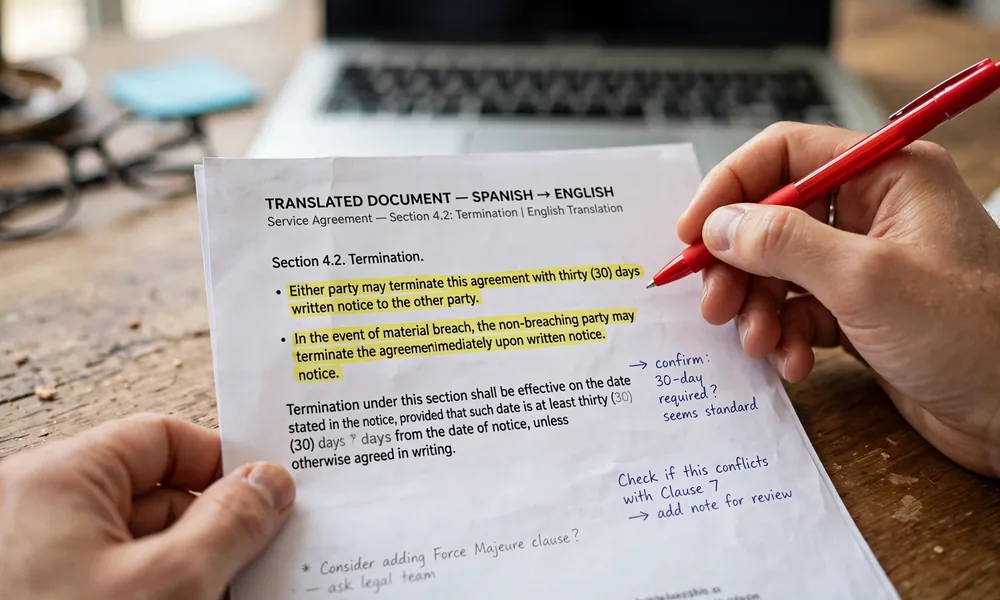
An AI quality check compares the source text and the translation side by side and looks for mismatches. The most useful checks are mechanical: a number that changed between languages, a date in the wrong format, a name spelled differently in two places, or a sentence in the source with no counterpart in the translation.
Modern tools go further, estimating fluency and flagging sentences that read awkwardly even when every word is technically correct. Some compare the translation against a glossary and highlight every place a standard term was rendered differently. What they cannot do reliably is judge whether a joke lands or a phrase is polite enough for a formal market. That is why this workflow always ends with a human.
Step 1: Gather the source, the translation, and your reference materials
Before running any check, assemble the full set: the original source text, the translation, your glossary or term list, and the style guide for the target language. If the translation lives in a translation memory system or a CAT tool, export the bilingual file so the checker can see source and target segments side by side. Note the context too: audience, content type, and expected quality level. Teams that already use a set of AI tools for translation agencies will usually find these materials already live in their project setup, making this step a quick export.
Step 2: Run an automated error scan
Feed the bilingual file into your quality-check tool and run its standard error scan. Most tools check the same core categories: untranslated segments, segments much longer or shorter than the source, repeated words, double spaces, inconsistent punctuation, and mismatched numbers. Read the results as a triage list, not a verdict. Sort flags by severity: critical errors that change meaning or figures first, then major errors such as wrong terms, then minor ones such as punctuation. Automated checkers produce false positives, especially with creative text and idioms. A flag is a question to answer, not an order to obey.
Step 3: Check terminology consistency
Terminology is where many translations quietly fall apart. The same product feature, job title, or legal phrase rendered two different ways in one document confuses readers and erodes trust, and it is exactly the kind of drift an AI check is good at catching. Load your glossary into the checker and ask it to report every place a listed term was translated differently, including near-misses where the wording is close but not identical. If your glossary is thin, this step will expose it: every time the checker flags a term that should have been standardised, add it to the glossary with the approved translation.
Step 4: Check numbers, names, and formatting
Numbers, dates, units, and proper names deserve their own pass because the damage from getting them wrong is out of proportion to their size. Ask the checker to verify that every number in the source appears in the target, that currency symbols and decimal separators match the target locale, and that units have been converted where your style guide requires it. Formatting checks belong in the same pass: links pointing to the right pages, placeholders such as {name} present and in the right order, and headings intact. The same discipline applies when you set up AI translation for customer support, where a wrong number in a help article can send a customer down the wrong path.
Step 5: Score fluency and style
Once the mechanical errors are handled, judge how the translation reads. Ask the AI tool for a fluency assessment segment by segment, and read the lowest-scoring segments yourself in full. Look for sentences that are grammatically correct but unnatural, phrases translated word for word from the source, and shifts in register — a formal document that suddenly sounds chatty, or a friendly help page that turns stiff. Check that the same form of address is used throughout, that headings follow the same pattern, and that the tone matches the brand guidance for that market.
Step 6: Send flagged segments to a human reviewer
Hand the flagged segments — not the whole document — to a qualified human reviewer, ideally a native speaker of the target language with subject knowledge. Give them the source text, the flagged translation, the error category, and the AI tool’s suggestion, but make clear they are free to disagree with the machine. Ask the reviewer to confirm or correct each flag, and to note any new errors the AI missed, especially in meaning, tone, and cultural fit. The same review loop pairs well with the best AI tools for language schools, where accuracy and natural phrasing matter just as much as in commercial work.
Step 7: Log the fixes and update your rules
Every fix is data. Record what was wrong, which segment it was in, how severe it was, and what the correction was. A simple spreadsheet or a log inside your translation tool is enough. Over time, this log shows which error types appear most often, which translators or tools produce them, and whether quality is improving or drifting. Use the log to update your glossary, style guide, and check settings. If the same term keeps being flagged, add it to the glossary. This feedback loop turns a quality check from a chore into a system that gets cheaper and more accurate with every project.
How to score translation quality
A simple scoring system keeps quality discussions honest. The most common approach is error-point scoring: assign points by severity — 10 points for a critical error that changes meaning or a figure, 5 for a major error such as a wrong term, and 1 for a minor error such as punctuation. Divide the total by the word count to get an error rate, and set a pass threshold for each content type, such as no critical errors and under a set number of points per thousand words for customer-facing text.Apply your chosen method the same way every time, and publish the thresholds before the project starts.
Troubleshooting common problems
If the checker flags almost everything, the problem is usually the settings, not the translation. A glossary full of outdated terms, a style rule that does not fit the content type, or a checker tuned for legal text running on marketing copy will all flood you with noise. Start by turning off the noisiest low-value checks, then re-run on a sample. If the checker misses obvious errors, check the inputs first: a missing glossary, a source file that does not line up with the translation segment by segment, or a language pair the tool handles weakly.
How to choose a translation quality-check tool
Choose a tool that fits the way your team already works. It should import your file formats without conversion gymnastics, connect to your translation memory and glossary, and export a clear list of flagged segments a reviewer can work through. Ask for a trial on your own documents and compare the flags against a human review of the same text. Price is usually a monthly subscription per user or per word checked: small-team plans often start around $20 to $50 per user per month, while enterprise platforms can cost several hundred dollars per month — check current pricing before budgeting, as plans change often.
Your translation quality-check checklist
- Source, translation, glossary, and style guide gathered before any check runs.
- Automated scan completed and flags sorted by severity, critical errors first.
- Terminology checked against the glossary, with new terms added where needed.
- Numbers, dates, names, units, links, and placeholders verified segment by segment.
- Flagged segments reviewed and signed off by a qualified human native speaker.
- All fixes logged, and the glossary, style guide, and check settings updated.
Frequently asked questions
Can AI replace human translation reviewers?
No. AI is fast and consistent at mechanical checks such as numbers, terminology, and missing segments, but it cannot reliably judge tone, cultural fit, or subtle meaning.
What is the most important thing to check in a translation?
Meaning and numbers. A fluent sentence that says the wrong thing is more dangerous than a clumsy sentence that says the right thing.
How do I check translation quality without a glossary?
You can still check accuracy, numbers, and fluency, but not terminology consistency.
How long does an AI quality check take?
The automated scan usually takes minutes, even for long documents. The human review of flagged segments takes longer, depending on how many flags there are. Budget most of your time for review, not for the scan.
Should I check machine translation differently from human translation?
The workflow is the same, but the error profile differs. Machine translation tends to produce fluent-sounding text with occasional meaning errors, while human translation tends to be accurate with occasional consistency slips.
What quality score should I aim for?
It depends on the content. Customer-facing and regulated content should have zero critical errors and a very low rate of major errors.
The bottom line
Using AI for translation quality checks works best as a partnership: the machine does the fast, mechanical first pass, and a human makes the judgements that need language, culture, and context.
Start small, with one language pair and one content type, and let the log tell you where to tighten the checks. Within a few projects you will know which errors your team actually makes, which checks catch them, and where human review adds the most value.


