

Quick Answer: How do i set up airpods for the best performance?
Getting the best performance from AirPods means pairing them correctly, keeping their firmware current, choosing the right ear tips and audio settings, and keeping the mesh clean. Most of these adjustments live in your iPhone’s Bluetooth settings, the AirPods control panel, and the physical fit of the buds in your ears.
The process differs slightly depending on whether you own standard AirPods, AirPods Pro, or AirPods Max, and on which operating system version your paired device runs. Features like noise cancellation, Spatial Audio, and the Ear Tip Fit Test are model-dependent, so not every option appears for every pair. (AirPods)
Before you start, check your model, your device’s OS version, the condition of the ear tips and mesh, your charging habits, and which features you actually plan to use.
The first true wireless earbuds landed in stores in the late 2010s and sold in the tens of millions within a couple of years. Yet a surprising number of owners never open the settings panel behind them. They pair once, press play, and wonder why the bass feels thin or why the microphone sounds muffled on calls. The truth is that AirPods ship with sensible defaults, but defaults are not the same as optimized. A few deliberate adjustments, most of them taking under five minutes, can noticeably improve sound, call quality, battery life, and connection stability.
This guide walks through the setup steps that matter, the mistakes that quietly degrade performance, and the settings worth checking on both iPhone and Mac. It sticks to what the hardware and software actually allow, so you can skip the myths and get straight to the fixes.
Pairing Properly Before Anything Else
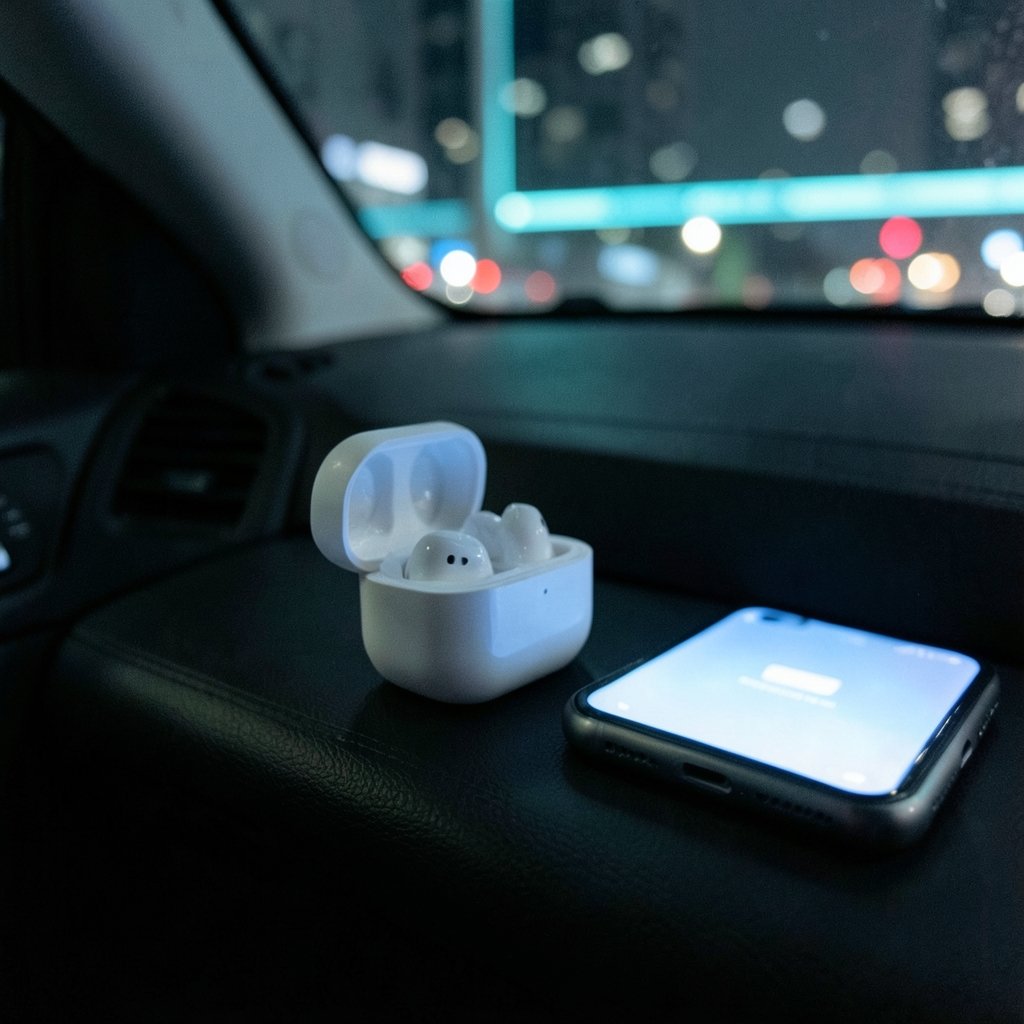
None of the later tuning matters if the initial pairing is sloppy. The standard method is to bring the iPhone past its lock screen, open the charging case lid with the AirPods inside, and hold the case near the phone. A setup animation appears, and one tap completes the pairing. On a Mac, the same task runs through System Settings and the Bluetooth panel.
Two practical notes from real-world use. First, if the animation never appears, the culprit is usually a Bluetooth toggle that needs cycling or a case with a drained battery. Second, if the AirPods were previously paired to another Apple ID, they must be removed from that account before they will pair cleanly with a new device. This trips up people who buy used AirPods or hand them down within a family. (Apple Support: Pair and connect AirPods)
Once paired, rename the AirPods to something recognizable if multiple people in a household use similar models. It sounds trivial, but in a shared home with two pairs of white earbuds, a clear name prevents hours of confusion in the Bluetooth list.
Keep the Firmware Current Without Chasing It
AirPods receive firmware updates automatically over the air. There is no update button, no progress bar, and no manual trigger. The buds pull new firmware when they are paired to an iPhone, iPad, or Mac with an internet connection, typically while sitting in the case and charging nearby.
The practical takeaway is simple: leave the AirPods in the case, plug the case in overnight now and then, and keep the paired phone on Wi-Fi. That routine is enough for most people. The mistake is expecting an instant update after reading about a new firmware release. Updates roll out gradually, and the exact conditions have shifted across iOS versions, so patience beats troubleshooting.
If performance feels off after a major update, a clean re-pair often helps more than waiting. Forget the device in Bluetooth settings, then pair again from scratch.
Fit Is the Single Biggest Sound Upgrade
For AirPods Pro owners, fit decides everything. A loose seal leaks bass, weakens active noise cancellation, and forces the microphones to work harder. Apple builds an Ear Tip Fit Test into the settings for exactly this reason: it plays a short tone and tells you whether each ear has a good seal. The feature’s availability varies by model and OS version, so confirm it appears for your pair before relying on it.
Run the test, and if it fails, try the next ear tip size up or down. Silicone tips compress over months of use, so a size that worked a year ago may no longer seal. Replacement tips are cheap and restore performance dramatically.
Standard AirPods and AirPods Max have no ear tip variables, but fit still matters. AirPods that sit loosely fall out during runs and leak sound outward. A quick check: shake your head gently. If they shift, they are not seated correctly.
Anyone who also enjoys tabletop games knows the same principle applies to physical setup. Just as you would carefully lay out a board game‘s pieces before a match, AirPods reward a careful physical fit before you judge their sound.
Tune the Audio Settings That Actually Change Things
The Bluetooth settings panel for your AirPods holds more control than most owners realize. Tap the info icon next to the AirPods name on iPhone to reach per-device options. Menu paths shift between OS releases, so verify the exact wording on your version.
| Setting | What it does | When to adjust |
|---|---|---|
| Noise Control | Switches between ANC, Transparency, and Off | Use Transparency outdoors, ANC on flights |
| Ear Tip Fit Test | Checks seal quality | After changing tips or if bass feels weak |
| Microphone | Chooses Automatic, Always Left, or Always Right | Fix a muffled call by locking one side |
| Automatic Ear Detection | Pauses playback when a bud is removed | Disable if playback pauses unexpectedly |
| Spatial Audio | Head-tracked surround for supported content | Disable to save battery if you dislike it |
Two of these deserve emphasis. The microphone setting solves a common complaint: calls where your voice sounds distant. Locking the mic to one side forces the system to use the bud you actually speak into. Availability varies by model. And Automatic Ear Detection, while convenient, causes phantom pauses for some users, especially with loose fits. Turning it off is a legitimate fix, not a downgrade.
On a Mac, route audio deliberately through Control Center rather than letting the system guess. If the AirPods appear as both input and output, confirm the output is set to the AirPods and not to the laptop speakers.
Clean the Mesh and Vents on a Schedule
Earwax and debris in the microphone mesh is the most underrated cause of poor AirPods performance. Symptoms include reduced volume, weak noise cancellation, and callers saying you sound far away. The fix is mechanical, not digital.
Use a soft, dry, lint-free cloth on the exterior. For the mesh, a dry cotton swab or a soft brush works; avoid liquids in the openings and never poke with sharp objects, which can push wax deeper or puncture the mesh. A monthly clean takes two minutes and keeps performance stable. Owners who exercise heavily or live in humid climates should clean more often. Check Apple’s cleaning guidance for your specific model, since recommendations vary.
The same logic applies to any gear you rely on daily. A board game set stored in a dusty cupboard needs a wipe-down before game night, and earbuds that live in a pocket need the same care.
Manage Battery and Charging Habits
Battery chemistry rewards consistency. AirPods last longest when kept between roughly 20 and 80 percent, though the case makes strict management impractical. The realistic habits that help are modest: avoid leaving the case in a hot car, avoid draining to zero routinely, and store the buds in the case when not in use.
Disabling features you do not need extends listening time. Active noise cancellation and Spatial Audio both draw extra power. If you are on a long call and battery is tight, switching to Transparency or Off buys meaningful minutes. Apple publishes per-model battery figures, though the exact numbers change with firmware and settings, and independent testing often differs from marketing claims.
Check battery status by opening the case near the iPhone or by adding the battery widget to the home screen. Knowing the real numbers beats guessing.
Fix Connection Drops and Latency
Intermittent drops usually trace to one of three causes: distance, interference, or a stale pairing. Bluetooth handles roughly ten meters in open space, far less through walls. Crowded Wi-Fi environments, especially 2.4 GHz networks, can interfere.
For latency, such as audio lagging behind video, check whether the app or device supports low-latency codecs. Some streaming apps and games handle this better than others. On a Mac, disabling unnecessary Bluetooth peripherals during critical calls reduces competition for the radio.
If drops persist, the reset procedure is model-specific. The general sequence is to forget the device, then re-pair. Some models also support a case-button reset, but the exact steps differ across AirPods generations, so follow the procedure for your specific model rather than a generic tutorial.
Get More From AirPods on a Mac or iPad
AirPods shine brightest inside the Apple ecosystem because switching between devices is automatic. That convenience occasionally misfires, grabbing audio from the wrong device. The fix is to set the AirPods as the preferred output on the device you are actively using.
For musicians and podcasters, latency matters more than convenience. Wired monitoring is still the safer choice for recording, and a stable keyboard stand keeps the rest of the rig steady while you focus on timing. AirPods are excellent for listening and calls, not for latency-critical studio work.
If you are the type who tinkers with settings on every device you own, treat AirPods the same way you would set up an emulator: read the options, change one thing at a time, and test the result before moving on.
Common Mistakes That Quietly Hurt Performance
The pattern is consistent. People skip the fit test, never clean the mesh, and assume a muffled mic means a defective unit. Others leave Spatial Audio on permanently and then complain about battery drain. Some pair the AirPods to three devices and wonder why switching feels erratic.
The corrective mindset is test one variable at a time. Change the ear tip, listen, then change the next thing. This mirrors good practice in any technical setup and makes problems easy to isolate.
One more mistake worth naming: judging sound quality in a noisy room. Background noise changes perceived bass and treble balance. Evaluate new settings in a quiet space first.
Conclusion
Setting up AirPods for the best performance is less about hidden tricks and more about doing the basics deliberately. Pair cleanly, let firmware update on its own schedule, run the Ear Tip Fit Test, choose the right microphone and ear detection settings, and clean the mesh regularly. Those five habits solve the majority of complaints people bring to support forums.
The remaining gains come from matching settings to context: ANC on a flight, Transparency on a run, Spatial Audio off when battery is low. None of it requires special tools, and all of it is reversible. Start with fit and cleanliness, since those cost nothing and fix the most. Then work through the settings panel one option at a time. Within an afternoon, the same pair of earbuds will sound and behave noticeably better than they did out of the box.
FAQ
Why do my AirPods sound quieter than before?
The most common cause is debris in the speaker mesh. Earwax and dust block the opening and reduce output. Clean the mesh gently with a dry brush or cotton swab, avoiding liquids and sharp tools. If volume stays low after cleaning, check that the ear tips seal properly and that no accessibility volume limit is active on the paired device.
Can I force a firmware update on AirPods?
No. Firmware installs automatically when the AirPods are paired to an Apple device with internet access, typically while charging in the case nearby. There is no manual trigger. Keep the case charged, keep the paired phone on Wi-Fi, and the update will arrive on its own schedule.
How do I stop my AirPods from pausing randomly?
Random pauses usually come from Automatic Ear Detection reacting to a loose fit. Disable that setting in the Bluetooth panel for the AirPods, or improve the fit with a different ear tip size. Interference from other Bluetooth devices can also cause brief dropouts.
Should I leave Spatial Audio turned on?
It depends on use. Spatial Audio adds immersion for supported movies and music, but it draws extra battery and some listeners find head tracking distracting. Turn it off for long calls, workouts, or when battery is low, and back on for entertainment.
How often should I clean my AirPods?
A monthly clean suits most people. Clean more often if you exercise heavily, work in dusty environments, or notice volume drops. Wipe the exterior with a dry lint-free cloth and brush the mesh gently. Never run water into the openings.
Why does one AirPod drain faster than the other?
Asymmetry is normal because one bud often handles the microphone. If you frequently take calls, set the microphone to a fixed side in settings so the workload is predictable. Battery health also varies between buds over years of use, and a large gap may signal a failing cell.



