

What happens when the internet goes down and your lights, locks, and thermostat all stop answering? That single question separates a smart home that feels like magic from one that feels like a second job. Smart home control is really about deciding who is in charge: a cloud server, a hub in a closet, or the devices themselves. Get that hierarchy right and everything else, from voice commands to automations, falls into place. Get it wrong and you end up with five apps, three bridges, and a household that quietly refuses to use any of it.
This guide covers the control models that exist, how to choose a platform, the protocols underneath, and the practical mistakes that trip up most first-time setups. It leans on how the technology actually behaves in daily use rather than on spec sheets.
What Smart Home Control Really Means
Smart home control is the layer that turns a command into an action. That command might come from a phone app, a voice assistant, a wall switch, a motion sensor, or a schedule. The action might be a light turning on, a lock engaging, or a thermostat dropping two degrees.
The important part is the path between the two. There are three broad models:
| Control model | How it works | Main strength | Main weakness |
|---|---|---|---|
| Cloud-first | Commands travel to a vendor server and back | Easy setup, remote access out of the box | Breaks during outages, adds latency, more data leaves the home |
| Local hub | A hub on your network runs automations | Fast, works offline, one app for many brands | Extra hardware, more setup work |
| Device-to-device (Matter, Thread) | Devices talk directly over the local network | No single point of failure, multi-vendor | Newer, feature support still uneven |
Most homes end up with a mix. That is fine, as long as the critical automations, like lights, heating, and door locks, run locally and the nice-to-haves can afford to depend on the cloud.
A useful mental model: treat the cloud as a convenience layer for remote access and voice, and treat the local network as the reliability layer. If a routine must work at 2 a.m. during a storm, it should never need a server in another country to approve it.
Picking the Brain of Your House: Hubs and Platforms
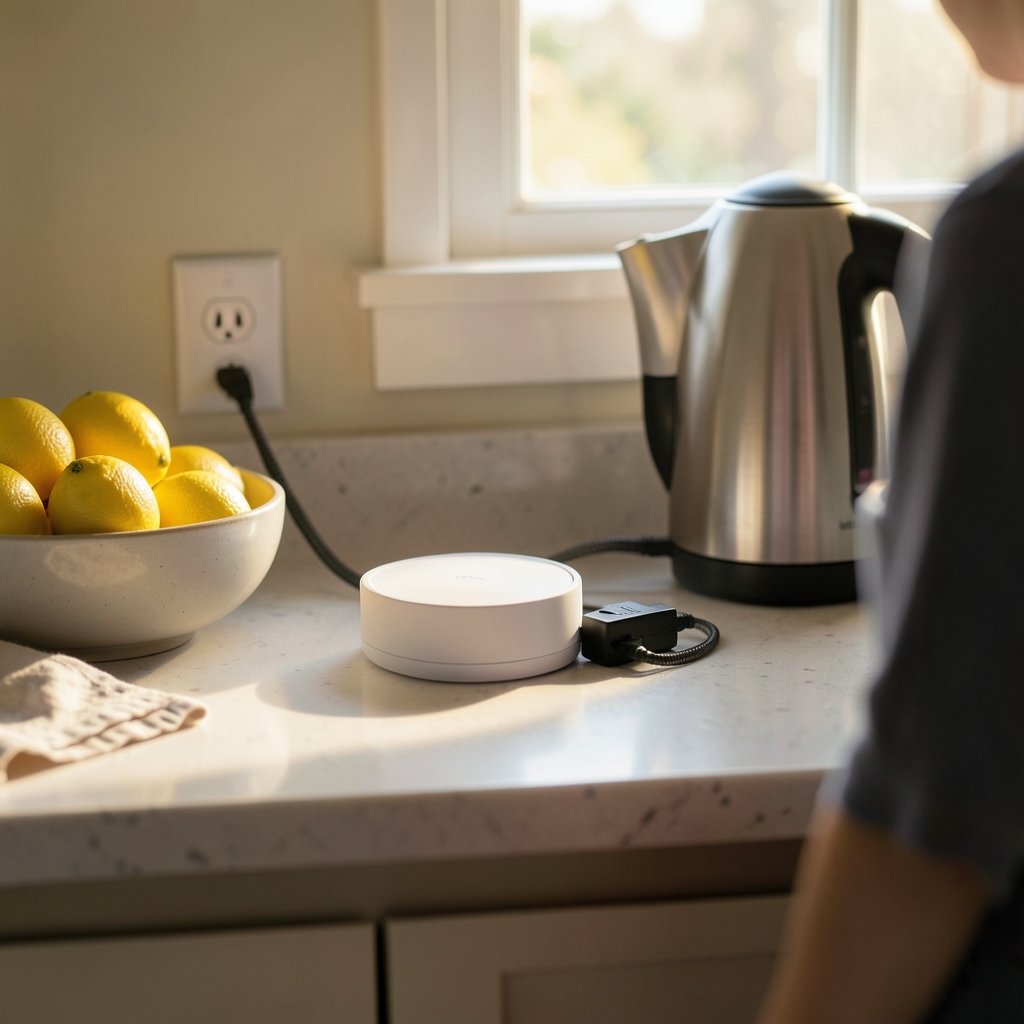
The hub or platform is the decision that shapes everything downstream. Switching later means re-pairing devices and rebuilding automations, so it pays to think it through once.
A good starting point is to compare the two dominant philosophies. One is open and self-hosted, the other polished and manufacturer-driven. A detailed breakdown of home assistant vs smartthings which smart home platform fits is worth reading before committing, because the trade-off is real: flexibility and local control on one side, guided setup and vendor support on the other.
If you would rather shop by hardware category first, a roundup of the best smart home hubs 2026 pick right brain your house covers what each box actually supports. The practical rule most experienced users land on: choose the hub that speaks the protocols your devices already use, not the one with the nicest app.
Questions worth answering before you buy
- Does the hub run automations locally when the internet is down?
- Which radios does it include: Wi-Fi, Thread, Zigbee, Z-Wave, Bluetooth?
- Can it bridge older devices into a modern standard like Matter?
- What happens to your automations if the manufacturer shuts down its cloud?
- How many devices can it realistically handle before it slows down?
Question four is the one people skip. Cloud-dependent hubs have been discontinued before, and when that happens, the hardware often keeps working but the intelligence behind it does not.
The Protocols Underneath Your Commands
You do not need to memorize protocol specs, but knowing the basics prevents expensive mistakes.
Wi-Fi is everywhere and needs no hub, but each device competes for your router’s attention. Twenty Wi-Fi bulbs on a consumer router is a recipe for dropped connections. Zigbee and Z-Wave are low-power mesh protocols that have been around for years; they are reliable and battery-friendly but usually need a hub. Thread is a newer low-power mesh that carries IPv6 and serves as a transport for Matter, the interoperability standard designed to let devices from different brands work together without vendor lock-in.
Matter is the most consequential development in years for smart home control, because it separates the device from the app. A Matter-certified bulb can, in principle, be controlled by multiple platforms at once. In practice, feature support varies by platform and firmware version, so check that the specific features you want, such as adaptive lighting or energy reporting, are exposed on your chosen controller. Sharing devices across two ecosystems is possible but needs care; the process for a Matter multi admin setup share smart home devices across ecosystems is fiddlier than the marketing suggests, and it is worth doing deliberately rather than by accident.
For anyone running a local message broker, tuning message delivery matters too. Automations that fire on sensor events can behave unpredictably if delivery guarantees are mismatched, and a guide to MQTT QoS levels smart home picking right setting explains when reliability is worth the overhead and when it just adds noise.
Voice, App, Wall Switch, or Sensor: Choosing Your Interfaces
The best interface is the one people actually use without thinking. In most households that is a mix, and the mix matters more than any single choice.
Voice assistants are excellent for ad-hoc commands (“turn off the kitchen lights”) and poor for anything with conditions or multiple steps. They also depend on the cloud in almost every configuration, which makes them a convenience layer, not a control layer. If voice is central to your setup, it is worth comparing how different speakers handle device discovery and routine execution; a look at the best smart speakers for home automation covers the practical differences.
Wall switches are underrated. A physical switch that still works when the network is down, and that does not cut power to the smart bulb, keeps the household happy. The most common beginner mistake is replacing smart bulbs in a circuit controlled by a normal switch, then wondering why the bulbs keep going offline.
Sensors are where smart home control earns its keep. Motion, contact, temperature, and presence sensors turn a collection of remote-controlled gadgets into a system that reacts. A hallway light that brightens at 20 percent after midnight and full brightness at noon is a small thing that people notice every day.
Apps are for setup, exceptions, and monitoring. If you are opening an app more than a few times a day, something in the automation design needs fixing.
Security and Privacy: The Part Nobody Wants to Configure
Every connected device is a small computer with a network address, and some of them ship with weak defaults. The recurring problems are familiar: default passwords left unchanged, firmware that never gets patched, and devices that phone home with more data than the function requires.
Practical hardening does not take long:
- Put smart devices on a separate Wi-Fi network or VLAN from laptops and phones.
- Change default credentials on day one, and use unique passwords.
- Enable automatic firmware updates where available, and check quarterly where not.
- Disable remote access features you do not use.
- Prefer local control for anything security-relevant, such as locks and cameras.
A structured walkthrough of secure your smart home from hackers practical step by step covers the sequence in more detail. For locks specifically, the hardware choice matters as much as the network; a comparison of the best smart locks for home security helps separate models with local control and proper encryption from those that depend entirely on a vendor cloud.
One more network-level trap: if you route your home traffic through a VPN, some devices will refuse to connect or will lose local discovery. Splitting traffic so smart devices bypass the tunnel usually fixes it, and the approach in VPN split tunneling smart homes fix broken devices without is the standard workaround.
Automations That People Actually Keep
The graveyard of abandoned smart homes is full of elaborate automations that seemed clever and became annoying. The ones that survive share a few traits.
They are invisible. A good automation does not announce itself; the light is simply already on when you walk in.
They have manual overrides. If someone flips a switch, the system should respect that rather than fighting back thirty seconds later. Nothing erodes trust faster than a light that turns itself back on.
They are few and specific. Five well-chosen routines beat fifty experimental ones. Start with lighting schedules, heating setbacks, and a good-night scene that locks doors and turns everything off.
They are tested against failure. Unplug the router and see what still works. If the answer is “nothing,” the design needs another look.
A useful starting set: a morning scene that raises the thermostat and turns on pathway lights, an away routine triggered by the last person leaving, a night routine that locks up and dims everything, and one safety automation such as a water leak sensor shutting off a valve. That is enough to demonstrate value without overwhelming anyone.
Common Mistakes and What to Do Instead
Buying devices before choosing a controller. This is the single most expensive mistake. The controller determines which protocols and brands work well together. Pick it first, then buy devices that fit.
Mixing too many ecosystems at once. Every additional app adds friction. Consolidate where possible.
Ignoring the network. A mesh Wi-Fi system with a dedicated IoT network solves more smart home problems than any new gadget.
Skipping the physical layer. Smart bulbs on switched circuits, sensors placed in direct sunlight, and hubs tucked inside metal cabinets all cause mysterious failures.
Forgetting the household. A system only one person understands will be resented. Label things clearly, keep physical switches functional, and avoid automations that surprise people.
Chasing the newest standard too early. Matter is genuinely important, but early firmware has rough edges. Buying Matter devices is a reasonable bet; expecting every feature to work on every platform on day one is not.
Conclusion
Smart home control comes down to a few decisions made in the right order: pick a controller that runs your critical automations locally, choose devices that speak protocols it supports, keep the physical switches working, and harden the network before you add the twentieth gadget. Voice assistants and cloud features are genuinely useful, but they belong on top of a reliable local foundation, not in place of one. The homes that work best are rarely the most elaborate. They are the ones where the lights come on when someone walks in, the doors lock when everyone leaves, and nobody has to open an app to make it happen.
Frequently Asked Questions
Do I need a hub to control smart home devices?
Not always, but often. Wi-Fi devices can connect directly to your router and be controlled through an app or voice assistant. Devices using Zigbee, Z-Wave, or Thread generally need a hub or a controller with the right radio built in. A hub also enables local automations that keep working when the internet is down, which is the main reason most larger setups use one.
What is Matter, and does it replace Zigbee or Z-Wave?
Matter is an interoperability standard that lets devices from different brands work together across platforms. It runs over Wi-Fi, Ethernet, and Thread. It does not replace Zigbee or Z-Wave outright; instead, many hubs bridge those older devices into Matter so they can be controlled alongside newer hardware. Think of Matter as a common language rather than a new radio.
Will my smart home still work if the internet goes down?
It depends entirely on where your automations run. Cloud-dependent devices usually stop responding to app and voice commands during an outage. Setups built around a local hub or direct device-to-device control keep running, including schedules and sensor-triggered routines. Testing this by unplugging your router for ten minutes is one of the most useful checks a new owner can do.
Is smart home control secure enough for door locks and cameras?
It can be, with basic precautions. Use unique passwords, enable two-factor authentication where offered, keep firmware updated, and put devices on a separate network from your computers. For locks and cameras, prefer models that support local control and strong encryption rather than relying only on a vendor cloud. Review remote access settings and turn off anything you do not use.
How many smart devices can one home network handle?
Consumer routers often struggle past twenty to thirty Wi-Fi devices, especially if many are low-power gadgets that hold connections open. Mesh systems handle more, and a dedicated network for smart devices helps a lot. Low-power mesh protocols like Zigbee, Z-Wave, and Thread are designed for dozens of devices and generally scale better than Wi-Fi for sensors and bulbs.
Should I start with lighting or security?
Lighting is usually the better starting point. It is low-risk, immediately visible, and teaches you how your controller, schedules, and scenes behave. Once that is comfortable, add security devices such as locks, cameras, and leak sensors, which benefit from the network and automation experience you have already built. Starting with locks means debugging your first automation on something that matters.



