

Can you tell which of the last ten photos you scrolled past was made by a machine? Most people guess wrong, and that is exactly why the skill of spotting AI-generated images has become a modern literacy issue. This guide walks through what actually works, what stopped working, and how to make a confident call without expensive software.
Why the “Just Look Closely” Advice Fails
The instinct to zoom in on fingers and count them is understandable. Early image models struggled badly with hands, and that became the internet’s favorite detection trick. The problem is that models improved faster than the folklore did.
Modern generators produce plausible hands most of the time. They handle text better than they did two years ago. They render skin, hair, and fabric with a smoothness that reads as “professional photo” rather than “computer output.” Relying on a single visual tell is how people get fooled by an image that is obviously synthetic to a trained eye.
What works instead is a layered approach: check the file, check the context, check the physics, and check the source. No single layer is conclusive, but together they move you from a guess to a reasonable judgment.
Start With the File, Not the Picture
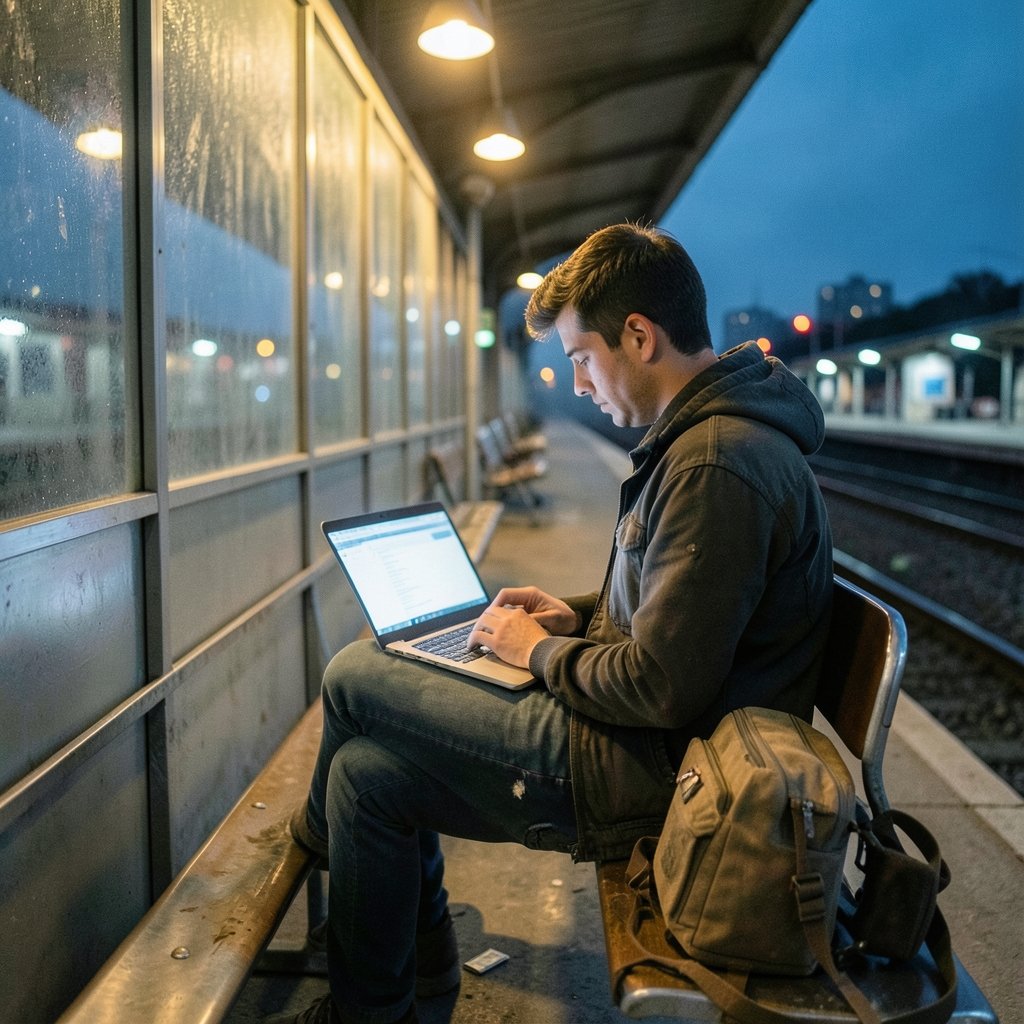
Before you examine a single pixel, look at what the file itself carries. This is the most underused step and often the fastest.
Metadata and EXIF data
Most photos taken on a phone or camera carry EXIF metadata: camera make and model, lens, exposure settings, timestamps, and sometimes GPS coordinates. You can inspect this with free tools or browser extensions. A file with a full, internally consistent camera record is more likely to be a real photograph.
But be careful with the reverse conclusion. Missing metadata is not proof of AI generation. Social platforms routinely strip EXIF data on upload, and screenshots carry none at all. A clean file is a yellow flag, not a red one.
Content Credentials and C2PA
Since 2021, an industry coalition has been building an open standard for signed provenance data attached to media. The Coalition for Content Provenance and Authenticity (C2PA) brings together companies including Adobe, Microsoft, the BBC, Arm, Intel, and Truepic to embed tamper-evident information about how an image was made and edited. You can read the specification and the growing list of implementers at c2pa.org.
When a file carries valid Content Credentials, that is strong evidence about its origin. The catch is coverage: many platforms strip this data, and a screenshot destroys it entirely. Absence proves nothing.
Watermarks inside the pixels
Some generators embed invisible watermarks directly into the image data rather than into metadata, so they survive some editing. Google DeepMind’s SynthID is the best-known example, announced in 2023 and built into Google’s image generation tools. Details are published at Google DeepMind’s SynthID page.
These systems are genuinely useful, but they only cover images from participating tools. An image from a different generator will not carry the mark. (Deepfake)
The Visual Tells That Still Hold Up
Heuristics are weaker than they used to be, but they are not dead. The trick is to look for categories of error rather than specific glitches.
Physics and lighting
Real photographs obey optics. Look for:
- Shadows that disagree with the light source, or shadows that fall in two directions at once
- Reflections in glass, water, or eyes that do not match the scene
- Impossible geometry, such as chair legs that merge into a table or railings that bend
- Depth-of-field errors, where the background is sharp in one area and blurred in another for no optical reason
These errors are subtle and easy to miss at thumbnail size. Open the image full-screen and trace the light.
Text, signage, and small details
Generators have improved at short words but still stumble on dense text: menus, book spines, street signs, product labels, and logos. Look for letters that are almost right, words that dissolve into squiggles at the edges, or repeated characters that make no sense. Background signage is a particularly good place to hunt because models devote less attention to it.
Repetition and texture
AI images sometimes repeat patterns unnaturally: identical background faces, tiling foliage, jewelry that merges into skin, or fabric folds that resolve into noise. Zoom to 200 percent and scan the edges of objects. Real photographs have grain and optical imperfection; synthetic ones often have a uniform smoothness that feels off even when you cannot name why.
Hands, teeth, and ears
The classic tells are weaker but not gone. Extra or fused fingers still appear, especially in complex poses. Teeth can blend into one another. Ears sometimes lack internal structure. Treat these as supporting evidence, never as proof.
Reverse Image Search: The Fastest Reality Check
If an image claims to show a real event, a real person, or a real product, reverse image search is often the single most decisive step. Upload the image or paste its URL into Google Lens, Bing Visual Search, or TinEye and look at what comes back.
Three outcomes matter:
- An earlier, higher-quality original appears, often a stock photo or a photographer’s portfolio. That tells you the image is real but recycled, which is its own form of deception.
- Nothing at all appears, despite the image supposedly depicting a newsworthy event. That is suspicious, though not conclusive.
- The same image appears in multiple unrelated contexts with different captions. That is a strong sign of synthetic or manipulated content.
For a deeper walkthrough of the technique, see this guide on image search techniques for finding images online. If you want to trace whether a picture has been posted before under another name, this piece on how to find duplicate images on the internet covers the workflow in detail.
Automated Detectors: Useful, Not Authoritative
Commercial AI-image detectors exist and some are decent. Academic evaluations have repeatedly found that their accuracy varies widely and drops sharply once an image is compressed, resized, or lightly edited. A detector that reports 95 percent confidence is reporting a statistical score, not a fact.
Practical rules for using them:
- Never treat a single detector’s output as final.
- Run two or three tools and compare. Disagreement is itself informative.
- Remember that detectors are trained on known generators and lag behind new models.
- Screenshots and social media re-uploads degrade the signal badly.
If you want a structured approach to combining tools with manual inspection, this guide on how to detect AI-generated images sets out a sensible order of operations. There is also a companion piece on how to check whether an image is AI generated that focuses on the file-level checks.
Context Is Often Stronger Than Any Pixel
Sometimes the most reliable signal has nothing to do with the image itself. Ask:
- Who posted it first? An anonymous account created last week is a different proposition from a wire service with a corrections policy.
- Does the caption match the image? Mismatches between claim and content are common in misinformation.
- Is the source known for AI content? Some accounts post synthetic images openly as art or satire. Others do not disclose.
- Does the story appear anywhere else? A dramatic photo of a major event should be covered by multiple outlets within hours.
This is where the broader skill of verifying text comes in. The same instincts that help you judge a suspicious article apply to images, and this guide on how to spot AI-generated content covers the overlap between text and image verification. (Artificial Intelligence)
A Side-by-Side Comparison of Detection Methods
| Method | Reliability | Speed | Best For | Main Limitation |
|---|---|---|---|---|
| Metadata / EXIF inspection | Medium | Fast | Camera-origin photos | Stripped on most platforms |
| C2PA Content Credentials | High when present | Fast | Signed, unedited files | Rare in the wild; lost on screenshots |
| In-pixel watermarks (SynthID) | High when present | Fast | Images from participating tools | Only covers those tools |
| Visual heuristics | Low to medium | Medium | Quick triage | Models keep improving |
| Reverse image search | High for recycled images | Fast | Claims about real events | Weak for brand-new synthetics |
| Automated detectors | Medium | Fast | Second opinion | Degrades with compression |
| Source and context checks | High | Slow | News and viral content | Requires legwork |
Common Mistakes People Make
A few habits cause most false conclusions.
Trusting a single tell. One weird hand does not make an image fake, and one normal hand does not make it real. Weigh several signals together.
Assuming missing metadata means AI. It usually means the image passed through a social platform. This is probably the most common error in casual detection.
Over-trusting detectors. A confident percentage is not a verdict. Tools produce false positives on heavily edited real photos and false negatives on lightly compressed synthetic ones.
Ignoring the boring explanation. Many “AI-looking” images are simply real photos with heavy retouching, HDR processing, or aggressive noise reduction. Professional retouching has produced uncanny skin for decades.
Forgetting that screenshots destroy evidence. If you need to verify an image, get the original file, not a screenshot of it.
Where Regulation and Labeling Fit In
Platforms and governments are slowly adding structure. Meta began applying “AI info” labels in 2024, and Google has added disclosure features to its own tools. The EU AI Act, Regulation (EU) 2024/1275, includes transparency obligations for AI-generated content under Article 50, with application phased in from 2025 onward. The official text is published on EUR-Lex.
These measures help, but they are inconsistent across platforms and jurisdictions, and they depend on disclosure. A determined bad actor can strip or avoid labels. Treat official labeling as one more signal, not a guarantee. For risk-management frameworks relevant to synthetic media, the NIST AI Risk Management Framework is a useful reference.
Building a Repeatable Workflow
If you want a checklist you can actually use under time pressure, this sequence works well:
- Pause on the claim. What is the image supposed to prove?
- Check the file for EXIF, C2PA credentials, and any watermark signals.
- Reverse search the image and scan the results for earlier or mismatched appearances.
- Inspect at full size for lighting, geometry, text, and repetition errors.
- Run one or two detectors as a second opinion, not a verdict.
- Check the source and whether other outlets report the same thing.
- Weigh everything together and state your confidence honestly.
The final step matters most. Good verification is not about declaring “fake” or “real” with false certainty. It is about saying how confident you are and why.
Conclusion
Spotting AI-generated images is no longer about counting fingers. It is a layered habit: read the file, trace the source, check the physics, and treat every tool as one voice in a conversation rather than the final word. The technology will keep improving, and some tells will fade. The workflow will not. Anyone who builds the habit of checking provenance, context, and internal consistency will stay ahead of the generators, even as the pixels get harder to read.
Frequently Asked Questions
Can I tell if an image is AI-generated just by looking at it?
Sometimes, but not reliably. Visual tells like malformed hands, inconsistent shadows, and garbled text still appear, yet modern generators produce convincing images most of the time. Looking closely works best as one layer alongside file inspection, reverse image search, and source checks.
Does missing EXIF data mean an image is AI-generated?
No. Most social platforms strip EXIF metadata automatically on upload, and screenshots never carry it. Missing metadata is a weak signal at most. It becomes more meaningful when combined with other evidence, such as an implausible scene and no traceable origin.
Are AI image detectors accurate enough to trust?
They are useful as a second opinion but not as a verdict. Independent evaluations have found that detector accuracy drops significantly when images are compressed, resized, or edited, which is exactly what happens on social media. Running two or three tools and comparing results is more reliable than trusting any single score.
What are Content Credentials and do they prove an image is real?
Content Credentials are signed provenance data built on the C2PA standard, backed by companies including Adobe, Microsoft, and the BBC. When present and valid, they provide strong evidence about how an image was created and edited. However, many platforms strip this data, so their absence proves nothing.
How do I check whether a photo of a news event is real?
Start with reverse image search to see if the photo appeared earlier in a different context. Then check whether multiple reputable outlets are reporting the same event with the same image. A dramatic photo of a major event should be widely covered within hours. If it appears only on one anonymous account, treat it as unverified.
Will watermarking solve the problem of AI-generated images?
Watermarking helps but does not solve it. In-pixel systems like Google DeepMind’s SynthID survive some editing, and they are valuable when present. But they only cover images from participating tools, and determined actors can use generators that do not apply them. Watermarks are one signal among several, not a universal solution.



