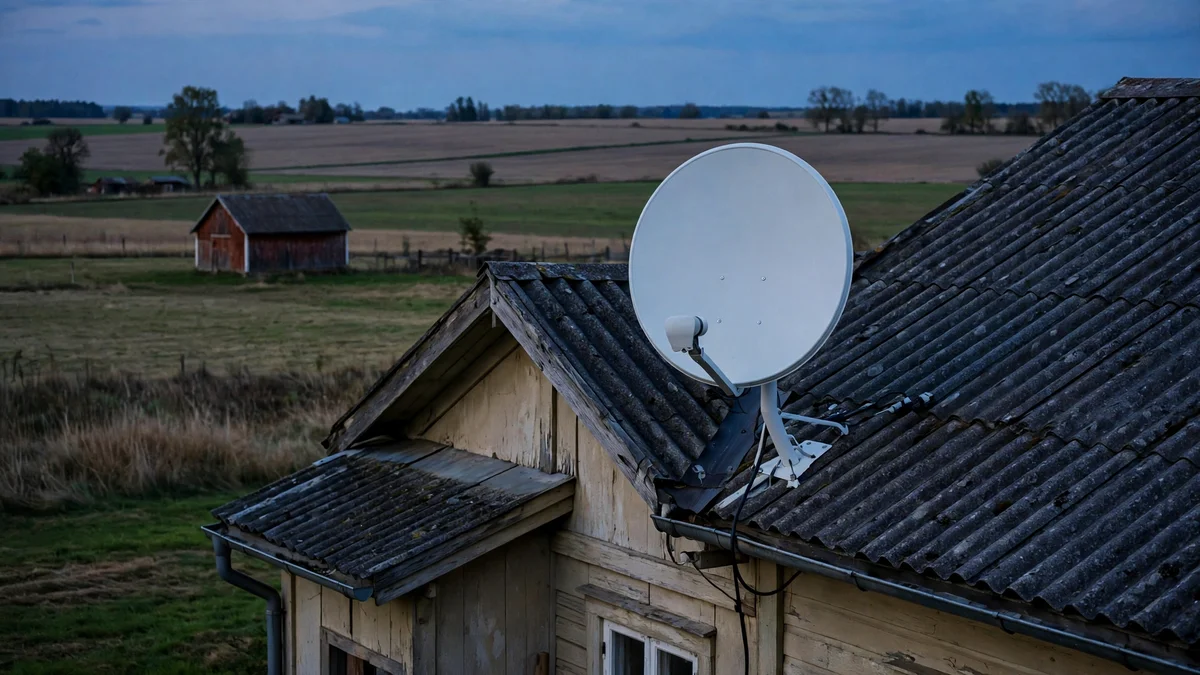
Starlink vs 5G home internet for rural business is a choice many owners outside towns now have to make, and the wrong pick shows up fast in missed video calls, slow card payments, and uploads that never finish. Starlink beams internet from low-orbit satellites to a dish on your roof, while 5G home internet uses a mobile network signal picked up by a router inside the building. Both can work well in the countryside, but they fail in different ways.
What matters most is not the headline speed on the advert but how the connection behaves during a working day. A rural business needs steady uploads for sending files and running video meetings, low enough latency for calls and card terminals, and a connection that keeps working when the weather turns or the local mobile mast gets busy. A plan that looks fast at midnight can still be useless at 10am on a Monday.
This comparison covers price, speed, reliability, setup, and the practical limits of each option in 2027, so a rural business can pick the connection that fits its actual work. Prices below are approximate starting prices, so check current pricing before you sign up, because plans and coverage change often.
Key takeaways
- Starlink is the better pick for businesses beyond reliable mobile coverage, because it works almost anywhere with a clear view of the sky.
- 5G home internet is the better pick where the signal is strong, because it is usually cheaper, simpler to set up, and easier to move.
- Starlink typically delivers 100 to 200 Mbps down and 10 to 20 Mbps up, while good 5G home internet ranges from 50 to 300 Mbps depending on the mast.
- Weather affects Starlink more than 5G, while network congestion at busy times affects 5G more than Starlink.
- Test both options at your actual premises before committing, because rural coverage varies street by street.
At a glance: Starlink vs 5G home internet
| Factor | Starlink | 5G home internet |
|---|---|---|
| Typical download speed | 100 to 200 Mbps | 50 to 300 Mbps |
| Typical upload speed | 10 to 20 Mbps | 10 to 50 Mbps |
| Latency | 25 to 50 ms | 20 to 60 ms |
| Monthly price | From around $120 per month | From around $50 per month |
| Equipment cost | Dish kit around $349 to $599 | Router often included or rented |
| Data limits | Usually unlimited or very high caps | Often unlimited, some plans deprioritise |
| Best for | Off-grid and remote premises | Premises with strong 5G signal |
Starlink for rural business
Starlink gives a rural business internet where nothing else reaches. The dish connects to a network of low-orbit satellites, so a farm office, a workshop down a country lane, or a holiday-let business miles from the nearest fibre cabinet can get a usable connection without waiting years for cables. Installation is a do-it-yourself job in most cases: mount the dish with a clear view of the sky, plug in the router, and the app aligns it for you. For businesses that have struggled with slow DSL for years, the jump to 100 Mbps or more changes what is possible, from cloud accounting to video calls with suppliers.

If you go with Starlink, our guide to improving Starlink Wi-Fi speed with one app setting can help you get the most from the dish once it is installed.
In daily use, Starlink handles the core business jobs well. Video meetings run smoothly, card payments process without delay, and large files upload far faster than on an old copper line. Latency of 25 to 50 ms is fine for calls and most cloud software, though it is not ideal for real-time trading or competitive gaming. The main weakness is weather: heavy rain or snow can slow the connection or drop it briefly, so businesses that cannot tolerate any downtime should keep a mobile backup. The dish also needs a clear sky view, and trees or tall buildings in the way can cause regular short dropouts.
The cost is the hardest part to accept. The monthly fee is roughly double a typical 5G home plan, and the dish kit costs several hundred dollars upfront, although prices and promotions change. There is also a fair-use policy on some plans, so very heavy users may see speeds reduced at busy times. Even so, for a business with no good mobile signal and no fibre on the way, Starlink is often the only realistic way to run a modern business from a rural address.
5G home internet for rural business
5G home internet is the simpler and cheaper option wherever the mobile signal is strong. A router picks up the 5G signal from a nearby mast and shares it over Wi-Fi, with no dish, no roof work, and no alignment. Setup takes minutes: plug the router in near a window, wait for it to connect, and the business is online. For a rural shop, a small office, or a farmhouse within reach of a good mast, speeds of 100 to 300 Mbps are common, and the monthly price is usually well below Starlink.
The technology behind the mobile option is worth understanding, and our explainer on what 5G is covers how the network works and where it is heading.
In daily use, 5G home internet feels like ordinary broadband when the signal holds. Uploads are often faster than Starlink, which helps businesses that send large files, back up to the cloud, or run video calls all day. The weakness is that the signal depends on one mast, and that mast is shared with every phone user nearby. At busy times, speeds can drop sharply, and a mast fault or maintenance can take the whole connection down. Thick stone walls in older rural buildings can also weaken the signal indoors, so router placement matters more than most people expect.
Coverage is the deciding factor. A mast a mile away with a clear line of sight can deliver an excellent connection, while the same network a few miles further on, or behind a hill, may be unusable. Most providers offer a trial period, and a business should test the router in the exact room where it will sit, at busy times of day, before cancelling anything else. Where the signal is genuinely strong, 5G home internet is hard to beat on price and convenience.
The verdict: which one wins for your business?
For most rural businesses, the verdict depends on one question: how strong is the 5G signal at your premises? If a 5G router delivers steady speeds above 100 Mbps during working hours, take the 5G plan. It costs less, sets up in minutes, and uploads faster. Starlink wins the moment the mobile signal is weak, patchy, or absent, because it does not depend on a local mast at all.
The best setup for a business that cannot afford downtime is both: Starlink as the main connection and a 5G router as a cheap backup, or the other way round where 5G is strong. That sounds expensive, but a single day of lost trading usually costs more than a month of a second connection. For a business that can tolerate the odd dropout, pick the single option that tests best at your address and keep a mobile hotspot as an emergency fallback.
How to choose
Start by testing, not by reading coverage maps. Coverage maps are optimistic, and rural signal varies with hills, trees, and building materials. Borrow or trial a 5G router and run speed tests at 9am, 1pm, and 5pm for a week, then do the same with a Starlink trial if you can. Judge the worst result, not the best one, because the worst result is what your customers will experience.
List the jobs the connection must handle and work backwards. A business that mostly emails and takes card payments needs far less than one that uploads video, runs cloud software, or hosts video meetings all day. Count how many people and devices will be online at once, and check the upload speed in particular, since that is where rural connections usually struggle.
Check the total cost over two years, not just the monthly fee. Starlink’s dish kit is a large upfront cost, while 5G routers are often included, but a cheap plan that drops out during working hours is the most expensive option of all. Also check the contract length, the cancellation terms, and whether the provider offers business support, because a home plan with home support can be a poor fit for a business.
Checklist: before you sign up
- Run speed tests at your premises at busy times before signing a contract.
- Check the upload speed, not just the download speed, against your real work.
- Confirm the data policy and what happens after heavy use at busy times.
- Check the contract length, cancellation terms, and business support options.
- Plan a backup connection, even if it is only a mobile hotspot.
- Test the connection with your card terminal, video calls, and cloud software.
Frequently asked questions
Is Starlink fast enough for a rural business?
Yes, for most businesses. Typical speeds of 100 to 200 Mbps down and 10 to 20 Mbps up handle video calls, cloud software, card payments, and file sharing. Businesses that upload very large files all day may find the upload speed limiting.
Is 5G home internet reliable enough for business use?
It is reliable where the signal is strong and the mast is not overloaded, but it can slow down sharply at busy times. Test it at your premises during working hours before relying on it, and keep a backup for critical work.
Does Starlink work in bad weather?
It works in most weather, but heavy rain or snow can slow it down or cause brief dropouts. The dish has a heating element to melt snow, but severe storms can still interrupt the signal for short periods.
Can I use Starlink and 5G together?
Yes. Many rural businesses run one as the main connection and the other as a backup, with a dual-WAN router switching between them automatically. This is the most reliable setup, though it costs more each month.
Which is cheaper, Starlink or 5G home internet?
5G home internet is usually much cheaper, with monthly prices starting around half of Starlink’s and little or no equipment cost. Starlink costs more because of the satellite network and the dish kit, but it reaches places 5G cannot.
Do I need a business plan or will a home plan do?
A home plan works for many small rural businesses, but business plans often include priority support, static IP options, and better service guarantees. If your business loses money when the internet drops, ask about business terms before signing up.
Connectivity keeps changing fast, and our look at Wi-Fi 8, 6G and satellite internet in 2027 explains the wider shift these two options are part of.
The bottom line
Starlink is the right choice for rural businesses beyond reliable mobile coverage, while 5G home internet is the right choice where the signal is strong and steady. The two options solve different problems: one brings internet to places the mobile network does not reach, and the other brings fast, cheap internet to places it does. Neither is the best pick everywhere, and the coverage map will not tell you which one wins at your address.
Test both at your premises before you commit, judge them on their worst-hour performance rather than their best, and keep a backup for the work you cannot afford to lose. Prices and coverage improve every year in this market, so re-check the current pricing and the signal at your address before you sign a contract, and pick the connection that keeps your business running on an ordinary Tuesday, not just on a good day.