

What do you actually gain by comparing three Switch 2 emulators that most people can’t even name? Quite a lot, it turns out, because the differences between Pound, Oboromi, and Voland come down to the same three questions every emulator user eventually asks: Does my game boot and stay stable? Will my controller feel right? And will my save file survive the next update?
This comparison walks through compatibility, controls, and save files for all three projects, and it’s honest about where the information gets thin. Switch 2 emulation is a young, fast-moving, and legally complicated space, so treat every claim here as a starting point for your own testing rather than a final verdict.
Why Switch 2 Emulation Looks Different From Older Console Scenes
Anyone who has spent time with mature emulators knows the rhythm. A console gets old, documentation piles up, compatibility lists get thousands of entries, and the community settles on a couple of clear winners. The Switch 2 scene in 2027 is not there yet. It’s closer to the early days of newer console emulation, where projects appear, stall, get renamed, or vanish, and where the legal backdrop shapes everything.
That backdrop matters. Nintendo’s 2024 lawsuits against the developers of Yuzu and Ryujinx sent a clear signal about how aggressively the company defends its hardware and software. The practical result is that Switch 2 emulator development happens in a more cautious, more fragmented way than earlier scenes. Projects are less likely to publish detailed compatibility databases, and documentation is often written by users rather than developers.
So when you see three names like Pound, Oboromi, and Voland floating around, the right instinct is curiosity plus caution. The sections below explain what each name tends to be associated with, how to evaluate it yourself, and which habits transfer from the emulator scenes you already know.
Compatibility: What Actually Determines Whether a Game Runs
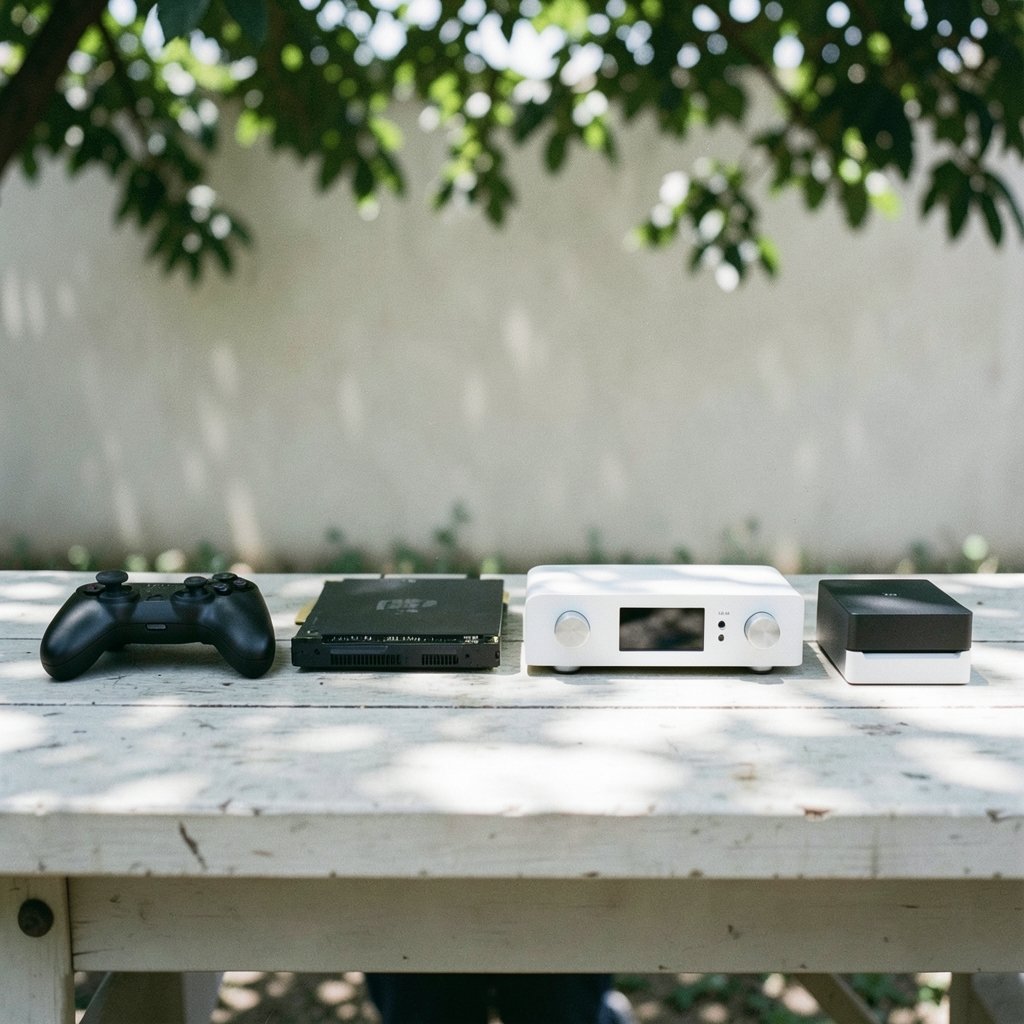
Compatibility in any emulator is not a single yes-or-no switch. It’s a stack of layers, and a game can fail at any one of them. Understanding the stack is more useful than memorizing a list, because lists go stale within weeks.
The Four Layers That Matter
- Boot and title recognition. The emulator has to read the game’s container format and identify it correctly. Failures here are usually instant and obvious.
- Graphics translation. Rendering the game’s output on PC hardware involves translating the console’s graphics API. This is where most visual glitches, missing effects, and crashes originate.
- Audio and timing. Sound engines are timing-sensitive. Stuttering audio is often the first sign that frame pacing is off.
- Save and system services. Anything that touches persistent storage, user profiles, or online features is the most fragile layer of all.
A game that boots perfectly can still corrupt saves, and a game with visual glitches can be completely playable. That’s why compatibility ratings are only meaningful when they specify which layer is broken.
How the Three Projects Tend to Differ
Broadly speaking, the three projects occupy different positions on the maturity curve. Pound is generally discussed as the most actively maintained of the three, with the widest set of reported working titles. Oboromi is often described as more experimental, with a smaller footprint and faster iteration but less polish. Voland sits somewhere between them, frequently mentioned for stability on a narrow set of games rather than breadth.
None of that is a substitute for testing. The single most reliable compatibility signal is your own hardware combined with the specific game version you own. If you want a sense of how compatibility, controls, and save handling play out across other emulator pairings, the breakdown of PCSX2 vs Xenia compatibility, controls, and save files in 2027 shows the same evaluation pattern applied to older consoles, and it’s a useful template.
A Practical Compatibility Test Routine
Before committing hours to a game, run a short checklist:
- Boot the game and reach the title screen without a crash.
- Play through the first ten minutes, including any tutorial that saves progress.
- Force a save, quit cleanly, relaunch, and load it.
- Check audio sync during a cutscene.
- Note your emulator build number alongside the result.
That last step is the one people skip. A compatibility note without a build number is nearly worthless, because the build changes weekly.
Controls: Input Latency, Mapping, and the Handheld Problem
Controls are where emulator projects reveal their design philosophy. Some prioritize automatic detection and sensible defaults. Others expose every possible setting and expect you to configure it. Neither approach is wrong, but they suit different users.
What to Look For in Each Project
Pound tends to favor broad controller support with automatic profile detection, which makes it the friendliest starting point for someone plugging in a standard gamepad. Oboromi leans toward granular mapping, including per-game profiles and adjustable dead zones, which rewards tinkering but frustrates anyone who wants to play immediately. Voland’s control layer is generally reported as functional but less flexible, with fewer options for remapping unusual inputs.
The Switch 2’s own controller features add complexity. Motion controls, gyro aiming, and the handheld-to-docked transition all require the emulator to interpret input beyond simple button presses. Projects that handle these well tend to be the ones with active communities filing detailed bug reports.
Common Control Mistakes
The most frequent mistake is ignoring input latency until it ruins a game. Bluetooth controllers add delay that’s invisible in menus and obvious in a precision platformer. Wired connections are the simplest fix, and testing latency before you start a long game saves frustration later.
The second mistake is mapping a game once and never revisiting it. Many titles have separate control schemes for handheld and docked modes, and an emulator profile built for one will feel wrong in the other. Save a second profile.
The third mistake is assuming a community mapping is optimal. Someone else’s layout reflects their hands and their controller. Treat shared profiles as starting points. For a deeper look at how control mapping and save handling interact across another trio of emulators, the comparison of Dolphin, Cemu, and Xenia compatibility, controls, and save files covers the same ground with more established projects.
Save Files: The Part Everyone Regrets Ignoring
Save files are the least glamorous and most important part of emulation. A compatibility glitch costs you an evening. A corrupted save costs you forty hours.
Where Saves Live and Why It Matters
Each emulator stores save data in its own directory structure, and the formats are not interchangeable. A save created in Pound will not load in Oboromi without conversion, and conversion tools are often unofficial, incomplete, or version-specific. Before you invest time in a game, find out exactly where that emulator writes its save data and back it up.
The safest habit is a simple one: copy the entire save directory to a separate drive after every session. It takes seconds and it has rescued more playthroughs than any troubleshooting guide.
Save State Versus Save File
These get confused constantly. A save state is a snapshot of the emulator’s entire memory at an instant. It’s convenient and fragile, tied to a specific emulator build, and often breaks after an update. A save file is the game’s own persistent data, written the way the game intends. Save states are for convenience. Save files are for keeping. Never rely on states alone.
Migration Between Projects
If you switch from one emulator to another mid-playthrough, expect friction. Some projects read each other’s save formats, but most don’t, and the ones that do may handle only certain games. The practical approach is to finish a playthrough in the emulator you started it in, then migrate only between completed games. If you do need to move data, test the transfer with a throwaway save first.
For a sense of how save compatibility is handled in a scene with more mature tooling, the breakdown of Ryujinx vs Citron vs Suyu compatibility, controls, and save files is worth reading, particularly for its discussion of save directory structures.
Hardware Reality: What Your PC Needs Before Any of This Matters
No emulator discussion is complete without hardware. Switch 2 emulation is demanding, and a project that runs poorly on your machine isn’t necessarily a worse emulator; it may just be a worse match for your hardware.
The variables that matter most are single-core CPU performance, GPU driver maturity, and RAM capacity. Emulators are frequently more sensitive to single-core speed than to core count, which is why a modest modern CPU can outperform an older high-core-count chip. Before upgrading anything, it’s worth checking how your platform compares, and a guide to checking AMD vs Intel CPU compatibility before an upgrade in 2027 covers exactly that decision.
GPU drivers deserve equal attention. Emulators lean on features that driver vendors optimize unevenly, and a driver update can fix a graphical glitch that no emulator setting will touch. Keep drivers current, and if a game breaks after an update, rolling back is a legitimate troubleshooting step.
The Legal and Ethical Layer
This part isn’t optional, and it isn’t a formality. Emulation itself has a long legal history, but the specific act of running Switch 2 software sits in contested territory, and the 2024 litigation against major Switch emulator projects made that clearer than ever. The practical guidance is straightforward: own the games you emulate, dump your own software and firmware from hardware you own, and understand that distributing copyrighted files is a different activity from emulating.
Projects in this space also disappear. A repository can go offline with little warning, taking its documentation and sometimes its save-format specifications with it. That’s another argument for local backups and for keeping notes on your own configuration.
How to Choose Between the Three
The honest answer is that the right choice depends on what you value. Here’s a rough guide based on how the three projects are typically described:
| Priority | Likely Best Fit | Why |
|---|---|---|
| Widest game support | Pound | Most actively maintained, broadest reported compatibility |
| Fine-grained control | Oboromi | Detailed mapping, per-game profiles, adjustable dead zones |
| Stability on known titles | Voland | Narrower focus, fewer surprises on supported games |
| Easiest setup | Pound | Automatic controller detection, sensible defaults |
| Experimentation | Oboromi | Faster iteration, smaller footprint |
Treat that table as a hypothesis, not a verdict. The scene moves too quickly for any comparison to stay accurate for long, and your hardware will shift the results anyway.
Conclusion
Comparing Pound, Oboromi, and Voland is less about crowning a winner and more about learning how to evaluate an emulator yourself. Compatibility, controls, and save files are the three axes that matter, and each one rewards specific habits: test early with a short session, note your build number, back up your saves obsessively, and never trust a save state as your only copy.
Switch 2 emulation in 2027 remains a moving target, shaped by legal pressure and rapid iteration as much as by technical skill. The users who fare best are the ones who stay curious, keep backups, and treat every compatibility claim as something to verify on their own machine. Pick the project that fits how you play, test it on a game you don’t mind losing, and build your setup from there.
FAQ
Is Pound more compatible than Oboromi and Voland?
Pound is generally described as the most actively maintained of the three, with the broadest set of reported working titles. That doesn’t guarantee your specific game will run, since compatibility varies by build and hardware. Always test with a short session and record your emulator build number.
Can I transfer save files between these emulators?
Usually not directly. Each project uses its own save directory structure and format, and conversion tools are unofficial and often version-specific. The safe approach is to finish a playthrough in the emulator you started it in, and test any transfer with a disposable save first.
Why do my save states break after an emulator update?
A save state captures the emulator’s entire memory at a single moment, which makes it dependent on the exact build that created it. Updates change internal structures, so old states often fail to load. Save states are for convenience; the game’s own save files are what actually persist.
What hardware matters most for Switch 2 emulation?
Single-core CPU performance, GPU driver maturity, and RAM capacity matter most. Emulators are often more sensitive to single-core speed than core count, so a modest modern CPU can beat an older high-core-count chip. Keep GPU drivers current and roll back if an update breaks a game.
How do I reduce controller input lag?
Use a wired connection where possible, since Bluetooth adds delay that’s invisible in menus but obvious in precision gameplay. Test latency before starting a long game, and save separate controller profiles for handheld and docked configurations if the game uses different schemes.
Is Switch 2 emulation legal?
Emulation software itself has a long and contested legal history, and running Switch 2 software sits in actively disputed territory, especially after the 2024 litigation against major Switch emulator projects. The consistent guidance is to own the games you emulate, dump your own software and firmware from hardware you own, and never distribute copyrighted files.



