A ransomware attack can leave an organization facing both locked files and the threat of stolen information being exposed. The Gentlemen ransomware poses both risks, putting operations, privacy, and trust under pressure. Stolen data can create harm even when some files still work.
This overview explains what organizations should know about the threat and how to respond. You will find practical steps for limiting access, protecting backup copies, and handling a suspected compromise. Both stolen information and encrypted files deserve attention.
Careful preparation can help you act faster and reduce disruption. If an attack may be underway, preserve evidence and involve the right response team. Treat any suspected compromise as an active security incident, not just a problem with inaccessible files.
Key Takeaways
- The Gentlemen operates through affiliates who carry out attacks.
- Reported attacks have affected organizations across many countries and sectors.
- Double extortion combines stolen data with file encryption.
- Exposed remote access and compromised credentials can create entry paths.
- Offline backups and tested restoration can support recovery.
- Prompt containment and preserved evidence help guide response.
The Gentlemen Ransomware 2026: What Is It?
The Gentlemen is a ransomware-as-a-service program whose affiliates carry out attacks using tools provided by its operators. Ransomware-as-a-service (RaaS) is a model in which operators provide ransomware tools and infrastructure while affiliates carry out attacks.
The group emerged in mid-2025 and began offering its service to affiliates in September 2025. By 2026, The Gentlemen had claimed more than 800 victims since operations began. That figure describes the group’s claims, not a count of independently confirmed infections.

Reports have linked earlier activity to the names ArmCorp and Phantom Mantis. They have also described affiliate links to LockBit and Qilin, but those links do not prove current control by either group.
RaaS separates the people who maintain the service from the affiliates who carry out intrusions.
Affiliates may choose targets and conduct attacks using the operators’ tools and infrastructure. The operators can then support a wider set of attacks without personally entering each victim’s network.
In 2026, affiliates could reportedly receive up to 90% of ransom revenue. The group reportedly bars affiliates from operating in the Commonwealth of Independent States, or CIS.
Those terms can help attract affiliates and shape where they operate. They also mean that the people who attack an organization may not be the people who built the encryptor or run its infrastructure.
The affiliate model lets operators expand activity without personally carrying out every intrusion.
Which organizations and regions have been targeted?
The Gentlemen’s reported victims span dozens of countries, with the United States and Europe among the most affected regions. Manufacturing had the largest reported sector count in Unit 42’s tally through July 7, 2026.
Unit 42 counted 580 claimed victims across 77 countries through that date. Its 580 count is separate from the group’s claim of more than 800 victims by 2026. The totals cover different reporting scopes and should not be treated as equal measures.
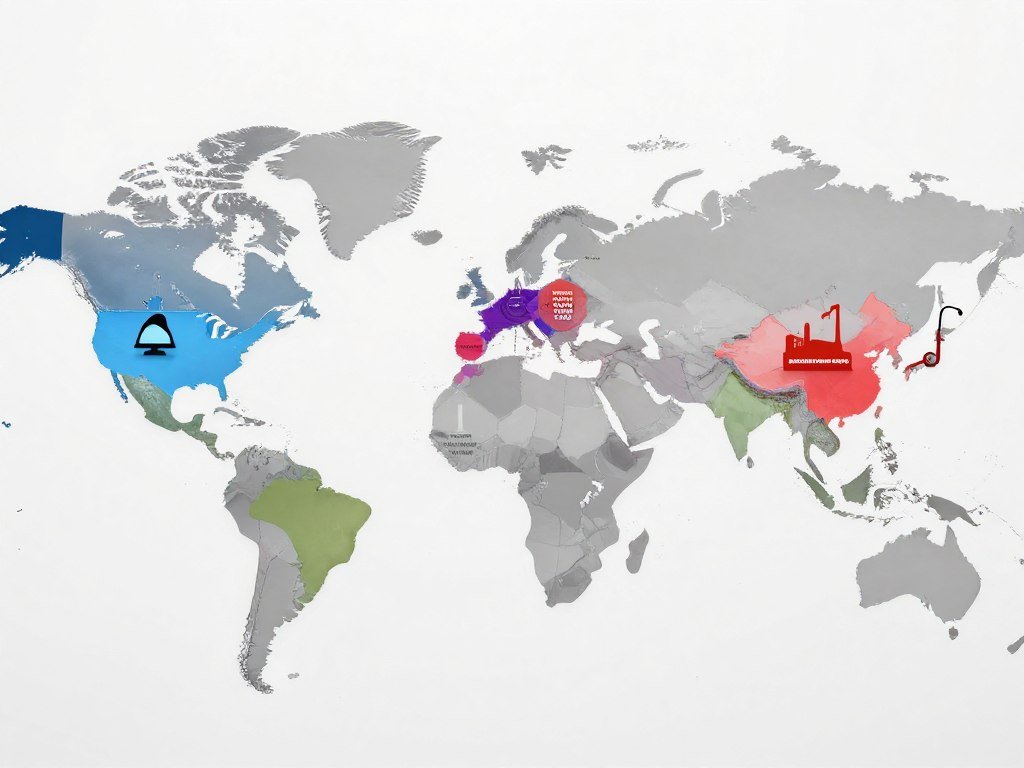
Victim counts depend on the period and what gets counted. A group’s public claim, a researcher’s tally, and a confirmed infection are different measures.
| Measure | Count | Period or scope |
|---|---|---|
| Claimed victims | 580 | 77 countries through July 7, 2026 |
| Manufacturing claims | 103 | Through July 7, 2026 |
| June claims | 117 | June 2026, highest monthly tally to date |
Manufacturing, technology, health care, professional services, and retail appear frequently in reported activity. Education, financial services, government, energy, and transportation organizations have also been affected.
Unit 42 counted 117 victim claims for June 2026, its highest monthly total to that date. Claims in the first six months of 2026 were slightly more than six times those in the last six months of 2025.
The Unit 42 victim tally gives its counts a clear reporting date and scope. Even a fast rise in claims does not show how likely a specific organization is to be attacked.
Use these figures to understand the threat’s scale, not to estimate an individual organization’s chance of being targeted.
How does double extortion affect victims?
Double extortion gives attackers two kinds of leverage: disrupted access to files and the threat of exposing stolen data. Both pressures can affect an organization even if some files remain usable.
The Gentlemen uses this approach by encrypting files and taking sensitive data from the network. Attackers may threaten public release to pressure a victim into paying. A threat to expose data can create risk without making every file unavailable.

Stolen records may raise privacy concerns for employees, customers, or partners. Their contents can also disrupt business decisions and lead to reputational harm.
Not every victim’s data is published, and a threat alone does not prove that all stolen information will appear online. Still, an organization may need to assess what left its network and who could be affected.
A May 2026 breach of The Gentlemen’s backend exposed internal communications, ransom negotiations, affiliate information, and tool-development discussions. The exposure showed that the group’s own operational details could also be at risk.
Late-2026 reporting described an AI-driven intrusion ecosystem used by operators associated with INC and The Gentlemen. That reporting assessed confidence in a formal alliance between the brands as low.
Shared tools or activity do not establish that two ransomware brands have joined under one operator. Keep those claims distinct when assessing threat reports.
A recovery plan must address both restoring systems and assessing whether sensitive information left the network.
How do affiliates get initial access?
An unpatched or exposed remote-access system can give an affiliate a foothold before file encryption begins. Internet-facing devices deserve close review because they can provide a path into internal systems.
Reported access paths include an authentication bypass, exposed remote services, and stolen or guessed credentials. These are observed routes, not proof that every attack follows the same path.

Exploited edge devices and remote access
The Gentlemen operators primarily exploited CVE-2024-55591, an authentication bypass affecting FortiOS and FortiProxy. A flaw like this can let an attacker get past normal sign-in checks.
Researchers reported access to about 14,700 compromised FortiGate devices. They also reported nearly 1,000 FortiGate VPN credentials that attackers had brute-forced.
Firewall and VPN management pages can be especially risky when exposed to the public internet. A VPN is a remote connection that can protect traffic, but its sign-in system still needs strong controls.
Consumer VPN guides explain how VPN plans differ, but those services do not replace secure enterprise remote access. Review VPN privacy and security limits before treating a VPN as a complete defense.
Credentials and exposure checks
Affiliates have also used internet-facing RDP, SSL VPN endpoints, and remote-management tools. Compromised or brute-forced credentials can make these services easier to misuse.
Check these four areas as part of a routine exposure review:
- Patch exposed edge devices, including affected firewall products.
- Inventory public remote-access services and remove services you do not need.
- Require phishing-resistant MFA for remote sign-ins.
- Review privileged accounts for unexpected changes.
Remote access is useful for staff and support teams, so closing every connection may not be practical. The aim is to know which services face the internet and who can use them.
Prioritize internet-facing management interfaces and remote-access accounts because they can provide a direct path into the network.
What happens after an affiliate gets inside?
Once attackers have valid access, they may use it to reach additional systems before deploying the encryptor. Lateral movement means moving from an initially accessed device to other systems.
Affiliates can use credentials and remote-execution tools to extend access across a network. In Sophos incident analysis, the median time from first observed post-compromise activity to ransomware deployment was about two days.
Credential use and lateral movement
AnyDesk and PsExec have appeared in reported lateral movement. AnyDesk supports remote control, while PsExec can run processes on remote Windows systems.
The Gentlemen’s self-propagation module attempts up to 21 remote-execution techniques per target host. Its reported --spread option can use supplied domain credentials.
If no credentials are supplied, that option can use the current session token. A valid token may give a process the access rights of an existing user session.
These methods can turn one compromised device into a wider network incident. The number of connected systems and the rights attached to accounts can affect how far activity reaches.
Data staging and network spread
Affiliates may stage tools in C:\PerfLogs before using them. Reported tools for data movement include Rclone, Restic, and MinIO Client.
Those tools can move files between systems or to storage services. Their presence is not proof of an attack, since administrators may use them for routine work.
The shortest observed interval from first post-compromise activity to ransomware deployment was under 24 hours. That timing, and the two-day median, describe observed cases rather than a guaranteed countdown.
A practical ransomware response and prevention plan can help teams prepare for activity beyond the first device. Look for related events across accounts and systems, not just one endpoint.
Investigate suspicious remote execution and data-staging activity across connected systems, not only on the first device.
Which systems and files can the encryptor affect?
The Gentlemen has variants for several enterprise platforms, so the risk can extend beyond Windows workstations. Reported targets include Windows, Linux, NAS, BSD, and an ESXi-specific variant.
The ransomware is written in Go. Microsoft reported in 2026 that its Windows encryptor is obfuscated with Garble, which can make its code harder to inspect. Different platform variants mean that a mixed environment may face more than one kind of impact.
Supported operating systems
Windows, Linux, NAS, and BSD systems are reported targets. An ESXi-specific encryptor was also reported in 2026, adding risk for virtualized systems.
Reported support does not mean every attack deploys every variant. What gets affected depends on the affiliate’s access and the systems present in the organization.
| Platform | Reported support | Practical concern |
|---|---|---|
| Windows | Yes | Files and connected systems may be affected |
| Linux | Yes | Server files may be affected |
| NAS | Yes | Shared storage may be affected |
| BSD/ESXi | BSD and ESXi variant reported | Virtualized or BSD systems may be affected |
Per-file encryption in plain language
Microsoft reported that each file receives its own temporary, or ephemeral, Curve25519 key. The design uses the XChaCha20 stream cipher to protect file contents.
In simple terms, each file has a separate encryption key that exists for a limited time. Without a usable key or clean copy, recovering the original contents can be difficult.
The reported platform and encryption analysis describes the Windows, Linux, NAS, and BSD targets. A file’s extension or operating system alone cannot show how much data remains usable.
Partial encryption of large files
Files at or below 1 MB are encrypted fully. Larger files are encrypted in chunks, which can leave some original content untouched.
Partial encryption does not mean a file is intact or safe to use. Its structure may be damaged, and remaining readable sections may not restore the file’s full function.
Treat every affected file as potentially damaged until it has been checked against a clean copy.
Which command options change the encryptor’s behavior?
The encryptor’s options let an operator alter the target paths, privilege context, spread behavior, and amount of data encrypted in large files. Build-specific settings can change how a run behaves.
Microsoft reported that the required --password argument depends on the build. The --path option accepts comma-separated target paths. These details help defenders interpret activity, not reproduce an attack.
Scope, privilege and propagation
The --full option launches separate processes for local drives and mapped network drives or UNC shares. Local drives run as SYSTEM, while network shares run in the user’s session.
The --spread option supports self-propagation. It can use supplied domain credentials or the current session token when no credentials are supplied.
The --system or --full option can create a one-time scheduled task named gentlemen_system to relaunch with SYSTEM privileges. A task name alone does not confirm malicious activity.
Encryption speed and cleanup
For files over 1 MB, the speed flags change the share of each chunk encrypted. Small files remain fully encrypted regardless of these flags.
| Option | Encryption per chunk for files over 1 MB | Other reported behavior |
|---|---|---|
--fast |
3% | Small files still fully encrypted |
--superfast |
1% | Small files still fully encrypted |
--ultrafast |
0.3% | Small files still fully encrypted |
--wipe |
Not a speed setting | May overwrite free disk space after encryption |
--system/--full |
No chunk rate specified | May create gentlemen_system once |
The --wipe option can overwrite free disk space after encryption. That action may make recovery harder by removing traces of deleted data.
A scheduled task containing gentlemen_system is a useful clue to investigate, but verify its context before drawing conclusions.
What signs may appear on an affected system?
A note named README-GENTLEMEN.txt and files carrying a new six-character extension are recognizable signs of a possible Gentlemen infection. Builds can differ, so one visible sign may not appear on every system.
The six-character extension is build-specific. Picus documented .umc16h as one example, but that extension is not the only possible one. Look at the note and affected files together rather than relying on one clue.
The ESXi variant can display its ransom note at login. That may make the message visible to administrators even when affected files are not opened.
The note may direct a victim to an affiliate-specific Tox ID for negotiations. The reported process uses individual affiliate IDs rather than a central leak portal.
A new extension or note can support an early assessment, but neither proves the full scope of a compromise. Responders need to check systems, logs, and affected paths.
Do not contact a leak site to test a claim or retrieve files. Preserve the note and affected files so responders can inspect them safely.
Preserve the note and a record of affected paths without altering the compromised systems.
What should you do if files are encrypted?
If files have been encrypted, contain the suspected compromise and preserve evidence before attempting cleanup. Early actions can affect what responders learn about the attack.
Where safe, isolate affected systems from the network and bring in your incident-response team. Avoid unverified tools or changes that could destroy evidence.
Contain and preserve evidence
Use this short action list to coordinate the first response:
- Isolate affected devices from the network where safe.
- Preserve ransom notes, relevant logs, and affected files.
- Protect unaffected backups from access by compromised systems.
- Involve incident responders and legal or privacy contacts.
Do not wipe a device or run a tool unless the response team approves the step. A rushed change may remove useful traces or spread the problem to other systems.
Keep a record of what staff observe and when they observe it. Clear notes can help responders build a timeline without relying on memory.
A practical ransomware incident plan can help staff know whom to contact and what evidence to retain. The response team should coordinate containment and restoration decisions.
Report the incident and coordinate response
U.S. victims can report ransomware to the FBI, CISA, or the U.S. Secret Service. CISA says one report to any of these agencies is enough for the other agencies to be notified.
You can report through the FBI Internet Crime Complaint Center or CISA’s incident-reporting tool. Include facts your team can confirm, such as the affected systems and known dates.
Legal and privacy contacts can help assess notice duties and protect sensitive records. Coordinate any required notifications through the response team rather than guessing at the scope.
Use official reporting channels and coordinate containment, restoration and any required notifications through the response team.
Can encrypted files be recovered without paying?
Recovery may be possible from clean backups, while a memory-based decryptor is a limited option with strict requirements. Clean copies are the dependable route when an organization has them.
A 2026 GitHub project describes a best-effort method that extracts temporary per-file keys from a memory dump. The dump must come from a time when the ransomware process was running. Without a usable memory image from that period, the method cannot recover files.
The project reports decrypting 35 of 35 test files. That result describes the project’s test, not a promise for victims or every build.
The method has a narrow window because the keys may no longer be available after the ransomware process exits. A memory image also needs to be usable for the key extraction work.
By default, the project refuses files larger than 1 MB. Whole-file decryption could corrupt plaintext regions in files that were only partly encrypted.
For organizations without a clean backup, a specialist may assess whether a memory image or another recovery path exists. Recovery can depend on the available evidence and the affected file type.
For background on malware protection limits and recovery, see this guide to how antivirus tools work. Detection tools cannot replace clean copies of important files.
Involve incident responders before testing recovery tools on original files. Keep untouched copies of encrypted files and test any recovery method on duplicates under expert supervision.
How can organizations reduce the risk?
Strong remote-access controls, current patches, and isolated backups address several of the most consequential risks. Start with exposed systems and accounts that can reach important network resources.
Unit 42 recommends phishing-resistant multifactor authentication, credential rotation, offline backups, SMB signing, disabling SMBv1, and limiting movement between network segments. These controls reduce different parts of the attack path.
Harden remote access and credentials
Require phishing-resistant MFA for remote access, then rotate credentials that may have been exposed. Review privileged accounts for unexpected changes and remove access that staff no longer need.
Remote-access tools and VPN services should have named owners and clear sign-in rules. Consumer VPN advice can help explain privacy limits, but it is not a substitute for enterprise access controls.
Protect backups and limit network spread
Keep offline backups that compromised network accounts cannot change. Test restoration in a controlled setting, since a completed backup job does not prove that files can be restored.
Use SMB signing, disable SMBv1, and limit lateral movement between network segments. These steps can make it harder for an attacker to reach shared systems from one compromised device.
Patch known vulnerabilities
Unit 42 recommends patching CVE-2024-55591, CVE-2025-32433, CVE-2025-33073, and CVE-2025-55182 against reported access techniques. Apply vendor patches to affected systems and track devices that cannot be updated right away.
| Control | Threat reduced | Practical check |
|---|---|---|
| MFA and credential rotation | Stolen or guessed account access | Test remote sign-ins and review privileged users |
| Offline backups | Backup encryption or deletion | Restore sample files from an offline copy |
| SMB hardening | Abuse of older file-sharing paths | Check signing and confirm SMBv1 is disabled |
| Vulnerability patching | Exploitation of known software flaws | Check affected systems against vendor updates |
Patching alone cannot remove an attacker who already has access. Teams still need to investigate possible compromise and close any active access path.
Basic computer security practices also support patching, account limits, and backup habits. Apply controls in a way that fits the organization’s systems and work needs.
Confirm that backup restoration works in a controlled test, rather than relying only on a successful backup job.
What should security teams monitor?
A cluster of unusual administrative and recovery-disruption events can be more meaningful than any one alert. Correlated activity can show how an intrusion is spreading or trying to hide.
Monitor unexpected scheduled tasks containing gentlemen*, log clearing with wevtutil, and shadow-copy deletion using vssadmin or wmic. Those actions can disrupt recovery or remove useful evidence.
Persistence and evidence removal
Review new scheduled tasks, especially when their names or launch paths do not fit normal administration. A task name can be a clue, but its owner and context matter.
Watch for log clearing through wevtutil and Volume Shadow Copy deletion through vssadmin or wmic. These actions can occur in legitimate work, so compare them with change records and user activity.
Four monitoring priorities can help focus review:
- Unexpected scheduled-task creation.
- Log clearing through wevtutil.
- Shadow-copy deletion through vssadmin or wmic.
- Unapproved remote execution between systems.
Unusual administration and network activity
Look for unexpected remote execution, changes to administrator accounts, and unusual RDP or remote-management use. Check for signs that endpoint detection and response tools, or EDR, stopped reporting or lost protection.
Reported behavior maps to MITRE ATT&CK techniques for initial access, persistence, and lateral movement. Examples include T1078, T1133, T1190, T1566, T1037, T1053, T1136, T1543, T1021, and T1570.
Other mapped techniques include process injection, defense evasion, process discovery, file discovery, virtualization checks, and system discovery. Codes such as T1055, T1036, T1057, T1070.004, T1083, T1518.001, T1497, T1071, and T1082 describe behaviors, not proof of compromise.
One alert rarely tells the whole story; linked account, process, and network events can reveal a larger pattern.
Compare alerts with expected maintenance, approved tools, and user roles before deciding what happened. Preserve the related logs while investigators review unusual activity.
Escalate correlated activity for investigation and preserve relevant logs before routine retention removes them.
Conclusion
The Gentlemen’s combination of data theft, encryption, and network spread makes preparation more useful than waiting for a ransom note. Strong remote-access controls and recoverable offline backups can limit the harm.
If an intrusion is suspected, prompt containment can protect other systems and preserve evidence. Organizations that have not reviewed remote access can begin with an inventory of internet-facing services and accounts.
Start by reviewing internet-facing remote access and confirming that a recent offline backup can be restored.
FAQ
Is The Gentlemen ransomware still active in 2026?
Reported victim claims continued through 2026, including 117 claims in June counted by Unit 42. Those are claims, not independently confirmed infections in every case. A public list can include reports that researchers have not verified. Organizations should use the figures to understand ongoing activity, while checking their own systems for evidence before calling an incident confirmed.
Does The Gentlemen encrypt Linux and ESXi systems?
Reported targets include Windows, Linux, NAS, and BSD systems, along with an ESXi-specific encryptor. Supported variants do not mean every attack deploys them. The systems affected in an incident depend on the affiliate’s access and the victim’s environment. Ask responders to check each platform rather than assuming a Windows-focused review covers every system.
What does the README-GENTLEMEN.txt file mean?
README-GENTLEMEN.txt is the reported name of The Gentlemen’s ransom note. Its presence can indicate a possible infection, but it does not prove that every affected file has been encrypted. Preserve the note and its path for responders. Do not alter the system just to remove the message or test whether a file still opens.
Can I recover files with the .umc16h extension?
Possibly, but .umc16h is one reported build-specific extension, not a promise that a file can be restored. Recovery may rely on clean backups or a suitable specialist method. Keep copies of affected files unchanged, and ask responders to test recovery on duplicates. A file that opens may still be damaged or incomplete.
Should I contact the attackers using the ransom note?
Preserve the note and coordinate any communication through incident-response and legal advisers. Negotiations have used affiliate-specific Tox IDs, so the contact may not lead to a central team. A note does not prove that attackers will return data or keep promises. Do not contact a leak site or send sensitive details without guidance from your response team.
Does a memory dump always make decryption possible?
No. The method requires a usable memory image captured while the ransomware process is running, and it remains a best-effort option. A test result of 35 files decrypted does not guarantee recovery for another victim. If the process has ended or the image is unusable, the method may not have the keys needed to restore files.
Where should a U.S. organization report a ransomware incident?
A U.S. organization can report through the FBI Internet Crime Complaint Center or CISA’s incident-reporting tool. CISA says one report to the FBI, CISA, or the U.S. Secret Service is enough to notify the other agencies. Coordinate details with incident responders and legal contacts, especially when the organization is still assessing which systems or records were affected.



