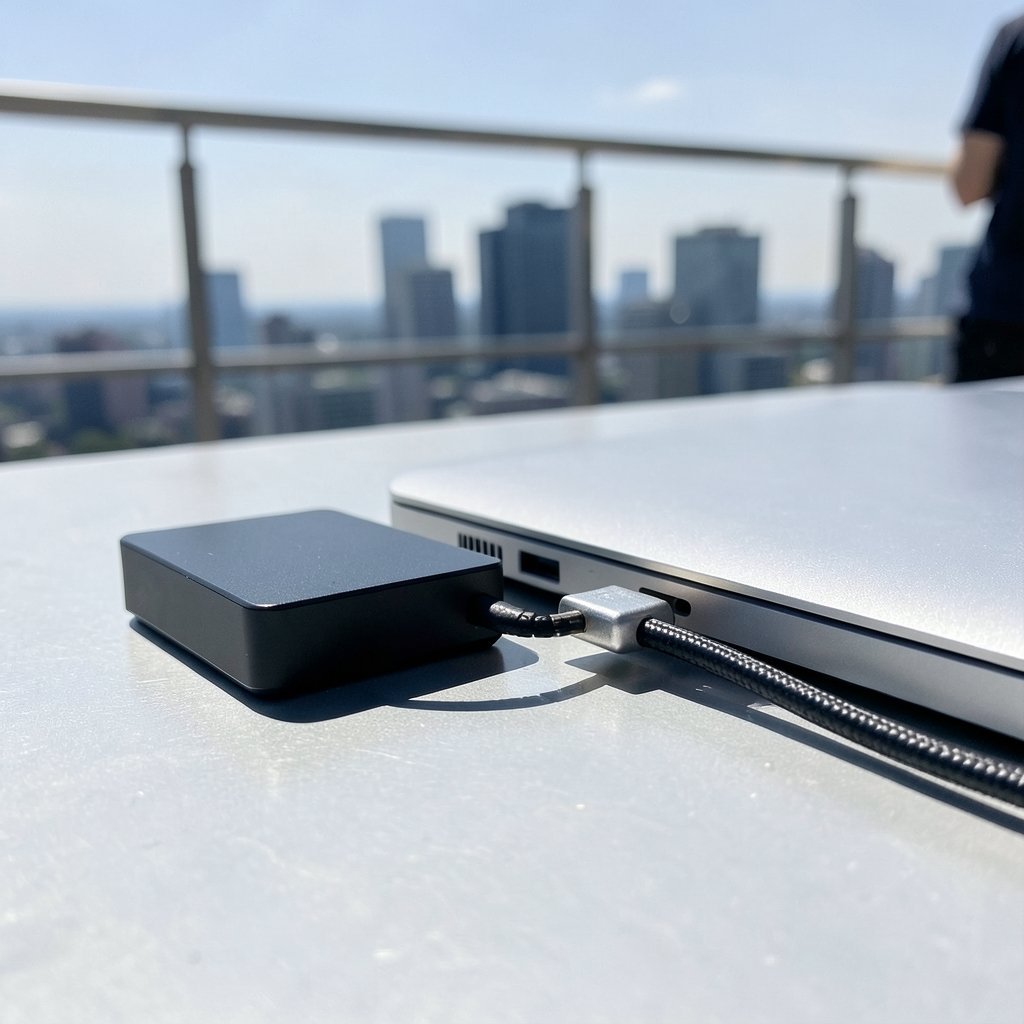
What if you spent hundreds on a blazing-fast external SSD and discovered your laptop’s port, cable, or operating system quietly capped it at half speed? That scenario is more common than most buyers expect, and it is exactly the trap waiting for anyone shopping for a Thunderbolt 5 drive ahead of a 2027 upgrade. The hardware looks similar, the marketing sounds identical, and the fine print decides everything.
This guide walks through how Sabrent drives, OWC drives, and DIY enclosures actually differ, and how to verify compatibility step by step before money changes hands.
Why Thunderbolt 5 Changes the Upgrade Math
Thunderbolt 5 was announced by Intel in September 2023 with a headline spec of 80 Gbps bidirectional bandwidth and a Bandwidth Boost mode that pushes up to 120 Gbps when displays need the headroom. That is a big jump, but the announcement came well before consumer products arrived. Final hardware lagged the spec by roughly a year or more, and product lines were still expanding through 2025 and 2026.
The second thing to understand is lineage. Thunderbolt 5 is built on USB4 Version 2.0 and uses USB-C connectors. That matters because a drive sold as “Thunderbolt 5” should be judged against USB4 v2 and USB-C cabling rules rather than only the Thunderbolt badge on the box. If you are already comparing platform-level compatibility questions, the same discipline applies to amd vs intel cpu check compatibility before upgrade 2027 decisions, where the port on the board decides more than the sticker on the component.
Backward compatibility is a core Thunderbolt design principle. A Thunderbolt 5 host is specified to work with Thunderbolt 4, Thunderbolt 3, and plain USB devices, but always at the slower device’s speed. So an older Sabrent or OWC Thunderbolt 3 or 4 drive will run on a Thunderbolt 5 port. It just will not run at Thunderbolt 5 speed. Real-world fallback behavior can vary by cable and OS, which is why testing matters as much as reading specs.
Sabrent vs OWC vs Enclosures: The Real Differences

Sabrent and OWC both ship Thunderbolt and USB4 NVMe products and enclosures, but their Thunderbolt 5 status has to be checked model by model. Both companies had announced or shipped high-speed external SSD and enclosure lines around 2024 and 2025, yet which specific SKUs carry Thunderbolt 5 certification is something only a current vendor spec sheet can answer. Never assume a brand-wide upgrade.
| Factor | Sabrent | OWC | DIY enclosure |
|---|---|---|---|
| Typical strength | Broad retail availability, aggressive pricing | Long-standing Mac-focused ecosystem | Reuse an existing NVMe drive |
| Thunderbolt 5 status | Per-model; verify each SKU | Per-model; verify each SKU | Depends entirely on the bridge chipset |
| Speed ceiling | Set by drive and cable | Set by drive and cable | Set by the slowest part inside |
| Best for | Buyers who want a finished product | Mac-heavy workflows | Tinkerers and drive hoarders |
The enclosure route deserves special attention because it hides the most variables. An enclosure’s compatibility depends on three things: its bridge chipset, the NVMe drive’s power and thermal profile, and the cable. A Thunderbolt 5 enclosure paired with a PCIe Gen4 drive will be limited by the drive, not the enclosure. That is the same principle behind nvme vs sata check compatibility before upgrade 2027 questions, where the interface generation, not the connector shape, sets the ceiling.
There is a parallel in the cooling world worth remembering: people buy a bigger radiator and forget the pump and mounting kit. The same logic shows up in aio vs air cooler check compatibility before 2027 upgrade comparisons, and it applies here too. The fastest component in the chain never wins alone.
The Cable Is the Most Common Gotcha
If there is one mistake that sinks more Thunderbolt 5 upgrades than any other, it is the cable. Thunderbolt 5 requires certified Thunderbolt 5 or USB4 v2-rated passive or active cables to reach full bandwidth. A Thunderbolt 3 or 4 cable will cap throughput no matter how expensive the drive is.
Retailer copy is not a certification. Rely on Intel and USB-IF certification rather than the product description. In practice, this means three habits:
- Check the cable’s printed rating and certification marking, not the listing photo.
- Keep one known-good Thunderbolt 5 cable reserved for benchmarking so you can isolate problems.
- Test the drive with the cable it shipped with before blaming the drive itself.
A short, certified cable usually beats a long, uncertified one. Active cables help over distance, but they must be rated for the standard you are running.
How to Check Compatibility Before You Buy
The safest pre-upgrade checklist as of late 2026 is a four-step sequence. Confirm the host port, confirm Intel certification of the drive or enclosure, confirm the cable rating, and confirm OS support. Skipping any step leaves a hole.
Step 1: Confirm the Host Port
Thunderbolt 5 requires a Thunderbolt 5-capable host controller, found on newer Intel, Apple, and AMD platforms. A 2027 upgrade check should confirm the laptop or desktop port is genuinely Thunderbolt 5, not merely USB-C or Thunderbolt 4. Apple’s Thunderbolt 5 adoption timeline should be verified per Mac model rather than assumed. The same caution applies to AMD platforms.
Step 2: Confirm Intel Certification
Intel maintains a Thunderbolt product and certification listing. A device claiming Thunderbolt 5 should appear there. This is the single most reliable compatibility check for a 2027 purchase, because it is independent of marketing language.
Step 3: Confirm the Cable Rating
Match the cable to the standard. A certified Thunderbolt 5 cable is the baseline. Anything lower becomes the bottleneck.
Step 4: Confirm OS and Driver Support
Thunderbolt 5 support depends on the OS version, whether Windows, macOS, or the Linux kernel. Verify against current OS release notes instead of assuming that a new port means instant support. This step is where 2026 and 2027 specifics carry the most uncertainty.
Common Mistakes That Waste Money
Most upgrade regrets trace back to a handful of repeatable errors. Watching for them is cheaper than fixing them later.
- Buying on brand reputation alone. A brand having one certified Thunderbolt 5 model says nothing about the model in your cart.
- Trusting the port shape. USB-C looks identical across generations, so the connector tells you nothing about speed.
- Forgetting the drive inside the enclosure. A Gen4 NVMe drive caps a Thunderbolt 5 enclosure, full stop.
- Ignoring thermals. Fast external drives throttle when they run hot, and slim enclosures have less headroom than chunky ones.
- Skipping the benchmark. A quick speed test on day one catches cable and fallback problems while returns are still easy.
Where the Enclosure Route Wins and Loses
Enclosures appeal to anyone with spare NVMe drives, and they can be excellent value. The catch is that every layer must cooperate. The bridge chipset must be Thunderbolt 5-rated, the drive must be fast enough to matter, and the cable must be certified. Get all three right and you have a flexible, repairable setup. Get one wrong and you have an expensive USB-speed drive in a premium shell.
Pre-built drives from Sabrent and OWC remove the guesswork about the bridge chipset because the vendor has already paired components. That convenience is real, but it does not remove the need to verify certification and cable rating. The buyer still owns the compatibility check.
If your upgrade plans also touch graphics hardware, the same verify-first mindset shows up in rtx 5090 vs 4090 check compatibility before upgrade discussions, where power, slot, and platform support decide the outcome. Storage and GPUs fail for the same reason: someone assumed the badge guaranteed the bandwidth.
Building a 2027-Ready Buying Checklist
A practical checklist keeps the decision honest. Before checkout, confirm the following:
- The host port is listed as Thunderbolt 5 in official documentation.
- The drive or enclosure appears on Intel’s Thunderbolt certification listing.
- The included or purchased cable is certified for Thunderbolt 5 or USB4 v2.
- The OS version supports Thunderbolt 5 on your platform.
- The NVMe drive inside any enclosure is fast enough not to be the limiter.
- You have a benchmark plan for day one.
Two related comparisons are worth reading if your 2027 refresh includes more than storage: rtx 4090 vs rtx 5080 check compatibility before upgrade and rtx spark vs rtx 5090 check compatibility before 2027. The pattern holds across categories: the port, the cable, and the platform decide what you actually get.
Conclusion
Thunderbolt 5 is a genuine leap, but the upgrade is only as good as its weakest link. Sabrent and OWC both offer credible paths, and enclosures can be the smartest option for people with spare drives, yet none of them escape the same four checks: host port, Intel certification, cable rating, and OS support. Verify each SKU against a current spec sheet rather than a brand name, keep a certified cable on hand, and benchmark on day one. Do that, and a 2027 upgrade becomes a speed boost instead of a costly lesson in marketing language.
Frequently Asked Questions
Is Thunderbolt 5 backward compatible with older Sabrent and OWC drives?
Yes. Thunderbolt 5 hosts are specified to work with Thunderbolt 4, Thunderbolt 3, and USB devices, but they run at the slower device’s speed. An older drive will work, just not at Thunderbolt 5 bandwidth.
Do I need a special cable to get full Thunderbolt 5 speed?
Yes. Thunderbolt 5 requires certified Thunderbolt 5 or USB4 v2-rated passive or active cables. A Thunderbolt 3 or 4 cable will cap throughput even with a top-tier drive attached.
How can I confirm a drive is really Thunderbolt 5 certified?
Check Intel’s Thunderbolt product and certification listing. A device claiming Thunderbolt 5 should appear there. Marketing language alone is not proof, and retailer copy is not a certification.
Will a Thunderbolt 5 enclosure make any NVMe drive faster?
No. The enclosure’s speed is capped by the drive inside it. A Thunderbolt 5 enclosure paired with a PCIe Gen4 drive will be limited by the drive, not the enclosure.
Does my operating system support Thunderbolt 5?
It depends on the OS version and platform. Support varies across Windows, macOS, and Linux kernels, so check current release notes rather than assuming a new port means immediate support.
What is the single most important compatibility check before a 2027 upgrade?
Confirm the host port is genuinely Thunderbolt 5 in official documentation, then confirm Intel certification of the drive or enclosure. Those two checks catch most problems before you spend anything.
The FAQ closes the loop on the questions buyers actually ask, but one final point ties the whole guide together. Compatibility is a chain, and a chain is only as strong as its weakest link. The host port, the certification listing, the cable, the drive inside the enclosure, and the OS support all have to line up. Miss one and the rest of the investment underperforms. That is why the checklist matters more than the brand comparison. Sabrent, OWC, and DIY enclosures each have a place, but none of them can compensate for a Thunderbolt 4 cable or an uncertified bridge chipset. Treat every spec sheet as a claim to verify, not a promise to trust, and confirm each SKU against Intel’s listing and your platform’s official documentation before checkout. Keep a certified cable reserved for testing, benchmark on day one while returns are still simple, and re-check OS release notes as 2027 approaches. Do that and the upgrade delivers the speed you paid for. Skip it and you join the buyers who learned about bandwidth the expensive way.