Appointment scheduling software is a tool that lets customers book time with a business online, without phone calls and back-and-forth emails. It shows real availability, takes the booking, sends reminders, and can take payment if needed. The customer picks a time that suits them, the business sees it land in the calendar, and both sides get a confirmation. Without it, bookings live in a paper diary, a shared calendar, and someone’s memory, and no-shows are common.
It matters because booking is the front door of a service business. A clinic, salon, studio, consultancy, or repair service sells time, and every empty slot is revenue that cannot be recovered. Software that lets them book at midnight, from a phone, fills slots a phone-only system leaves empty.
This article explains what appointment scheduling software is, how it works, the main types in use, and where it fits, for anyone running a service business or choosing a tool for one in 2027. It is an explainer, not a buying guide: to compare specific tools, see our roundup of the best appointment scheduling software.
Key takeaways
- Appointment scheduling software combines a booking page, a calendar, and reminders in one tool, so customers can book without calling.
- It shows only real availability, which stops double bookings and the back-and-forth of finding a time.
- Automatic reminders by email and text are the feature that most reduces no-shows.
- Most tools also handle payments, deposits, intake forms, and cancellation rules.
- The right fit depends on the service, not the feature list.
| Item | What it means |
|---|---|
| Core idea | Customers book time online from real availability, with reminders and optional payment |
| Main parts | Booking page, calendar sync, reminders, payments, and customer records |
| Biggest gain | Fewer no-shows and fewer empty slots, with less admin work |
| Biggest requirement | A calendar the team actually keeps up to date |
| Best fit | Service businesses that sell time: clinics, salons, studios, and consultants |
| Main risk | A tool that is too complex for the team, so bookings drift back to the phone |
The Concept: A Booking Page, a Calendar, and Reminders in One Place
At its simplest, appointment scheduling software answers one question all day long: when is this business free, and can a customer claim that time? The business sets its services, lengths, staff, and hours. The software turns that into a booking page where the customer picks a service and a time, and confirms.
The difference from a plain shared calendar is that the calendar is only one part of the system. A shared calendar shows when someone is busy, but it does not take a booking, ask the customer for the details the business needs, send a reminder, or take a deposit. Scheduling software does all of that, and it does it without a member of staff being involved. That is the point: the booking happens while the business is closed, busy, or with another customer.
How It Works: From Booking Link to Confirmed Appointment
A typical flow starts when a customer opens the booking page. They choose a service, which sets the length and price, then choose a staff member if there is a choice, then pick a date and time from the slots the software shows as free. The software checks those slots against the real calendar, so the customer never sees a time that is already taken.
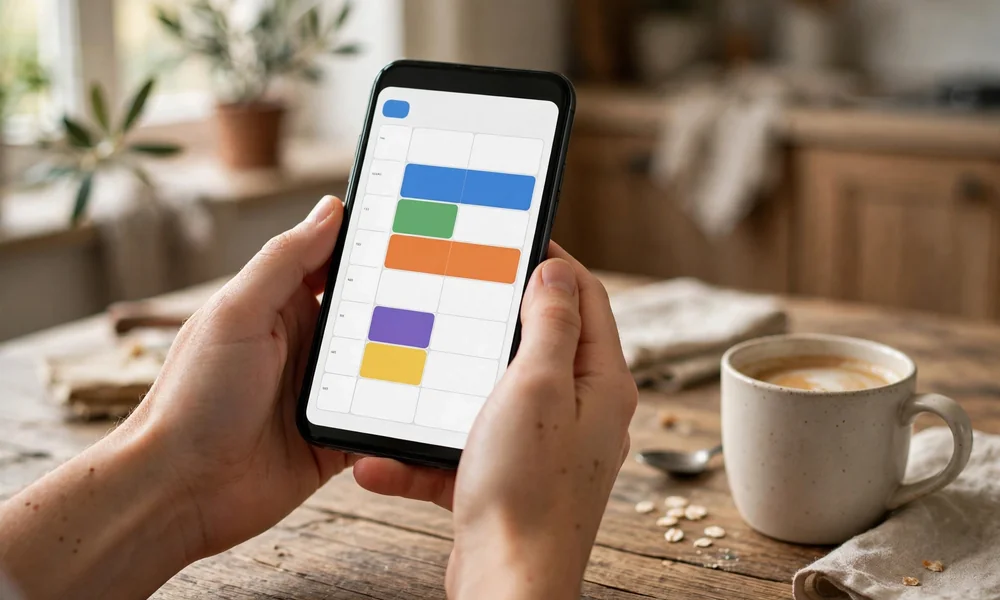
Before confirmation, the software can ask for what the business needs: a phone number, a short description, or an intake form. After confirmation, reminders take over: an email and usually a text a day before, and often again an hour before. If the customer cancels in time, the slot goes back on the booking page for someone else to take, and the booking lands in the staff calendar without anyone retyping it.
Types of Appointment Scheduling Software
Simple booking tools are the most common starting point. They offer one booking link, a small set of services, and calendar sync, and they suit a solo consultant, coach, or freelancer who needs customers to pick a time without the back-and-forth of email.
Service-business tools add the features a clinic, salon, or studio needs: multiple staff and locations, different prices per service, intake forms, payments, and stronger reminders. They take longer to set up, but they handle the everyday reality of a service business: different staff, varying prices, and information needed before the appointment.
Industry-specific tools are built for one kind of business, such as salons, clinics, or fitness studios, and they bundle scheduling with the other tools that business uses, such as a point-of-sale system, client records, or a marketplace where customers can find the business. Most general tools also offer a free tier for one user, a sensible way to try scheduling before paying. The trade-off is that reminders, payments, and multiple staff are often held back for paid plans, which for small businesses usually start from around $10 to $30 a month and rise with staff, locations, or features; check current pricing before you commit.
Benefits and Risks
The clearest benefit is fewer no-shows. Reminders by email and text, sent a day and an hour before the appointment, remind customers to come, or to cancel in time for the slot to be filled.
The second benefit is time. A business that takes bookings by phone spends a surprising share of the day on scheduling: answering calls, checking the diary, calling back, and rebooking cancellations. Online booking removes most of that, and it takes bookings outside office hours, when the phone goes unanswered. For a small team, that recovered time is often worth more than the subscription.
There are real risks too. The most common is choosing a tool too complex for the team, so staff keep taking bookings by phone and the software becomes a second diary that nobody trusts. A tool only works if the calendar behind it is accurate, which means the team has to block holidays, update working hours, and record phone bookings in the same system. If they do not, double bookings follow, and customers lose confidence quickly. Customer data is another risk: the software holds names, phone numbers, and often personal details, so check export and data controls before paying.
Real-World Uses
Clinics and health practices use scheduling software to manage patient appointments, send reminders, and collect intake information before the visit, which shortens check-in and cuts missed appointments.
Salons, barbershops, and spas use it to fill chairs and treatment rooms, often with a marketplace or booking link that customers find on their own. The fit is close enough that it is worth reading our guide to the best software for barbershops, which covers how scheduling sits alongside the other tools a barbershop runs on.
Consultants, coaches, and professional services use it for a different reason: to stop the email tennis of finding a meeting time. A single booking link lets a client pick a slot that is genuinely free. Trades and home services use scheduling for site visits and quotes, where the business needs the address and a description of the job in advance. The same applies to studios, tutors, and trainers: wherever time is the product, a booking page beats a phone call.
Appointment Scheduling Software vs a Plain Calendar
A plain calendar, shared or personal, is a fine way to record appointments that someone else has already arranged, but it is not a booking system. It cannot show a customer only the free slots, take their details, send them a reminder, or take a deposit. Every booking still needs a phone call or an email exchange, and every reminder needs someone to send it.
Scheduling software trades a small amount of setup for that automation. The business defines its services, hours, and rules once, and the software then takes bookings, sends reminders, and updates the calendar without staff involvement. The trade-off is dependence: if the calendar is not kept up to date, the software will offer times that are not actually free.
Most businesses end up using both, with the scheduling software as the front door and the calendar as the diary the team actually looks at. That works when the two stay in sync, which is why calendar sync is the first thing to check before paying: the software must connect to the calendar the team already uses, whether that is Google Calendar, Outlook, or another. For businesses that need a fuller client record, our guide to what client portal software is explains how bookings can sit alongside documents, messages, and payments for each client.
Checklist: Before You Choose Scheduling Software
- Services and durations are written down, with prices and who provides each one.
- Working hours, holidays, and blocked time are up to date in the calendar the team uses.
- Test booking as a customer, from a phone, and check how easy it is.
- Check reminder tools: email and text, and whether they are included or cost extra.
- Check payments: can the business take a deposit, and what are the fees?
- Check calendar sync: does it connect to Google Calendar, Outlook, or the calendar used?
- Check cancellation and no-show policies: can the business set them, and are they clear to customers?
- Check export: can bookings and customer data be taken out, in a usable format, if the business cancels?
- Check the price in six months, not only today.
Frequently asked questions
What is appointment scheduling software?
It is software that lets customers book time with a business online, from real availability, without calling or emailing. It shows free slots, takes the booking, sends reminders, can take payment, and keeps a record of every appointment in one place.
Is there free appointment scheduling software?
Yes. Most general scheduling tools offer a free tier, usually for one user with limits on bookings or features. A free plan is enough to try scheduling before paying, but reminders, payments, and multiple staff are often held back, so check what is included.
How much does appointment scheduling software cost?
Most tools for small businesses start at around $10 to $30 a month, with a free tier on many of them, and the price usually rises with staff, locations, or features. Check current pricing before you commit.
How do reminders reduce no-shows?
Reminders by email and text, sent a day and an hour before the appointment, remind customers to come, or to cancel in time for the slot to be rebooked. Taking a deposit at booking cuts no-shows further.
Can customers pay when they book?
Yes, on most paid plans. The software can take a deposit or full payment at booking, through a payment gateway, which reduces no-shows and saves the business chasing payment after the appointment.
Can I switch scheduling tools later?
Yes, if the bookings and customer data can be exported. Check export before buying, and test it with a small export. Switching is easier when the booking link is simple to replace.
The bottom line
Appointment scheduling software is a booking page, a calendar, and reminders in one tool: customers see real availability, pick a time that suits them, and get reminded before they come, while the business gets a record of every booking without the phone calls and diary juggling. What matters most is unglamorous: accurate calendar sync, reminders that go out, and a booking page that works on a phone.
Choose by the service, not the feature list. A solo consultant needs a simple booking link; a clinic or salon needs multiple staff, intake forms, and payments; a multi-location business needs all of that across every site. Start with a free tier or a trial, test it as a customer would, and pay for the tool that fills the calendar with real bookings and few no-shows.