
Route optimization software works out the best order to visit a list of stops. Give it twenty deliveries, the addresses, the time windows, and the vehicles you have, and it returns a route per driver covering every stop with the least driving and the fewest late arrivals.
The problem is harder than it looks: ten stops can be visited in more than three million possible orders, and twenty in far more than any person could check by hand. A driver planning from memory visits stops in booking order, crossing the same streets twice and arriving late to stops booked last.
This guide explains what route optimization software is, how it plans a route, the main types, and what it can and cannot do. It covers routing only — the order of stops — not the wider jobs around it.
Key takeaways
- Route optimization software plans the order of stops, not who does the work: a sequencing tool, not a dispatch or scheduling system.
- It weighs distance, drive time, time windows, vehicle capacity, and traffic, then returns a route per vehicle.
- The payoff is fewer miles, less fuel, and more stops per driver per day.
- It only works as well as its inputs: wrong addresses, missing time windows, and out-of-date maps produce routes that fail on the road.
- Most products charge a monthly subscription per vehicle or per route, from around $29 a month; check current pricing before you commit.
Route optimization software at a glance
| Detail | What to know |
|---|---|
| What it does | Works out the best order to visit a list of stops |
| Main inputs | Stop addresses, time windows, vehicle capacity, and traffic |
| Main output | A stop-by-stop route per driver, with arrival times |
| Biggest gain | Fewer miles and less fuel for the same stops |
| Biggest risk | Bad address or map data producing a route that fails |
| Typical cost | From around $29 per vehicle a month; check current pricing |
What route optimization software is
Route optimization software takes a list of stops and returns the fastest or cheapest order to visit them. A stop can be a delivery address, a pickup, a service visit, or a collection. Each stop is a point on a map with rules attached — a time window, a service time, a parcel size — and the software searches for the order satisfying the most rules at the lowest cost.
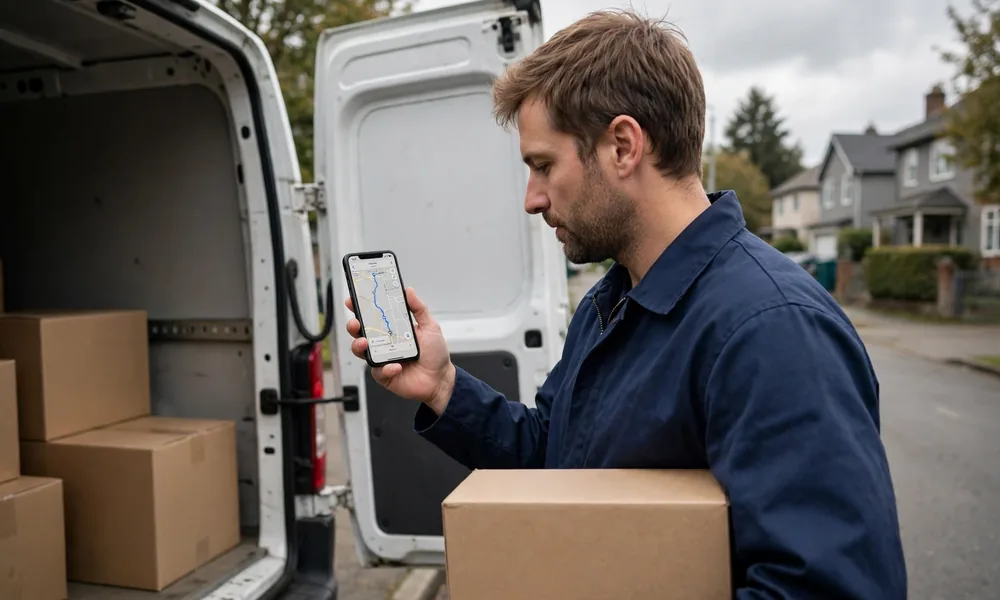
The order of stops is a maths problem, not a judgement call. A human can plan five stops well; at fifteen the possible orders are in the trillions, and no one can check them all. The software tests thousands of orders in seconds and keeps the best. It does not decide which driver takes which job, and it does not manage the customer, the booking, or the invoice — it only orders the stops it is given.
How it works, from stops to a finished route
A typical run starts with the stop list. Stops arrive from an order system, a spreadsheet, or a booking form, each with an address and usually a time window and a service time at the door. The software turns each address into a map point and flags any it cannot place. An unplaced address stops the whole run, so fixing addresses before you optimise is the first habit worth building.
Then the optimiser goes to work. It builds routes one vehicle at a time, adding stops in the order adding the least driving, while respecting time windows, vehicle capacity, driver hours, and breaks. When a rule cannot be met — a stop whose window closes before the driver can reach it — the software says so instead of silently building a route that fails. The result is a route per vehicle with a stop order, arrival times, and total miles and driving time.
Types and variants of route optimization software
The simplest tools are single-route planners: paste in a list of stops and get one optimised route back, suiting a business with one or two drivers and a short daily list. Multi-vehicle planners split a large stop list across a fleet, balance the workload, and handle depots, so each vehicle starts and ends in the right place.
| Type | Built for | What it handles best |
|---|---|---|
| Single-route planners | One or two drivers, short daily lists | Stop order for one vehicle |
| Multi-vehicle planners | Small fleets with shared stop lists | Splitting stops across drivers |
| Live re-optimisation tools | Businesses with same-day changes | Rebuilding routes when jobs change |
| Industry-specific tools | Food, fuel, waste, and field service routes | Cold-chain times and vehicle compartments |
Live re-optimisation tools rebuild routes during the day when a job arrives or a driver is delayed; industry-specific tools add rules generic planners do not know, such as cold-chain times and vehicle compartments. The right type depends on how many stops you run, how often they change, and whether your vehicles carry special constraints.
Benefits for delivery and field teams
The clearest benefit is fewer miles for the same work. A sensible stop order instead of booking order typically cuts driving by a tenth to a fifth: less fuel, less wear, and more stops per driver per day. Drivers notice too — a route flowing in one direction beats one zigzagging across town, and fewer late arrivals mean fewer difficult conversations at the door.
Customers notice as well: arrival times from an optimised route are realistic, so the delivery window you promise is one you can keep. Over weeks, reports show which areas cost the most driving and which stops always run late — the data needed to redraw territories or change time windows.
Risks and limitations to know about
Route optimization software is only as good as the information fed into it. If addresses are wrong, time windows are guesses, or service times are understated, the software builds a neat route that falls apart by mid-morning. It cannot know a road is closed, a customer is never home before noon, or a stop always takes twice as long as booked. Those facts live with the drivers and must reach the system.
There is also a limit to what optimisation can fix. If the stop list itself is impossible — more stops than the fleet can cover in the hours available — no order of stops will make it work, and the honest answer is fewer stops or more vehicles. Drivers can also resist a route that looks wrong to someone who knows the roads, so a tool letting drivers flag a bad stop order and say why earns trust faster than one treating its answer as final.
Real-world uses across industries
Parcel and food delivery businesses are the most obvious users: hundreds of stops a day, tight time windows, and a direct link between miles driven and money spent. A courier firm planning routes by hand leaves money on the road every day, and the saving usually pays for the software in weeks. Similar gains show up in field service, where the route between jobs decides how many fit in a day.
The pattern repeats in less obvious places. Waste collection must cover every street with the fewest miles, and a missed street is a complaint. Fuel and bulk delivery routes must respect vehicle compartments and windows at sites that close early. Sales teams use the same maths for a day of visits, and trucking firms for multi-stop loads — which is why fleet-heavy businesses also look at the best software for trucking companies when they review their operations stack.
Route optimization vs dispatch vs field service management
These three kinds of software are often confused because they all deal with vehicles and jobs, but they answer different questions. Route optimization asks: in what order should these stops be visited. Dispatch asks: which driver or technician goes to which job. Field service management covers the whole lifecycle of a job, from booking to invoice. A business can use one, two, or all three, but buying the wrong one wastes money.
| Question | Route optimization | Dispatch software | Field service management |
|---|---|---|---|
| Main question | In what order are the stops visited? | Who goes to which job? | How is the whole job run? |
| Centre of the system | The stop list and the route | The job board and the worker | The job, from booking to invoice |
| Typical user | Route planner or driver | Dispatcher | Dispatcher, technician, office staff |
| What it does not do | Assign jobs or manage customers | Optimise stop order in depth | Deep route optimisation on its own |
Dispatch software is the closest neighbour: it decides which driver, technician, or crew goes to which job, as our guide on what dispatch software is explains. The difference is emphasis — dispatch matches people to jobs, while route optimization orders stops. Field service management goes wider, covering scheduling, work orders, and invoicing. Once a route is planned, the driver still needs to keep customers informed, and our guide on how to automate shipment tracking updates with AI covers the messages that follow the route.
Your route optimization checklist
- Stop addresses are checked against the map, with unplaced addresses fixed first.
- Time windows and service times are real numbers from your records, not guesses.
- Vehicle capacity, driver hours, and breaks are set, so routes respect them.
- The tool splits stops across vehicles fairly and handles depots.
- Routes can be rebuilt during the day when a job changes or a driver is delayed.
- Drivers can flag a bad stop order and say why.
- Arrival times from the plan are used for the delivery windows you promise.
Frequently asked questions
What is route optimization software?
Software that works out the best order to visit a list of stops, using addresses, time windows, vehicle capacity, and traffic, so the same stops are covered with less driving.
How is it different from dispatch software?
Dispatch software decides which driver or technician goes to which job; route optimization decides the order of stops once jobs are assigned. Dispatch matches people to jobs, routing sequences stops.
How is it different from field service management software?
Field service management covers the whole job lifecycle — booking, scheduling, dispatch, on-site work, invoicing — while route optimization covers only the order of stops. A field service platform may include basic routing, but it is not a dedicated optimiser.
How much does route optimization software cost?
Most charge a monthly subscription per vehicle or per route, often from around $29 per vehicle a month for simple planners and rising for fleets with live re-optimisation. Check current pricing, as plans change often.
Can it handle same-day changes?
Tools with live re-optimisation can: when a job changes or a driver is delayed, they rebuild the affected routes and send the new stop order to the driver’s phone. Simple planners cannot, and need the list fixed before the day starts.
Does it work without good address data?
No. Wrong or incomplete addresses are the most common reason routes fail: the software cannot place a stop it cannot find on the map. Clean the address list first, and fix unplaced addresses before you judge the software.
The bottom line
Route optimization software does one job: it takes a list of stops and returns the order that covers them with the least driving and the fewest late arrivals. It is not dispatch software, which matches people to jobs, nor field service management, which runs the whole job lifecycle — it is the sequencing layer between the two.
If your drivers cross the same streets twice or arrive late to stops booked last, clean your address list, record real time windows and service times, and trial a planner on a week of real routes. The saving shows up in miles, fuel, and on-time arrivals within days.