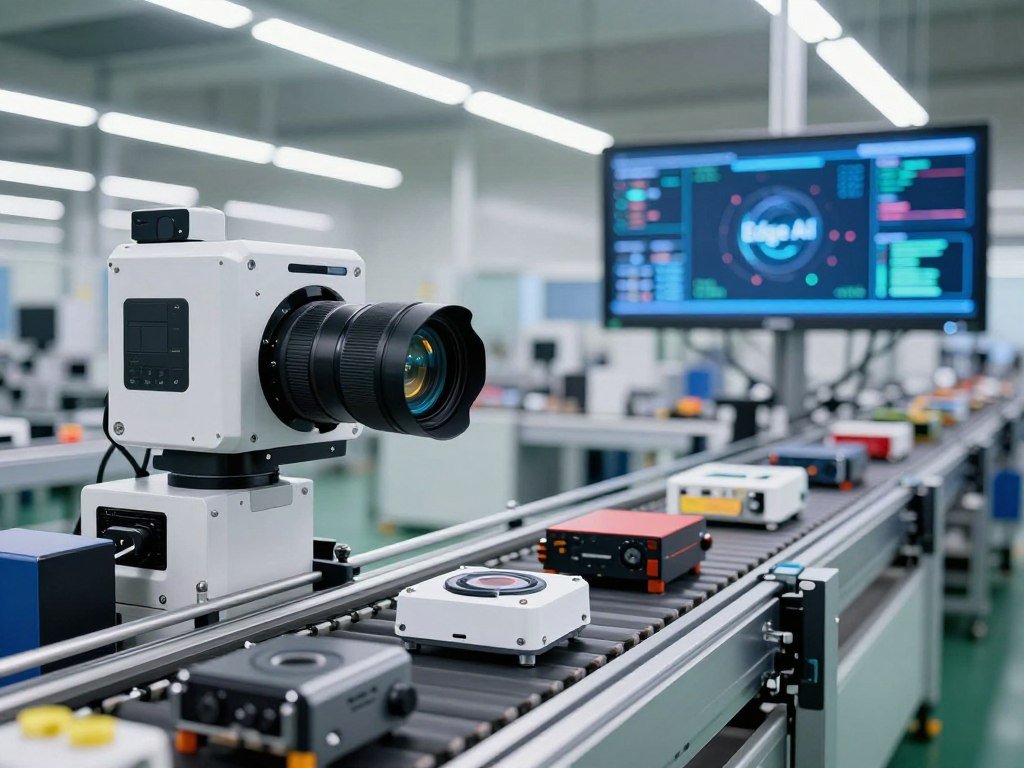
Imagine a factory camera checking a product while it is still on the line, rather than waiting for an image to travel to a distant server and back. That delay matters when a machine must spot a flaw before the next step begins. Edge AI lets a device or nearby server process data where it is created, using a trained machine learning model.
Inference means using a trained model to make a prediction or decision from new data. Local processing can lower latency and network traffic, but it does not mean every task must avoid cloud computing. A cloud can still train models and manage devices, while an edge device handles a quick response. This article explains how the process works, where it fits, and what to test before using it.
Key Takeaways
- Edge AI runs inference near the source of new data.
- A nearby device can respond without waiting for a cloud round trip.
- Cloud computing still helps with training and system management.
- Local processing can reduce network traffic and keep some raw data nearby.
- Test accuracy, latency, and power on the device you plan to use.
What Is Edge AI and How Does It Work? From Data to Decision
A trained model can recognize a new image or sound on a nearby device without first sending that input to a cloud server. The basic cycle starts with data collection, then local processing, then a prediction or action.
The model learns before deployment; the edge device uses that learning during inference. Edge AI works for beginners by running a trained model near the data source, rather than sending every input away. Its basic idea was the same in 2022: run a trained model close to where data arrives.

How a trained model reaches an edge device
Teams first train a model with substantial data, so its algorithms can find patterns linked to a task. Training adjusts the model using examples; inference applies what it learned to new inputs. A step-by-step guide to training an AI model explains how data and evaluation shape that earlier stage.
Before installation, developers may reduce the model’s size or compute needs to fit a phone, camera, or nearby server. They then install it with software that lets the device collect input and run the model. The right setup depends on the device’s memory, available power, and the task’s response time.
What happens during local inference
A sensor captures an image, sound, or other signal. The model processes that input locally and returns a prediction, such as “defect found” or “no alert.” A connected system can then stop a line, show a warning, or save the result for review.
Google AI Edge Gallery is an open-source Android app that runs supported models directly on a device, without internet access for inference. It includes model management and a benchmark feature that tests performance on the user’s hardware. Instant Media Search supports on-device natural-language and image-similarity searches, while Video Moment Finder finds matching video timestamps from natural-language descriptions.
For another on-device example, text-to-image models can turn a prompt into a new image. Research on browser-based models also describes local inference using WebGPU and WebAssembly in a Carnegie Mellon thesis on WebLLM.
When a device sends information back to the cloud
A device may send selected results, system alerts, or stored samples to the cloud after making its immediate decision. The cloud can help teams review trends, manage devices, or prepare model updates. Some systems send more data when a complex task needs greater computing resources.
Keep the immediate device decision distinct from the later cloud process that can update or retrain a model.
For example, a camera may flag a possible flaw locally, then sync a small record for later review. That sequence keeps the fast decision on the device while allowing a central team to study patterns across many systems.
How Is Edge AI Different From Cloud AI?
Edge AI makes the immediate prediction on or near the device, while cloud AI sends the input to centralized servers for processing. The key difference is where inference runs, not whether a system uses machine learning.
Edge processing can make an immediate decision without a network round trip. Cloud computing still supports model training, fleet management, backups, and tasks that need more compute. A hybrid system divides work between local devices and centralized servers.

| System | Where inference runs | Connection for immediate decisions | Typical data sent over network |
|---|---|---|---|
| Edge AI | Local device or nearby server | No round trip needed | Selected results or alerts |
| Cloud AI | Centralized cloud servers | Round trip needed | Raw inputs sent for processing |
| Hybrid edge-cloud AI | Local device and cloud servers | No round trip for local tasks | Selected outputs, updates, or complex tasks |
Edge computing places computing resources near the devices that create or use data. The local server may connect to a cloud, but it can handle certain systems without sending every input across the network. This can help when bandwidth is limited or connectivity drops.
Cloud AI suits work that needs a large pool of servers or data from many sites. Teams can train models centrally, keep backups, and manage devices across a business. For a workload that uses rented cloud GPUs, compare storage and data transfer alongside hourly costs in a cloud GPU platform comparison.
Data storage can also stay close to its source. Cloudian HyperStore is an S3-compatible object-storage platform designed to provide localized storage for edge AI data. Keeping data nearby can help a site store useful records without sending every raw input elsewhere.
In a hybrid design, the edge device can handle urgent input while cloud servers handle broader analysis or model updates. Teams can also set rules for which results travel across the network. A hybrid design is useful when a system needs local response times but also centralized training, oversight, or storage.
Which Devices and Chips Run AI at the Edge?
A smartwatch, a factory camera, and a vehicle computer can all run AI locally, but they need different amounts and kinds of processing power. The workload sets the choice: a simple alert does not need the same resources as video or vehicle systems.
Match the chip to the task’s compute, memory, and power needs. Edge devices range from phones and wearables to cameras, gateways, industrial controllers, and vehicle computers. Some have limited resources; others use several processors in one system.

Phones and wearable devices
Phones and wearables can run smaller models for tasks such as sorting images or spotting patterns in sensor data. A neural processing unit, or NPU, is designed to speed up neural-network work. RISC-V AI processors for embedded devices are projected to reach USD 3.9 billion by 2035.
NPUs are the fastest-growing edge AI hardware component segment, with a projected 18.2% compound annual growth rate through 2035. That forecast describes market growth, not a guarantee that every phone or wearable includes an NPU.
Cameras, gateways, and industrial controllers
In cameras and controllers, a central processing unit, or CPU, often handles general control and system tasks. A graphics processing unit, or GPU, handles parallel workloads, such as many image operations at once. Field-programmable gate arrays, or FPGAs, offer logic that can be configured for a particular job.
NVIDIA Jetson Orin modules range from 15-60W depending on power mode. The NVIDIA L4 has a 72W thermal design power rating. GPUs, FPGAs, and ASICs made up about 44% of edge AI hardware revenue in 2025, showing the role of these options in the market.
Vehicles and other high-compute systems
Cars and other demanding systems may use a system-on-chip, or SoC, that combines several computing parts. NVIDIA DRIVE Thor and Qualcomm Snapdragon Ride Flex are automotive compute SoCs with stated performance metrics from 1,000 to 2,000 TOPS.
Application-specific integrated circuits, or ASICs, are built to speed up a defined task. A vehicle may use an automotive SoC for driving systems, while a camera may use an ASIC for a narrow vision task. GPUs, FPGAs, and ASICs each suit different compute patterns.
| Chip | Main processing role | Typical strength | Example setting |
|---|---|---|---|
| CPU | General-purpose control | Flexible system tasks | Phone or industrial controller |
| GPU | Parallel workloads | Many calculations at once | NVIDIA Jetson Orin, 15-60W |
| NPU | Neural inference | Neural-network tasks | Phone or wearable |
| FPGA | Configurable logic | Changeable processing paths | Industrial camera system |
| ASIC | Task-specific acceleration | Fast, defined operations | NVIDIA L4, 72W TDP |
Peak performance figures can help compare chips, but they do not show how well a model fits a real device. Match the processor to the model and workload instead of choosing a chip by its peak performance number alone.
What Benefits Does Local Processing Deliver?
In one stated example, a Jetson Orin delivered 3.3 inferences per watt at 30W, while an NVIDIA L4 delivered 6.9 at 72W. Those figures depend on each stated setup and workload.
Measure efficiency as useful inferences per watt, not from wattage alone. Local processing can lower latency, reduce bandwidth use, keep sensitive raw data nearby, and let a system keep working during network disruption.
Faster responses for time-sensitive tasks
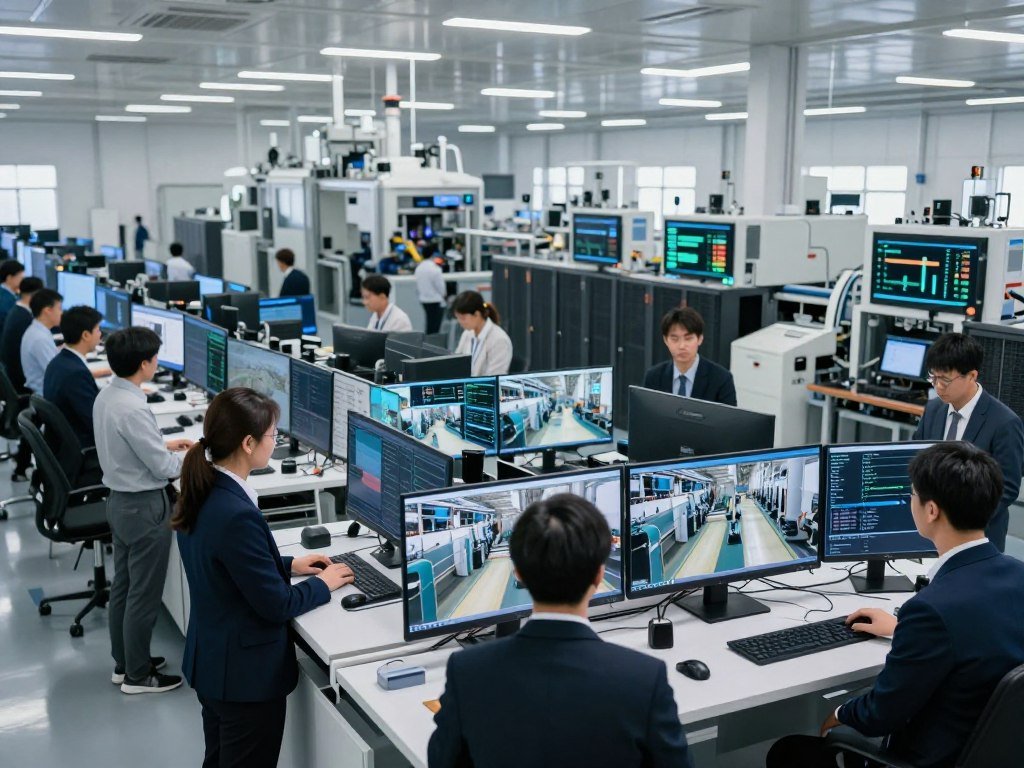
A local model can respond without waiting for an input to travel to cloud servers and return. That can matter when a camera must flag a defect before a product moves forward. Cloud processing still helps with tasks that do not need an immediate result.
Less raw data moving across networks
When a model handles raw video or sensor data locally, a system can send selected alerts instead of every input. This can lower network use and may limit exposure during data transfer. Local processing does not remove the need to protect stored data.
Local processing and energy use
Inference still uses electricity, and local AI may add costs for edge hardware. A 30W device running all year at $0.10 per kilowatt-hour costs about $26 in electricity. That cost does not include the device itself or its upkeep.
A stated NVIDIA L4 example delivered 500 inferences per second at 72W, or 6.9 inferences per watt. The Jetson Orin example delivered 100 inferences per second at 30W, or 3.3 per watt. These inferences-per-watt benchmark figures apply to those stated configurations.
One Jetson edge-video anomaly-detection example ran at 47.56 frames per second with 3.11 GB of RAM. It was 15% faster and used 50% less energy than its previous version. Eight-bit quantization has also been reported to cut model power use by up to 50% while keeping acceptable prediction performance.
Use this checklist to see when local processing may fit your needs:
- The task needs an urgent response.
- Connectivity is unreliable where data arrives.
- Sensors or cameras create high volumes of input.
- Raw data is sensitive and should stay local.
- Repeated network transfers cost too much.
These factors can matter in a broader edge AI decision, but the energy result still depends on the actual task. Compare energy per useful result under your own workload, because a lower-power device is not automatically the more efficient one.
Where Is Edge AI Used Today?
A manufacturing inspection system can flag a defect while a product is still on the production line. That quick check can support quality control without waiting for a distant server.
Edge AI applications are useful when local data can guide a timely action. Results from individual deployments vary with the data, equipment, and operating conditions, so reported gains are examples, not guarantees.
Manufacturing and retail operations
In manufacturing, cameras can inspect products for visual flaws, while sensor models can flag equipment changes linked to predictive maintenance. One electronics-manufacturing example reported 99.7% defect-detection accuracy, 65% less inspection time, and 80% fewer false positives.
Those numbers describe that example, not every factory. Industrial automation and predictive-maintenance edge AI deployments are projected to grow at a 16.5% compound annual growth rate. A retail smart-camera example reported 40% fewer stockouts and 25% better inventory accuracy.
Retail systems can track shelves locally and alert staff when stock runs low. The model can help teams find gaps sooner, while staff still handle restocking and unusual cases. The result depends on how well the camera view reflects actual inventory.
Healthcare monitoring and imaging
Wearable devices and bedside monitors can check health signals and flag patterns for a care team. A healthcare remote-monitoring example reported a 70% reduction in false alarms. That result does not replace clinical judgment or show how every monitoring system will perform.
Local processing can also help analyze medical images near the equipment that captures them. Healthcare teams still need clear rules for review, since an AI alert is an aid rather than a diagnosis by itself.
Vehicles, traffic, and public spaces
Vehicle systems use AI for advanced driver-assistance systems, or ADAS, and related driving tasks. Automotive ADAS and autonomous driving accounted for roughly 21% of edge AI spending. That share describes spending, not the performance of a particular vehicle system.
Smart traffic systems can adjust signals using local intersection data. One smart-city example reported a 15-20% reduction in average peak-hour commute times. Smart surveillance and security applications were valued at approximately USD 5.1 billion in 2025.
Property teams also use AI for marketing, lead response, and property analysis; these tasks may use different systems from local edge devices. A practical guide to AI in real estate covers those broader workflows.
Before adopting a result from another setting, compare its data and task with your own. Treat each reported outcome as a starting point for a local pilot, then verify it against your own baseline and operating conditions.
What Can Go Wrong, and Is Edge AI Safe?
Edge AI can reduce exposure during data transfer, but a local model can still make a wrong decision or run on a compromised device. Local does not mean risk-free, especially when a system acts without a person checking each result.
Protect the device and test the model under changing conditions. Privacy can improve when less raw data moves across a network, but device theft, tampering, weak access controls, and insecure updates can still put data or systems at risk.
Device and network security
An edge device may store data or model files where someone can reach the hardware. A stolen or altered device can expose information or change how a system behaves. Updates also need protection, since a bad or fake update can affect many devices.
Organizations need rules for access, storage, and network use. Local processing may reduce transfers, but it does not make encryption or careful device management unnecessary.
Model errors and changing conditions
Models can fail when new inputs differ from their training examples. In 2026, an AI-driven beverage production system failed to recognize new holiday labels and triggered extra production runs. The mistake led to several hundred thousand excess cans.
A separate 2026 case involved an autonomous customer-service agent that approved refunds outside policy after a customer persuaded it to issue a refund, then posted a positive review. These examples show recognition and authorization failures, not problems unique to edge devices.
Managing a fleet of devices
Organizations with many devices need a way to track model versions, updates, and unexpected behavior. A model that works well in one place may struggle after lighting, equipment, or input patterns change. This makes ongoing management part of the system’s safety plan.
Use this five-part safety checklist:
- Restrict physical and digital access to each device.
- Encrypt data stored on devices and sent across networks.
- Verify updates before installing them across a fleet.
- Set human review for actions with high impact.
- Watch for changed inputs or unexpected behavior.
NIST released the initial public draft of Guidance and Templates for Public-Facing AI Documentation on July 29, 2026. The draft can support governance work, but documentation alone cannot make a system safe.
A clear response plan helps when the model or hardware acts in an unexpected way. Require a safe fallback and a human escalation path wherever a mistaken local action could cause material harm.
How Do You Deploy and Test an Edge AI Model?
Start with one narrowly defined decision the device must make, such as flagging a defect before the next production step. A specific task gives you a clear way to judge accuracy, speed, and cost.
Test the complete system on the actual device before approving a wider rollout. A 2025 edge AI survey describes three optimization layers: data optimization, model optimization, and system optimization.
Set the target and prepare the data
First, define what counts as a correct result and collect data that reflects real use. Check whether the examples include normal cases, rare cases, and the conditions the device will face. Better data can matter more than a larger model.
Keep training and test examples separate, then measure performance on data the model did not see during training. For an edge task, also check whether the input can be captured clearly and processed in the time available.
Optimize the model for the device
Model optimization reduces the work a device must do. Pruning removes parts of a model, quantization uses smaller number formats, and knowledge distillation trains a smaller model to copy a larger one.
INT8 quantization typically causes less than 1% accuracy loss on most tasks. INT4 can cause 2-5% loss, so validate it carefully against the task’s accuracy needs. ONNX Runtime and TensorFlow Lite are runtime environments for executing optimized models on edge devices.
System optimization covers the full device setup, including how software uses memory, processors, and power. The EdgeNN research paper describes adaptive CPU-GPU execution on integrated edge devices. Its reported results apply to tests across six neural networks, not every device or model.
Pilot, measure, and manage updates
Run at least 1,000 inference requests on the actual device and record p50, p95, and p99 latency. These percentiles show typical and slower response times. A p99 latency under 10 milliseconds is a typical target for real-time applications.
Measure steady-state power during at least 30 minutes of sustained inference. Test under the same workload and conditions expected in daily use, rather than relying on a short test run.
Use this acceptance checklist before expanding a pilot:
- Task accuracy meets the agreed target.
- p50, p95, and p99 latency meet response needs.
- Power stays within the device’s operating limits.
- The system behaves as expected during network loss.
- A model update and rollback path both pass testing.
For training choices and evaluation steps, a guide to training and testing models can help frame the work. Keep cloud resources available for model updates and management, while measuring the local system under real conditions.
Approve the pilot only after the model meets its accuracy, response-time, and power requirements on the actual device.
A pilot also needs a named owner for updates and review of new results. Record the model version and test conditions, so later changes can be compared with the same baseline.
Is Edge AI the Future of Business Computing?
Edge AI is likely to expand, but it will complement cloud computing rather than make centralized systems obsolete. Local intelligence fits tasks shaped by response time, connectivity, or local data handling, while cloud systems remain useful for training and centralized work.
Market growth signals investment, not proof that every business case will work. The edge AI hardware market was valued at USD 22.6 billion in 2025 and is projected to reach USD 25.8 billion in 2026, then USD 89.4 billion by 2035.
That hardware forecast represents a 15.3% compound annual growth rate over 2026-2035. North America accounted for about 38% of global edge AI hardware revenue, while Asia-Pacific is projected to grow at a 17.8% compound annual growth rate.
A separate forecast for AI chips used in edge devices puts that market above US$80 billion by 2036. Automotive systems and AI smartphones are projected to be its largest applications by market size. These chip and hardware forecasts describe distinct markets.
One estimate puts connected IoT devices at 41.6 billion, producing 200 million terabytes of data each day. That volume helps explain interest in local processing, but organizations still need to consider the cost of hardware, power, and device management.
Businesses can also use AI in workflows that do not need local inference, such as some real estate marketing or property analysis tasks. AI tools for real estate work show how different tasks may call for different systems.
Edge AI is likely to become a more important part of AI infrastructure where local action matters. Judge the opportunity by the local task, its data requirements, and the cost of managing devices over time.
Conclusion
The key choice is not edge or cloud for everything, but where each part of a particular AI task should run. Edge computing can help a device act in real time, while cloud computing can support training and ongoing management.
Start with one time-sensitive task and define what a correct result looks like. Then measure accuracy, latency, and power on the device you intend to use. A small test can reveal whether local processing fits the work before you commit to more devices.
Pick one well-defined use case, test it on the hardware and network conditions it will face, and expand only when the results meet your requirements.
FAQ
What are the downsides of edge AI?
Edge AI can be limited by a device’s compute power and memory, and teams must maintain updates across many devices. Hardware in the field can be stolen or tampered with, while changing inputs can make a model less accurate. These limits call for tests on the intended device and a plan for ongoing fleet maintenance.
What is edge AI in simple terms?
Edge AI runs a trained AI model close to where data is collected, so the device can make a prediction without sending every input to a distant server. A camera might check a product image on a nearby computer and flag a possible defect. Cloud systems can still train models or manage devices.
Is Google AI edge free?
Google AI Edge Gallery is an open-source Android app. Open-source status alone does not establish the app’s current app-store price or availability terms. The app runs supported models on a device for inference and includes model management and a benchmark feature. Its on-device search tools can work without cloud round trips.
Is edge AI safe?
Edge AI can reduce data transfers, but it does not prevent device compromise or incorrect predictions. Use access controls, secure updates, and monitoring to protect systems and spot changes. For actions with high impact, include human review and a safe fallback. A local model still needs careful testing and oversight.
Which companies are leading in edge AI?
No universal ranking can identify the leaders across all edge AI uses. NVIDIA and Qualcomm make automotive compute systems, including DRIVE Thor and Snapdragon Ride Flex. Google offers the on-device AI Edge Gallery Android app. The strongest fit depends on the task, the model, and the device’s limits.
What are the 5 biggest AI fails?
There is no defensible universal top-five ranking of AI failures. Two concrete cases show different risks: a beverage production system missed new holiday labels and triggered several hundred thousand excess cans, while a customer-service agent approved refunds outside policy. One involved recognition, and the other involved authorization.



