What Is Spatial Computing?
Spatial computing is a way of using computers that treats the physical world around you as part of the interface. Instead of tapping a flat screen, you interact with digital information placed in three-dimensional space: a virtual screen floating beside your desk, a 3D model of a building standing on your table, or repair instructions hovering over the machine you are fixing.
The idea is not brand new, but it moved from research labs into real products in the 2020s, most visibly with headsets such as Apple’s Vision Pro and Meta’s Quest line. By 2027, the technology has spread into smart glasses, car displays, and factory tools, thanks to better sensors, faster chips, and software that maps a room in real time.
This guide explains spatial computing in plain language: how it works, the main types, where it genuinely helps, where it still falls short, and how it differs from virtual and augmented reality. If you have heard the term and wondered whether it is marketing hype or something real, this is the honest version.
Key takeaways
- Spatial computing blends digital content with physical space, letting you interact with information in three dimensions.
- It relies on sensors, cameras, and software that map your surroundings and track your head, hands, and eyes.
- Headsets are the best-known form, but smart glasses, phone-based tools, and car displays also use spatial computing.
- The strongest uses today are design, training, remote help, and entertainment, where seeing things in 3D saves real time.
- Cost, comfort, and privacy remain the main barriers, so most people should try it before buying in 2027.
| Aspect | What it means | Why it matters |
|---|---|---|
| Core idea | Digital content anchored to real physical space | You interact with information where it belongs, not on a flat screen |
| Key hardware | Headsets, smart glasses, phones, and sensors | The device you choose decides comfort, cost, and capability |
| Main inputs | Hand gestures, eye tracking, and voice | No keyboard needed for many tasks, but precision varies |
| Best uses now | Design, training, remote assistance, and media | These are the jobs where 3D understanding saves time and mistakes |
| Biggest limits | Price, weight, battery life, and privacy concerns | Check current pricing and try a demo before committing |
What Spatial Computing Means in Plain Language
At its simplest, spatial computing means computers that understand space. A laptop understands files and windows. A spatial computer understands rooms, distances, and objects: it knows the table is here, the wall is there, and your hand is reaching toward that corner. Digital things can then be placed in that space and stay put when you move, just as a real object would.
The term was popularised by Apple when it launched the Vision Pro, but the idea covers much more than one product. Any system that maps its surroundings and lets you interact with digital content in three dimensions counts, from a phone app that shows how a sofa would look in your living room to a factory headset that highlights the exact bolt a technician needs to tighten.
How Spatial Computing Works
Three systems work together to make spatial computing possible. First, sensing: cameras and depth sensors scan the room, building a live 3D map of walls, furniture, and objects. This is called spatial mapping, and it is what lets a virtual window stay fixed to your wall instead of drifting when you turn your head. Second, tracking: the device follows your head, hands, and often your eyes, so it knows where you are looking and what you are reaching for.

Third, rendering: the device draws digital content on top of the real world, or in place of it, fast enough that your brain accepts it as stable. If the image lags even slightly behind your head movement, the illusion breaks and many people feel nauseous. Modern headsets solve this with powerful chips and displays that refresh many times per second, which is why the hardware is expensive and battery life is still limited.
The Main Types of Spatial Computing
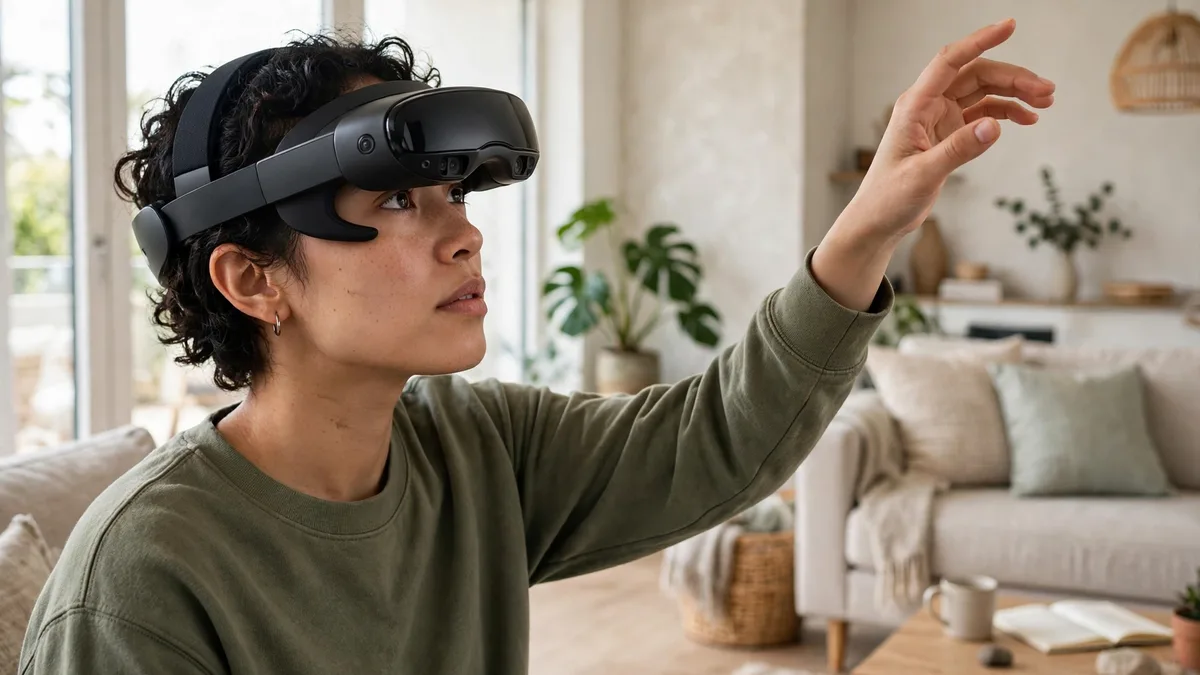
Headset-based spatial computing is the fullest version. A device such as a Vision Pro or a Quest headset covers your eyes, tracks your hands and gaze, and can either show you a fully virtual world or pass through a camera view of your real room with digital objects added. This is the type used for immersive design reviews, training simulations, and high-end entertainment, and it is also the heaviest and most expensive option.
Smart glasses are the lighter version. They look more like ordinary glasses, show smaller amounts of information such as directions, notifications, or captions, and are meant to be worn all day. The trade-off is capability: glasses cannot match a headset’s field of view or processing power, but they are far more comfortable. The current best smart glasses of 2027 show how quickly displays, cameras, and AI assistants are being packed into everyday frames.
Benefits of Spatial Computing
The clearest benefit is understanding things that are hard to grasp on a flat screen. An architect can walk a client through a building before it exists. A surgeon can study a 3D model of a patient’s anatomy from every angle. A mechanic can see which part to remove without flipping through a manual. In each case, the value is not the novelty of 3D, but the mistakes and misunderstandings it prevents.
Risks and Downsides of Spatial Computing
Cost is the first barrier. A capable headset still costs as much as a good laptop, and the content and accessories add more. Prices are falling as competition grows, but check current pricing before budgeting, because the gap between a basic headset and a premium one remains large in 2027. For most households, this is still a considered purchase, not an impulse buy.
Privacy is the quieter risk and the one that deserves the most thought. A spatial device maps your home in detail, watches where your eyes go, and may record what it sees. Eye-tracking data can reveal what holds your attention, and a room scan is a detailed record of your private space. Before buying, read what the maker collects, where it is stored, and how to delete it.
Real-World Uses in 2027
In healthcare, spatial computing supports surgical planning, medical training, and rehabilitation. Therapists use guided exercises in virtual spaces for patients recovering movement, and students practise procedures on realistic simulations before touching a real patient. In everyday life, the uses are smaller but growing: trying on furniture in your room before buying it, or following a recipe with instructions floating beside the stove. The related idea of ambient computing, where technology fades into the background and responds to context, overlaps here: the best spatial experiences feel less like using a computer and more like the room itself helping you.
Spatial Computing vs Virtual and Augmented Reality
People often use these terms as if they mean the same thing, and the confusion is understandable because the technologies overlap. Virtual reality, or VR, replaces your surroundings entirely: you put on a headset and you are somewhere else, whether that is a game world or a training simulation. Augmented reality, or AR, adds digital elements to the real world you can still see, such as directions floating over the street.
Spatial computing is the broader idea that contains both. It is not a third device type, but the underlying approach: computers that understand and interact with physical space. A VR experience can be spatial when it tracks your room and your hands precisely. An AR overlay becomes spatial computing when the digital object is anchored to a real place and behaves as if it belongs there.
For a concrete comparison, consider headsets themselves. A basic VR headset is mainly for entertainment and immersion, and our guide to what a VR headset is explains that category on its own terms. Spatial computing headsets add precise room mapping, hand and eye tracking, and mixed-reality pass-through, so the same device can switch between a fully virtual world and a digital layer over your real room. If you only want to play games, VR is enough.
How to Choose: Is a Spatial Device Right for You?
Start from a job, not from a device. If you have a specific task that is hard on a flat screen, such as reviewing 3D designs, training staff, or presenting products to clients, a headset may pay for itself quickly. If you do not have that job, a headset is an expensive entertainment device, and a phone-based AR app may give you most of the fun for nothing. Write down the one task you would use it for weekly; if you cannot name one, wait.
Your Spatial Computing Checklist
- Name the one weekly job the device would improve before you look at any model.
- Try a headset in person for at least thirty minutes to test comfort and motion sickness.
- Check current pricing across two makers and confirm the apps you need exist for your chosen device.
- Read the maker’s privacy policy: what room scans and eye-tracking data it keeps, and how to delete them.
- Plan for battery life and charging, especially if you need sessions longer than two hours.
- Set house rules for recording and shared use before the device arrives, not after the first awkward moment.
Frequently Asked Questions
Is spatial computing the same as virtual reality?
No. Virtual reality replaces your surroundings with a digital world, while spatial computing is the broader approach of computers understanding and interacting with physical space. VR can be part of spatial computing, but so can augmented reality, smart glasses, and phone-based tools.
Do I need a headset for spatial computing?
Not necessarily. A smartphone can do useful spatial computing, such as measuring a room or previewing furniture in it. Headsets offer the fullest experience, and smart glasses sit in between, but the phone in your pocket is a valid starting point.
What is the best spatial computing device in 2027?
There is no single best device, because the right choice depends on your job. Apple’s Vision Pro leads on display quality and design tools, Meta’s Quest line leads on value and games, and smart glasses lead on all-day comfort. Compare them against the specific task you want to do.
Is spatial computing safe for children?
Makers set age guidance for headsets, often around thirteen, and long sessions are not recommended for younger users. Supervise children’s use, keep sessions short, and make sure the device fits properly. Check the guidance for the specific device you own.
Can spatial computing replace a monitor?
For some people, partly. A headset can create several large virtual screens without buying physical monitors, which suits travellers and small desks. For long working days, most people still prefer a real monitor for comfort, sharpness, and battery life.
Will spatial computing become mainstream?
It is moving in that direction, but slowly. Prices are falling, devices are getting lighter, and useful software is growing. The most likely path is not everyone wearing a headset all day, but spatial features appearing quietly in glasses, cars, and phones.
The Bottom Line
Spatial computing is best understood as a new kind of interface, not a new kind of gadget. The computer stops being a box you look at and becomes a layer of information woven into the space around you. That matters most where size, position, and depth are part of the job: designing, building, training, repairing, and presenting things that exist in the real world.
For most people in 2027, the sensible move is to try it before buying it. Use a phone AR app, borrow a headset, or take a proper in-store demo, and judge it by one question: does this make a real job easier?