How to Use Sora 2 for Marketing Videos
Sora 2 is OpenAI’s text-to-video model, and for marketers it turns a written brief into a short video clip in minutes. Instead of booking a shoot and waiting days for an edit, you can describe the scene you want — a product on a kitchen counter at golden hour, a customer unboxing a parcel — and get a moving, realistic clip back. For small teams, that speed changes what video marketing can be.
But Sora 2 is a generator, not a strategist. It will happily produce a beautiful clip that says nothing about your product or invents details that are not true. The marketers getting real value from it treat it like a junior videographer: a clear brief, tight direction, and a human review before anything goes live.
This guide walks through the whole workflow, from setting up your account to publishing your first campaign clip. You will learn to write prompts that behave like creative briefs, keep your brand consistent, and spot quality and compliance problems.
Key takeaways
- Sora 2 turns text prompts into short, realistic clips — ideal for ads, social posts and product demos.
- The prompt is the brief: specific scenes, camera moves and brand details beat vague descriptions.
- Generate several takes, then edit, brand and add sound — Sora 2 is a starting point, not a finished ad.
- Check every clip for invented details, wrong logos and likeness issues before it goes live.
- Start with one campaign and one format, measure the result, then scale what works.
| Item | What to know |
|---|---|
| What it is | A text-to-video AI model from OpenAI |
| Best for | Short ads, social clips, product demos and storyboards |
| Clip length | Short clips, measured in seconds rather than minutes |
| Access | Through a paid ChatGPT plan — check current pricing before you budget |
| Skills needed | Prompt writing, basic video editing and brand review |
| Biggest risk | Invented details and off-brand visuals slipping into a live ad |
What Sora 2 Is and Why Marketers Are Using It
Sora 2 generates video from a text description. You type what you want to see — the subject, the setting, the lighting, the camera movement — and the model renders a short clip. It can also extend or remix a clip, useful when a take is two seconds too short. The results look far more realistic than the first generation of AI video tools, which is why marketers are paying attention.
The practical appeal is cost and speed. A traditional product video needs a location, lighting, an operator and an editor, and even a simple shoot can eat a week. With Sora 2, a marketer can test five ad concepts in an afternoon and put real money behind only the one that performs — a strong fit for paid social, where creative testing decides whether a campaign works.
It is not a replacement for every kind of video. Long-form explainers and customer testimonials are still better filmed. Sora 2 shines on short, visual, concept-led clips: a product in use, a mood-setting scene, a visual metaphor for a benefit. For a broader look at the tools around it, see our roundup of the best AI video generators.
Before You Start: What You Need
Before you generate anything, get three things ready. First, an account with access to Sora 2, which currently comes through a paid ChatGPT plan — check current pricing, since tiers and limits change. Second, your brand assets: logo files, brand colours and product photos the model should match. Third, a short list of the videos you need, ranked by campaign.
Set a simple folder structure before your first generation: one folder per campaign, with subfolders for raw clips, selects and finished exports. Sora 2 makes it easy to end up with dozens of near-identical files, and a messy library is how the wrong take ends up in a live ad. Name files by campaign, concept and version number.
Finally, decide who reviews clips before publication. At minimum, one person who did not write the prompt should watch each finished video. Fresh eyes catch the warped logo the prompt writer has stopped seeing.
Step 1: Define the Video’s Job Before You Write a Prompt
Every clip needs one job: make someone click, make them remember the product, or make them understand a benefit. Write that job down in one sentence before you open Sora 2. “Show that our bottle keeps drinks cold for 24 hours” is a job. “Make a cool video about our bottle” is not.
Then pick the format that fits the job and the channel: a six-second vertical clip for a social feed, a wider, slower shot for a website hero. Keep the aspect ratio, length and single message visible while you write the prompt.
Step 2: Write a Prompt That Directs Like a Brief
A good Sora 2 prompt reads like a shot list, not a wish. Name the subject first, then the setting, the lighting, the camera movement and the mood. “A matte black insulated bottle on a wooden kitchen counter, morning light, slow push-in, calm and premium feel” beats “a nice video of our bottle” every time.
Add the details that protect your brand: the exact colour of the product, the style of the room, what should not appear in frame. Say “no text, no logos, no people” when you do not want them. Keep prompts under about 60 words. Save every prompt that works — a winning prompt is a reusable asset.
Step 3: Generate, Compare and Pick the Best Take
Generate at least three takes of every concept. Sora 2 is non-deterministic, so the same prompt produces different clips, and the differences are often in the details — a natural-looking hand, a readable label, a smooth camera move. Watch all three side by side before choosing.
Judge takes on three things: does the product look right, does the motion feel natural, and does the clip match the job from step one. A beautiful clip showing the wrong colour bottle is a failed clip. Keep the runners-up; a take that loses today may fit another campaign next month.
Step 4: Edit, Brand and Add Sound
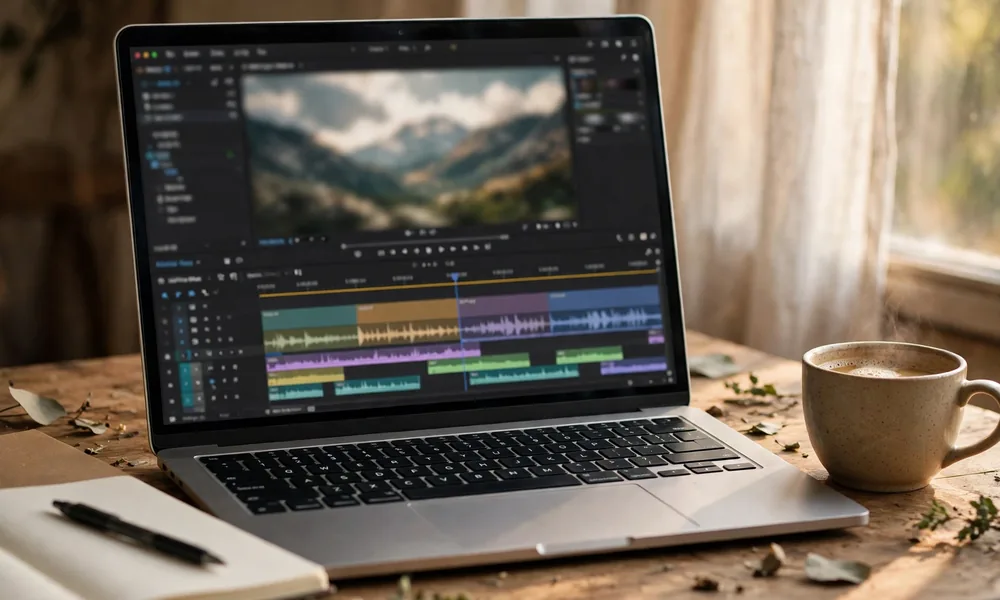
Sora 2 gives you raw material, not a finished ad. Import your chosen take into your normal editor — see our guide to the best video editing software if you need one — and trim the start and end, where AI clips most often wobble. Add your logo, brand colours and on-screen text in the editor, where you control spelling and placement.
Sound does half the work in short video. Add music that fits the mood, kept low enough that a voiceover or caption can carry the message. If the clip will run without sound, as most social video does, add captions for the key line. Export per channel and keep a master copy.
Step 5: Check Quality, Rights and Compliance
Watch the finished video twice: once for quality and once for accuracy. Look for warped hands, flickering objects and products that change colour between frames. Then check the facts: does the clip show the product doing something it cannot do? A generated clip can mislead as easily as a photo can.
Compliance matters too. Do not generate clips featuring real, recognisable people without permission, or recreate a competitor’s branding or a celebrity’s likeness. If your ad makes a claim — a price, a result, a guarantee — make sure it is true and provable. AI generation does not change advertising rules.
Step 6: Publish, Measure and Reuse What Works
Publish one concept at a time so you can tell what worked. Track the metrics that match its job: click-through, watch time, conversions. Run it against a traditionally produced clip when you can; the comparison shows where AI video saves money.
When a concept wins, reuse it: change the opening two seconds, swap the background, or cut a vertical version for another channel. File the prompt, the selects and the results together, so the next campaign starts from evidence.
Troubleshooting: Fixing the Most Common Sora 2 Problems
If the product looks wrong, shorten the prompt and put the product description first; the model prioritises early details. If motion looks unnatural, ask for a slower camera move — a static shot or gentle push-in. If text appears garbled, remove it from the prompt and add it in your editor.
If clips keep coming out off-brand, the problem is usually the brief, not the model. Add concrete brand details — exact colours, materials, room style — and remove vague words like “premium” or “amazing”. If generation feels slow, check your plan tier and generate off-peak. For the wider toolkit, see our best AI marketing tools roundup.
How to Choose the Right Sora 2 Workflow for Your Team
A solo marketer should keep it simple: one campaign, one format, three takes per concept, one editor for finishing — a repeatable loop you can run in an afternoon. A small team can add a reviewer and a shared prompt library. A larger team should add a brand checklist and a sign-off step, to catch off-brand clips.
Choose your volume honestly. Two videos a month makes it a cheap way to test ideas; twenty makes it a production line needing templates and naming rules. Either way, measure cost per finished video — subscription, editing and review time included — before deciding how far to scale.
Your Sora 2 Marketing Checklist
- One-sentence job written down before any prompting begins.
- Prompt saved, with product details first and unwanted elements excluded.
- At least three takes generated and compared side by side.
- Clip finished in an editor: trimmed, branded, captioned and exported per channel.
- Quality and compliance check passed by a second pair of eyes.
- Results tracked per clip, with the winning prompt filed for reuse.
Frequently Asked Questions
Is Sora 2 free to use?
No. Access comes through a paid ChatGPT plan, with limits that vary by tier — check current pricing before you budget. Start low and upgrade only when you hit its limits.
How long can a Sora 2 video be?
Sora 2 makes short clips, measured in seconds rather than minutes. It is built for ads, social posts and demos. For a longer video, stitch several clips together in an editor.
Can Sora 2 add text or a voiceover?
It can try, but rendered text often comes out garbled and voices are unreliable. Generate silent visuals in Sora 2, then add text, captions, music and voiceover in your editor, where you control every word.
Can I use Sora 2 clips in paid ads?
Yes, provided the clips are accurate and lawful and do not misuse anyone’s likeness or brand. Advertising rules still apply to AI-generated content, so review every clip for misleading claims before it runs.
Will Sora 2 replace my video team?
For short concept-led clips it can replace some shoot days, but it does not replace strategy, editing or review. The teams getting the most from it test more ideas faster, while humans still decide what ships.
How do I keep my brand consistent across Sora 2 clips?
Keep a written brand block — exact product colours, materials and room styles — and paste it into every prompt. Save winning prompts in a shared library, and have the same reviewer check every finished clip.
The Bottom Line
Sora 2 is at its best when treated as a fast, cheap way to test video ideas, not as a button that makes finished ads. The marketers winning with it in 2027 bring a clear job, a tight prompt and a human review to every clip, and measure results instead of admiring the technology.
Start small: one campaign, one format, three takes, one honest measurement. If the clip earns its keep, scale the workflow. If not, you learned in an afternoon what used to take a week and a shoot budget.