
Quick Answer: Which budget gaming desks are worth buying?
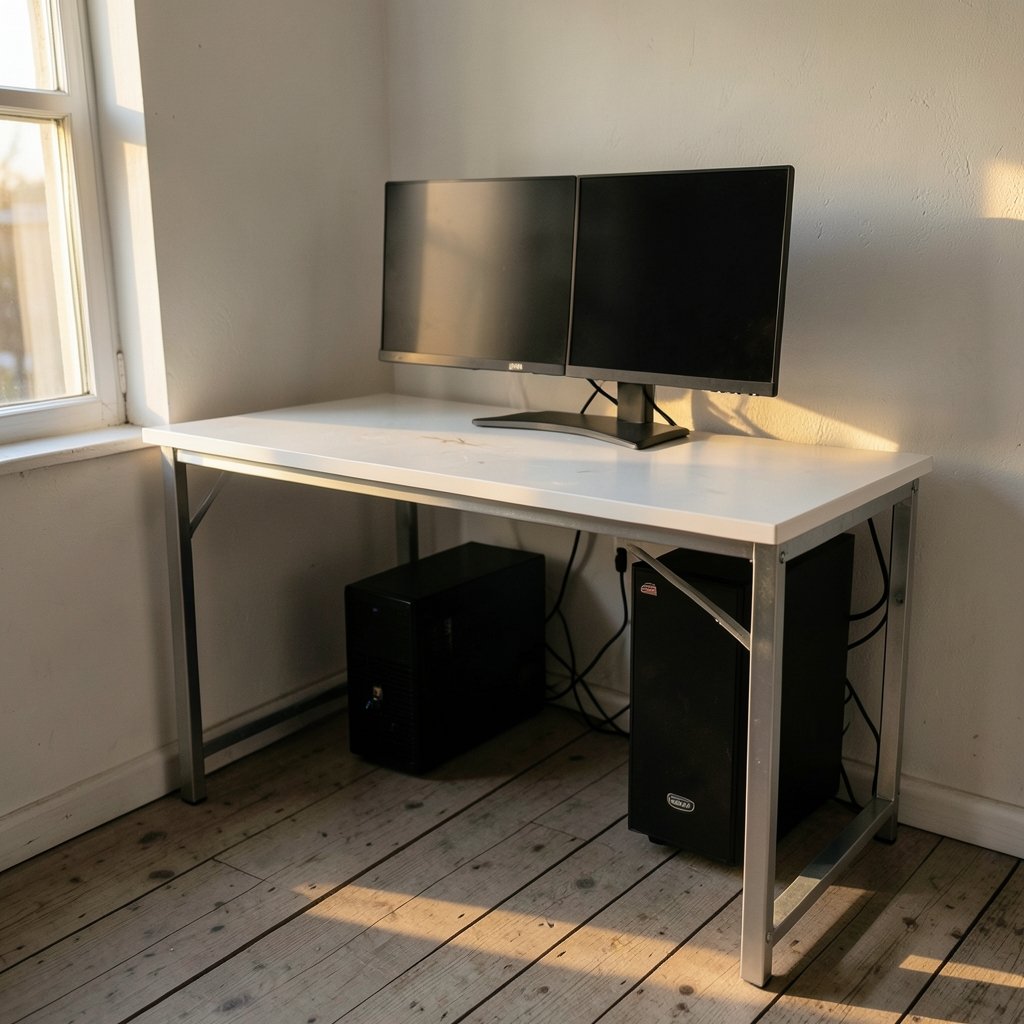
The budget gaming desks worth buying are the plain, sturdy ones that state a real load rating, sit at the right height for your elbows, and leave enough depth for your monitor. In practice, that usually means skipping RGB-heavy “gaming” models and choosing a simple rectangular desk with a steel frame, a thick top, and a width that fits your tower plus two screens.
Alternatives worth knowing about include L-shaped corner desks for multi-monitor setups, small 100 cm desks for tight rooms, and sit-stand frames that cost more but let you change posture through the day. Some shoppers also consider a plain office table with an added monitor arm, which often costs less than a styled gaming desk.
Before buying, compare stated load capacity, desktop depth and width, frame material and thickness, wobble complaints in reviews, cable management cutouts, monitor-arm clamp compatibility, assembly effort, and warranty coverage for the frame.
Why the “gaming” label rarely earns its price
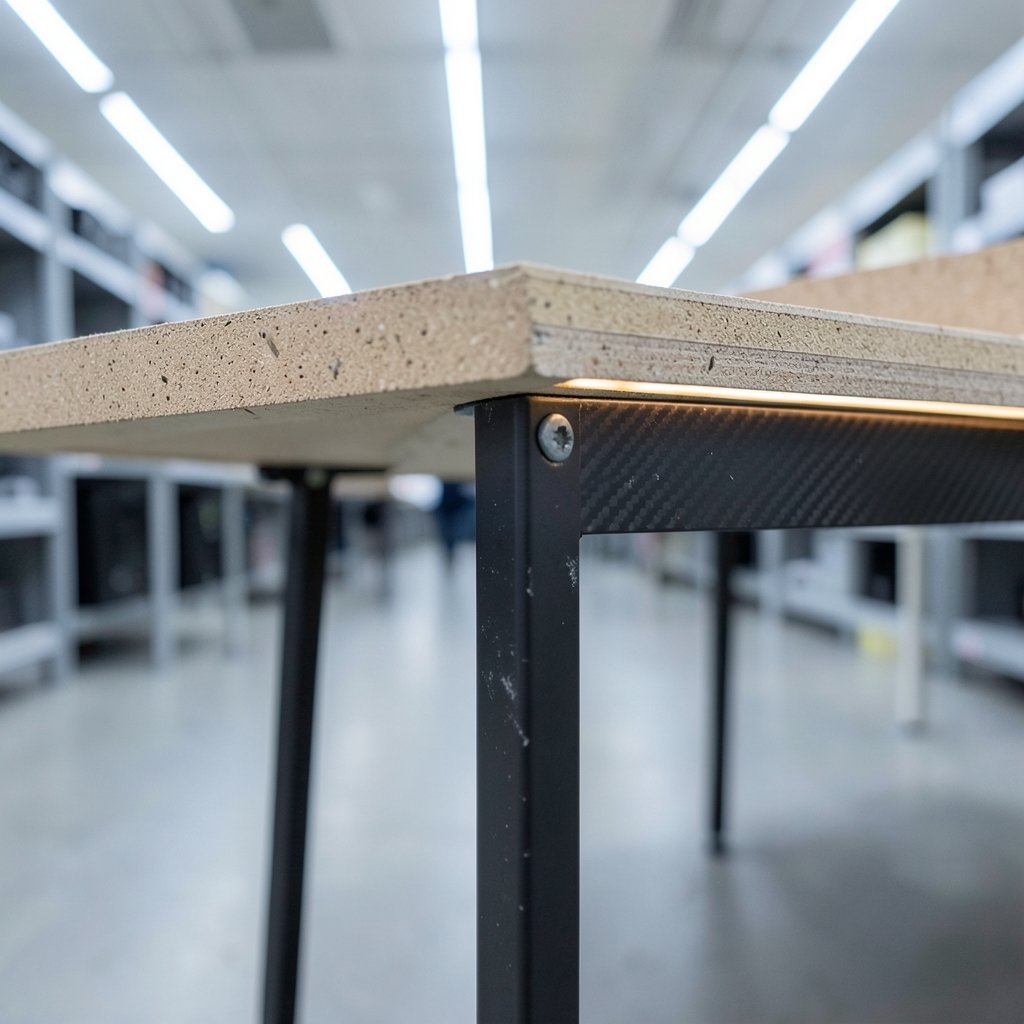
Walk into any electronics store and the gaming aisle glows. Angular corners, carbon-fiber prints, a strip of RGB along the back edge. It all looks fast. Then you read the spec sheet and realize the desk is a sheet of particleboard on four thin legs, with a price tag inflated by about a third because of a logo.
That is the trap most buyers fall into. A desk is furniture, not a graphics card. It does not render frames or reduce latency. What it does is hold heavy objects at a fixed height for years. Judged that way, the features that matter are boring: how much weight the frame carries, how much the top flexes, whether the surface survives a spilled drink, and whether the height suits your body.
There is a second trap, too. Shoppers researching a full setup often spend weeks on the PC and five minutes on the desk. If you have already read a guide like this one on a gaming monitor worth buying for beginners, you know how much difference panel quality makes. The desk deserves a similar hour of thought, because a wobbly surface undermines every upgrade sitting on it.
The specs that actually decide whether a budget desk holds up
Load rating is the number nobody checks
A mid-size tower with a heavy cooler can weigh 12 to 18 kg on its own. Add two monitors on arms, speakers, a mic boom and a laptop, and you are quietly asking a desk to carry 30 kg or more. Budget desks vary enormously in what they claim to support, and those figures are self-reported by manufacturers rather than independently tested.
The practical rule: find the stated load rating before you buy, and leave yourself headroom. If your gear adds up to 30 kg, a desk rated for 40 kg is sensible. A desk rated for 25 kg is a gamble, no matter how good the photos look.
Stability is where cheap desks show their age
Thin steel legs and honeycomb-filled tops flex. Put a monitor arm on a hollow-core desktop and the clamp can crush the surface or slowly loosen. Put a heavy tower on a narrow top and the whole thing shudders when you type with enthusiasm. Wobble is the single most common complaint in the budget tier, and there is no standardized test for it, so you have to read reviews closely.
Look for reviewers who mention the desk shaking during fast mouse movements, or who post photos of a monitor arm clamped to the edge. Those details tell you more than any marketing bullet.
Material and moisture resistance
Most budget desktops are particleboard or MDF wrapped in laminate. These materials are perfectly serviceable until water reaches the exposed core, at which point they swell and crumble. Sealed edges, a coaster under every drink, and a quick wipe after spills will extend the life of a cheap desk by years. If you eat and drink at your setup, this matters more than any styling choice.
Height, depth and width beat branding every time
Ergonomic guidance generally places the desk surface near elbow height when you sit, with the keyboard at roughly that level and the top of the monitor at or slightly below eye level. A desk that is too tall forces your shoulders up; too low and your wrists bend awkwardly.
Depth decides how far your monitor sits from your face, and width decides whether a tower and two screens fit without hanging off the edge. Measure your room, measure your gear, then shop. A 140 x 70 cm rectangle suits most single-monitor setups with a tower on the floor or at the end. Dual monitors and a desktop tower want 160 cm or more.
A realistic comparison of budget desk types
| Desk type | Typical strength | Typical weakness | Best for |
|---|---|---|---|
| Plain rectangular desk, steel frame | Good load rating for the money, simple assembly | Little cable management, basic looks | Most first gaming setups |
| RGB “gaming” desk | Styling, sometimes a cable tray | Paying for lights, thinner tops at the same price | Buyers who value looks equally |
| L-shaped corner desk | Lots of surface, fits two or three screens | Awkward in small rooms, harder to move | Multi-monitor and streaming setups |
| Small 100 cm desk | Fits tight spaces, cheap | Cramped with a tower on top | Laptops or console players |
| Budget sit-stand frame | Posture variety | Costs more, motor quality varies | Long sessions, shared desks |
That last row deserves a caveat. Reviews of sit-stand evidence find the health benefits are modest and mixed, and that alternating posture matters more than standing all day. Marketing claims about calories burned are usually overstated. A sit-stand desk is a comfort upgrade, not a medical intervention.
Practical tips that separate a good purchase from a regret
Start by measuring the wall space and the distance from your chair to the screen you want. Then check the manufacturer’s load rating and warranty terms, including whether the frame is covered or only the top. Flat-pack assembly is normal at this price, and a desk that takes one person ninety minutes to build is not a scandal, but a desk with vague instructions and mis-drilled holes is.
Cable management is worth planning before purchase. Many budget desks have no grommets, so a clip-on tray or a set of adhesive clips costs little and saves a mess. If you plan to use a clamp-on monitor arm, confirm the desktop is solid and thick enough, and that nothing under the surface blocks the clamp.
One more tip from experience: buy the desk you can carry up the stairs. A 160 cm desk in a fifth-floor walk-up is a different purchase than the same desk in a ground-floor room.
Where budget desks fit into a wider setup
A desk is one piece of a system, and the money you save on a plain frame can go into the parts that change how games feel. If you are building around a laptop, a guide to the best gaming laptops under 1000 that actually fit a budget pairs naturally with a compact desk that leaves room for a cooling pad and an external screen.
Console players have different needs: less depth, more room for a controller and a charging dock. Anyone weighing a new console against a desk upgrade should read up on whether the Nintendo Switch 2 is worth buying for beginners in everyday use before committing, because the desk budget and the console budget often come from the same pot. And if a handheld is on the table instead, a comparison of the best handheld gaming consoles in 2026 and which one actually fits will help you decide how much desk space you really need.
The pattern is consistent: spend where performance lives, save where it does not. A desk is structure. Buy structure that does not flex, and put the savings into pixels.
Common mistakes buyers make
The first mistake is buying for the photo. Styled desks photograph beautifully and wobble in person. The second is ignoring depth: a desk that is 60 cm deep puts a large monitor uncomfortably close, and no amount of resolution fixes eye strain. The third is assembling the desk after the PC arrives, discovering the tower does not fit under the frame brace, and living with it.
The fourth mistake is trusting a load rating without reading reviews from owners of similar gear. The fifth is skipping the warranty check. Budget desks are typically covered for a year or two, and terms change frequently, so confirm what is covered before checkout rather than after a leg bends.
Finally, do not buy a desk that is too tall because it was on sale. Height is the one spec you cannot fix with accessories, short of cutting the legs.
Conclusion
The budget gaming desks worth buying are unglamorous. They are rectangular, they state a load rating with room to spare, they sit at elbow height, and they are deep enough that your monitor is not in your face. They skip the RGB and put the money into steel and a thicker top. Everything else, from cable trays to monitor arms, can be added later for far less than the markup on a “gaming” badge.
Measure first, read the wobble complaints, check the warranty, and leave headroom on the weight. Do that, and a modest desk will outlast two graphics cards.
Frequently asked questions
How much should a budget gaming desk cost?
There is no fixed figure, and prices shift constantly, but the useful framing is relative: a plain desk with a steel frame and a thick top usually costs less than a styled gaming desk of the same size and strength. Compare load ratings at the same price rather than comparing badges.
Is a standing desk worth it for gaming?
It can be, for comfort and posture variety, but the evidence for health benefits is modest and mixed. Alternating between sitting and standing through the day matters more than standing for hours. Treat a sit-stand frame as a comfort feature, not a medical one, and check motor quality carefully at budget prices.
Can a cheap desk hold a heavy gaming PC?
It depends entirely on the stated load rating, which manufacturers self-report and rarely have independently tested. Add up your tower, monitors, speakers and accessories, then choose a desk rated well above that total. Keep the tower on the floor or directly over a leg for extra safety.
Do I need an L-shaped desk for two monitors?
Not necessarily. Two monitors fit comfortably on a 160 cm rectangular desk, and an L-shape mainly helps when you want a third screen or a separate work zone. L-shaped desks take more floor space and are harder to move, so measure the room before choosing one.
What is the biggest mistake when buying a budget gaming desk?
Buying for looks instead of structure. Thin tops flex under monitor arms, shallow desks push screens too close, and tall desks cannot be fixed with accessories. Measure your space and gear, check the load rating, and read reviews that mention wobble before you buy.
How do I stop a cheap desk from wobbling?
Tighten every bolt after assembly and re-check them a week later, place the heaviest items over the legs rather than the middle of the top, and make sure the desk sits level on its feet. If the frame itself is thin, no adjustment will fully cure flex, which is why the frame matters more than the finish.



