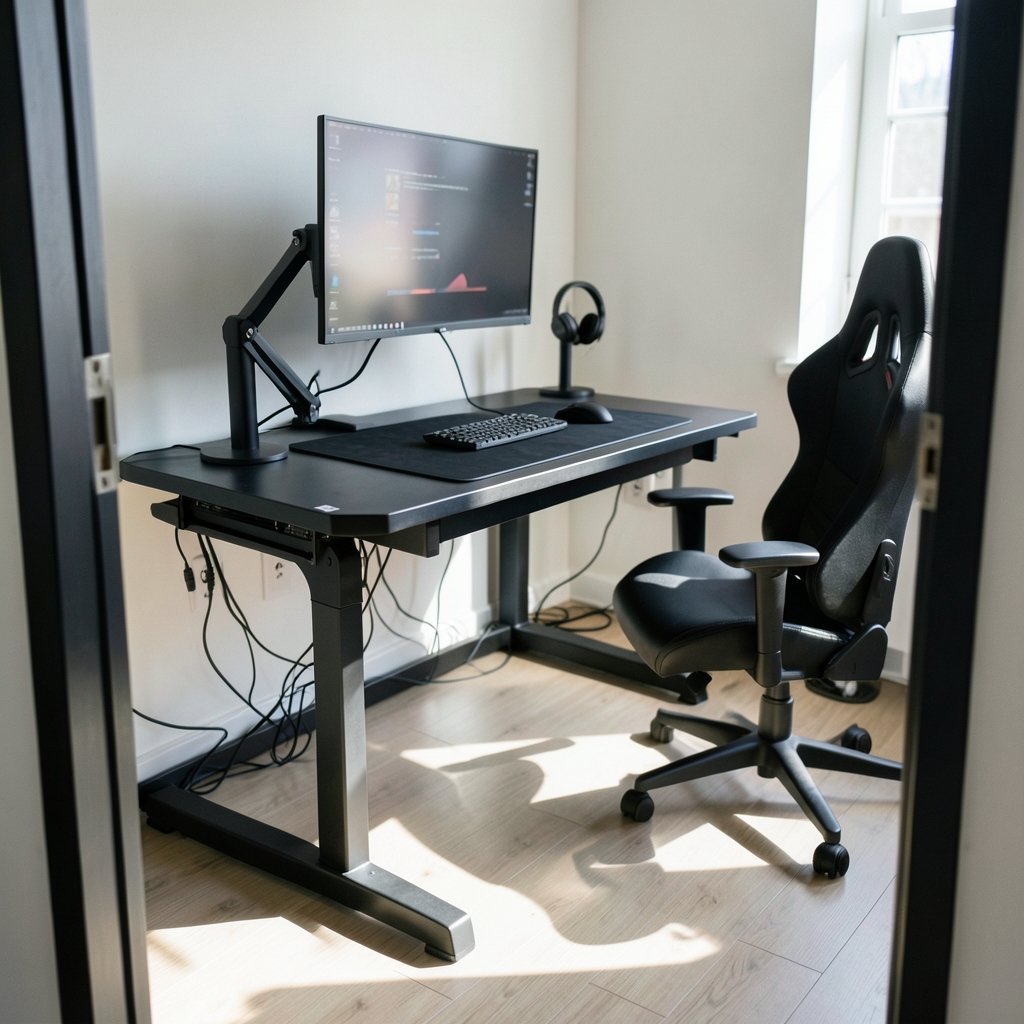
Quick Answer: Which gaming desks are best for competitive gaming?
The best gaming desks for competitive play are stable, height-adjustable desks with a deep top (at least 24–30 inches) and a wide surface of roughly 55–60 inches, because competitive gaming rewards a locked-in posture and gear that does not move under fast input. You can act on this by measuring your monitor distance, setting the desk so your elbows sit near 90 degrees, and prioritizing frame rigidity over RGB extras.
A fixed-height desk with a genuinely rigid frame can work just as well if it already matches your seated elbow height, and a pure standing desk is not required. What differs is adjustability, weight capacity, and how much wobble shows up during fast mouse flicks.
Before buying, compare top depth, total width, height range, weight capacity, frame material, cable management, monitor-arm compatibility, and warranty terms.
Is your desk secretly costing you fights? It sounds dramatic, but ask any low-sensitivity FPS player who has watched their mouse pad slide mid-flick or felt the whole table shudder after a hard keyboard mash. The desk is the one piece of gear every competitive player touches constantly and almost nobody researches properly. Most people buy on looks, then spend two years fighting wobble, cramped mouse space, and a monitor that sits too close to their face.
Here is the honest version of what matters, what does not, and how to pick a desk that disappears under your setup instead of fighting it.
Why Stability Beats Every Marketing Feature

Competitive gaming is a game of small margins. A flick that lands two pixels off is a lost duel. And the physical input chain runs straight through your desk: your arm pushes the mouse, the mouse pad grips the surface, the surface sits on the desk, and the desk either absorbs that energy or transmits it into wobble.
Stability under rapid input is the single most competitive-specific requirement, and it is also the one feature no formal standard covers. There is no independent benchmark for “gaming desk stability” that anyone can point to. What you can compare is frame construction, leg design, weight capacity, and reported wobble at standing height.
A few practical truths from real setups:
- Four legs beat two. A T-shaped two-leg frame is fine at seated height but gets noticeably shakier as it rises.
- Weight capacity is a proxy for rigidity. A desk rated for 200+ lbs usually has thicker steel than one rated for 80 lbs.
- Crossbars and diagonal bracing matter more than top thickness. A thick top on a flimsy frame still wobbles.
- Carpet amplifies everything. Feet that sink into pile carpet let the whole desk rock. Furniture pads or a hard mat under the feet fix a surprising amount of this.
The common mistake is buying a desk with a striking top and a thin frame. It looks great in photos and feels like a trampoline during a clutch round.
Height and Depth: The Numbers That Actually Matter
Ergonomic guidance for computer workstations recommends the top of the screen at roughly eye level, the monitor about an arm’s length away, and the keyboard and mouse at about elbow height. Translate that into desk shopping and you get two hard numbers.
Depth. A 27-inch 16:9 monitor is about 24 inches (60 cm) wide. At arm’s-length viewing, roughly 20–28 inches, a desk of 24–30 inches of depth keeps the screen in a comfortable range without wall-mounting. Go shallower than 24 inches and you either sit too close or push the monitor back until it hangs off the edge.
Width. Competitive players tend to use large mouse pads, often around 900×400 mm. Add a full-size keyboard and a monitor, and a desk under about 55–60 inches (140–150 cm) wide starts feeling like a puzzle. If you run a dual-monitor setup, go wider or plan on a monitor arm.
| Desk width | Fits comfortably | Who it suits |
|---|---|---|
| Under 47 in (120 cm) | Keyboard, mouse, one monitor | Tight spaces, controller players |
| 47–55 in (120–140 cm) | Keyboard, large pad, one monitor | Most single-monitor competitive setups |
| 55–63 in (140–160 cm) | Keyboard, large pad, monitor, speakers | Low-sensitivity FPS, streaming |
| 63 in+ (160 cm+) | Dual monitors, full peripheral spread | Multi-display and content setups |
Height. Seated desk height should put your elbows near 90 degrees with shoulders relaxed. For most adults that lands somewhere around 25–30 inches, which is exactly why fixed-height desks fail so many people. Height-adjustable models commonly cover roughly 22–48 inches (about 56–122 cm) of travel, though ranges vary by model, so check the spec sheet rather than assuming.
If you are still deciding how the rest of the setup fits together, the comparison of the best gaming consoles 2026 is a useful sanity check on where your budget should go first. A great desk under a console-on-a-TV setup is money spent in the wrong place.
Sit-Stand Desks: Worth It for Competitive Players?
Public-health guidance generally advises breaking up long sitting periods, and a sit-stand desk supports exactly that. For competitive players who grind four-hour sessions, the appeal is real: you can stand during downtime between matches and sit for focused play.
The catch is that most standing desks are optimized for office use, not for fast input. At full standing height, a two-leg frame with a light top will wobble more than it does seated. If you want a sit-stand desk for gaming, look for:
- A three-stage or four-leg frame rather than a basic two-stage
- Dual motors so the desk rises evenly and stays level
- A weight capacity well above your actual load
- Memory presets so you return to your exact seated height every time, not an approximation
That last point is underrated. Competitive players are sensitive to tiny posture changes. A preset that returns the desk to the same millimeter removes one variable from your setup.
Fixed Desks, Gaming Desks, and Plain Office Desks
The “gaming desk” category is mostly a styling exercise. RGB strips, cup holders, controller hooks, and headset hangers do not affect competitive performance in any measurable way. No study links these features to in-game outcomes, and treating claims otherwise as meaningful is falling for marketing.
That does not make gaming desks useless. Some have genuinely good cable trays and monitor-arm-ready tops. But a well-built plain office desk with the right dimensions will outperform a flashy gaming desk with a wobbly frame every single time.
| Type | Strength | Weakness | Best for |
|---|---|---|---|
| Gaming desk (branded) | Cable management, looks, monitor-arm support | Variable frame quality, RGB markup | Players who want one coordinated setup |
| Height-adjustable office desk | Ergonomic fit, presets, build quality | Plain looks, higher cost for good frames | Most competitive players |
| Fixed office desk | Cheap, rigid, simple | Wrong height for many people | Players who already know their height |
| DIY top + aftermarket frame | Exactly your dimensions | Assembly effort, research time | Tinkerers with specific needs |
The practical tip: buy the frame, not the badge. A sturdy height-adjustable base with a solid top beats a branded gaming desk at the same price almost every time.
Cable Management and Mouse Freedom
Here is a detail that separates players who have thought about this from players who have not. Low-sensitivity FPS players use large mouse movements, sometimes sweeping 15+ inches across the pad. A mouse cable that catches on the desk edge, snags under a monitor stand, or drags across a rough surface will ruin those sweeps.
Desks with a rear cable tray or grommets let you route the mouse cable cleanly so it never snags. That is a real, practical differentiator, widely reported by players rather than formally measured.
What actually works in practice:
- Route the mouse cable up and over, not along the desk surface.
- Use a bungee or a wireless mouse if you sweep wide.
- Keep the cable tray at the rear so nothing crosses your pad.
- Leave slack near the mouse so the cable never pulls during a flick.
If you are weighing a wired versus wireless network setup for the same reason, the breakdown of ethernet vs wi-fi gaming applies the same logic: remove the variable that causes stutter.
Matching the Desk to the Rest of Your Setup
A desk does not exist in isolation. It has to hold a monitor, and the monitor has to sit at the right distance and height. If you are still choosing a display, the guide to the best gaming monitors for competitive gaming covers refresh rate and panel response, which pair directly with desk depth and monitor-arm planning.
The same goes for the machine itself. If you are deciding between a console and a PC, the comparison of PS5 Pro vs a gaming PC shapes how much desk space you actually need and whether a monitor arm is worth it.
And if you are outfitting a whole room rather than one corner, the roundup of the best gaming desks 2026 digs into load ratings and frame behavior under real use, which is the detail catalogs tend to skip.
One more practical note: a desk is only as good as its contact with the floor. On hardwood, felt pads protect the surface and keep the desk from creeping. On carpet, a rigid mat under the feet stops the rocking that makes every fast input feel unstable.
Common Mistakes Buyers Make
Most desk regret comes from a short list of avoidable errors.
Buying for looks first. A glass top with a thin frame photographs beautifully and flexes under a keyboard mash. Glass also scratches and shows every smudge.
Ignoring depth. People measure width obsessively and forget depth, then discover their 32-inch monitor sits six inches from their nose.
Skipping the height check. If a fixed desk is two inches too tall, you will spend years with raised shoulders. Measure your seated elbow height before you buy anything.
Trusting weight capacity alone. A high capacity on a two-leg frame still wobbles at standing height. Ask about leg count and bracing.
Forgetting the monitor arm. Clamp-style arms need a top thin enough to grip and a frame that will not flex. Check the clamp range before ordering.
Overlooking the wall behind you. A deep desk plus a pulled-back chair needs clearance. Measure the room and the desk.
How to Test a Desk Before You Commit
You can evaluate a desk in about two minutes in a showroom or after delivery.
- Set it to your seated height and press down hard on one front corner. Any lift at the opposite corner is a warning sign.
- Set it to maximum standing height and repeat. This is where weak frames reveal themselves.
- Shake the desk side to side as if mashing keys. Listen for rattles.
- Slide a mouse pad to the edge and check for a lip or seam that could catch a cable.
- Check that the cable tray does not reduce usable depth.
- Confirm the height presets return to the same position twice in a row.
If it passes all six, you have a desk that will get out of your way.
Conclusion
The best gaming desk for competitive play is not the one with the most features. It is the one that stays still, fits your body, and gives your mouse room to move. Prioritize a rigid frame, 24–30 inches of depth, 55–60 inches of width for a full-size pad and keyboard, and a height that puts your elbows near 90 degrees. Sit-stand adjustability is a genuine bonus for long sessions, but only if the frame is sturdy enough at standing height to survive fast input.
Skip the RGB markup. Buy the frame. Measure your elbow height and your monitor distance before you spend a cent, and the desk will quietly do its job for years.
FAQ
Do pro gamers use special gaming desks?
Most professional players use whatever desk fits their space and height, often a sturdy height-adjustable model or a solid fixed desk. Branded gaming desks appear in sponsored setups, but there is no evidence that desk branding affects performance. Frame rigidity and correct dimensions matter far more than the logo.
Is a standing desk better for competitive gaming?
Not inherently. A sit-stand desk helps you break up long sitting periods, which is good for comfort during marathon sessions. But a wobbly standing desk at full height is worse for competitive play than a rock-solid fixed desk. If you go sit-stand, choose a frame with four legs or three-stage columns and a high weight capacity.
How wide should a gaming desk be for a large mouse pad?
Aim for at least 55–60 inches (140–150 cm) of width if you use a large pad around 900×400 mm plus a full-size keyboard. That leaves room for a monitor and some breathing space. Under 47 inches, most large-pad setups start feeling cramped, especially with speakers or a second display.
Does desk depth really matter for gaming?
Yes, and it is the most commonly ignored spec. A 27-inch monitor needs roughly 20–28 inches of viewing distance for comfortable arm’s-length viewing. A desk 24–30 inches deep keeps the screen in that range without wall-mounting. Shallower desks force you too close or leave the monitor hanging off the edge.
Are glass-top gaming desks a bad idea?
They are risky for competitive play. Glass tops can flex on thin frames, scratch easily, and show every smudge. They also complicate clamp-style monitor arms, which need a secure grip. A solid wood, laminate, or engineered top on a rigid steel frame is the safer choice.
How much weight should a gaming desk support?
Look for a capacity well above your actual load, since extra headroom usually signals a thicker frame. Add up your monitor, monitor arm, PC tower if it sits on the desk, speakers, and peripherals, then aim for at least double that figure. High capacity on a two-leg frame still wobbles, so check leg count and bracing too.