What happens when a wireless access point launch promises faster speeds, tougher hardware, and cloud management, but the buyer’s real question is simpler: will this thing work where I need it to? That gap between marketing and reality is where most access point launches get judged. Recent releases from Zyxel Networks and NETGEAR show two very different answers to that question, and understanding the difference tells you more about the market than any spec sheet.
Why Access Point Launches Suddenly Target Outdoor and Wall-Mount Spaces
For years, most new access points looked the same: a white disc for a ceiling, aimed at offices. The launches that matter now are going after the edges of the network, the parking lot, the patio, the apartment wall, the classroom corner. That shift is not random. Managed service providers (MSPs) are being asked to cover spaces that a main building’s WiFi never reached, and vendors are racing to build hardware for those spots.
Zyxel Networks made that bet explicit. Its outdoor range grew with the NWA55AX PTP point-to-point wireless bridge, available now, and the NWA55AX PRO outdoor access point, which was set to follow. Both are built for hospitality venues, industrial sites, campuses, and public spaces, the kinds of places where coverage has to stretch past a main building or across a wider site.
The pitch behind these launches is straightforward. Instead of bolting indoor gear into a weather-exposed spot and hoping, buyers get ruggedized units designed for the job from the start. That is a meaningful change for anyone who has watched a cheap indoor AP fog up in a cold snap.
Zyxel’s Outdoor Push: Bridges, Rugged APs, and Long-Range Links
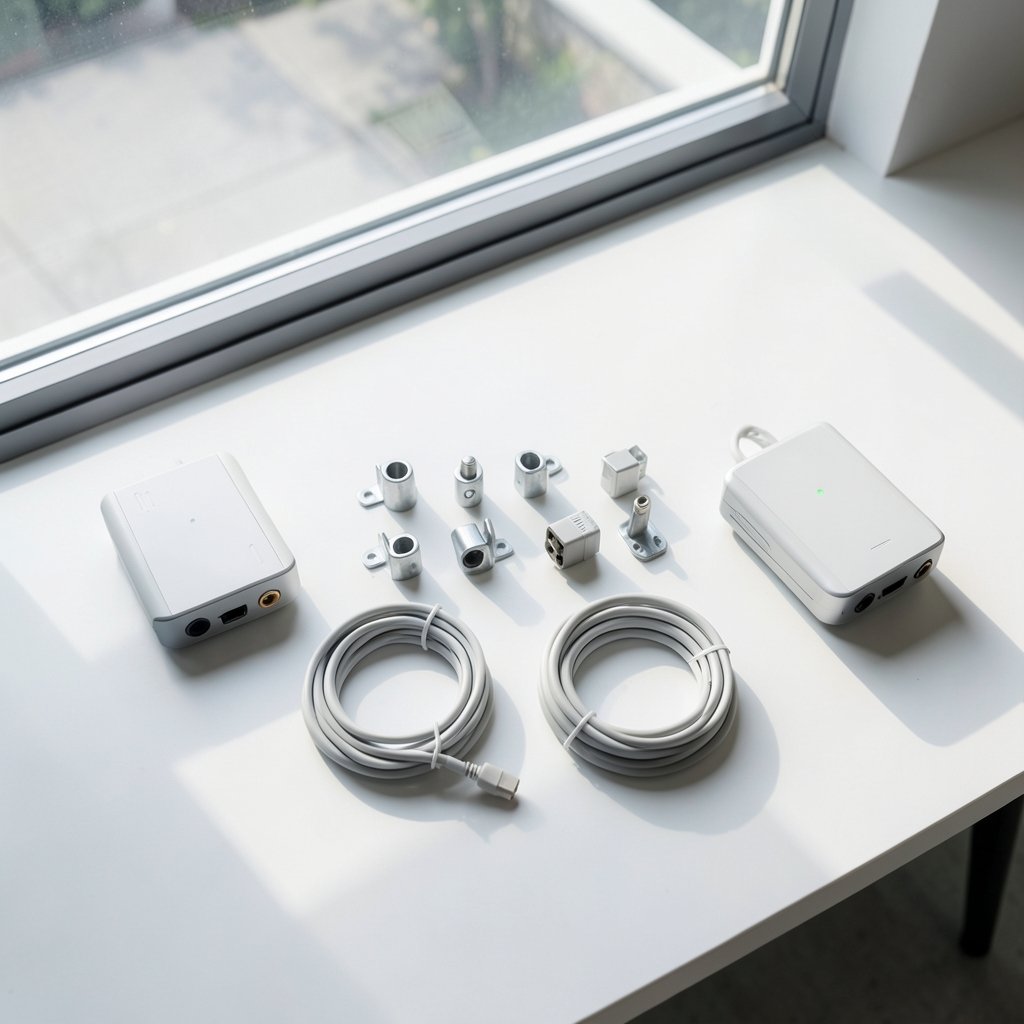
Zyxel did not launch one product and call it a day. It unveiled three additions to its ruggedized outdoor range, all aimed at MSP partners serving large industrial or semi-industrial locations, smaller businesses and homes, and sites where connectivity must reach well beyond the main coverage area. All three can be managed through the company’s Nebula cloud platform, which lets providers deploy, monitor, and optimize wireless networks remotely.
The details worth knowing:
- NWA55AX PTP: a factory-paired point-to-point wireless bridge sold as a two-unit kit. It is designed to connect automatically when powered on, with an LED indicator showing when the link is established. Zyxel says the dedicated point-to-point device provides up to 5km of connectivity out of the box.
- NWA55AX PRO: an outdoor access point delivering WiFi 6 performance of up to AX3000, with an IP55-rated enclosure for weather-resistant operation. It targets smaller industrial sites, business premises, campuses, and home offices that need reliable outdoor coverage.
That 5km figure is the headline, and it deserves a skeptical read. Point-to-point bridges are only as good as their line of sight. Trees, roof lines, and even heavy rain can eat into a rated distance, so treat the number as a best-case ceiling rather than a promise. The auto-pairing feature, though, is genuinely useful in practice. Anyone who has climbed a ladder twice to re-pair a bridge will appreciate a kit that links itself on power-up.
What the Cloud Management Angle Really Means
Managing outdoor gear remotely sounds like a convenience feature. For an MSP, it is closer to a survival requirement. A ruggedized AP on a light pole or a warehouse roof is expensive to visit. Cloud management through a single platform means firmware updates, channel changes, and troubleshooting happen from a desk. When comparing deployment models, it helps to understand how coverage and backhaul costs interact, which is exactly the ground covered in this breakdown of access point vs mesh node backhaul coverage cost compared. The short version: a wired access point usually wins on stability, while mesh buys convenience at the cost of throughput per hop.
NETGEAR’s WAX610W: A Small AP Built for Crowded Rooms
NETGEAR took the opposite approach with the WAX610W, announced at CEDIA Expo 2025 in Denver. This is a compact, wall-mount WiFi 6 access point built for hospitality environments, multi-dwelling units (MDUs), and education settings. It delivers up to 1.8 Gbps of total throughput across dual bands, which is plenty for guest rooms, apartments, and classrooms where many devices connect at once.
The port layout is the part installers notice first. The WAX610W has one Gigabit PoE-In port for power and uplink, plus four Gigabit LAN ports to connect devices like IP phones, smart TVs, and projectors directly. In an MDU, that turns the AP into a small wiring hub instead of just a radio. Fewer switches, fewer power outlets, fewer things to fail.
NETGEAR’s own framing is about discretion. Nat Chidambaram, senior director of product management, described residential customers as demanding solutions that are reliable yet unobtrusive, and called the WAX610W the company’s smallest access point yet, one that blends into its environment with an easily installed ceiling or wall mount. Managed through the Insight cloud platform, he called it “a quiet powerhouse.”
Compatibility matters here too. The WAX610W supports client devices using WiFi 4, WiFi 5, WiFi 6E, and WiFi 7 standards, and it works with mesh backhaul configurations for flexible deployment. That backward-and-forward compatibility is the unglamorous feature that keeps a network usable for years.
How the Two Launch Strategies Compare
Put the two approaches side by side and the split becomes obvious. One vendor is pushing range and ruggedness. The other is pushing density and installation simplicity.
| Feature | Zyxel NWA55AX PTP / PRO | NETGEAR WAX610W |
|---|---|---|
| Primary setting | Outdoor, industrial, campus, long-range links | Hospitality, MDUs, classrooms |
| WiFi generation | WiFi 6 (PRO up to AX3000) | WiFi 6, up to 1.8 Gbps total |
| Weather rating | IP55 on the PRO | Not positioned as outdoor gear |
| Standout feature | Up to 5km point-to-point bridge, auto-pairing | Four Gigabit LAN ports plus PoE-In |
| Management | Nebula cloud platform | Insight cloud platform |
| Client compatibility | WiFi 6 focus | WiFi 4 through WiFi 7 clients |
Neither column is “better.” A hotel with a long driveway and a detached pool bar needs the bridge. A six-story apartment block needs small APs on hallway walls with ports for TVs. Buying the wrong one is the classic mistake, and it usually happens because someone read a spec sheet instead of walking the site.
The WiFi 7 Wave Waiting Behind These Launches
WiFi 6 hardware is still arriving in force, but the next generation is already on the launch calendar. D-Link introduced its Nuclias DAP-E3620 series, three WiFi 7 access points for business networks, in variants for ceiling mount, wall mount, and outdoor use. All three use dual-band WiFi 7 with Multi-Link Operation, 4K-QAM, and Multi-RU, features aimed at high performance with low latency in dense environments. Paired with 2.5-Gigabit PoE switches from the DMS-1250 series, the pitch is fewer bottlenecks and enough bandwidth for device-heavy spaces while powering connected devices over the network cable.
For buyers, this creates a familiar timing problem. Do you deploy WiFi 6 now or wait for WiFi 7 to mature? A practical answer: match the radio to the clients. If most devices in the building are older, WiFi 6 access points will serve them well for years. If the site is new construction with a ten-year horizon, paying attention to WiFi 7 launches makes sense, especially where many devices sit in one room. Either way, the wired backbone matters more than the radio generation. A WiFi 7 AP on a slow uplink is a sports car in a traffic jam.
What Actually Matters When a New AP Launches
Launch announcements reward hype. Real deployments reward planning. A few habits separate smooth installs from painful ones.
- Survey before you buy. Walk the site with a heat map or at minimum a signal app. Count walls, note metal shelving, and check where people actually sit. Outdoor coverage claims assume clean line of sight; buildings rarely cooperate.
- Plan power and cabling first. PoE simplifies everything, but the switch has to support the standard and the budget. An AP with four LAN ports needs those ports to be worth running cable to.
- Treat range ratings as ceilings. A 5km bridge link is a lab-friendly figure. Real links shrink with obstructions, so build in margin or plan a relay point.
- Check the management platform before the hardware. Cloud dashboards differ in licensing, alerting, and firmware control. If remote management is the reason you picked a vendor, confirm the platform does what the brochure says.
- Think about guest access separately. Hotels, MDUs, and campuses all hand out temporary credentials. Getting those right is its own discipline, and the mechanics of time-limited codes are covered in this guide to smart lock guest code expiration set access that ends time — the same “access that expires” logic increasingly applies to guest WiFi portals.
One common mistake deserves its own mention: buying outdoor-rated hardware but mounting it badly. An IP55 enclosure protects against dust and water spray, not against a poorly sealed cable gland or a mounting bracket that lets water pool. The enclosure rating is only as good as the install.
Budgeting Beyond the Box Price
Access point launches tend to advertise the unit, not the system. The real cost includes switches, cabling, mounting hardware, licensing for cloud management, and labor. That last item is where outdoor gear can surprise people. A rooftop AP that needs a lift rental for service visits costs far more over five years than its sticker price suggests.
Buyers comparing options should also look at how access is controlled across the whole stack. Network gear, door systems, and even financial apps now share the same question: who gets in, and for how long? The same discipline that governs network access applies to the tools around it, whether that is a privileged access management checklist with 12 controls that matter for IT teams or a review of what privileged access management pricing buyers actually pay looks like in practice. Budget conversations go better when the whole picture is on the table, including costs beyond the access point line item.
Conclusion
Wireless access point launches are easy to skim and hard to judge. The recent wave tells a clear story: vendors are filling gaps rather than chasing raw speed alone. Zyxel’s outdoor bridge and rugged APs answer the long-range and harsh-environment problem, with cloud management that suits MSPs managing many sites. NETGEAR’s WAX610W answers the crowded-room problem, trading range for a small footprint and four handy LAN ports. D-Link’s WiFi 7 series points at where density-focused networks are heading next.
The winning move for buyers is unglamorous. Survey the site, plan the cabling and power, read range claims as ceilings, and confirm the management platform fits how you actually work. A launch announcement tells you what a device can do in a lab. A good deployment plan tells you what it will do in your building. Pick the AP that matches the space, not the one with the boldest number on the box.
FAQ
What is a wireless access point launch?
It is the announcement and release of a new access point model, usually with details on its WiFi generation, speed ratings, mounting style, management platform, and target environments. Recent examples include Zyxel’s outdoor NWA55AX series and NETGEAR’s wall-mount WAX610W.
What is the difference between the Zyxel NWA55AX PTP and the NWA55AX PRO?
The PTP is a factory-paired point-to-point bridge sold as a two-unit kit, designed to link two locations with up to 5km of connectivity out of the box. The PRO is an outdoor access point with WiFi 6 performance up to AX3000 and an IP55-rated enclosure, meant to serve clients in a local outdoor area.
Who is the NETGEAR WAX610W designed for?
It targets hospitality environments, multi-dwelling units, and education settings. It offers up to 1.8 Gbps across dual bands, one Gigabit PoE-In port, and four Gigabit LAN ports for devices like IP phones, smart TVs, and projectors, and it is managed through NETGEAR’s Insight cloud platform.
Should I wait for WiFi 7 access points instead of buying WiFi 6?
It depends on the clients and the building’s lifespan. WiFi 6 gear serves older devices well and is widely deployed. WiFi 7 models like D-Link’s DAP-E3620 series add features such as Multi-Link Operation and 4K-QAM for dense spaces. In both cases, a solid wired backbone matters more than the radio generation.
How accurate are long-range claims like 5km for a wireless bridge?
Treat them as best-case figures. Point-to-point links depend on clear line of sight, and obstructions, terrain, and weather reduce real-world distance. Plan for margin, or add a relay point if the path is not clean.
What should I check before deploying a new access point?
Confirm the site survey, PoE switch capacity, cable runs, mounting hardware, and cloud management licensing. Verify that the enclosure rating suits the location and that the install protects cable entry points. The box price is only part of the total cost.