A security setup should fit the way you live, not just the size of your house. Home security systems differ in equipment, installation, monitoring, and cost, so your best match depends on what you need and what you can spend.
Cellular backup is a mobile-network connection that can carry alarm signals when a home internet connection is unavailable. This roundup compares DIY installation and professionally installed systems, along with professional monitoring and smart home products.
You can use these comparisons to build a shortlist around your home, your preferred level of home automation, and the customer service you expect. Start with the risks you want covered, then weigh how much help you want after an alarm.
Key Takeaways
- ADT leads the 2026 comparison for households focused on professional monitoring.
- SimpliSafe offers an outdoor camera with active deterrence features.
- Vivint suits homes that want security actions tied to home automation.
- Cove and Ring Alarm offer DIY installation options and no-contract terms.
- Compare equipment, installation, monitoring, and service commitments together.
- A good shortlist starts with the risks you want covered and the amount of help you want after an alarm.
Best Home Security Systems in 2026
ADT leads this comparison at 9.3/10, while SimpliSafe and Vivint are close behind at 9.2/10 and 9.1/10. Best home security depends on your main goal: ADT for professional monitoring, SimpliSafe for intrusion deterrence, or Vivint for automation.
These SecureScores compare systems within this 2026 ranking; other scoring scales may use different methods. The table gives the five highest-ranked systems and their strongest fit.
| Rank | System | SecureScore | Best fit |
|---|---|---|---|
| 1 | ADT | 9.3/10 | Professional monitoring |
| 2 | SimpliSafe | 9.2/10 | Intrusion deterrence |
| 3 | Vivint | 9.1/10 | Home automation |
| 4 | Cove | 8.8/10 | Flexible installation |
| 5 | Alder | 8.8/10 | Alarm response |
Match the accolade to your main priority rather than treating a small score difference as a guarantee of a better fit.
Frontpoint ranks sixth at 8.7/10, Brinks Home Security ranks seventh at 8.7/10, and Ring Alarm ranks eighth at 8.2/10. Their distinct strengths include third-party integration, smart home features, and video-focused DIY setup.
The security systems 2026 list names ADT, SimpliSafe, Vivint, Cove, Alder, Frontpoint, Brinks, and Ring Alarm. A separate cellular-system comparison recommends six picks: ADT, Vivint, SimpliSafe, Cove, Frontpoint, and Alder.
How Were These Systems Evaluated?
A high score is most useful when you know whether it reflects equipment, monitoring, or the cost of owning the system. Equipment, response, and value shape the comparison, but other test programs may use different homes and scoring rules.
The scoring weights are equipment 40%, monitoring 30%, and price 30%. Those weights help show how a security system balances what you receive against the service and ownership costs.
Equipment, monitoring and price
Equipment quality includes the performance and usefulness of sensors, hubs, and security cameras. Monitoring looks at how alarms reach monitoring agents and how the service handles a response.
Price includes equipment and financing costs, fees, and other charges during ownership. A low starting cost may not tell you what the system costs after equipment, service, and other charges are counted.
- Equipment quality and the devices included.
- Monitoring service and alarm response.
- Total ownership cost, including fees and financing.
What a home test can reveal
More than 30 popular home security systems have been tested since 2016. Testing took place in a two-story, 2,200-square-foot house, which gives systems a consistent setting for comparison.
Placing sensors and cameras in a real home can reveal setup problems that a feature list misses. A device may be hard to reach, a control may be confusing, or a sensor may not suit a busy doorway.
Those details matter when you install a system yourself or use professional installation. Use each score as a comparison within its own test framework, not as a promise of identical results in every home.
ADT: Best for Professional Monitoring
ADT is the clearest fit here if you want professional monitoring backed by a second communication path. Cellular backup can carry alarm signals if your home internet connection fails.
In a simulated Wi-Fi outage, ADT switched to 4G LTE backup in under two seconds. Its Base hub uses Wi-Fi and cellular connections, while sensors communicate with it on the 1.9 GHz band.
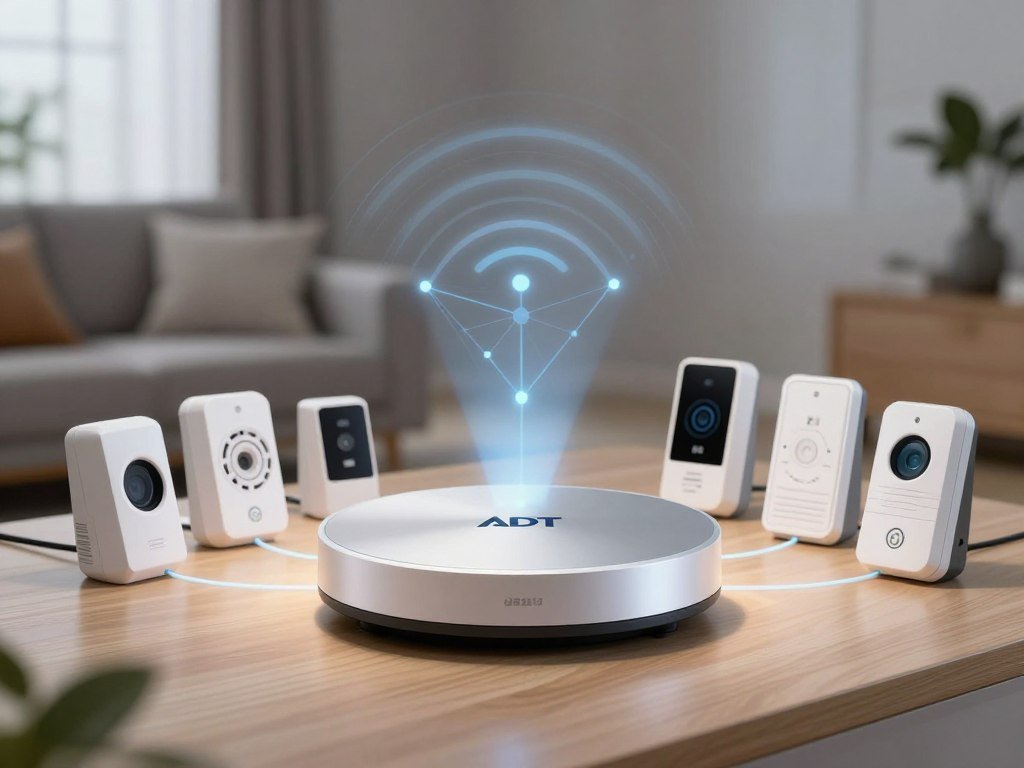
ADT operates six monitoring centers in North America. The industry-average monitoring response time is 45 seconds, but that figure is context, not ADT’s own response result.
ADT Pro Install and ADT Blu are separate offerings. Pro Install uses a professional installation path, while ADT Blu is a DIY option for people who prefer setting up equipment themselves.
The hub’s connections matter only if your selected equipment and plan support the functions you want. Ask what happens to alarm signals if your home internet stops, and which devices use cellular backup.
Check whether the chosen plan supports the equipment and backup features you actually intend to use.
SimpliSafe: Best for Intruder Deterrence
SimpliSafe’s standout advantage is that an outdoor camera can let monitoring agents intervene, rather than only record activity. Active Guard Outdoor Protection gives agents ways to react to activity near the camera.
The feature requires both a premium monitoring plan and a plugged-in camera. Monitoring agents can use the siren, spotlight, and two-way audio to address activity as it happens.
The outdoor camera records at 1080p and has a 140-degree viewing angle. It also offers 10x zoom, a 90 dB siren, and an integrated spotlight.
Those tools give the camera more than a recording role, but they come with specific power and service needs. A battery-powered camera cannot meet the plugged-in condition for Active Guard Outdoor Protection.
If you want recording without agent intervention, compare the camera’s other features and service options separately. For a broader look at home security camera choices, consider how power and storage fit your plans.
Check the power and plan requirements before choosing the outdoor deterrence feature.
Vivint: Best for Smart Home Automation
Vivint is the pick to consider when you want security actions to trigger useful changes around the home. Home automation can connect alarm settings with compatible lights, locks, and other devices.
Vivint uses professional installation, and its Smart Hub has a 7-inch touchscreen. A routine can lock a door after you arm the system or turn on smart lights when motion is detected.
Example setups have used Philips Hue lights, a Kwikset lock, a Google Nest speaker and thermostat, and Amazon Echo. These are examples of connected devices, not a promise that every model will work.
Routines can save you small steps during a busy day. For instance, arming the alarm as you leave could also lock a compatible door, while motion could trigger a light.
Check model-level support before you build around a device you already own. This beginner’s guide to smart home devices can help you compare controls and compatibility across brands.
Check compatibility for each device you already own before building a routine around it.
Cove: Best for Budget-Conscious DIY Setup
Cove is worth a closer look if you want to choose between setting up the system yourself and getting installation help. Flexible installation lets you choose DIY installation or professional installation.
Cove offers professional monitoring, no contract, and a one-year warranty. Its 2026 SecureScore was 8.8/10, though that rating does not set the cost of a system for your home.
Equipment packages and monitoring plans affect the full cost. A budget-conscious choice still depends on which sensors, controls, and services you select, so compare the included features rather than assuming every setup costs the same.
DIY installation can suit someone comfortable placing and testing devices. Professional installation may better fit a household that wants help with setup, even when the provider offers both paths.
No-contract terms give you a different commitment from a long service agreement. They do not remove the need to compare the equipment list and the recurring monitoring charge.
Compare the full equipment list and recurring service before deciding whether the flexible setup saves money for your household.
Alder: Best for Fast Alarm Response
Alder is a response-focused option, but its 36-month contract makes the commitment worth weighing before you sign. Professional monitoring is central to this pick’s appeal.
Alder offers either DIY installation or professional installation, plus a 36-month contract and a lifetime warranty. Its 2026 SecureScore was 8.8/10.
A response-focused accolade speaks to the system’s emphasis, not a promise about every alarm’s outcome. Your alarm type and the provider’s handling steps can affect what happens after a signal reaches monitoring agents.
The contract length and warranty answer different questions. The contract sets a service commitment, while the warranty describes coverage for equipment under its terms.
Ask what the lifetime warranty covers, which equipment qualifies, and how a claim works. Those details help you judge the value of the warranty separately from the service commitment.
Ask how the warranty applies to the equipment you plan to install.
Frontpoint: Best for Custom Features
Frontpoint is the pick to investigate if your system needs to work with devices you already use. Third-party integration is its comparison accolade.
Frontpoint offers DIY or professional installation, professional monitoring, no contract, and a three-year warranty. Its 2026 SecureScore was 8.7/10.
Custom features can help if you want an alarm to fit into an existing smart home setup. Support can differ by device model and by the function you want to use.
For example, a device might connect for basic control but not support every routine or alert. A name on a compatibility list does not always mean every feature works across all models.
Check the specific devices and functions you rely on before you choose a system. This is especially useful if an existing smart home product already handles a daily task.
Confirm compatibility for the exact devices and features you intend to connect.
Brinks Home Security: Best for Smart Home Features
Brinks is a provider to compare if you prefer professional installation and want smart-home features in the same system. Smart home capability is its comparison accolade.
Brinks offers professional installation and professional monitoring, with a 36-month contract and a one-year warranty. It ranked seventh in the 2026 comparison with a SecureScore of 8.7/10.
A smart-home label does not tell you which devices or controls come with a proposed setup. The actual equipment and included features matter more than a broad category name.
Ask whether a quote includes control of the devices you want to use. Also check whether those controls sit in the security app or need another device or service.
The warranty and service agreement are separate parts of the offer. Read each term so you know what the system includes and how long the service commitment lasts.
Ask which smart devices and controls are included in the setup you are considering.
Ring Alarm: Best for Video-Focused DIY
Ring Alarm is a practical option to compare when video coverage and DIY setup are high on your list. Video-focused DIY suits households that want alarm equipment and cameras from the same provider.
Ring Alarm is the budget buyer’s pick, with DIY or professional installation and self or professional monitoring. It has no contract and a one-year warranty.
Ring Alarm ranked eighth in the 2026 comparison with a SecureScore of 8.2/10. That score can help place it in the ranking, but your camera coverage and alarm needs still shape the fit.
Compare the number and placement of security cameras you need with the sensors and alerts you want. Check any desired video services separately from the alarm features.
DIY installation gives you a hands-on setup choice, while professional installation is another option. The monitoring choice also lets you decide whether your household handles alerts or pays for a service.
Make sure the camera setup covers the entrances and approaches that matter to your household.
How Much Does a Home Security System Cost?
Compare the total first-year commitment, not just the amount shown beside a starter package. Equipment, installation, and monitoring can appear as separate charges.
Guardian Protection service starts at $199, while monthly monitoring ranges from $49.99 to $59.99. A starting service price is not the price of a specific package.
Separate equipment, installation and monitoring
Equipment and installation can make up the upfront cost of a home security system. Monitoring is a recurring charge, often listed per month.
Financing can spread equipment payments over time, but it does not remove the cost. Compare the amount due upfront and the payments that continue after installation.
| Charge or package | Amount | What it covers | Qualification |
|---|---|---|---|
| Guardian starting service price | $199 | Professional installation and 24/7 monitoring | Starting service price, not a package price |
| Essentials equipment | $399 | Professionally installed equipment | Monitoring costs about $50 per month |
| Guardian equipment range | $199-$2,000 | Equipment including professional installation | Cost depends on the selected equipment |
| Guardian monthly monitoring | $49.99-$59.99 per month | Monitoring service | Range across Guardian plans |
Compare package contents before price
Guardian’s Starter package includes a hub, two door/window sensors, a choice of smoke or CO detector, an app, monitoring, and professional installation. Compare that list with the devices your home needs.
Essentials includes an IQ4 or IQ5 touchscreen, four door/window sensors, a motion or glass-break sensor, a smoke or CO detector, and a water/freeze sensor. Package contents can change how useful a headline price is.
- Equipment selected for your home.
- Installation and any related charges.
- Monthly monitoring service.
Ask for the equipment, installation, and monitoring charges to be itemized together before agreeing to a system.
Which Monitoring Plan Fits Your Needs?
Professional monitoring suits households that want an alarm handled when they cannot respond to a phone alert themselves. Self-monitoring puts the alert and follow-up in your hands.
Monitored security systems generally cost about $20-$60 per month. Treat that as a broad benchmark, not a quote for a named provider or plan.
With self-monitoring, you receive alerts and decide what action to take. With professional monitoring, alarms go to monitoring agents, who follow the service’s response process.
Guardian Protection offers month-to-month, 12-month, 36-month, and 60-month contract options. The term can shape how long you commit to a monitoring plan.
Video support requires Guardian’s most expensive monitoring plan. If you use cameras, compare the video functions in each tier rather than assuming every monitoring plan includes them.
Confirm which cameras and video functions the selected monitoring tier actually supports.
Should You Choose Wireless, Wired, DIY, or Professional Installation?
A renter who may move soon will usually value wireless equipment’s easier relocation more than a permanent wired installation. Wireless home security systems can also be easier to expand as your needs change.
Wireless systems use Wi-Fi and need batteries or a power cord for each component. A Guardian system pairs wireless equipment with cellular connectivity, 24/7 monitoring, and app-based remote controls.
Wireless systems and signal backup
Guardian’s app supports live video, real-time alerts, analytics, and controls for compatible lights, locks, garage doors, and thermostats. It also supports Siri and Alexa commands, geofencing, and customizable smartphone alerts.
Wireless gear can suit renters or households that expect to move. A component may still need a nearby outlet, while a battery-powered device needs a plan for replacing or charging its battery.
Wired systems and installation help
Wired equipment depends on physical wiring and is less convenient to move. Professional installation can help with device placement and setup when you want a more permanent system.
- How long you expect to live in the home.
- Whether the signal reaches each device location.
- How willing you are to install and test equipment.
- Whether you need remote controls through an app.
Use those choices to weigh a home automation setup against the work of installation. Check whether the system’s cellular backup and monitoring cover the functions you expect during an internet outage.
Check whether each component has its own power needs before deciding where it can be mounted.
What Equipment and Cameras Should You Add?
Start by mapping doors, windows, walkways, and household hazards, then choose devices for the gaps. Outdoor home security systems work best when cameras and sensors cover the places you want to watch.
A camera at the front door alone may miss side entries and other approaches. Guardian Protection includes professional installation, 24/7 monitoring, a smart panel, and an app.
Cover entry points and hazards
Guardian’s entry and motion devices include door/window sensors and motion sensors. Glass-break detection, sirens, and key fobs add other ways to detect or respond to activity.
For household hazards, Guardian offers smoke and heat detectors, CO detectors, water and freeze sensors, and water valves. Medical pendants can add an alert option for someone who may need help.
Choose cameras for the area they watch
Guardian Camera System options include outdoor spotlight, battery spotlight, and floodlight cameras, plus a video doorbell and video doorbell Pro. The list also includes an indoor camera, wireless video doorbell, and SVR.
Guardian cameras offer 24/7 recording, analytics, and live-feed access through the app. ADT offers battery-powered, wired, and wired floodlight Google Nest outdoor cameras with up to 2K resolution and two-way speakers.
SimpliSafe’s outdoor camera has a 140-degree viewing angle, 10x zoom, a spotlight, and a 90 dB siren. The 2026 camera review tested more than 100 cameras and ran more than 250 simulated break-ins; its recommendations include SimpliSafe, ADT, and Ring.
| Camera choice | Stated capability | Practical use |
|---|---|---|
| SimpliSafe outdoor camera | 1080p, 140-degree viewing angle, 10x zoom | Outdoor detail and active deterrence |
| ADT Google Nest outdoor options | Up to 2K, two-way speakers | Battery, wired, or floodlight placement |
| Guardian camera options | 24/7 recording, analytics, live feed | Indoor, outdoor, doorbell, or SVR use |
- Entry and motion sensors for doors, windows, and movement.
- Glass-break detection, sirens, and key fobs for alerts and control.
- Smoke, heat, CO, water/freeze, and medical-alert devices for hazards.
Outdoor home security systems need a clear view of entry points and approaches, not just a camera mounted at the front door. Aim each camera at a useful approach while respecting neighbors’ privacy.
How Can You Secure a Connected System?
A connected camera is only as well protected as the network and account that let it go online. Protect the router, Wi-Fi, and account credentials before relying on remote access.
Use WPA3 Personal or WPA2 Personal encryption where available, and set a strong, unique router password. Wireless security systems rely on network connections that can expose devices to remote access risks.
- Choose WPA3 Personal or WPA2 Personal encryption where available.
- Set a strong, unique password for your router.
- Use a distinct security-system password and available account protections.
A separate password for the security-system account limits the damage if another login is exposed. A secure password manager can help you create and store unique passwords.
Use voice-connected products carefully if your system works with Google Home or Alexa. Account protections reduce exposure, but no network setting makes every camera or alarm immune to risk.
Network protections lower risk, but they cannot make a connected device immune to every threat.
For broader online safety, read this guide to internet security software and its limits. Review router and account security whenever you add a new connected device.
Conclusion
Choose the system that fits the protection you need and the level of involvement you want. A good match covers your priority risks while fitting your preferred installation and monitoring arrangement.
Before requesting a tailored quote or choosing a package, write down the entry sensors you need, camera locations, whether you want professional response, and your maximum monthly commitment. Take that short requirements list into your final comparison so every quote covers the same needs.
FAQ
How many entry sensors does a typical home need?
A typical home needs one entry sensor for each accessible door or window you want protected. The total follows your home’s layout, not a fixed room count. Start with ground-floor doors and windows, then include other accessible openings that matter to you. A sensor on every window may be unnecessary if some openings are not part of your security plan.
Can a wireless security system work during a power outage?
Yes, battery-powered components can keep working during a power outage, but the panel’s backup power and operating time depend on the system. A component that relies on a power cord may stop working unless it has its own backup. Cellular backup can carry alarm signals when home internet is unavailable, but it does not replace power for devices that need electricity.
Is a wireless system better for a renter than a wired one?
A wireless system is usually a better fit for renters because its equipment is easier to move and expand. A wired system relies on physical wiring and tends to suit a more permanent setup. Your choice also depends on whether you can place wireless devices where they get power and a reliable signal. Ask your landlord before making changes to the home.
Does professional monitoring automatically send police after every alarm?
No, professional monitoring does not automatically send police after every alarm. Monitoring agents generally try to verify an alarm and follow the provider’s dispatch process. The alarm type and local rules can affect whether police, fire, or another responder is contacted. Read the provider’s response steps so you know what happens after different kinds of alerts.
Can an outdoor camera record without a monitoring plan?
Some outdoor cameras may offer recording or storage options without a monitoring plan, but those features vary by camera and service. SimpliSafe’s Active Guard Outdoor Protection specifically requires a premium plan and a plugged-in camera. Recording, storage, and live access are separate features, so check which ones come with the camera and service you choose.
What does cellular backup do in a home alarm system?
Cellular backup can carry alarm signals over a mobile network when your home internet connection is unavailable. It gives the alarm another path to reach monitoring agents, but the system must include cellular hardware and service. Check that the equipment and monitoring plan support the feature. Cellular backup does not provide power to a hub or sensor during an outage.