
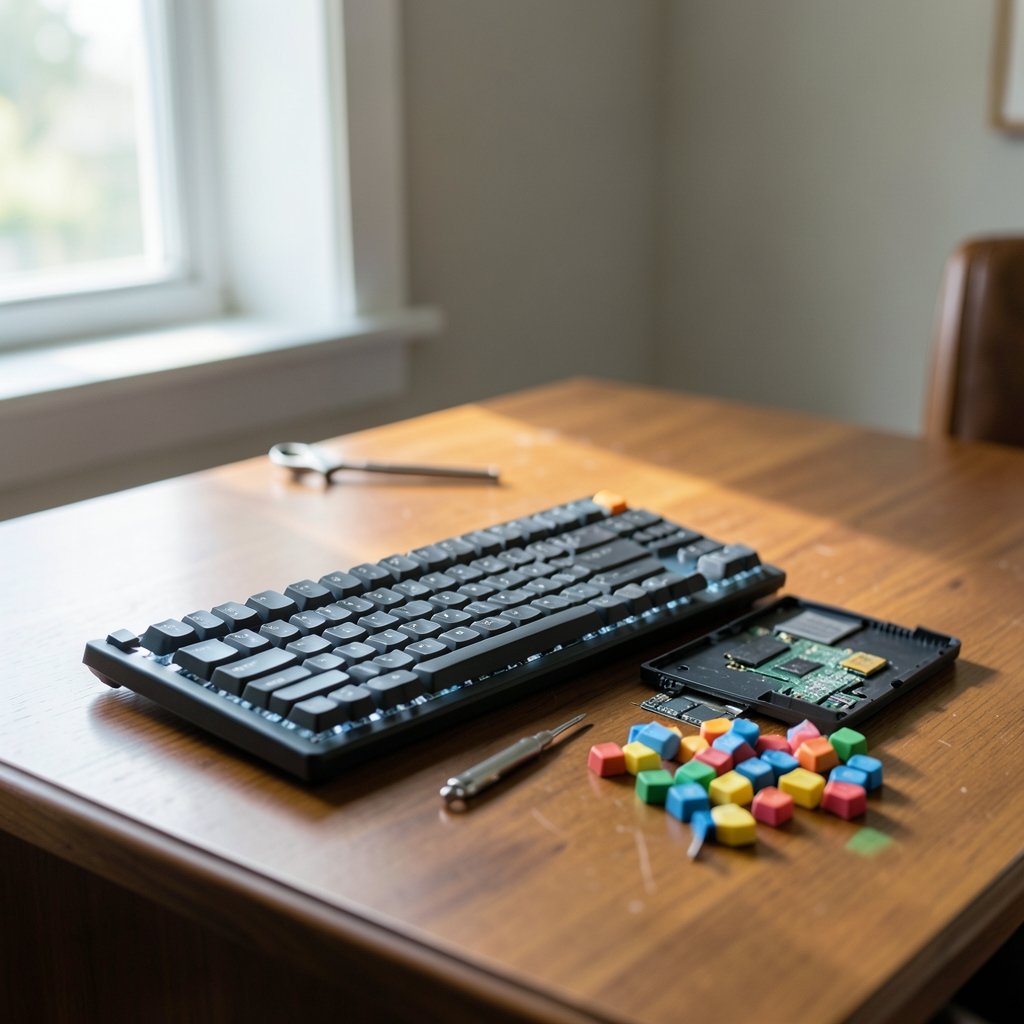
What if the single most-used tool in your workday is also the one you’ve thought about the least? For programmers, that tool is the keyboard. You spend eight, nine, sometimes twelve hours a day on it. Every keystroke, every bracket, every semicolon passes through your fingers. Yet most developers still type on whatever came in the box or whatever was on sale during a holiday event like the Black Friday car deals scramble of bargain hunting, where the cheapest option wins by default. (Software Developers: Occupational Outlook Handbook)
That’s a mistake worth fixing in 2026. The mechanical keyboard market has matured to the point where the “best” board isn’t a single model. It’s a set of decisions: switch type, layout, firmware, and ergonomics. Get those right and you’ll type faster, hurt less, and actually enjoy the thing you stare at all day. Get them wrong and you’ll join the legions of developers who bought a loud, cramped, overpriced board and quietly went back to their laptop.
This guide breaks down what genuinely matters for programming, what’s marketing noise, and how to choose without wasting money.
Why programmers need a different keyboard than gamers
Gaming keyboards are optimized for speed and flash. Programming keyboards are optimized for endurance and precision. Those are different problems.
A programmer types for hours with heavy use of modifiers (Shift, Ctrl, Alt, Cmd), brackets, parentheses, and symbols that gamers rarely touch. The best programming keyboard makes those characters easy to reach without hand gymnastics. It also needs to survive years of daily abuse, not a two-hour session.
There’s a second factor: noise. If you work in an office or on calls, a clicky board becomes a social liability. Most experienced developers gravitate toward linear or tactile switches precisely because they’re quiet enough for shared spaces.
Switch type is the decision that matters most
Before you look at a single model, understand switches. This is where most buyers go wrong, and it’s the hardest thing to change later if you buy a non-hot-swappable board.
| Switch type | Feel | Noise | Best for |
|---|---|---|---|
| Linear | Smooth, no bump | Quiet | Fast, quiet typing; shared offices |
| Tactile | Noticeable bump at actuation | Moderate | Programmers who want feedback without click |
| Clicky | Bump plus audible click | Loud | Solo home offices only |
Linear switches (think Cherry MX Red or Gateron Yellow) are the default recommendation for most programmers. They’re smooth, quiet, and reduce finger fatigue over long sessions. Tactile switches (Cherry MX Brown, Zealios) add a subtle bump that tells your fingers when a key has registered, which many developers prefer for accuracy on symbol-heavy code. Clicky switches sound satisfying in a YouTube video and become unbearable in an open-plan office by Tuesday.
The practical tip here: if you’re unsure, buy a hot-swappable board. That feature lets you pull switches out and swap them without soldering, so you can experiment for a few dollars per switch instead of buying a whole new keyboard. It’s the single best insurance policy against picking wrong.
Layout: the trade-off nobody warns you about
Layout is where programmers have strong, sometimes heated opinions. The core tension is desk space versus dedicated keys.
Full-size boards include a number pad. Great if you do data work; wasteful if you don’t. Tenkeyless (TKL) drops the numpad but keeps arrows, function keys, and the navigation cluster. For most programmers, TKL is the sweet spot. 60% and 65% boards shrink everything down, pushing arrows and function keys onto layered key combos.
Here’s the mistake people make: they buy a gorgeous 60% board because it looks clean, then discover their IDE shortcuts need arrow keys and F-keys dozens of times an hour. Suddenly every shortcut is a two-key chord. Some developers adapt and love it. Many don’t.
The rule of thumb that actually works: if you rely heavily on IDE shortcuts, debugging keys, and terminal navigation, keep dedicated arrow and function keys. If you’ve already remapped your workflow around layers, a compact board is a genuine upgrade.
Firmware and programmability: QMK and VIA
A keyboard’s firmware determines how customizable it is. QMK is open-source firmware that lets you remap every key, build layers, and create macros. VIA is a friendlier graphical front-end for QMK that lets you remap keys in a browser without recompiling anything.
For programmers, this matters more than RGB lighting ever will. You can put your most-used symbols on a home row layer, create a macro for your most repetitive boilerplate, or build a dedicated layer for your terminal. Many enthusiast boards advertise QMK/VIA support, but you should verify per model, since support varies and isn’t universal.
If you’ve never customized a keymap, start simple. Remap one or two awkward keys and see how it feels. The developers who get the most out of programmable boards treat the keymap as a living document, tweaking it over months rather than trying to design the perfect layout on day one.
Ergonomics: when the keyboard is a health decision
For some programmers, keyboard choice isn’t about preference. It’s about pain. Repetitive strain injuries (RSI) are a real occupational hazard in software work, and keyboard ergonomics is a legitimate response. (Computer keyboard)
Split keyboards separate the two halves so your hands sit at shoulder width, reducing wrist strain. Tented setups angle each half to keep your wrists in a neutral position. Brands like Kinesis and ZSA are frequently recommended in developer communities for exactly this reason. The evidence base here is largely user-reported rather than clinical, so treat ergonomic claims with appropriate caution, but the anecdotal consensus among RSI-prone developers is strong and consistent.
A cheaper first step: a wrist rest and proper desk height often solve more problems than a new board. Fix your posture before you spend $300 on hardware.
What to look for in any board in 2026
The market in 2026 is crowded and, honestly, better than it’s ever been. Budget boards now offer features that cost a fortune a few years ago. Here’s a practical checklist that applies to any model you’re considering:
- Hot-swappable sockets. Non-negotiable for most buyers. It future-proofs your purchase.
- QMK or VIA support. Verify it for your exact model rather than relying on the brand.
- The layout you actually use. Don’t buy compact to look cool if your shortcuts need keys.
- Switch type matched to your environment. Quiet linear or tactile for shared spaces.
- Build quality. A metal case and solid stabilizers reduce rattle and last longer.
- Keycap material. PBT keycaps resist shine and wear far better than ABS.
- NKRO and polling rate. Commonly marketed; the practical benefit for typing is debated, so don’t overpay for it.
Notice what’s not on the list: RGB lighting, gamer branding, and “pro” marketing. None of it helps you write code.
Common mistakes programmers make when buying
A few patterns show up again and again in developer forums and reviews.
Buying for aesthetics over function. The prettiest board on a desk setup photo may have a layout that fights your workflow. Function first, always.
Ignoring the office factor. That satisfying clicky switch will get you moved to a corner desk. If you share space, go quiet.
Skipping hot-swap. Buying a soldered board with the wrong switches is the most common regret. Hot-swap costs little and saves a lot.
Overpaying for specs that don’t matter. High polling rates and exotic marketing terms rarely change your typing experience. Spend on switches, layout, and build quality instead.
Not trying before committing. Where possible, buy from a retailer with a return policy, or order a switch tester first. A $15 sampler beats a $150 mistake.
Where 2026’s tech shifts fit in
It’s worth zooming out for a second. The tools around keyboards are changing fast. AI is reshaping how developers work, from the Zuckerberg Chan CZI Biohub AI biomedical shift in 2026 to the way IDEs now suggest whole functions. If your workflow is shifting toward more review and prompting, your keyboard needs may shift too: less raw speed, more comfortable long sessions. The explained breakdown of that biomedical AI shift is a useful read for context on where developer tooling is heading.
Platform battles also shape what hardware you’ll pair with your board. The Apple SCOTUS 27 percent App Store fee case in 2026 and the Tesla robotaxi, semi, and roadster hardware bets are reminders that the devices we connect to keep evolving. Your keyboard, thankfully, is one piece of gear that stays useful across all of it.
Building a practical shortlist
Rather than chase a single “best” model, build a shortlist around your constraints. Ask three questions: What layout do my shortcuts require? Do I share my workspace? Do I have any wrist or hand discomfort?
If you share an office and use IDE shortcuts constantly, a TKL board with tactile switches, hot-swap sockets, and VIA support is close to ideal. If you work solo and want maximum compactness, a 65% board with linear switches works well once you’ve committed to layers. If you have RSI symptoms, a split ergonomic board deserves serious consideration before anything else.
And if you’re also upgrading the rest of your setup, it helps to see how the broader device market is moving. The best phones of 2026 roundup and the Nintendo Switch 2 Lite Samsung 8LPU Plus chip rumor coverage show how hardware trends ripple across categories. Even gaming news like the Xbox layoffs and studio sales in 2026 hints at how the peripherals market keeps consolidating. None of it changes the fundamentals: switches, layout, firmware, ergonomics.
Conclusion
The best mechanical keyboard for programmers in 2026 isn’t a trophy purchase. It’s a considered one. Prioritize switch type for comfort and noise, choose a layout that matches how you actually use shortcuts, insist on hot-swappable sockets and QMK/VIA programmability, and take ergonomics seriously if your hands are complaining.
Do that, and you’ll end up with a board that quietly disappears into your workflow, which is exactly what a great tool should do. Skip those steps, and you’ll be back to shopping in a year. Your fingers will thank you for the former.
Frequently Asked Questions
Are linear or tactile switches better for programming?
Most programmers prefer linear switches for quiet, smooth typing, or tactile switches for a feedback bump without click noise. There’s no universal winner. Linear suits shared offices and fast typing; tactile suits developers who want confirmation that a key registered. Buy hot-swappable and try both.
Is a 60% keyboard good for coding?

It can be, but only if you’ve adapted to layered key combos for arrows and function keys. Developers who rely heavily on IDE shortcuts often find 60% boards frustrating at first. A 65% or TKL layout is usually a safer starting point for coding.
Do programmers really need QMK or VIA?
Not strictly, but QMK and VIA enable remapping, layers, and macros that can be useful for developers. If you want to customize your keymap or build terminal-specific layers, programmability is worth prioritizing. Verify support for your exact model before buying.
Are mechanical keyboards worth it for developers?
For most heavy typists, yes. Mechanical boards offer better durability, repairability, and customization than membrane keyboards. The biggest gains come from choosing the right switches and layout, not from spending the most money.
How much should I spend on a programming keyboard?
You don’t need to spend a fortune. A well-chosen mid-range board with hot-swap sockets, decent stabilizers, and PBT keycaps covers nearly everything a programmer needs. Spend extra only on features you’ll actually use, like ergonomic splits or premium build materials.
Can a mechanical keyboard help with wrist pain?
It can help, but it isn’t a cure. Split and tented ergonomic boards are widely recommended by developers with RSI symptoms, though the evidence is largely user-reported. Before buying hardware, fix your posture, desk height, and wrist support, since those often deliver bigger gains.



