
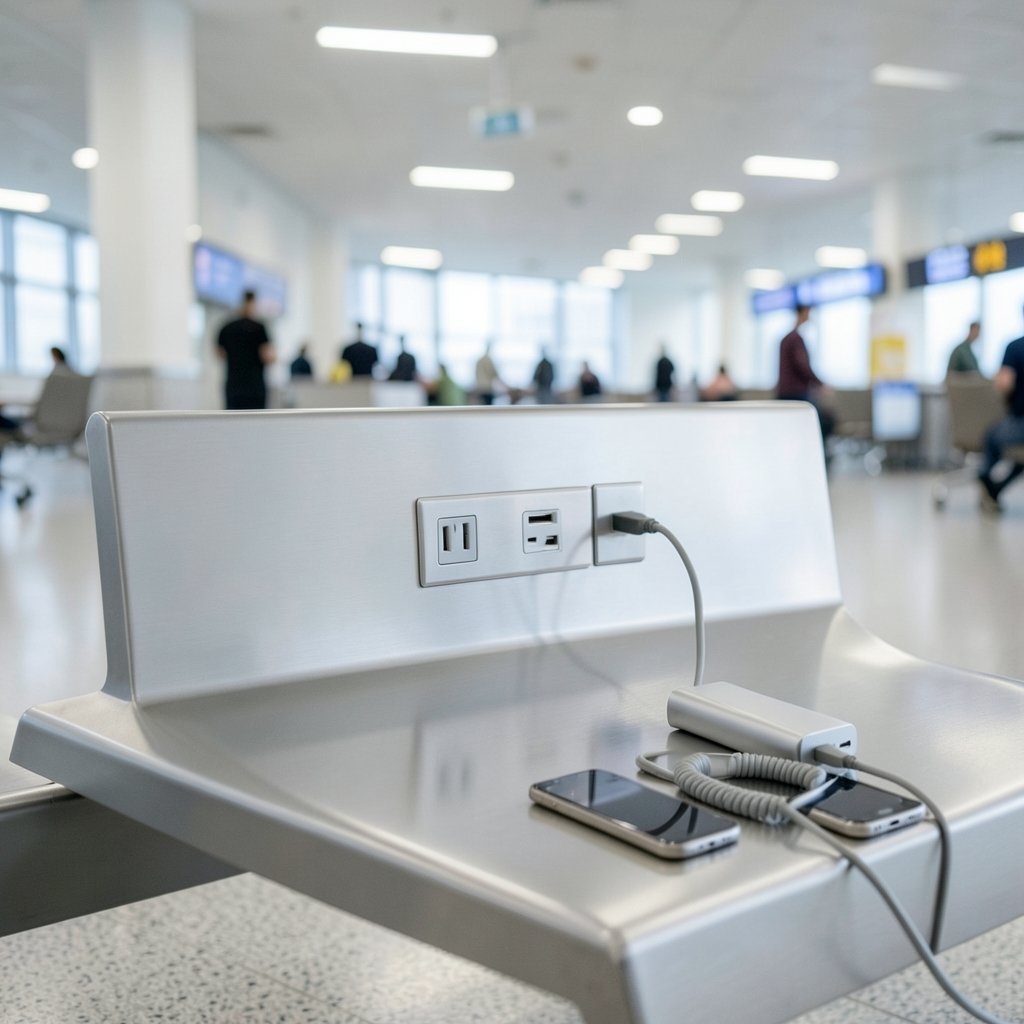
In 2019, the FBI’s Denver field office warned travelers that free public USB charging stations can contain malware and hidden hardware that steals data as soon as a device is plugged in. The practice picked up the nickname juice jacking. Years later, public fear still exceeds the number of confirmed real-world attacks, but the underlying risk is real and easy to understand. A USB cable carries power and data, and that dual role is the core problem. (USB)
The good news is that staying charged while traveling, commuting, or sitting in an airport lounge does not require paranoia. It requires a handful of habits that take about ten seconds to learn and cost almost nothing to follow. This guide walks through what actually goes wrong, what is overhyped, and the practical routine that keeps a phone both powered and private.
What Juice Jacking Actually Is and Why It Matters
Most people picture a phone charger as a one-way pipe for electricity. In reality, a standard USB connection has four or more pins, and two of them are dedicated to moving data back and forth. When a phone connects to a public charging port, it is technically connecting to a computer of unknown origin. That port could be a dumb power supply, or it could be a small embedded device that tries to talk to the phone.
The attack surface is broader than most travelers assume. A tampered cable can hide a tiny wireless chip in the connector housing, skimming keystrokes or injecting commands. A compromised kiosk can push a fake “trust this device” prompt or attempt to install a profile. None of these require a Hollywood hacker. The gear is cheap and widely documented.
That said, honest perspective matters. Security researchers have publicly argued that confirmed juice jacking incidents are rare compared with the volume of headlines. The threat is real in the same way that a pickpocket is real: uncommon, but entirely avoidable with basic precautions. Treating every public port as hostile is not overkill, it is just sensible.
The Simplest Fix: Bring Your Own Power

The single most effective defense is also the most boring one. Carry a charged power bank and a cable you own. When the phone runs low, plug into your own battery instead of the wall or the seat-back port. No data pins, no unknown host, no trust prompts. A 10,000 mAh pack weighs about as much as a paperback and can refill most phones twice.
For longer trips, a wall charger plus a standard AC outlet beats a USB port every time. An AC outlet delivers only electricity, so there is no data channel to abuse. Airport terminals, train stations, and hotel lobbies nearly always have outlets somewhere, even if they are tucked behind a pillar or under a bench. A short extension cord or a multi-outlet strip turns one hard-to-reach socket into a reliable charging station and makes you the most popular person in the departure lounge.
The Data Blocker Trick
If a wall outlet is not available, a USB data blocker (sometimes called a “USB condom”) is the next best thing. It is a tiny adapter that sits between the public port and your cable and physically removes the data pins, leaving only power. It costs less than a coffee and fits on a keyring. The catch is that cheap knockoffs sometimes fail to actually block data, so it pays to buy from a reputable brand and test it once at home.
Charging-only cables work on the same principle. They are wired for power alone, with no data lines inside. The problem is that many cables sold as “charge only” are not, especially budget models from unknown sellers. A data blocker is easier to verify than a cable’s internal wiring, which is why security folks tend to recommend the adapter over the cable.
Public Wi-Fi and Public Charging Are Different Problems
A common mistake is lumping public charging and public Wi-Fi into one blob of “travel danger.” They are separate threat models with separate fixes. Public Wi-Fi is about traffic interception and rogue hotspots. Public charging is about physical data access and malicious hardware. Fixing one does nothing for the other.
That distinction matters because people often skip charging precautions after they have set up a VPN, assuming they are covered. They are not. A VPN encrypts traffic in transit, but it does nothing to stop a compromised charging port from trying to install something on the device itself. Both habits belong in the travel routine, side by side.
Step-by-Step: A Safe Public Charging Routine
Here is the practical sequence that works in airports, cafes, trains, and conference halls. It takes under a minute the first time and becomes automatic after that.
- Check your battery before you leave. A fully charged phone at the start of the day removes most of the temptation to use a random port. Charge overnight, every night.
- Carry a power bank and your own cable. This is the primary plan, not the backup plan. Top up the power bank at home or at a wall outlet.
- Prefer a wall outlet over a USB port. If you must use a public port, choose one that is clearly a standard AC socket.
- Use a data blocker if a USB port is the only option. Plug the blocker into the port first, then your cable into the blocker.
- Keep the phone locked while charging. A locked screen limits what a connected device can do, and it blocks most trust prompts from proceeding.
- Decline any “trust this computer” or accessory prompt. If a prompt appears that you did not expect, tap “Don’t Trust” and unplug.
- Avoid unknown cables and free dongles. Never borrow a cable from a stranger or use a charging kiosk that offers built-in cables of unknown origin.
- Watch for unusual behavior afterward. A phone that suddenly runs hot, drains fast, or shows unfamiliar apps deserves a security check.
Common Mistakes That Undo the Precautions
Even careful travelers slip up in predictable ways. Plugging into a seat-back entertainment system on a plane is one example. Those ports are convenient, but they are still USB data connections of uncertain provenance. Another is charging a phone from a public computer’s USB port, which is essentially inviting a data handshake. A third is trusting a hotel room’s built-in dock or alarm clock charger without checking whether it also syncs data. When in doubt, use the power bank.
It is also easy to forget the cable itself. A cable left plugged into a public port can be tampered with between uses, and a cable borrowed from a drawer of loaners is a gamble. Own your cable, label it, and keep it with you.
What to Do If You Think You’ve Been Compromised
Suppose a phone behaved strangely after a public charge. The first move is to disconnect and stop using the port. Then run the device’s built-in security check, review installed apps and profiles, and change the passwords for the most sensitive accounts from a different, trusted device. On iPhones, look for unfamiliar configuration profiles under settings. On Android, check device admin apps and accessibility permissions, which are common hiding spots for malicious software.
If the phone shows signs of a serious compromise, a factory reset is the reliable nuclear option, provided everything important is backed up first. For most people, the realistic outcome of a suspicious charge is nothing at all, but a quick audit costs little and settles the nerves.
Choosing Gear That Actually Helps
Not all travel charging gear is created equal, and the differences matter for safety as much as speed. The table below summarizes the main options.
| Option | Data risk | Best for | Watch out for |
|---|---|---|---|
| Wall outlet + own charger | None | Airports, cafes, hotels | Finding an open socket |
| Power bank | None | All-day outings, long flights | Forgetting to recharge it |
| USB data blocker | Very low | When only a USB port exists | Cheap fakes that don’t block |
| Charge-only cable | Low if genuine | Light travel kits | Mislabeled budget cables |
| Public USB port, no protection | High | Never recommended | Malware, skimming hardware |
For travelers who also care about call quality and audio on the go, pairing a reliable power setup with a good headset makes long trips far more pleasant. A look at the best earbuds for phone calls and meetings is a useful next stop once the charging routine is sorted.
How This Fits Into a Broader Travel Setup
Safe charging is one piece of a larger picture. A phone that is well chosen, well secured, and well powered is simply a better travel companion. Readers shopping for a device that suits older users, for example, may want to compare options in this guide to the best cell phone for seniors, which covers battery life and ease of use alongside security features. Battery capacity deserves special attention, since a phone that easily lasts a full day needs far fewer public top-ups.
Camera quality is another factor that shapes charging habits. Phones with big sensors and bright screens drain faster, so heavy photographers benefit most from a power bank. Anyone weighing flagship models can check a comparison of the best camera phone to see which devices balance imaging power against endurance. The same logic applies to shoppers deciding between the iPhone 18 and Galaxy S26, where battery behavior is a legitimate tiebreaker.
Budget matters too. A traveler on a tight budget can still build a safe charging kit, and a guide to the best budget phone in Canada shows how far entry-level devices have come on battery life. For a wider view of current models, this roundup of the best Android phone in 2026 is worth a read before committing. (How to Avoid a Scam)
Why the Habit Matters More Than the Hardware
It is tempting to buy a gadget and consider the problem solved. In practice, the routine matters more than the gear. A data blocker left at home is useless. A power bank that is always dead is a paperweight. The travelers who stay safe are the ones who charge overnight, carry their own cable, and instinctively look for a wall socket before a USB port. That is the whole skill, and it costs nothing.
There is also a psychological angle worth naming. Public charging feels urgent because a dying phone feels like an emergency. That urgency is exactly what attackers and careless kiosk operators rely on. Slowing down for ten seconds, checking what kind of port is in front of you, and reaching for your own gear is the entire defense. Urgency is the vulnerability.
Conclusion
Charging a phone in public is not inherently dangerous, but it is not automatically safe either. The risk lives in the data pins of a USB connection, and the fix is refreshingly low-tech: bring your own power, prefer a wall outlet, use a data blocker when you cannot, and never accept a trust prompt you did not expect. The threat of juice jacking has been exaggerated in some corners of the media, but the underlying mechanics are real and the precautions are cheap.
Build the routine once and it becomes invisible. Charge overnight, pack a power bank, own your cable, and treat public USB ports as a last resort rather than a convenience. Do that, and the phone stays charged, the data stays private, and the trip stays on track.
Frequently Asked Questions
Is juice jacking actually common?
Confirmed public incidents are rare compared with the volume of warnings, and some security researchers consider the risk overstated. The mechanism, however, is real: public USB ports can carry data as well as power, and malicious hardware is cheap. The precautions are so simple that most experts recommend them regardless of how often attacks occur.
Can a power bank be hacked?
A standard power bank has no data connection and no network access, so it cannot be hacked in the usual sense. The realistic risks are a counterfeit unit with poor safety circuitry or a power bank that has been physically tampered with. Buying from a reputable brand and avoiding secondhand batteries covers almost all of it.
Does airplane mode protect a phone while charging?
Airplane mode cuts off cellular, Wi-Fi, and Bluetooth, which reduces some exposure, but it does not disable the USB data connection. A malicious charging port could still attempt a handshake. Keeping the phone locked and using a data blocker or your own power source remains the stronger protection.
Are public charging kiosks with built-in cables safe?
Treat built-in cables as unknown hardware. You cannot inspect their internal wiring, and they may have been tampered with between uses. If a kiosk is the only option, plug your own data blocker and cable into its USB port rather than using the attached cable, or skip it and find a wall outlet.
What should I do if my phone shows a “trust this computer” prompt?
Tap “Don’t Trust” and unplug immediately. That prompt means a connected device is asking for permission to access the phone’s data, and on a public port you have no idea who is asking. If the prompt keeps appearing, restart the phone and charge only from your own power bank or a wall outlet.
Is a charge-only cable as good as a data blocker?
Only if it genuinely blocks data. Many budget cables advertised as charge-only still carry data lines, and there is no easy way to verify without testing. A dedicated data blocker is simpler to trust because its whole purpose is to remove the data pins, and reputable models are inexpensive.



