
A tablet can lighten a student’s daily load, but the right pick depends on what you need it to do between classes. Note-taking, studying, and streaming each call for different trade-offs in screen size, apps, accessories, and battery life. A device for reading class notes may not suit someone who writes essays or runs special software.
This roundup helps students and educators compare options for school, classes, and everyday use. You’ll see where a tablet can work as a laptop companion, where a digital notebook makes sense, and what to check before buying. The best fit depends on the work you expect it to handle.
Some tablets keep a light bag easy to carry; others add a keyboard, a pen, or a bigger display. Those extras can affect both comfort and cost. Start by deciding whether this will support a laptop or take over some of its work.
Key Takeaways
- Choose a general-purpose tablet for everyday coursework and web browsing.
- Check pen support if you plan to write notes by hand.
- Compare storage if you save textbooks, videos, or class files offline.
- Look at the operating system before relying on school apps.
- Include any needed keyboard or pen in your budget.
What should students check before buying a tablet?
Students carrying a tablet alongside a laptop can prioritize portability, while anyone relying on it for most coursework should focus on typing and software needs. Refresh rate means how many times per second a display updates its image, measured in hertz (Hz). Start with the tablet’s role, then check its screen, storage, speed, and apps.
A tablet can work well for reading, browsing, and reviewing notes without replacing a computer. Consumer Reports’ tablet buying guide outlines how features, prices, and app access vary across brands.

Companion device or laptop replacement?
A less expensive tablet can handle readings, online research, and lecture notes beside your laptop. If you expect it to replace one, pay closer attention to typing comfort and the software required for your classes.
A physical keyboard helps with longer assignments, while a screen keyboard can be fine for short replies. Check whether your school tools work well in the tablet’s operating system.
Screen size, resolution, storage, and speed
College tablets commonly range from 7 to 13 inches. Larger displays make side-by-side work easier, but they take up more room in a backpack.
A resolution of at least 1,200 by 1,800 pixels is a useful daily-use benchmark. A larger display is not automatically sharper, so check resolution alongside screen size.
Offline textbooks and saved videos use storage quickly. Processor needs depend on whether you mostly read and browse or run demanding apps and multitask. For daily classes, check these four points:
- Intended role: companion tablet or main computer.
- Screen size and resolution for reading and split-screen work.
- Storage for textbooks, videos, and other offline material.
- Apps or software required for your classes.
Check the required apps for your classes before paying extra for features you may not use.
Best Tablets for Students by Budget and Workload
The Apple iPad (11th Gen) is the strongest all-around pick for most students, while the Samsung Galaxy Tab A11+ and Lenovo models offer lower-cost Android alternatives. For most coursework, it balances speed and storage with a familiar app selection. Its 128GB version was listed at $399 at Amazon in 2026.
The 11-inch iPad has a Liquid Retina display and an A16 Bionic chip. Its battery lasts up to 10 hours of schoolwork, while its keyboard and Apple Pencil cost extra.
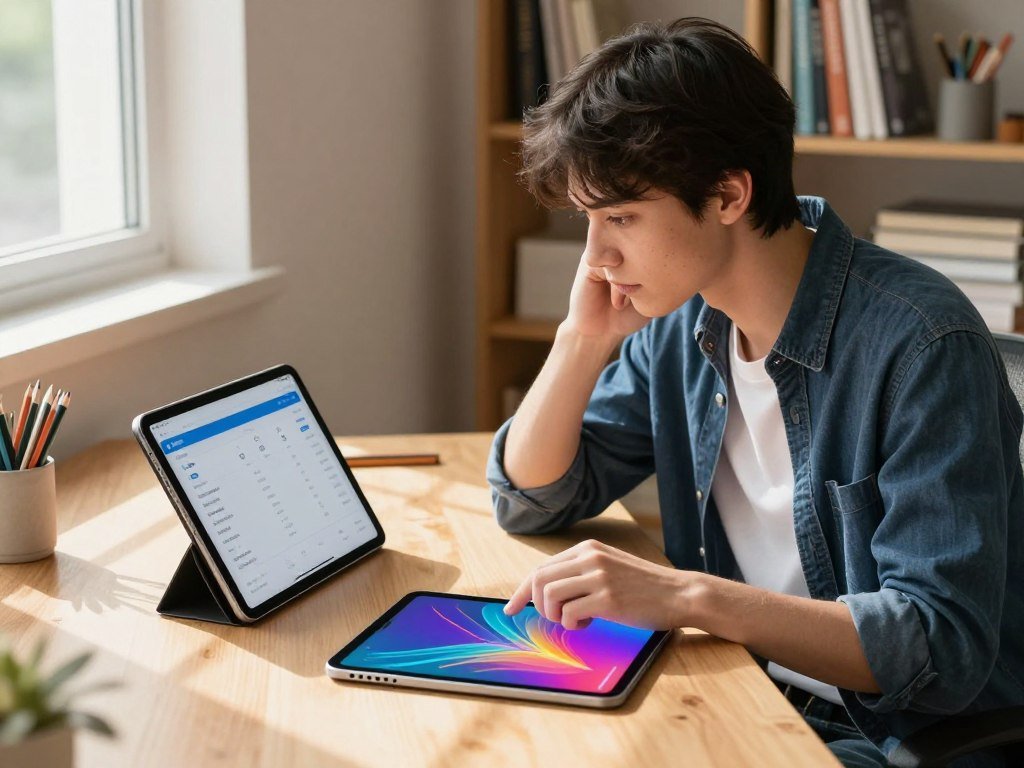
A budget tablet for students can cover reading and basic coursework, but check app availability and pen support before choosing. The Fire HD 10 offers expandable storage, though Fire OS has a narrower app selection than tablets with the Google Play Store.
| Model | Display | RAM and storage | Student fit |
|---|---|---|---|
| Apple iPad (11th Gen) | 11-inch Liquid Retina | RAM not specified; 128GB base | All-around coursework |
| Samsung Galaxy Tab A11+ Wi-Fi | 11-inch, 1920 × 1200, up to 90Hz | 6GB RAM, 128GB | Budget Android use; no S Pen support |
| Lenovo Idea Tab | 11-inch, 2560 × 1600, up to 90Hz | 8GB RAM, 128GB | Sharper screen with active-pen options |
| Lenovo Tab M11 pen bundle | 11-inch, 1920 × 1200, up to 90Hz | 4GB RAM, 128GB | Low-cost pen bundle if the compatible pen is included |
| Amazon Fire HD 10 | 10.1-inch, 1920 × 1200 | 3GB RAM; microSD up to 1TB | Basic study with expandable storage |
In 2026, the Samsung Galaxy Tab A11+ Wi-Fi with exactly 6GB RAM and 128GB storage had a buy target of $270 or less. The Lenovo Idea Tab target was $220 or less if the US bundle matches that configuration.
The Lenovo Tab M11’s 4GB/128GB bundle had a $170-or-less target if it included the compatible active pen. Its MediaTek Helio G88 processor and 4GB of physical RAM suit basic tasks, not demanding workloads.
Fire HD 10 battery testing lasted more than 10 hours and 18 minutes. Confirm the exact configuration and included accessories before treating an advertised bundle as a complete school setup.
Which tablet is best for handwritten notes?
For students who want to write directly on class materials without buying a separate pen, the Galaxy Tab S10 Lite is the clearest fit in this group. Its included S Pen does not need a separate charge. Check the exact Galaxy Tab model, because S Pen support is not universal.
The S10 Lite has a 10.9-inch laminated LCD with 2112 × 1320 resolution, a 90Hz refresh rate, and 600 nits of brightness. Its Exynos 1380 processor comes with 6GB or 8GB RAM and 128GB or 256GB storage.

Samsung Galaxy Tab S10 Lite for included-pen value
Samsung promises seven years of software and security updates for the S10 Lite. It ran for eight hours in a battery test, and it supports microSD expansion, Samsung DeX, and optional 5G.
The tablet uses USB-C 2.0, so its port is a basic connection for charging and data. The S Pen is ready for class notes without adding a separate pen purchase or charging step.
Galaxy Tab S10 FE and S10 FE+ for a tougher build
The Galaxy Tab S10 FE and S10 FE+ both include an S Pen and have IP68-rated bodies. Both use 90Hz LCD panels, with a 10.9-inch display on the S10 FE and a 13.1-inch display on the FE+.
The S10 FE weighs 500 grams, while the FE+ weighs 668 grams. Samsung promises seven years of security and feature updates for both models.
Battery tests ran 8.5 hours on the S10 FE and nine hours on the FE+. Before buying for notes, use this three-point check:
- Confirm that the exact tablet model supports a pen.
- Check whether the pen comes in the box.
- Make sure your preferred note-taking app is available.
Match the screen size to how you take notes, since the 13.1-inch S10 FE+ is substantially larger and heavier than the 10.9-inch S10 FE.
Which tablets suit large-screen study and streaming?
Students who want more room for split-screen reading should look first at the Lenovo Idea Tab Pro or Lenovo Tab P12, while the Galaxy Tab S12 Ultra offers the largest display in this group. The Idea Tab Pro pairs a large, high-resolution screen with a fast processor. For split-screen study, compare screen size with the device’s weight and power.
The Idea Tab Pro has a 12.7-inch LCD with 2,944 × 1,840 resolution and a 144Hz refresh rate. It uses a MediaTek Dimensity 8300 processor and 8GB RAM, and includes a Tab Pen Plus stylus and 45W wall charger.

Larger displays for split-screen work
The Lenovo Tab P12 also has a 12.7-inch 3K display and includes a Lenovo Tab Pen Plus stylus. The Samsung Galaxy Tab S12 Ultra reaches 14.6 inches, with a 2,960 × 1,848 display and 12GB or 16GB RAM.
The S12 Ultra includes an S Pen, supports microSD cards up to 2TB, and has an IP68 rating. It has no 5G cellular option. The OnePlus Pad 2 pairs a 7:5 aspect-ratio display with a Snapdragon 8 Gen 3 processor.
| Model | Screen | Processor or memory | Standout feature |
|---|---|---|---|
| Lenovo Idea Tab Pro | 12.7-inch, 2,944 × 1,840, 144Hz | Dimensity 8300, 8GB RAM | Tab Pen Plus and 45W charger included |
| Lenovo Tab P12 | 12.7-inch, 3K | Not specified here | Includes Lenovo Tab Pen Plus stylus |
| Samsung Galaxy Tab S12 Ultra | 14.6-inch, 2,960 × 1,848 | 12GB or 16GB RAM | Included S Pen; microSD up to 2TB |
| OnePlus Pad 2 | 7:5 aspect ratio | Snapdragon 8 Gen 3 | 9,510mAh battery, 67W charging |
Battery and entertainment for long study days
The Amazon Fire Max 11 combines an 11-inch 2K display with a stated 14-hour battery life and a listed price of $229.99. It supports Microsoft Office, Zoom, and Kindle, while its magnetic keyboard cover is optional.
The Idea Tab Pro’s 10,200mAh battery charged fully in one hour and 20 minutes. The Galaxy Tab S12 Ultra review reports 12 hours and 44 minutes in battery testing for that model.
Screen size and battery capacity alone do not predict real-world runtime across different tablets. Check the dimensions and weight against your backpack and study space before choosing a screen this large.
Can a tablet replace a laptop for schoolwork?
A tablet can cover reading, note-taking, research, and video meetings, but it is not a full laptop replacement when a course depends on specialized desktop software. Windows is the safer fit for desktop apps, while ChromeOS suits many web-based classes. Check your school’s software and platforms before choosing either setup.
For more help comparing operating systems and class workloads, see this laptop buying guide. Programming courses may also need tools like an IDE, which combines code editing with debugging and testing.

Windows software and typed assignments
The Microsoft Surface Pro (11th Edition) fits students who need Windows desktop software and frequent typing. It has a 13-inch, 120Hz PixelSense Flow display, a 10-core Snapdragon X Plus chip, and 16GB RAM.
It was listed at $999.99, with accessories sold separately. Students in coding courses can compare their required apps with this guide to code editors and IDEs before picking a device.
ChromeOS for web-based classes
The ASUS Chromebook CM30 Detachable bundles a magnetic kickstand cover, detachable keyboard, and garaged USI stylus. Its 10.5-inch screen and stated battery life of up to 12 hours suit web documents and class platforms.
The ASUS Chromebook CM30 is a bundled choice for budget office work in web-based documents; specialized desktop applications call for Windows or a laptop. Typed documents and desktop file management need more keyboard time than reading, notes, or video calls.
Before relying on a tablet, use this three-point laptop-replacement check:
- Verify that required desktop apps run on the device.
- Decide whether you need a physical keyboard for regular work.
- Confirm school platforms work in your preferred operating system.
Check the software requirements for your major before relying on a tablet as your only computer.
How much should students spend on a tablet?
Student tablets span from entry-level devices below $200 to premium options that can reach $1,400. The best value is the least expensive setup that meets your coursework needs. Price bands often run below $200, from $200 to $500, and from $800 to $1,400.
Entry-level tablets handle common school tasks, while mid-range models typically add features and may offer LTE connectivity. Top-end devices can bring faster processors, more storage, and stronger displays.
Accessories and storage can change the total price tag. A keyboard, case, or pen may cost extra, and more storage can help if you keep textbooks and videos offline.
For the best tablet for the money, match the configuration and included accessories to actual class needs, rather than choosing the lowest sticker price. Compare the complete setup you will use for class, not just the tablet’s initial price.
Which operating system fits your classes?
Start with the operating system that runs your school’s required apps and handles the files you use most. iPadOS suits many classroom apps, while Android offers flexible split-screen use. Check your school’s learning platform and required apps before buying.
ChromeOS works well with web-based tools, while Windows supports full desktop software and file management. These differences can shape how easily you work with class files or join online lessons.
Microsoft Office apps have mobile versions for tablets, but document access and cloud storage may need a Microsoft 365 subscription. Some colleges provide one, so ask your school before paying for a separate subscription.
Test the learning platform and core apps you use most, especially if you share files with classmates or submit work online. Ask your school whether it provides Microsoft 365 access before paying for a separate subscription.
Conclusion
The best fit is the device that supports your actual class routine without making you pay for unused capabilities. The Apple iPad (11th Gen) is a sensible all-around starting point for students who need a tablet for everyday coursework.
If handwritten notes, desktop software, or a tight budget shapes your choice, let that need lead. Battery life matters, too, especially when classes, study sessions, and travel fill the same day.
Write down your required apps, maximum budget, and accessory needs, then compare exact configurations before ordering.
FAQ
Which tablet is good for students?
The Apple iPad (11th Gen) is a good all-around tablet for most students. Its 11-inch display, A16 chip, and 128GB base storage support common school tasks. For handwritten notes, the Samsung Galaxy Tab S10 Lite includes an S Pen that does not need a separate charge. Check that your chosen note-taking apps work on the device.
Can you make calls on a tablet?
Yes, a Wi-Fi tablet can make internet calls through apps that support voice or video calling. You need an internet connection and an account for the app. Cellular calling depends on the tablet model, carrier, and service plan. A cellular connection does not mean every tablet works like a phone, so check how the model handles calls.
Can a tablet completely replace a student laptop?
A tablet can handle common study tasks, but specialized desktop software may still require a laptop. Reading, note-taking, research, and video meetings work on many tablets. Courses that require desktop apps, advanced file tools, or specific local software can call for Windows or a laptop. Check the software used in your classes before relying on a tablet alone.
What is the best budget tablet?
The Samsung Galaxy Tab A11+ Wi-Fi is a solid budget pick at a $270-or-less target for its exact 6GB RAM and 128GB storage configuration. The Lenovo Idea Tab targets $220 or less if the US bundle matches the desired configuration. The Samsung does not support the S Pen, so compare pen needs and app access before choosing either Android tablet.
Which tablet is best for everything?
The Apple iPad (11th Gen) is the broad all-around pick for most students. It suits everyday coursework, reading, and common school apps, with 128GB base storage. Its keyboard and Apple Pencil are sold separately, so the full setup costs more than the tablet alone. Choose another model if a specific desktop app or included pen matters more.
What is the best tablet under $300?
The Samsung Galaxy Tab A11+ Wi-Fi fits under $300 at its target price for the exact 6GB RAM and 128GB configuration. The Lenovo Idea Tab has a lower target if the US bundle matches. The Amazon Fire Max 11 was listed at $229.99 and supports popular apps such as Office, Zoom, and Kindle, though its keyboard cover costs extra.
What is the most reliable tablet brand?
No one brand is the best choice for every student. Reliability for your schoolwork depends on whether the model runs needed apps, gets the support you expect, and works with useful accessories. Check the update promise and warranty for the exact model. A dependable device should fit your class routine, not just carry a familiar brand name.
Who has the best deal on tablets right now?
Tablet prices change, so no retailer always has the best deal. Compare the same storage, connectivity, and accessory setup across retailers before buying. A low sticker price may exclude a needed pen or keyboard, or come with less storage. For student use, compare the full configuration and total setup cost rather than the tablet price alone.



