A useful streaming lineup starts with what your household actually watches, not with the longest list of apps. Your budget, favorite shows, and need for live channels all shape the right mix. FAST means free ad-supported streaming television, a mix of scheduled linear channels and on-demand programming supported by advertising. Not every subscription needs to stay active all year.
This guide compares viewing types, costs, and practical trade-offs for U.S. homes. You will see where paid plans differ, what free viewing can offer, and which details can affect a cable replacement. A smaller lineup can work well when it matches the shows, movies, news, or games your household watches. Pick the viewing need you want to solve first, then compare services against that need.
Key Takeaways
- Choose on-demand streaming for shows and movies you watch on your own schedule.
- Choose live TV streaming when you need a cable-like mix of live channels.
- FAST apps offer scheduled channels and on-demand titles without a monthly fee.
- Compare the full monthly bill when you plan to keep several services.
- Check the exact channels, events, and shows you want before subscribing.
- Rotate subscriptions when your household’s viewing priorities change.
What Are the Main Types of Streaming TV?
Most choices fall into three groups: on-demand libraries, live channel bundles, and free ad-supported services. The right type depends on whether you want control over when you watch, live channels, or free programming.
Streaming represented 48.6% of U.S. TV viewing in May 2026, compared with cable at 20.4% and broadcast at 19.2%. Nielsen also measured YouTube at 13.8% of viewing that month, while Netflix reached 7.9% in June 2026. Those figures cover different months.
- On-demand streaming: A subscription library for shows and movies you choose anytime.
- Live TV streaming: A paid channel package for live news, sports, and scheduled programs.
- FAST: Free, ad-supported channels and on-demand content, often arranged like a TV guide.
A large catalog does not guarantee an easy watch. Choose by the shows and channels you will use, not by library size alone.
Catalogs have grown quickly. Ninety streaming services were available in 2023, up from 51 at the start of 2020. By June 2023, their combined catalog held 2.7 million programs, yet 20% of viewers said they often gave up searching for something to watch.
Nielsen’s May 2026 viewing report tracks streaming, cable, and broadcast shares across U.S. TV viewing. It also shows how much viewing can center on a single distributor. Decide whether live channels are essential before paying for a cable replacement.
Best Media Streaming Services Compared for On-Demand Viewing
Netflix is the strongest starting point for viewers who want a steady mix of originals and bingeable series, while other services suit more specific tastes. The best streaming service depends on the shows and genres your household watches most.
Match the library to regular viewing, not one title that may leave the app. Netflix has broad original programming, while Prime Video mixes original shows with a wide catalog. For a closer look at how streaming access can change when a VPN is used, read this VPN guide for streaming viewers.
Netflix and Prime Video for broad catalogs
Netflix is a strong all-around service for binge viewing, with titles such as Stranger Things, Bridgerton, and Squid Game. Its steady flow of originals gives users plenty of series to start, though the exact library changes over time.
Prime Video offers a broad mix of catalog titles and original programming, including Reacher. Amazon Prime members also get video access as part of membership, while a video-only subscription is another option. Its mix can suit a household that wants varied movies and shows in one app.
Apple TV and HBO Max for prestige series
Apple TV focuses on original series, including Severance and Ted Lasso. It suits viewers who prefer a smaller library with a stronger focus on new shows made for the service. Its originals are also ad-free, a useful point for scripted viewing.
HBO Max brings prestige series such as Succession and Euphoria, along with a wider selection of movies and shows. It can fit viewers who want acclaimed dramas and recognizable HBO programming in one place.
Disney+, Hulu, Paramount+, and Peacock for franchises and network programming
Disney+ is a natural fit for family viewing and major franchises, including Star Wars and Marvel. Hulu suits viewers who want next-day network episodes and adult dramas such as The Bear and Only Murders in the Building.
Paramount+ carries Star Trek titles and Yellowstone spin-offs, along with CBS programming. Peacock includes NBC and Bravo favorites such as The Office and The Traitors. The best media streaming services compared to TV depend on which of those shows your household will actually watch.
Library size alone cannot tell you whether an app fits your routine. A few strong picks may serve you better than several subscriptions with overlapping content. Choose one service for the catalog you will use most, not for a title you might watch once.
How Much Do Popular Streaming Plans Cost?
A single on-demand subscription can cost far less than a multi-service lineup, but the total changes quickly as subscriptions stack up. Price depends on the plan, ad status, and whether you pay by month or year.
The table covers major choices, not every streaming service or package. Bundle and live TV prices are handled in their own comparisons. Prices below are a snapshot, not a promise that every plan includes identical programming.
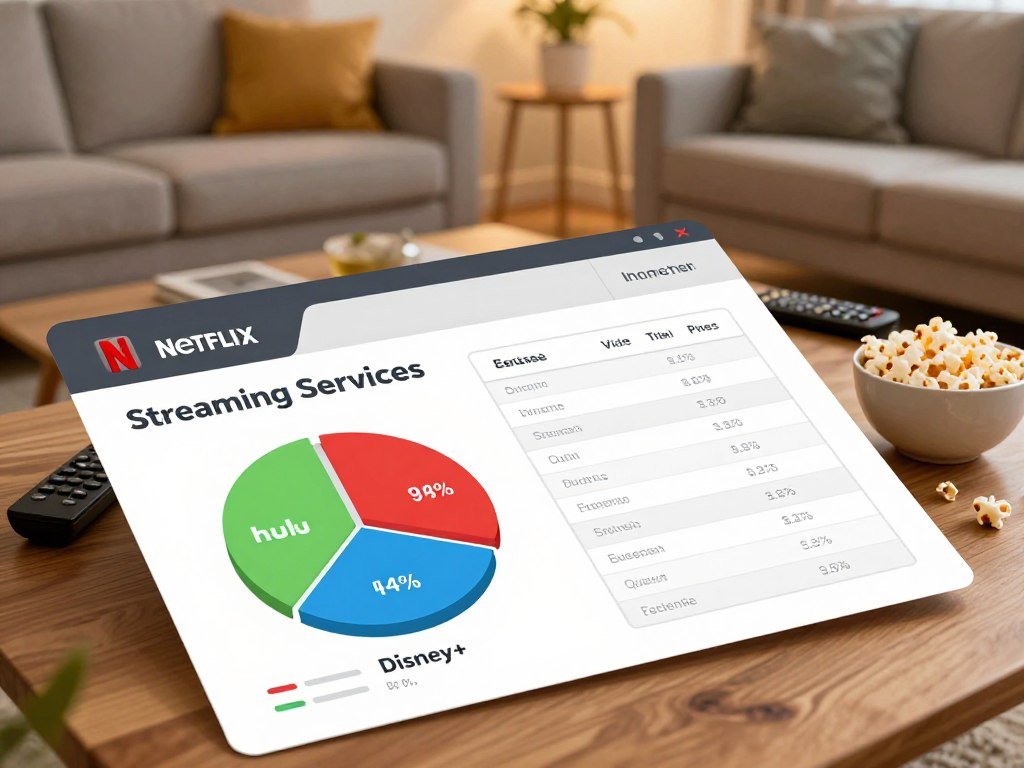
| Service | Monthly price | Ad status | Annual option where stated |
|---|---|---|---|
| Hulu | $12.50 or $21.50 | Ads or ad-free | Not stated |
| Apple TV | $13 | Ad-free originals | $100 per year |
| Disney+ | $12.50 or $22 | With ads or Premium ad-free | Not stated |
| Five-service ad-free household combination | About $93 total | Ad-free plans | Not stated |
Hulu costs $12.50 per month with ads and $21.50 without ads. Apple TV costs $13 monthly or $100 per year. Disney+ costs $12.50 with ads, while Disney+ Premium costs $22 without ads.
The five-service combination includes Netflix, Disney+, HBO Max, Hulu, and Peacock. A U.S. household paid a median $125 per month for cable and satellite TV in 2026, compared with about $93 for those five ad-free subscriptions. The about $93 monthly estimate gives a useful comparison, but does not mean every home needs all five.
Service prices and plan details can change, and bundles may affect the total. Compare the bill for the services you will keep together, not just the entry price for one app.
How Do the Major Live TV Services Compare?
YouTube TV is the clearest all-around live TV starting point, while Hulu + Live TV makes more sense for viewers who already use its entertainment bundle. Channel fit matters more than a large number on a plan page.
A bigger lineup is not automatically a better lineup if it leaves out the networks your household watches. The chart compares monthly price, channels, simultaneous streams, and DVR storage.
| Service | Monthly price | Live channels | Simultaneous streams | DVR limit |
|---|---|---|---|---|
| YouTube TV | $82.99 | 100+ | 3 | Unlimited, 9 months |
| Hulu + Live TV | $88.99-$99.99 | 95+ | Not stated | Unlimited, 9 months |
| DIRECTV | $94.99-$174.99 | 90-185+ | 3-unlimited | Unlimited, 9 months |
| Fubo | $19.99-$108.99 | 59-303+ | 3-10 | Unlimited, 9 months |
YouTube TV costs $82.99 per month and includes 100+ live channels, three streams, six profiles, and unlimited Cloud DVR storage for nine months. Its editorial rating is 4.20/5. That rating is a separate assessment, not a direct measure of value.
Hulu + Live TV costs $88.99-$99.99 per month and has 95+ channels and unlimited Cloud DVR storage for nine months. Its editorial rating is 4.00/5. The bundle may suit people who already watch Hulu’s on-demand programming.
DIRECTV ranges from $94.99 to $174.99 per month, with 90-185+ channels, three to unlimited streams, and nine months of unlimited Cloud DVR storage. Its editorial rating is 3.60/5. YouTube TV’s plan details include six user profiles, which can help a home keep viewing activity separate.
Fubo ranges from $19.99 to $108.99 per month and offers 59-303+ channels, three to ten streams, and nine months of unlimited Cloud DVR storage. Package range matters, so compare the exact option rather than treating its largest lineup as standard.
Sling TV is the customizable alternative. Its plans range from $19.99 to $60.99 per month, with 10-48+ channels, one to four streams, and 50 hours of DVR storage. Unlimited DVR costs an added $5 per month.
Customer satisfaction is another measure, separate from editorial ratings. A 2026 CableTV.com survey of 8,040 U.S. respondents found satisfaction ratings of 82% for DIRECTV, 74% for Hulu + Live TV, and 72% for YouTube TV. Check the specific channels you watch before comparing channel totals.
Which Streaming Service Is Best for Live Sports?
YouTube TV is the strongest single live TV starting point for many sports households, but exclusive games make a second service necessary for some fans. One app does not carry every league event.
Check the broadcaster for the exact game you want. A service can carry many sports channels and still miss a specific matchup because rights are split across networks and apps.

YouTube TV for a broad live sports lineup
YouTube TV combines a general live TV lineup with tools that help you follow games. That mix can work for households that watch sports but also need news, entertainment, and other live channels.
Its value depends on the channels that carry the leagues and teams you follow. Football was the top sign-up reason across providers in a 2026 customer survey, showing how strongly games can shape a live TV choice.
Fubo for sports-focused channel depth
Fubo can fit viewers who put sports networks and team coverage first. Its channel range varies by plan, so compare the specific networks and competitions included in the option you would buy.
A wide sports lineup is not a guarantee that every game is included. Some events may sit behind an exclusive streaming deal, even when a rival service carries many related channels.
Prime Video for exclusive events
Prime Video is valuable when its exclusive games are on your calendar. Amazon Prime Video holds Thursday Night Football rights through 2033 and will show 66 NBA games in 2026.
NFL rights are split across Netflix, Amazon, Peacock, and ESPN. NBA rights are split across Amazon, Peacock, and ESPN. A fan who follows both leagues may need more than one streaming service for the full season.
Some households may subscribe only during a stretch of important games, then pause the service afterward. That can be more practical than keeping an extra plan active all year. Check the broadcaster for a specific matchup before subscribing just to watch that game.
Which Live TV Services Carry Local Channels?
YouTube TV and Hulu + Live TV are the strongest first checks for viewers who want local stations alongside cable networks. Local access depends on your location, not just the advertised channel count.
Check availability by ZIP code before signup. YouTube TV includes local PBS stations, while local channel availability can differ by location. Hulu + Live TV carries local affiliates in many areas, with regional restrictions and blackouts.
- ABC, CBS, NBC, and Fox availability at your address
- PBS availability in your area
- Local blackouts or regional restrictions
Sling TV Blue costs $46 per month, with prices varying by location. It offers ABC, NBC, or Fox local channels in only a few cities. Hulu with ads plus Live TV costs $99.99 per month after a three-day free trial unless canceled.
Philo costs $33 per month and does not include local stations. The other listed live TV services combine at least some local channels with cable networks. An advertised national channel count does not guarantee access to your local affiliate.
A live TV service can carry a national network while missing the local station that airs its programs in your area. Confirm the exact local stations available at your address before ending a current TV plan.
What Is the Cheapest Way to Get Paid Live TV?
Frndly TV is the lowest-priced paid live TV option in this comparison, while Philo and Sling offer different ways to widen the lineup. Lower cost often means fewer major networks or less flexible recording.
Choose by the channels you will watch, not by the starting price alone. The plans differ in stream limits, channel counts, and DVR features.
| Service | Monthly price | Channels | Streams and DVR |
|---|---|---|---|
| Frndly TV | $6.99-$11.99 | 50+ | 1-4 streams; unlimited DVR, 3-9 months |
| Sling TV | $19.99-$60.99 | 10-48+ | 1-4 streams; 50 hours, or unlimited for $5 more monthly |
| Philo | $33 | 70+ | 3 streams; unlimited DVR, 1 year |
Frndly TV plans cost $6.99-$11.99 per month, include 50+ channels, and support one to four simultaneous streams. Its unlimited DVR storage lasts three to nine months, depending on plan.
Philo costs $33 per month for 70+ channels, three simultaneous streams, and unlimited Cloud DVR storage for one year. Its editorial rating is 4.10/5, a separate score that does not show whether its channels fit your household.
Philo can be a stronger middle ground for entertainment channels. Sling TV lets viewers tailor their lineup, though its standard DVR allowance is 50 hours unless you add the $5 upgrade. Choose the least expensive plan that still carries the specific channels you watch.
Which Streaming Services Offer the Best Ad-Free Viewing?
For scripted on-demand viewing, Apple TV originals are ad-free, while Prime Video requires an upgrade to remove ads. Ad-free plans suit viewers who want fewer interruptions during shows and movies.
Ad-free does not always mean every program has no interruptions. Live sports, sponsored programming, and service promotions may still include ads for paid users.
Prime Video costs $15 per month with ads. Amazon Ultra costs an extra $5 per month and removes ads. That upgrade is also required for 4K resolution, HDR10+, Dolby Vision, and Dolby Atmos on Prime Video.
A video-only Prime Video subscription costs $9 per month. Apple TV originals are ad-free, making the service a clear choice if you mainly watch its scripted shows. The app’s ad policy still does not erase promotions or interruptions from every content type.
Before choosing a premium plan, think about whether you watch live events or mainly scripted series. A viewer who watches live sports may still see commercial breaks regardless of the subscription tier. Check the ad rules for the exact content type you watch, especially live events.
What Can You Watch on Free Streaming Services?
Tubi and Pluto TV are strong first stops for free viewing, with scheduled channels as well as on-demand choices. FAST combines ad-funded linear channels and on-demand programming.
Free apps can carry selected live broadcasts, but they do not replace a paid live sports package. The title or event you want may not be available when you plan to watch.
| Platform | Monthly price | Viewing format |
|---|---|---|
| Pluto TV | $0 | Scheduled channels and on-demand titles |
| Tubi | $0 | On-demand library and live channels |
| Xumo Play | $0 | Scheduled channels and on-demand titles |
| Sling Freestream | $0 | Scheduled channels and on-demand titles |
| The Roku Channel | $0 | Scheduled channels and on-demand titles |
Other U.S. FAST services include Samsung TV Plus, LG Channels, Vizio WatchFree+, Plex, and Local Now. These platforms rely on ads rather than a monthly subscription, though their catalogs and channel guides differ.
Pluto TV is a good first pick if you like a channel-guide experience. Tubi offers a large free library and a live-channel section. Tubi said live channels made up 5% of its viewership in January 2025, and the service reported 97 million monthly active users during 2024.
FAST channel counts have climbed. Major platforms carried 1,943 linear channels by May 2024, up from 1,455 in June 2022. Tubi, The Roku Channel, and Pluto TV together accounted for 3.2% of U.S. viewing in September 2023.
Some free services show live broadcasts, including selected sports, but rights can limit which events they carry. Check whether the event or title is actually available before planning a watch night around a free app.
When Are Streaming Bundles Worth It?
A bundle is worthwhile when its included services replace subscriptions you would otherwise pay for separately. Actual use matters more than the number of apps in a package.
A cheaper bundle can still waste money if you do not use its services. Compare each plan’s price and ad tier with the subscriptions your household already watches.
Bundle services you already use
The Disney+ and Hulu Bundle Basic costs $12.99 per month. The Premium bundle costs $21.99 per month. A Disney+, Hulu, and HBO Max bundle with ads starts at $21.99 per month.
Disney+, Hulu, and ESPN Select cost $22 per month with ads, or $33 per month with ad-free Disney+ and Hulu. The Disney+, Hulu, ESPN Unlimited, and NFL+ Premium bundle costs $46 or $55 per month, depending on whether ads are included.
Hulu + Live TV includes access to Disney+ content and additional ESPN Unlimited content in their separate apps. That can help if your household already watches the included shows and sports.
Compare the ad tiers and included apps
Check which apps are included, which shows carry ads, and whether an offer requires a certain plan. A bundle that adds services you never open can cost more than a smaller set of subscriptions.
Compare the bundle with the cost of the plans you would keep separately. Do not count an app as useful just because it comes with a package. Add only the services your household expects to watch during the next billing cycle.
Which Service Fits Your Favorite Shows and Genres?
Start with the shows you would actually press play on, then use the service that carries the largest share of them. Familiar titles can point you toward a useful app, but licensing changes can move them.
Pick based on several titles you want, not a single show. A library can change as contracts end or new seasons arrive.
- Bingeable international and original series: Netflix has Stranger Things, Bridgerton, and Squid Game.
- Acclaimed originals: Apple TV includes Severance and Ted Lasso.
- Family franchises: Disney+ carries Star Wars, Marvel, and Pixar titles.
- Network and reality favorites: Hulu has The Bear; Peacock has The Office and The Traitors.
Paramount+ is a good match for Star Trek and Yellowstone spin-offs. Hulu may suit viewers who follow current network episodes and adult dramas. Peacock can work for fans of NBC and Bravo series, along with reality shows.
These examples help narrow your choices, but a title’s home can change when a licensing deal ends. A series may also appear on more than one app for a limited time.
Check the current app listing for a must-watch title before subscribing for it.
Which Features Matter Most in a Streaming Plan?
Count the screens your household uses at once before paying extra for a higher tier. Simultaneous streams matter when people watch different shows at the same time.
More screens help only when household members actually use them at once. Picture quality, downloads, profiles, account rules, and recording limits also affect a plan’s fit.
Simultaneous screens, profiles, and account sharing
Netflix Standard with ads costs $8.99 per month and supports two devices at once. Standard costs $19.99 per month and also supports two simultaneous devices. Premium costs $26.99 per month and supports four devices.
Standard allows one extra member outside the household, while Premium allows up to two. Each extra member costs $7.99 per month with ads or $9.99 without ads. Those rules matter if relatives outside your home use the account.
Account-sharing terms can change. Netflix also began asking some users to link a unique email address to each profile, as reported in coverage of Netflix profile email rules.
Picture quality, downloads, and DVR limits
Netflix Standard supports 1080p video and downloads on two supported devices. Premium supports 4K Ultra HD with HDR and downloads on six supported devices. A 4K screen matters only if your TV and home internet can handle it.
Live TV plans set separate DVR limits, and the length of time recordings stay available varies. Choose a plan that gives you enough space and time for the programs you record.
Check both the stream limit and household-sharing terms when choosing a plan.
How Should You Choose Your Monthly Lineup?
Spend one week recording what you watch before adding another subscription. A viewing diary can show which shows, games, or channels make a service useful.
Compare the full monthly bill and the number of screens used at once. Free trials vary by service and may require cancellation before billing begins.
Track what you watch before subscribing
Write down each show, game, or channel your household watches during one week. Note who watches and whether anyone else needs a screen at the same time.
One or two active subscriptions can be enough if you rotate services around current shows. That approach lets you focus on what you want to watch without keeping every app active all year.
Test the actual lineup and billing terms
- Record shows and games your household watches for one week.
- Identify which service carries each show, game, or channel.
- Compare the total monthly bill and simultaneous-use needs.
- Review trial end dates and cancellation terms.
Use a free trial to test the app on your TV and check the billing rules. Some trials may begin charging automatically if you do not cancel in time. If you use a VPN, test the streaming apps and network first; access can vary, and VPN routing may affect speed. A VPN service testing guide can help explain what to check.
Keep a clear record of the plan and the date a trial ends. Put every trial end date on the same calendar you use for household bills.
How Can You Stop Streaming Costs From Piling Up?
A short monthly audit can catch a subscription that keeps billing after the show or season ends. Recurring charges can hide among everyday card payments.
Review the last month of viewing before each renewal. Netflix, Prime Video, Disney+, Hulu, and Peacock can all appear as separate recurring charges.
- Check the last month of viewing.
- Cancel services with no planned title or event.
- Set a reminder to review each renewal.
- Check card and app-store billing accounts.
- Rotate subscriptions instead of stacking them.
Look at the billing account or payment card used when you signed up. A subscription billed through an app store may need cancellation in that account, not through the streaming app itself.
After you cancel a service, check the next renewal date and account status. Review the next renewal date after canceling so you can confirm the recurring charge has stopped.
What Should You Check Before Replacing Cable?
Test the streaming apps on the same TV and home internet connection you plan to use after canceling cable. Real conditions can reveal buffering, login, or device problems that a plan description cannot show.
A 4K stream typically needs about 25-50 Mbps, and 300 Mbps is a safe minimum when four people stream in 4K at once. Your home setup must support the screens and picture quality you plan to use.
Check the internet speed in the rooms where people watch. Several simultaneous 4K streams need more bandwidth than one HD show, while other home devices also use the connection.
Confirm that your TV or streaming device supports the apps you want. Older devices may not run every app well, even when the internet connection is fast enough.
Do not cancel cable until your key channels and devices work reliably on the replacement setup.
An over-the-air antenna can receive broadcast TV without an internet connection. It can help during an internet outage, as long as broadcast stations are available to your antenna.
Some viewers also use a VPN, but it does not guarantee access to a streaming library. Check the service on your own network and device; a guide to free VPN options explains common limits and privacy concerns.
Keep cable active until your key channels and devices work reliably on the replacement setup.
Conclusion
The right lineup is the one that earns its place in your monthly budget through regular viewing. A good fit can be one service or a small mix that suits your household’s habits.
Write down the next three shows, games, or local channels your household wants. Then confirm which service carries them before subscribing. That simple check can help you avoid paying for extras you will not use.
Choose a plan that covers your next three must-watch programs without adding services your household will leave unopened.
FAQ
Can a free streaming app replace an antenna for local news?
No, a free streaming app cannot reliably replace an antenna for local news. FAST apps may carry live channels, but they do not guarantee access to your local broadcast affiliates. An antenna receives available over-the-air stations without internet service. Reception depends on the stations near your home, your antenna, and where you place it.
Can free streaming services show live sports?
Yes, some free streaming services show selected live sports broadcasts. Event access depends on the rights each platform holds, so a game may not appear in the app you use. Free channels can be useful for occasional events, but they are not a substitute for a full live sports package when you follow a league closely.
Does an ad-free plan remove every commercial?
No, an ad-free plan does not always remove every commercial or interruption. Live sports may include regular broadcast breaks, and sponsored programming can have promotions built in. Streaming services may also show their own messages about shows or features. Check the rules for the content you watch most before paying extra to remove ads.
Will one live TV subscription carry every NFL game?
No, one live TV subscription does not carry every NFL game. Rights are split across services and broadcasters, so the app showing one matchup may not carry the next one. Check the listed broadcaster for each game you plan to watch. A channel bundle with many sports networks still may not include an exclusive event.
Do I need internet service to watch broadcast TV with an antenna?
No, you do not need internet service to watch broadcast TV with an antenna. An antenna receives available over-the-air stations directly, though the channels you can receive depend on local signals and your setup. Streaming apps still need internet access. An antenna can also provide a way to watch broadcast news when your internet service is down.
How long do live TV recordings stay in cloud DVR storage?
Cloud DVR recordings stay available for different lengths of time, depending on the service and plan. In these examples, some Frndly TV plans keep recordings for three months, while Philo offers one year of unlimited Cloud DVR storage. Check the plan’s storage limit and retention period before relying on it for a long season.



