
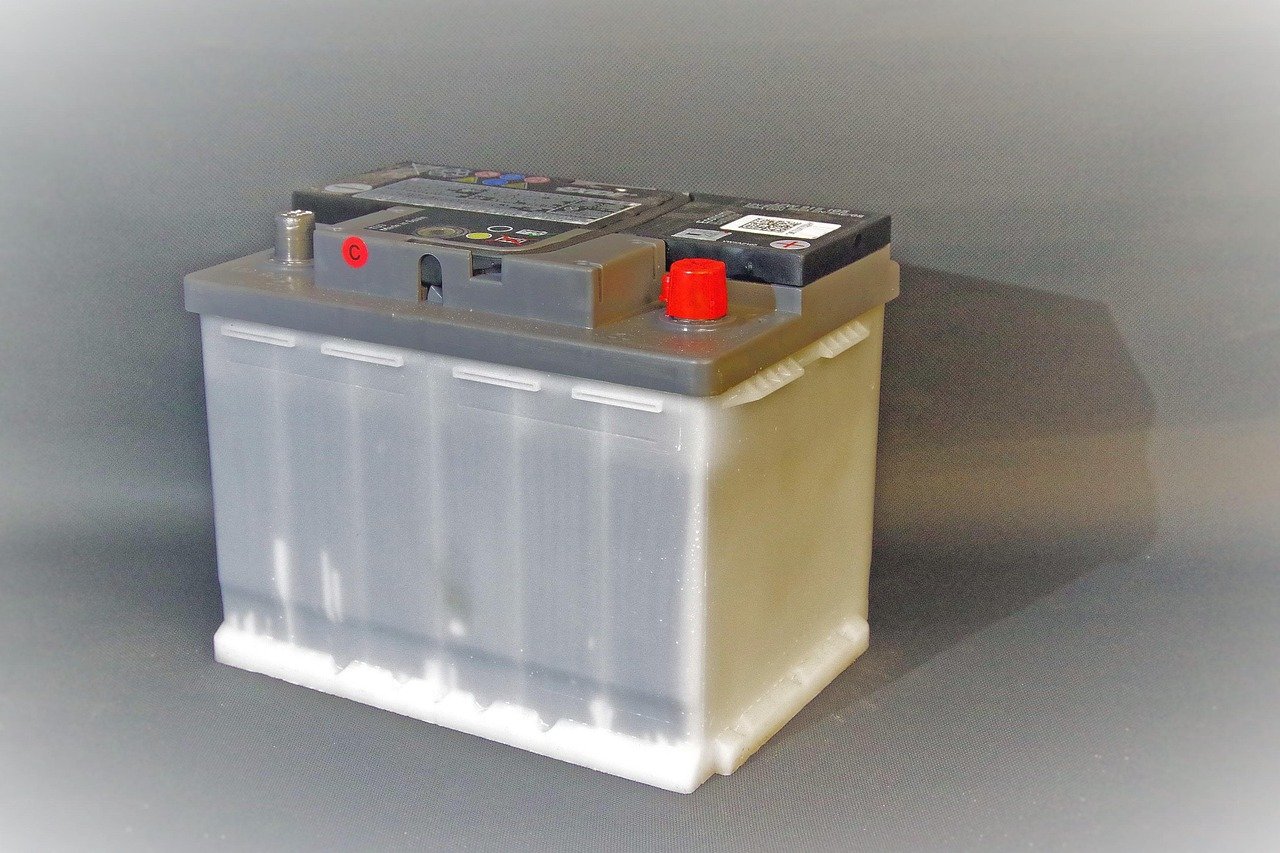
What do a car that won’t crank on a frosty morning, a laptop that shuts off at 40 percent, and a phone that charges painfully slowly have in common? More often than you’d guess, the answer is battery terminals. These small metal contact points carry every bit of current that flows in and out of a battery, and when they’re dirty, loose, or corroded, the whole system suffers. Understanding how terminals work, what goes wrong with them, and how to care for them is one of the most practical bits of battery knowledge anyone can have.
What a Battery Terminal Actually Is
A battery terminal is the electrical contact point on a cell or battery through which current flows to or from an external circuit. On a cylindrical cell, that means the little nub on top and the flat base on the bottom. On a car battery, it’s the chunky lead posts rising from the case. On a laptop or phone battery pack, it’s usually a set of flat metal tabs or a small connector.
The terminal is a carefully chosen interface rather than a simple piece of metal. The material has to conduct well, resist corrosion, and survive thousands of connect-disconnect cycles. On lithium-ion cells, the positive terminal is typically aluminum while the negative is copper or nickel-plated copper. Aluminum is used on the positive side partly because copper can corrode at the high positive potentials involved. That design detail has major consequences for how long a battery lasts.
Polarity matters just as much as material. Standards for primary batteries specify marking conventions, including the plus and minus symbols, so users can’t easily mix up which end goes where. That marking is the difference between a device that works and one that lets out the magic smoke.
Positive and Negative: Why Direction Matters
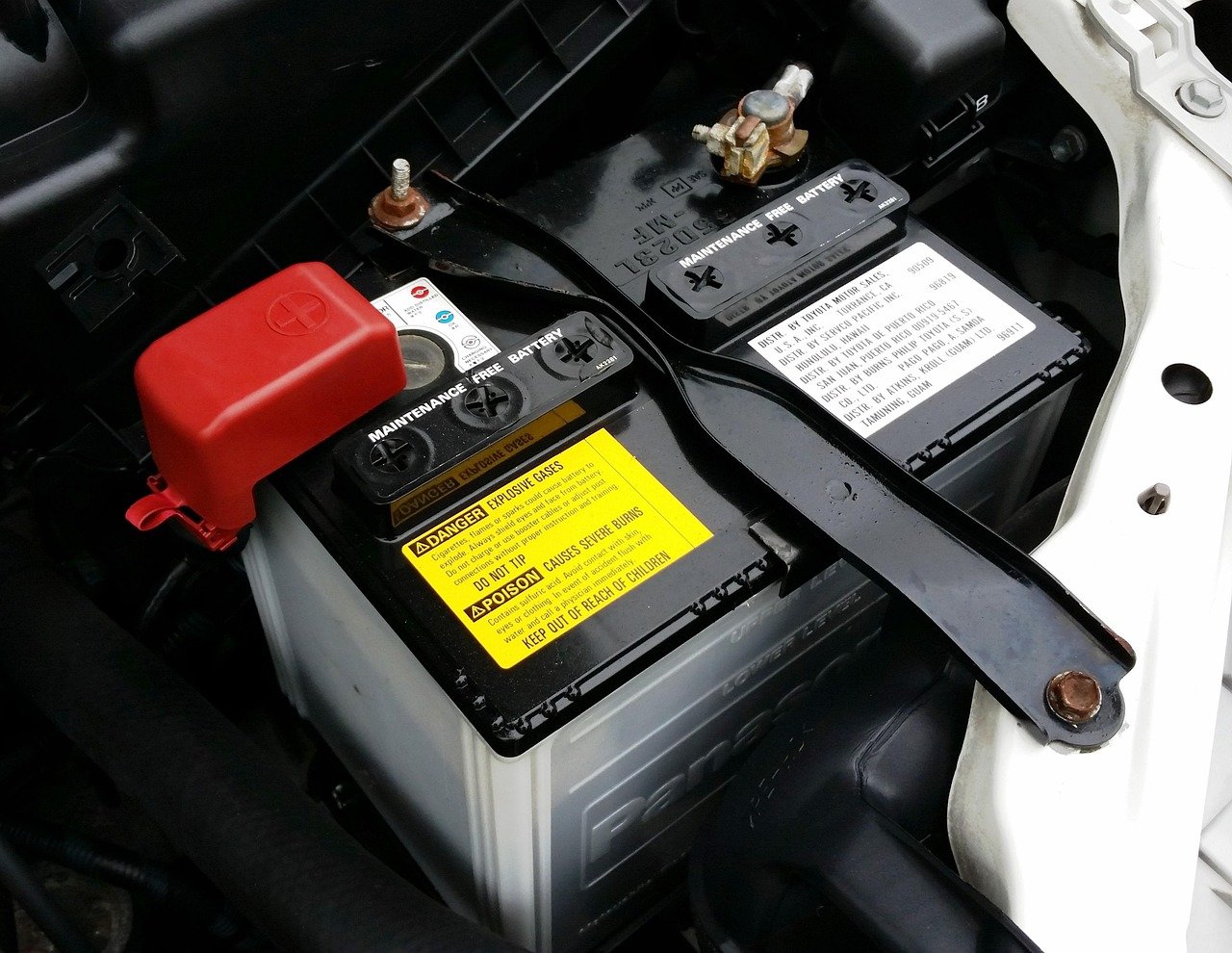
Every battery has a positive terminal and a negative terminal, and the distinction is not cosmetic. Current flows out of the positive terminal and back into the negative one when a battery discharges. Reverse that connection and you get reverse polarity, which can damage electronics in a hurry.
Many circuits include reverse-polarity protection, such as a series diode or a MOSFET, specifically to survive a backwards battery. But that protection isn’t universal. Cheap devices often skip it to save a few cents. Car electronics are usually more robust, but connecting a jump starter backwards can still blow fuses or worse.
The practical rule is simple: check the markings before you connect anything. On a car battery, the positive post is usually larger and marked with a plus sign or a red cover. On small cells, the bump is almost always positive. When in doubt, look it up rather than guess.
Corrosion: The Number One Terminal Problem
If there’s one thing people notice about battery terminals, it’s the fuzzy blue-white crust that creeps across car battery posts. That deposit is typically a sulfate buildup, formed when acid mist escapes from the battery and reacts with the terminal metal. It’s a classic sign of a lead-acid battery doing its thing, and left alone it can block current flow badly enough to prevent the engine from starting.
Corrosion doesn’t happen overnight. It builds up over months, often faster in hot climates or in cars that sit unused. The warning signs are easy to spot: slow cranking, dim lights at idle, or a visible crust on the posts.
Cleaning is straightforward. Disconnect the negative cable first, then the positive. Scrub the posts and clamps with a stiff brush and a mix of baking soda and water to neutralize the acid, rinse, dry thoroughly, and reconnect in reverse order. A protective coating—either a commercial terminal protector or plain petroleum jelly—slows the return of corrosion. It’s a fifteen-minute task that can save an afternoon of troubleshooting later.
Loose Connections and the Problems They Cause
A terminal doesn’t have to be corroded to cause trouble. A loose connection creates resistance, and resistance creates heat. That heat can melt plastic, damage cables, and in extreme cases start a fire. It also causes voltage drops that make electronics behave strangely.
Common symptoms of a loose terminal include:
- Intermittent starting, where the car cranks fine one day and clicks the next.
- Lights that flicker when you hit a bump.
- A battery that tests fine but won’t hold a charge in the vehicle.
- Terminal posts that feel warm after driving.
The fix is usually just tightening the clamp bolt, but overtightening is its own mistake. Lead posts are soft and can be crushed or cracked by a heavy hand. Side-terminal batteries, common on some vehicles, use bolts threaded into the case, and those can strip if forced. Snug is the goal, not gorilla-tight.
Terminal Types You’ll Encounter
Battery terminals come in several shapes, and knowing which is which helps when buying replacements or diagnosing problems.
| Terminal Type | Where It’s Used | Key Trait |
|---|---|---|
| SAE post | Most cars, top-post batteries | Standard tapered lead posts, positive larger than negative |
| Side terminal | Many GM and some other vehicles | Bolts thread into the battery case side |
| Stud or bolt terminal | Marine, RV, and some industrial batteries | Threaded studs accept ring connectors |
| Button or tab | Phones, laptops, small electronics | Flat contacts, often soldered or clipped |
| Spring or blade | Power tools, hobby batteries | Keyed shapes that prevent reverse insertion |
Mismatched terminals are a real headache. A replacement battery with the wrong post configuration simply won’t connect to the existing cables without adapters, and adapters add resistance. Before buying, compare the old battery’s terminal layout to the new one. This matters as much as capacity or brand, and it’s a point worth checking carefully when weighing whether a laptop battery is worth buying, since connector compatibility can make or break the swap.
Terminal Temperature and Safety Limits
Terminals get warm during heavy use, and that’s normal up to a point. Standards for secondary cells and batteries address abnormal conditions, and terminal and connector temperature rise is treated as a safety parameter. The reason is simple: heat at a terminal means resistance, and resistance means energy is being wasted as heat instead of doing useful work.
In practice, a terminal that’s too hot to touch after normal use is a red flag. It could mean a loose connection, an undersized cable, or a failing battery. In high-drain applications like electric vehicles and power tools, terminal design and cooling get serious engineering attention. The broader shift toward solid-state designs is partly about managing exactly these kinds of thermal and interface challenges, and it’s one reason the move toward next-generation EV batteries is such a big deal.
Short Circuits and Terminal Protection
Exposed terminals on a high-energy battery can deliver enormous short-circuit currents. A wrench dropped across car battery posts can weld itself in place, spray sparks, and cause burns or a battery explosion. That’s why terminal covers, insulating caps, and careful tool handling are standard safety measures.
The risk extends to shipping. Transport rules for lithium batteries include requirements for protecting terminals against short circuit during transport, typically through packaging and terminal covers. Anyone shipping loose cells or battery packs should treat terminal insulation as non-negotiable, not optional.
For everyday users, the practical habits are simple. Keep metal tools away from exposed terminals. Use covers when terminals are accessible. Never store loose batteries in a drawer with keys or coins. And when working under the hood, disconnect the negative cable first, because that breaks the circuit safely before you touch the positive side.
Terminals and Battery Health Diagnostics
Terminal condition is often the first thing to check when a battery seems to be failing. A battery that tests healthy on a bench but performs poorly in the device usually has a connection problem, not a cell problem. Cleaning and tightening terminals can restore performance that looked like a dead battery.
That said, terminals aren’t always the culprit. If a phone battery drains fast even with clean contacts, the issue is inside the battery or the software managing it. The same goes for laptops. A practical diagnostic guide for iPhone battery drain walks through the difference between connection issues and genuine cell degradation, and it’s worth reading before assuming a terminal problem. On the laptop side, a similar approach applies: check the connector, then the battery health, then the charging circuit.
For Android devices, the same logic holds. Before replacing a battery, verify that the terminals and charging port are clean and making solid contact. A guide on how to check battery health on Android that actually works can help separate a tired cell from a dirty connector. It’s a small step that prevents unnecessary replacements.
Replacing a Battery Without Losing Your Settings
Modern cars store a surprising amount of data in memory, and disconnecting the battery can wipe radio presets, seat positions, and sometimes idle-learned engine parameters. That’s a terminal-level concern, because the fix involves keeping power flowing while the main battery is swapped.
A memory saver, plugged into the OBD port or a cigarette lighter, maintains a small current during the change. Alternatively, some people use a jump pack connected to the cables before removal. Either way, the procedure is about managing terminals carefully: disconnect negative, then positive, swap the battery, reconnect positive, then negative. Following a proper procedure to change a car battery without losing your settings avoids a frustrating reset session afterward.
Cost is the other consideration. Terminal type, battery size, and vehicle complexity all affect the final bill, and it helps to know what you’ll actually pay for a car battery replacement before you’re standing at the counter.
Terminal Care in Everyday Devices
Car batteries get the attention, but terminals matter just as much in smaller gear. Laptop battery connectors can accumulate dust and oxidation, causing charging interruptions. Phone charging ports, which serve as the external terminal interface, collect lint that blocks contact. Power tool batteries have spring-loaded terminals that wear down over time.
A few habits keep these connections healthy:
- Keep connectors clean and dry.
- Avoid bending or stressing terminal tabs when inserting batteries.
- Store spare batteries with terminal caps or in their original packaging.
- Inspect terminals for discoloration, which signals heat damage.
- Replace damaged connectors rather than taping them up.
For UPS units, terminal compatibility is a common trap. Replacement batteries may look identical but have differently sized or positioned terminals, which is why checking fit before buying matters. A guide on UPS battery replacement compatibility that actually fits or fails covers the details that prevent a return trip.
When to Replace Rather Than Repair
Terminals themselves are rarely the thing that fails permanently. Cables, clamps, and connectors wear out, and those are replaceable. A battery with a cracked post or a melted terminal, however, is usually beyond saving. Heat damage inside the case often accompanies visible terminal damage, and a battery that’s been cooked is a safety risk.
The decision usually comes down to cost and age. A five-year-old car battery with corroded terminals is often better replaced than nursed along. A two-year-old battery with a dirty connection just needs cleaning. For laptops, the calculus is similar, and a practical guide to whether a laptop battery is worth buying can help frame the decision in terms of remaining life versus replacement cost.
Conclusion
Battery terminals are small, unglamorous, and absolutely central to how any battery-powered system performs. They carry every amp, they corrode, they loosen, and they heat up when something is wrong. The good news is that terminal problems are among the easiest battery issues to prevent and fix. Clean them, tighten them properly, protect them from corrosion, and check them first when something misbehaves. That simple routine solves a surprising share of the battery complaints people blame on the battery itself.
How often should car battery terminals be cleaned?
Inspecting them every few months is a reasonable habit, and cleaning is needed whenever visible crust appears. In hot climates or on older batteries, checking more often helps catch corrosion before it causes starting problems.
Can a bad terminal damage a battery?
Yes. A loose or corroded terminal creates resistance and heat, which can stress the battery and the charging system. In severe cases, heat from a bad connection can damage the battery case or nearby wiring.
Why is the positive terminal usually larger than the negative?
The size difference is a deliberate safety feature. It makes it physically difficult to connect the cables backwards, reducing the risk of reverse polarity damage to electronics.
What causes the white powder on battery terminals?
The powdery deposit is typically sulfate buildup from acid mist reacting with the terminal metal. It’s common on lead-acid batteries and can be cleaned with a mix of baking soda and water and a stiff brush.
Do lithium batteries have the same terminal problems?
Not exactly. Lithium cells don’t produce the acid mist that causes sulfate crust, but their terminals can still oxidize, loosen, or suffer heat damage. Connector cleanliness and secure fit matter just as much.
Can I drive with a loose battery terminal?
It’s risky. A loose terminal can cause the engine to stall, damage electronics through voltage spikes, or create heat that poses a fire hazard. Tightening it takes a minute and is worth doing before driving.



