
Quick Answer: How do I choose game development engines?
Choosing a game engine starts with matching the engine to your game’s scope, your team’s coding skills, and the platforms you plan to ship on. In practice, that means shortlisting two or three engines, checking their licensing terms directly, and building a small test project before committing.
The main options differ sharply: Unity uses C# and covers 2D and 3D broadly, Unreal Engine leans on C++ and Blueprint for high-fidelity 3D, Godot is free and open source, and GameMaker targets 2D indie work. None of them is universally best.
Before you commit, compare target platforms, scripting language, licensing and royalties, asset pipeline and middleware support, console certification access, performance needs, and community size, then prototype to confirm the fit.
Why the Engine Decision Matters More Than It Looks
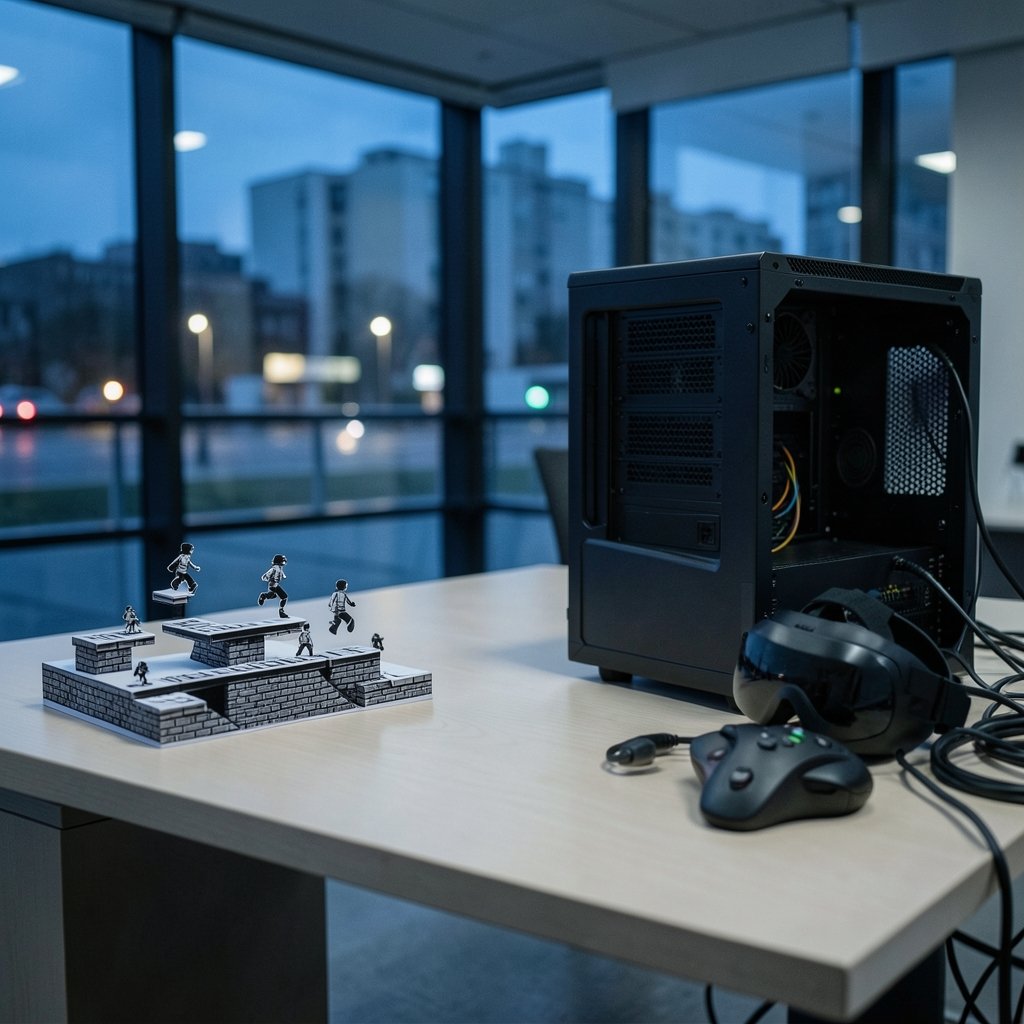
Picture this: a solo developer spends eight months building a 2D platformer in a heavyweight 3D engine, fighting the workflow the whole way. The game eventually ships, but half the development time went into wrestling tools that were never designed for the job. That story is common, and it is entirely avoidable.
A game engine is the software framework that handles rendering, physics, audio, input, and asset management so you do not have to write those systems from scratch. Picking one is not a permanent marriage, but switching later is expensive. Assets, scripts, and custom tools rarely transfer cleanly between engines. That is why the choice deserves real research rather than a coin flip based on which engine looked coolest in a trailer.
The decision also shapes who you can hire, how fast you can iterate, and what you owe in royalties after launch. Treat it as a business decision as much as a creative one.
Start With the Game, Not the Engine
The most reliable first step is to describe your game in plain language before opening any engine. Is it 2D or 3D? Single-player or multiplayer? Mobile, PC, console, or web? A small narrative game and a large open-world shooter have almost nothing in common technically.
Write down three things: the genre and perspective, the target platforms, and the rough scope in months of work. A project planned for three months by one person should not require a team-scale toolchain. A project aiming for console release needs an engine with a credible path to platform certification.
This exercise also exposes mismatches early. If the game is a pixel-art roguelike, a 2D-first engine will likely feel faster and lighter than a full 3D suite. If the game is a photorealistic racing title, the opposite is true. For readers weighing adjacent technical decisions, the same fit-first logic applies when picking a programming language for game development — the right answer depends on the project, not on popularity charts. (Choose tennis racket that fits your game)
Compare the Major Engines Side by Side
Each major engine has a distinct personality. The table below summarizes the practical differences that matter most during selection.
| Engine | Scripting | Strength | Licensing Model | Typical Use |
|---|---|---|---|---|
| Unity | C# | Broad 2D and 3D, huge asset ecosystem | Seat-based subscription tiers; terms changed in 2023–2024, verify current terms | Mobile, indie, mid-size multiplatform |
| Unreal Engine | C++ and Blueprint | High-fidelity 3D, strong console tooling | Royalty above a revenue threshold; confirm current terms | PC and console 3D titles |
| Godot | GDScript, C#, C++ | Free, open source (MIT), lightweight | No royalties or subscription | 2D and modest 3D indie projects |
| GameMaker | GML, visual drag-and-drop | Fast 2D workflow | Subscription-based; verify current details | 2D indie titles |
Two cautions apply to this table. First, licensing terms for Unity and Unreal shifted materially during 2023 and 2024, so any figure quoted in a blog post or forum thread may already be stale. Always read the vendor’s current license page. Second, feature lists say little about workflow feel. An engine that looks perfect on paper can still frustrate a team within a week.
Weigh the Scripting Language and Learning Curve
Every engine implies a language, and every language implies a learning curve and a hiring pool. Unity’s C# is approachable for developers coming from general software work. Unreal’s C++ is powerful but demands more discipline, though Blueprint visual scripting softens the entry for designers. Godot’s GDScript is deliberately simple and Python-like. GameMaker’s GML is purpose-built for 2D logic.
Ask two questions. Can the current team write comfortably in this language within a month? And if the team grows, is there a healthy pool of developers who know it? C# and C++ have large talent markets; GDScript and GML are smaller and more engine-specific.
A practical tip: spend a weekend rebuilding a tiny known game, such as Pong or a simple platformer, in each shortlisted engine. The friction you feel in that weekend usually predicts the friction you will feel for the whole project.
Check Platform Support and Certification Early
Platform support is where many comparisons quietly fail. Not every engine exports to every console, and console development kits are typically gated behind approved developer status with each platform holder. If console release is a goal, confirm the engine’s console support and the approval path before writing a line of gameplay code.
Mobile adds its own constraints: app store policies, device performance tiers, and touch input design. Web builds have tight size and performance limits. A prototype exported to each target platform in week one will reveal problems that documentation glosses over.
This is the same principle behind choosing gear in other fields: the spec sheet matters less than whether it works for your actual use case. Someone comparing protective equipment, for instance, benefits from guidance on how to choose bike helmets that actually protect you rather than from a list of features. Engines reward the same practical scrutiny.
Understand Licensing Before You Commit
Licensing is the most expensive detail people skip. Three broad models exist: open source with no royalties (Godot, under the MIT license), royalty above a revenue threshold (Unreal Engine), and subscription or seat-based pricing (Unity, GameMaker). Each has different implications for a small team versus a studio.
Read the actual license, not a summary. Pay attention to revenue thresholds, what counts as revenue, per-seat costs, and whether terms can change mid-project. The 2023–2024 turbulence around Unity’s proposed runtime fee, which was announced and later cancelled, showed how quickly terms can shift. Build a worst-case licensing scenario into your budget.
For open-source engines, also check the license of plugins and assets you plan to use. A free engine does not guarantee a free middleware stack.
Audit the Asset Pipeline and Middleware
Production speed often hinges on the boring parts: how models, textures, and audio get into the engine, and whether your preferred middleware plugs in cleanly. Audio tools such as FMOD and Wwise, third-party physics libraries, and animation pipelines vary in native support across engines.
Before committing, list every middleware tool the project needs and verify compatibility. Discovering that a chosen audio solution needs custom integration three months in is a costly surprise. The same applies to asset import formats: if the art team works in a specific toolchain, confirm the engine imports those files without heavy conversion.
A useful habit is to run one full asset through the pipeline end to end during the prototype: model it, texture it, import it, animate it, and play a sound on it. If that chain feels smooth, the pipeline is probably sound.
Match the Engine to Team Size and Budget
A solo developer and a twenty-person studio need different things. Solo developers benefit from engines with fast iteration, strong documentation, and large communities that answer questions quickly. Larger teams benefit from robust version control integration, build automation, and clear code architecture.
Budget goes beyond the license fee. Consider hardware requirements (Unreal’s high-fidelity rendering rewards strong GPUs), plugin costs, and the price of training time. A free engine with a steep learning curve can cost more in lost weeks than a paid engine that the team already knows.
There is also a community factor. A large community means more tutorials, more answered forum threads, and more third-party assets. Smaller communities are often friendlier but thinner on solutions when something breaks at 2 a.m.
Prototype Before You Commit
The single most repeated piece of advice from experienced developers is to build a vertical slice before committing. A vertical slice is a small, playable segment that exercises the core loop, the art pipeline, and the target platform export.
Set a time box of one to two weeks. Define success criteria in advance: does the frame rate hold on target hardware? Does the workflow feel sustainable? Can a second person contribute without confusion? If the answer is no on any count, that is valuable information gained cheaply.
Common mistakes during this phase include prototyping with placeholder art that hides pipeline problems, skipping the platform export entirely, and letting the test balloon into the real project. Keep the slice small and disposable. Its job is to answer questions, not to become the game.
Factor In Long-Term Support and Documentation
An engine is a long-term dependency. Check release cadence, the quality of official documentation, and how quickly security and platform updates ship. Godot’s open-source model means anyone can inspect and modify the source, which appeals to teams that want control. Commercial engines typically offer formal support channels, which matters for studios with deadlines.
Also look at the engine’s track record on backward compatibility. Major version upgrades can break projects, and a team mid-production does not want to be forced into a migration. Reading release notes for the past year gives a realistic sense of stability.
If the project involves learning new skills more broadly, the fit-first approach applies elsewhere too, such as when students choose a study abroad country that fits them rather than chasing rankings. The principle is consistent: match the option to the person and the goal.
Conclusion
Choosing a game development engine is a structured decision, not a matter of following the crowd. Start with the game’s genre, scope, and target platforms. Shortlist two or three engines, then compare scripting language, licensing, middleware support, console access, and community size. Read the current license terms directly, because they change. Finally, build a small vertical slice and export it to every target platform before committing the full project.
The engine that wins is rarely the most powerful one on paper. It is the one that lets the team ship the game they actually intend to make, on time and within budget. Do the comparison work up front, prototype honestly, and the choice becomes far less intimidating.
Frequently Asked Questions
Is Unity or Unreal better for beginners?
It depends on the goal. Unity’s C# and gentler 2D workflow tend to suit beginners starting with smaller projects, while Unreal’s Blueprint system lets newcomers build logic visually but its C++ path is steeper. Beginners aiming at high-fidelity 3D often still start with Unity to learn fundamentals first.
Can I switch engines later without losing everything?
Switching is possible but costly. Scripts, custom tools, and scene setups generally do not transfer, while raw assets like models and audio usually can. Teams should assume a switch means rebuilding most of the project logic, which is why prototyping in the shortlisted engine first is so valuable.
Is Godot good enough for commercial games?
Yes, for many projects. Godot is free, open source under the MIT license, and supports both 2D and 3D. It suits indie and mid-size projects well, though teams targeting demanding high-fidelity 3D or specific console pipelines should verify support and performance against their requirements first.
Do I need to know programming to make a game?
Not always. Visual scripting options such as Unreal’s Blueprint and GameMaker’s drag-and-drop workflow let designers build logic without writing code. However, learning a language like C# or GDScript expands what a developer can build and makes debugging far easier in the long run.
How much do game engines cost?
Costs vary widely by model. Godot charges nothing and takes no royalties. Unreal Engine applies a royalty above a revenue threshold. Unity and GameMaker use subscription or seat-based pricing. Because terms changed significantly in 2023 and 2024, always confirm current pricing on each vendor’s official license page.
Which engine is best for 2D games?
GameMaker and Godot are both strong 2D choices. GameMaker offers a fast, focused 2D workflow with its own language, while Godot provides a free, open-source option with GDScript and solid 2D tooling. Unity also handles 2D well and offers a larger asset ecosystem, at the cost of a heavier editor.



