Quick Answer: What should I check before paying for gaming CPU coolers?
Before paying for a gaming CPU cooler, confirm the socket compatibility and that the right mounting bracket is in the box, then match the cooler’s height or radiator size to your case’s published clearance. Check RAM and PCIe clearance too, because big tower coolers can overhang memory slots and block the top expansion slot.
Manufacturer TDP figures are not standardized, so they cannot be compared across brands; independent thermal and noise reviews are more reliable. Air coolers and liquid AIO coolers also differ in failure points, pump noise, and warranty length, so weigh those before choosing.
Key factors to check: socket and bracket support, case clearance, RAM and PCIe room, measured noise, paste and hardware included, warranty terms, and the retailer’s return policy.
Why the Cooler Decision Is Harder Than It Looks
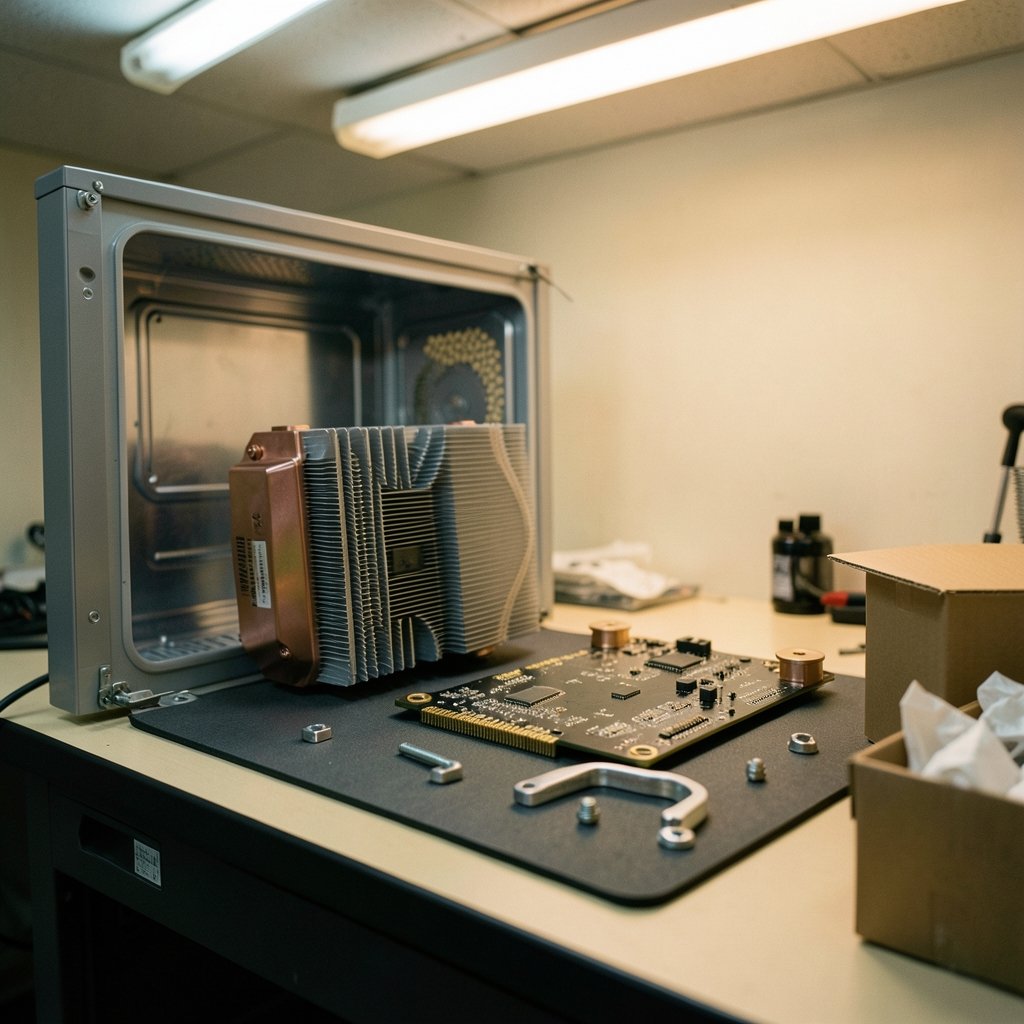
What happens when a shiny new cooler arrives, the box looks great, and then the bracket does not fit the motherboard? That scenario plays out more often than most builders admit. The cooler is one of the few PC parts where a single millimeter or one missing bracket can turn a purchase into a return.
The market does not make it easy. Product pages shout about TDP ratings, fan speeds, and RGB lighting, but those numbers rarely tell the whole story. Cooler TDP figures are set by manufacturers, not a standards body, so a “250W” rating from one brand may not mean the same thing as a “250W” rating from another. That single fact reshapes how buyers should read every spec sheet.
This guide walks through the checks that actually protect a purchase, from socket brackets to warranty terms, with the practical details that separate a smooth build from a frustrating one.
Start With the Socket and the Mounting Bracket
The first check is the least glamorous and the most important: does the cooler mount to the motherboard’s socket? Modern builds mostly land on Intel LGA1700 or LGA1851, or AMD AM4 and AM5. AM4 and AM5 share mounting hole spacing, so many AM4 coolers fit AM5 boards, but that is a convenience, not a guarantee.
Two mistakes are common here. The first is assuming a cooler ships with every bracket. Some models include Intel and AMD hardware; others include one and require a free request for the other. The second is buying a used or open-box cooler without confirming the bracket is present. Missing brackets are a leading cause of returns, and a cooler without its mounting kit is a paperweight.
Buyers should open the manufacturer’s compatibility list for the exact model and check the socket names line up with the board. Anyone juggling a platform decision should also read this guide on AMD vs Intel CPU compatibility before an upgrade, since the socket choice locks in cooler options for years.
Match the Cooler to the Case, Not the Other Way Around
Case clearance is where confident buyers get humbled. Tower air coolers commonly run about 150 to 170 mm tall, while low-profile models sit around 35 to 70 mm. Every case publishes a maximum CPU cooler height, and that number is the hard limit. A cooler that exceeds it will not fit under the side panel, no matter how carefully it is angled.
Liquid coolers swap height problems for radiator problems. A 240 mm radiator fits in far more cases than a 280 mm or 360 mm unit, which need matching mounts and enough room for fan and tube routing. Pump height and tube bends deserve a look too, especially in compact cases.
The practical tip: measure twice against the case maker’s spec sheet, not against a photo of someone else’s build. Aesthetic builds online often hide modified panels or removed drive cages.
RAM, PCIe, and the Clearance Traps Nobody Mentions
Two clearance issues trip up experienced builders as often as beginners. The first is RAM clearance. Large tower coolers can overhang the DIMM slots, which forces low-profile memory or a fan repositioned upward. Raising the fan can then push the cooler past the case’s height limit, creating a chain reaction of fit problems.
The second is PCIe clearance. A wide cooler can block the top PCIe slot or crowd the graphics card. Motherboard layouts vary, so the cooler’s published RAM clearance figure plus a look at the board’s slot arrangement is the only reliable check.
A simple habit helps: sketch the board layout on paper, mark the CPU socket, DIMM slots, and top PCIe slot, then compare against the cooler’s dimensions. It takes two minutes and prevents a rebuild.
Read TDP Ratings With Suspicion
Here is a fact worth taping to the monitor: cooler TDP ratings are not standardized. Each manufacturer sets its own number, so cross-brand comparisons are close to meaningless. A cooler rated at 180W may outperform one rated at 220W from a different brand.
What works instead? Independent reviews that measure thermal performance at a controlled noise level. Those tests show how a cooler handles a real heat load while staying quiet, which is what most gamers actually want. Buyers should look for reviews that name the test bench, the room temperature, and the noise target.
For anyone building a full setup, the same skepticism applies elsewhere. This breakdown of what actually matters in best gaming headsets 2026 shows how spec-sheet numbers often diverge from real-world experience.
Noise: Why dBA Numbers Need Context
Noise is the spec buyers underestimate most. Reviewers report sound pressure in dBA at set distances, and a roughly 10 dB increase is perceived as about twice as loud. That non-linear relationship means a cooler measuring 35 dBA is not “slightly” louder than one at 25 dBA; it is dramatically louder to the ear.
Fan specs alone, like CFM and RPM, do not predict noise. A high-RPM fan can move plenty of air and sound like a small vacuum. Test methods also differ between outlets, so comparing dBA figures across reviews is shaky unless the methodology matches.
The practical approach is to read two or three independent reviews of the same cooler, note the noise level at load, and decide whether that fits the room. Gamers with open-back headphones or a mic in the same room should weight noise heavily.
Air or Liquid: Weigh the Failure Modes
The air-versus-AIO debate rarely ends with a clear winner because the trade-offs are real. Air coolers have fewer failure points: a fan might wear out, but the heatsink itself has nothing to leak or pump. Liquid coolers add pump noise and a small failure risk from pump wear and permeation over the years.
| Factor | Air cooler | Liquid AIO cooler |
|---|---|---|
| Failure points | Few (fan, mount) | More (pump, tubing, seals) |
| Noise character | Fan noise only | Fan plus pump noise |
| Space near socket | Large tower footprint | Pump block, radiator elsewhere |
| Case fit | Height-limited | Radiator-mount limited |
| Typical warranty | About 2 to 10 years | About 2 to 6 years |
Warranty ranges shift by brand and region, so the specific model’s terms matter more than the category average. Buyers should check the warranty page before paying, not after something fails.
Paste, Hardware, and What’s Actually in the Box
Small inclusions cause big headaches. Confirm whether thermal paste is pre-applied, included in a tube, or missing entirely. Confirm the box has the correct bracket for the socket. Confirm the fan mounting clips and any PWM splitter cables are present.
Common mistakes include buying a cooler with a pre-applied paste pad that has dried out from long shelf storage, and forgetting that some budget coolers ship with a single fan while the product photos show two. The listing’s “what’s in the box” section is worth reading line by line.
For buyers comparing bundled accessories across product categories, the same discipline applies to rillabox review buyers should know before ordering, where box contents and terms matter as much as the headline feature.
Return Policy and Consumer Rights
Before paying, check the retailer’s return window and the statutory rights that apply. In the EU, distance sales generally carry a 14-day right of withdrawal. In the UK, the Consumer Rights Act 2015 sets standards for goods quality and remedies.
These protections matter for coolers because fit problems often surface only at installation. A generous return window turns a wrong bracket into a minor inconvenience instead of a loss. Buyers should also check whether the retailer charges restocking fees or requires original packaging.
The same pre-purchase caution shows up in finance products, as this look at bmg money reviews borrowers should check before signing illustrates: terms buried below the headline are where problems hide.
Cross-Category Lessons That Apply Here
Cooler shopping rewards the same habits that protect buyers in other tech purchases. Compatibility lists, real-world reviews, and clear return terms do more work than marketing copy. Anyone planning a broader upgrade can apply that mindset to AI chatbot lifetime deals 2027 buyers should actually check, where “lifetime” claims deserve the same scrutiny as “TDP” badges.
Even calendar planning benefits from verification, as the 2026 2027 school calendar parents should check before shows. The pattern is consistent: check the primary source, not the summary.
A Practical Pre-Purchase Checklist
- Confirm the cooler supports the exact socket, and that the bracket is included or free on request.
- Compare the cooler’s height (air) or radiator size (AIO) against the case’s published clearance.
- Check RAM clearance and whether the cooler crowds the top PCIe slot.
- Read independent reviews for measured thermal and noise performance, not TDP badges.
- Confirm paste and mounting hardware are in the box.
- Check the model’s warranty length and the retailer’s return window.
Conclusion
Paying for a gaming CPU cooler is a small purchase with an outsized effect on noise, temperatures, and build stress. The checks that matter are unglamorous: socket brackets, case clearance, RAM and PCIe room, measured noise from independent reviews, box contents, warranty, and return terms. None of them require expert knowledge, just a few minutes with the manufacturer’s spec sheet and a skeptical eye on marketing numbers. Buyers who run through this list before clicking pay rarely regret the cooler sitting in their case.
FAQ
Do AM4 coolers fit AM5 motherboards?
Often yes. AM4 and AM5 share mounting hole spacing, so many AM4 coolers mount to AM5 boards. Buyers should still confirm the specific model appears on the manufacturer’s AM5 compatibility list, since backplate and bracket designs vary.
Are higher TDP ratings always better?
No. Cooler TDP figures are set by manufacturers, not a standards body, so they are not directly comparable across brands. Independent reviews with measured thermal performance at a controlled noise level are a far better guide.
How much cooler height clearance do I need?
It depends on the case’s published maximum CPU cooler height. Tower coolers commonly run about 150 to 170 mm, low-profile models about 35 to 70 mm. Always use the case maker’s spec sheet rather than guessing from photos.
Is a liquid cooler quieter than an air cooler?
Not automatically. Liquid coolers add pump noise on top of fan noise, while air coolers have fan noise only. Perceived loudness depends on the specific model and fan curve, and a 10 dB difference is roughly perceived as twice as loud.
What happens if the mounting bracket is missing?
The cooler cannot be installed. Missing brackets are a common cause of returns, so confirm the box includes the bracket for the target socket, or that the manufacturer offers it free on request, before paying.
How long should a cooler warranty last?
Air cooler warranties commonly range from about 2 to 10 years, and AIO warranties about 2 to 6 years, depending on brand and region. Check the specific model’s warranty page, since terms shift over time.