Passkeys vs Two-Factor Authentication in 2027
Every account worth protecting now asks for more than a password, and the two methods most people meet are passkeys and two-factor authentication. They look similar on the surface: both add a second check before letting someone in. Underneath, they work in quite different ways, and that difference decides which one is stronger, which one is easier, and which one fits a given account.
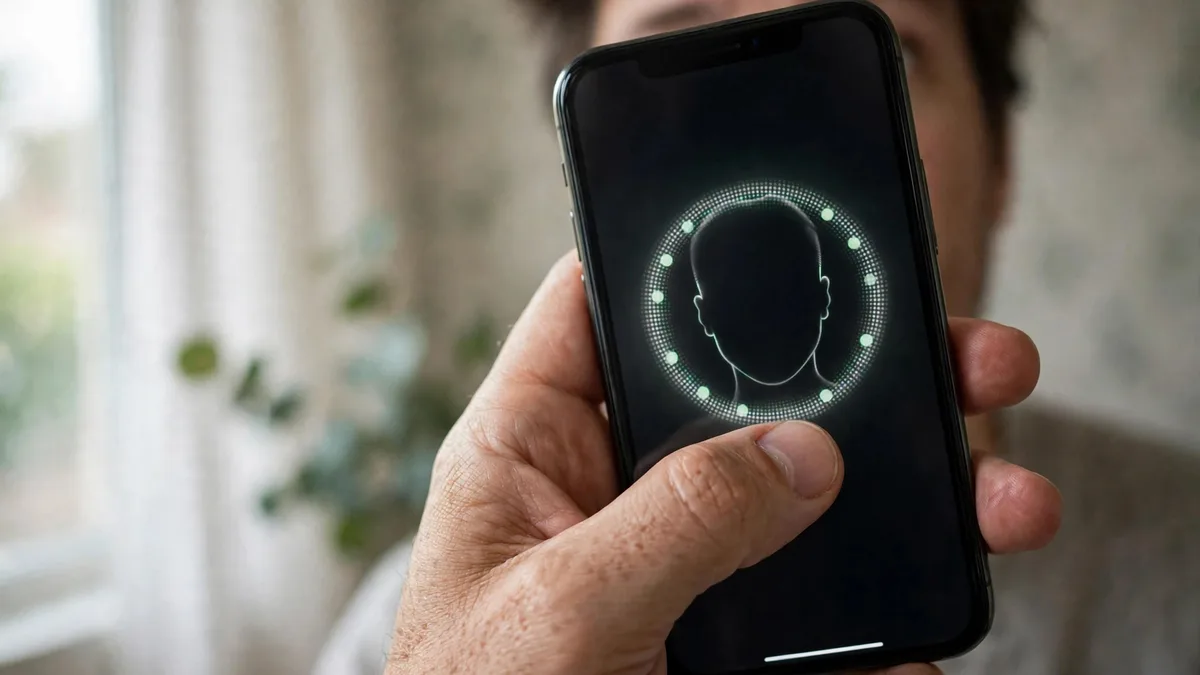
Passkeys replace the password entirely. Instead of typing something only you know, your phone or computer proves who you are with a fingerprint, a face scan or a device PIN, backed by a cryptographic key that never leaves the device. Two-factor authentication keeps the password and adds a second step, usually a code from an app or a text message, or a tap on a security key.
This comparison explains how each method works, where each one is strong and where it falls short, and when to use one, the other, or both together. There is no single winner for every situation, but for most people in 2027 the answer is clearer than it used to be.
Key takeaways
- Passkeys replace passwords with a device-held key unlocked by fingerprint, face or PIN, so there is nothing to type and nothing to phish.
- Two-factor authentication keeps the password and adds a second step, usually a time-based code or a security key.
- Passkeys resist phishing better because the key only works for the real site it was created for.
- Two-factor authentication works almost everywhere, while passkeys still are not offered by every service.
- Where both are available, passkeys are usually the better daily choice, with two-factor authentication as the fallback.
How passkeys work
A passkey is a pair of cryptographic keys created when you sign up for an account or switch an existing account over. The private key stays on your device, locked behind your fingerprint, face scan or PIN. The public key goes to the service. When you sign in, the service sends a challenge, your device signs it with the private key, and the service checks the signature against the public key it holds. Nothing secret travels across the internet, and there is no password to steal from a database.
The clever part is that the private key is bound to the real website. If a fake login page tries the same trick, the key simply will not work, because it was created for the genuine address. That is why passkeys are so hard to phish: the protection is built into the mechanism, not left to the user spotting a suspicious link. Our guide to what cybersecurity is explains the wider ideas behind this kind of protection.
Passkeys usually sync across a person’s devices through their platform account, so a passkey created on a phone can also be used on a laptop signed into the same account. That syncing is convenient, and it also means the account is only as safe as the platform account itself, so keeping that account well protected matters. If a device is lost, the synced passkey can be used from another device, and the lost one can be removed from the account settings.
How two-factor authentication works
Two-factor authentication, usually shortened to 2FA, adds a second check on top of the password. The first factor is something you know, the password. The second is something you have, such as a phone running an authenticator app, or something you are, such as a fingerprint. After the password, the service asks for the second factor before granting access.
The most common second factor is a six-digit code that changes every thirty seconds, generated by an authenticator app or sent by text message. App-based codes are the safer of the two, because text messages can be intercepted or redirected. A stronger option is a physical security key that plugs into a USB port or taps over NFC: the key proves possession directly, and like a passkey it will not respond to a fake site. Some services also offer push approval, where a notification asks you to confirm the sign-in on your phone.
The weakness of 2FA is that the password is still there. Passwords get reused, leaked in breaches and guessed, and a stolen password plus a tricked user can still get an attacker through code-based 2FA. It raises the bar a long way compared with a password alone, but the password remains a weak link that passkeys remove altogether.
Passkeys vs two-factor authentication at a glance
| Feature | Passkeys | Two-factor authentication |
|---|---|---|
| Password needed | No, replaces it | Yes, plus a second step |
| Phishing resistance | Strong, key is site-bound | Good with a security key, weaker with codes |
| Sign-in speed | Fast, one biometric check | Slower, two steps |
| Availability | Growing, not universal | Offered almost everywhere |
| Lost device recovery | Synced keys or account recovery | Backup codes or recovery process |
| Works without a phone | Yes, on a computer with a key | Yes, with a security key or backup codes |
Security compared
On security, passkeys have the edge. The key never leaves the device, there is no password to leak in a breach, and the site-binding stops phishing pages cold. An attacker who tricks someone into visiting a fake login page gets nothing useful, because the passkey will not authenticate there. That is a structural advantage, not a matter of being careful.
Two-factor authentication is still a big improvement over a password alone. An attacker with a stolen password but no access to the second factor is locked out in most cases. But code-based 2FA can be beaten: fake login pages can relay codes in real time, and text messages can be intercepted through SIM swapping. Security keys close most of that gap, since they also check the site address, which is why they are the strongest form of 2FA. For accounts that hold sensitive personal or financial details, the gap matters; our roundup of the best identity theft protection in 2027 covers services that watch for the fallout when account security fails.
Both methods depend on recovery options, and recovery is often the weakest link. If a service lets someone reset access with only an email link, then the strength of the main method matters less. Whatever you choose, check the recovery settings and keep backup methods somewhere safe and separate.
Everyday ease compared
Day to day, passkeys are the smoother experience. Signing in is a fingerprint or a glance, with nothing to type and no code to copy before it expires. There is nothing to remember, nothing to reset, and no authenticator app to open. For people who sign into many accounts, that small saving adds up to a noticeably calmer routine.
Two-factor authentication is workable but fussier. Codes expire after thirty seconds, phones run out of battery, and text messages sometimes arrive late. Push approval is easier, but it trains people to tap approve without thinking, which attackers exploit with repeated login prompts. Security keys are simple to use once set up, but they are a small object to carry and to lose.
The friction of 2FA is also its visibility: people notice the extra step and sometimes turn it off. Passkeys remove that temptation by making the secure way also the easy way, which is why services are pushing them. The best security is the kind people leave switched on.
When to use each
Use passkeys wherever a service offers them, especially for email, banking, cloud storage and social accounts. Email is the priority, because it is the recovery route for almost everything else; a passkey on the main email account protects every account behind it. The same goes for password managers, which increasingly support passkey sign-in.
Use two-factor authentication everywhere passkeys are not yet offered, and keep it switched on for accounts that hold money, personal documents or work data. Choose an authenticator app over text messages where possible, and use a security key for the most important accounts. For teams that handle sensitive client accounts, the same thinking applies at work: our look at the best AI tools for legal teams includes tools used by firms where account security is part of the job.
There is no need to pick one method for everything. Most people in 2027 will use a mix: passkeys on the services that support them, 2FA elsewhere, and a security key for the accounts that matter most. The goal is coverage, not purity.
The verdict
Passkeys win on both security and ease of use, and they are the direction the industry is moving. They remove the password, resist phishing by design, and make signing in faster. Two-factor authentication remains essential because it works almost everywhere and protects accounts that do not offer passkeys yet.
The practical verdict is simple: turn on passkeys where they are offered, starting with email, and keep two-factor authentication everywhere else. That combination gives the strongest protection available in 2027 without making daily sign-ins a chore.
Checklist: setting up stronger sign-ins
Work through these steps to move your accounts to stronger sign-ins.
- Start with your main email account, and turn on a passkey if the service offers one.
- Turn on two-factor authentication for every account that offers it and does not yet support passkeys.
- Prefer an authenticator app over text messages, and a security key for your most important accounts.
- Save backup codes somewhere safe and separate from your devices.
- Check the recovery options on each account, and remove old phone numbers and email addresses.
- Review your accounts once a year, and switch any that have added passkey support since last time.
Frequently asked questions
Are passkeys safer than two-factor authentication?
Yes, in most cases. Passkeys remove the password entirely and only work on the genuine site, so they resist phishing and credential leaks better than code-based 2FA. Security-key 2FA is close in strength, but passkeys are easier to use every day.
Do I still need a password if I use passkeys?
Not for signing in with the passkey itself. Some services keep a password as a fallback or for recovery, so it is worth keeping a strong, unique password stored safely even after switching to passkeys.
What happens if I lose the device with my passkeys?
Passkeys that sync through a platform account can be used from another signed-in device. If there is no synced copy, the service’s account recovery process applies, which is why keeping backup methods and recovery details up to date matters.
Is text message two-factor authentication still worth using?
Yes, it is still far better than a password alone, and it is the right choice when nothing better is offered. Where an authenticator app or security key is available, those are stronger options than text messages.
Can I use passkeys and two-factor authentication together?
Yes. Many services let you set up a passkey as the main sign-in method while keeping 2FA as a fallback or for sensitive actions. Using both gives an extra layer on the accounts that matter most.
Will passkeys replace passwords completely?
Not yet, and probably not for every service. Adoption is growing fast, but many smaller services still rely on passwords with 2FA. For now, expect a mix, with passkeys handling more accounts each year.
The bottom line
Passkeys are the better method where they are available: stronger against phishing, free of passwords, and faster to use. Two-factor authentication is the essential backup that covers everything else, and it remains a large step up from a password on its own.
Set up passkeys on your email and main accounts first, keep two-factor authentication switched on everywhere else, and prefer authenticator apps or security keys over text codes. That mix is the strongest practical setup for 2027.